You’ve probably heard that LACP is a bandwidth feature. Run four cables instead of one, get four times the throughput. Simple.
That’s only half true, and the half that’s missing is the half that breaks networks.
Here’s the short version. LACP bundles several physical links into one logical link so that spanning tree counts them as a single port. Without the bundle, how spanning tree picks a root bridge and blocks the rest means three of your four cables sit there doing nothing. STP blocks them on purpose, because four parallel paths between two switches is a loop. Bundle them and STP sees one port, blocks nothing, and you get the bandwidth you already paid for.
So LACP isn’t really about speed. It’s about getting redundant links past spanning tree without turning spanning tree off.
This article covers what LACP is, how the bundle looks to STP, the active and passive modes that decide whether a channel forms at all, the Cisco configuration for both Layer 2 and Layer 3, and the one thing nobody warns you about: your port channel can trigger a topology change without ever going down.
What Is LACP?
LACP stands for Link Aggregation Control Protocol. It’s the open standard that lets two devices agree, automatically, to treat a group of physical ports as one logical interface.
It started life as IEEE 802.3ad in 2000. The 802.1 working group took it over in 2008 and renamed it 802.1AX, and the current revision is IEEE 802.1AX-2020. You’ll still see vendors and study guides say “802.3ad” out of habit. Both refer to the same protocol family. If an exam question gives you either number, it means LACP.
The mechanism is a small frame called an LACPDU (LACP Data Unit). Each end sends them down every enabled port. The two switches compare notes on speed, duplex, VLAN configuration and a few identifiers, and if everything matches, the ports get bundled.
If something doesn’t match, the port stays out of the bundle. That’s the safety check, and it’s the reason LACP beats static bundling.
Three things you get from it:
- Bandwidth. Four gigabit links carry more than one gigabit link.
- Redundancy. Lose a cable, the channel stays up on the rest.
- One STP port. The whole reason any of this works.
That third one is the one people skip. It’s also the one this article is mostly about.

Four cables go in. Spanning tree sees one port come out.
Want to build one before you meet it in production? See what’s inside the CCNA Lab Workbook, including the switching walkthroughs with full topologies and verified command output.
LACP vs LAG vs EtherChannel vs Port Channel
Four words, nearly one thing. This trips up more people than the protocol does.
| Term | What it means | Whose word is it |
|---|---|---|
| Link aggregation | The general concept of bundling links | Everyone |
| LAG | Link Aggregation Group. The bundle itself | Vendor-neutral, common on Juniper, Arista, HP |
| LACP | The protocol that negotiates the bundle | IEEE standard |
| EtherChannel | Cisco’s name for the feature | Cisco |
| Port channel | The Cisco interface the bundle appears as | Cisco |
So is LACP the same as a port channel? No. A port channel is the logical interface you end up with. LACP is one of the ways you can get there. You can build a port channel with LACP, with Cisco’s older PAgP, or with no protocol at all.
And LAG vs LACP? A LAG is the bundle. LACP is the negotiation that forms it dynamically. A static bundle is still a LAG, it just didn’t negotiate.
Is LACP Layer 2 or Layer 3? Layer 2. LACPDUs are Layer 2 frames, and the protocol operates at the data link layer. Slightly confusingly, the bundle it produces can be either: a Layer 2 EtherChannel carries VLANs like a normal switch port, and a Layer 3 EtherChannel gets an IP address. Both are built by the same Layer 2 protocol.
Why Spanning Tree Blocks Your Second Cable
Run two cables between two switches without bundling them. Watch what happens.
One goes forwarding. The other goes blocking. That’s not a fault, that’s STP working correctly, because two parallel Layer 2 paths between the same pair of switches is a loop, and a Layer 2 loop has nothing to stop it. No TTL, no hop count. A single broadcast frame circulates until the switches fall over.
So spanning tree picks one path and shuts the rest. You bought two cables and you’re using one.
Now bundle them. Cisco’s documentation puts it plainly:
“After grouping the links into an EtherChannel, LACP adds the group to the spanning tree as a single device port.”
One port. Not two. There’s no second path for STP to worry about, so there’s nothing to block, and both cables forward.
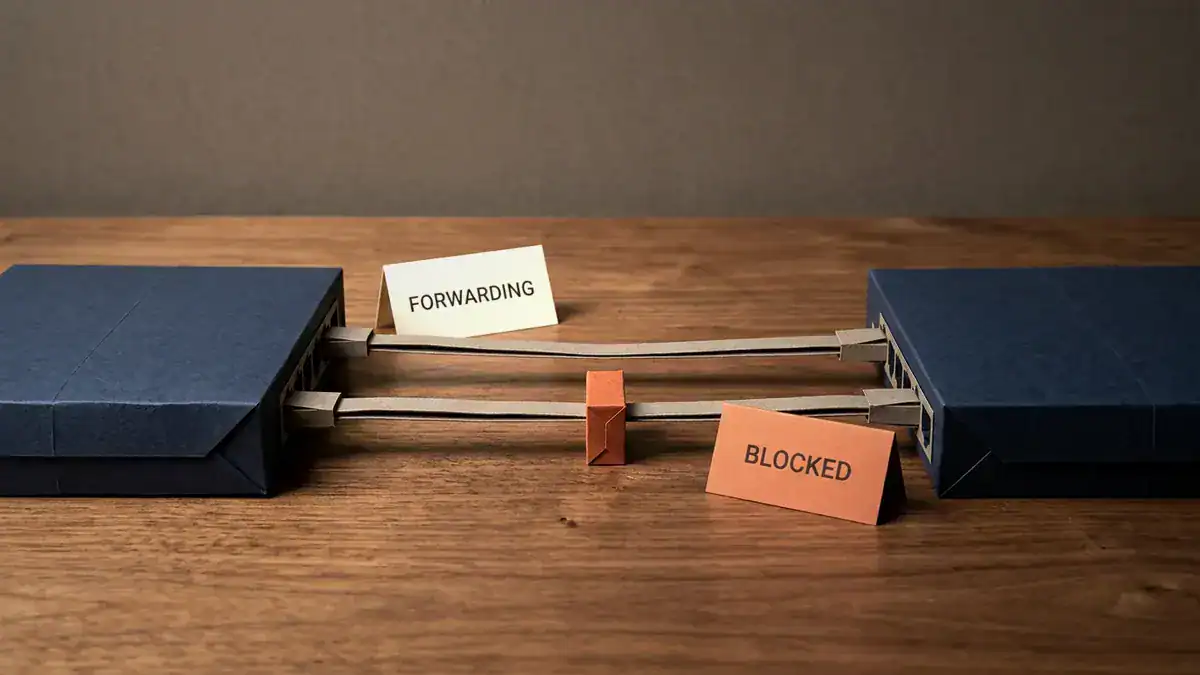
Two cables, one switch pair. Spanning tree picks one and shuts the other, and it’s right to.
That’s the trick, and it’s why the answer to “my redundant links are wasted” is never “disable spanning tree”. You keep STP. You just change what it’s looking at.
Think of it like a four-lane bridge. Traffic control doesn’t need to close three lanes to stop cars crashing into each other, because it’s one bridge, not four competing bridges. Bundling turns four bridges into one.
How many lanes can you have? With LACP on a Cisco switch, Cisco’s configuration guide says you can configure up to 16 ports of the same type, of which up to eight can be active and up to eight sit in standby. PAgP tops out at eight total. Most designs use two or four.
LACP Active vs Passive: Which Combinations Form a Channel
LACP has exactly two modes, and the difference is who speaks first.
- Active sends LACPDUs and tries to start the negotiation.
- Passive stays quiet and answers only if something else starts.
Which means one combination fails. Cisco again, verbatim:
“A port in the passive mode cannot form an EtherChannel with another port that is also in the passive mode because neither port starts LACP negotiation.”
Two passive ends is two switches politely waiting for the other one to talk. Nothing forms.
| Switch A | Switch B | Channel forms? |
|---|---|---|
| Active | Active | Yes |
| Active | Passive | Yes |
| Passive | Passive | No |
| Passive | Active | Yes |
Set both ends to active unless you’ve got a specific reason not to. It’s one extra word of config and it removes the failure case entirely.

Active talks first. Passive only answers. Put two passive ends together and the conversation never starts.
Here’s the part that makes passive/passive nastier than it sounds. The channel doesn’t come up, so the ports fall back to being ordinary independent links. Two independent links between two switches is a loop. Spanning tree blocks one of them. Your “4 Gbps port channel” is quietly a 1 Gbps link, everything still works, and nobody notices until somebody runs a file copy and asks why it’s slow.
What about LACP vs PAgP?
PAgP is Cisco’s own version, and it predates the standard. Its two modes map neatly:
| Protocol | “Speaks first” mode | “Waits” mode | Standard |
|---|---|---|---|
| LACP | active | passive | IEEE, works between vendors |
| PAgP | desirable | auto | Cisco only |
| Static | on | on | No negotiation at all |
Two rules worth memorising. You can’t mix LACP and PAgP on the same channel. And on means no protocol runs, so nothing checks that the other end agrees, which is how people build loops by hand.
Use LACP. It’s the standard, it works with non-Cisco gear, and it’s what the exam asks about.
How to Configure EtherChannel with LACP on a Cisco Switch
This is the part missing from almost every page that ranks for this term. Commands, not concepts.
Before you type anything: every member interface must match on speed, duplex, VLAN and trunk mode. Mismatch one and that port drops out of the bundle.
Layer 2 EtherChannel
Configure the physical ports first, then let the port channel appear.
Switch(config)# interface range gigabitEthernet 0/1 - 2
Switch(config-if-range)# switchport mode trunk
Switch(config-if-range)# switchport trunk allowed vlan 10,20,30
Switch(config-if-range)# channel-group 1 mode active
Creating a port-channel interface Port-channel 1
That last line is the switch telling you the logical interface now exists. mode active is LACP. Do the same on the other switch.
Now configure the bundle itself. Settings on the Port-channel interface apply to every member:
Switch(config)# interface port-channel 1
Switch(config-if)# switchport mode trunk
Switch(config-if)# switchport trunk allowed vlan 10,20,30
If you’re carrying a trunk carrying multiple VLANs over the bundle, set the allowed list in both places. Mismatched allowed-VLAN lists are a classic reason a port refuses to bundle.
Layer 3 EtherChannel
Same idea, except you turn off switching first and give the bundle an IP.
Switch(config)# interface port-channel 2
Switch(config-if)# no switchport
Switch(config-if)# ip address 10.10.10.1 255.255.255.252

Switch(config)# interface range gigabitEthernet 0/3 - 4
Switch(config-if-range)# no switchport
Switch(config-if-range)# channel-group 2 mode active
Order matters here. Put no switchport on the members before the channel-group line, or the channel forms as Layer 2 and you’ll be undoing it.
Verify it: reading show etherchannel summary
One command tells you whether this worked.
Switch# show etherchannel summary
Flags:  D - down        P - bundled in port-channel
        I - stand-alone s - suspended
        H - Hot-standby (LACP only)
        R - Layer3      S - Layer2
        U - in use      f - failed to allocate aggregator
        M - not in use, minimum links not met
        u - unsuitable for bundling
        w - waiting to be aggregated
        d - default port

Number of channel-groups in use: 1
Number of aggregators:           1

Group  Port-channel  Protocol    Ports
------+-------------+-----------+----------------------------------------
1      Po1(SU)         LACP      Gi0/1(P)   Gi0/2(P)
Read it right to left. You want (P) on every member. That’s “bundled in port-channel”, and it means the port is actually in the channel and forwarding.
The letters that mean trouble:
| Flag | Meaning | Usual cause |
|---|---|---|
(P) | Bundled. This is what you want | n/a |
(I) | Stand-alone, not in the channel | Other end isn’t configured, or both sides are passive |
(s) | Suspended | Config mismatch between the ends |
(D) | Down | Physical problem, or the port is shut |
(H) | Hot-standby | Normal with more than eight links. It’s waiting its turn |
(u) | Unsuitable for bundling | Speed, duplex or VLAN mismatch on this port |
And on the port channel itself, (SU) means Layer 2 and in use. (RU) means Layer 3 and in use. (SD) means it’s down.
If every member shows (I), check the other switch. That’s the passive/passive trap almost every time.
The STP Trap: What Happens When One Member Link Fails
Now the part that catches experienced engineers, not just students.
You’ve got a four-link port channel. One fibre gets cut. The channel doesn’t go down, because that’s the entire point of redundancy. Traffic redistributes across the remaining three, exactly as Cisco describes: the channel “redirects traffic from the failed link to the remaining links in the channel without intervention”.
No outage. Great.
Except something did change. STP path cost is derived from bandwidth, and the bundle’s bandwidth just dropped by a quarter. So the cost goes up.
Cisco documents this exact behaviour in a TechNote from January 2024:
“The addition or removal of the member interface of EtherChannel changes its STP port cost… This can cause STP reconvergence and TCN generation.”
Their worked example is worth sitting with. Shutting a single member of a port channel pushed the STP path cost from 10,000 to 20,000. That was enough for a Catalyst 9300 access switch to decide a different uplink was now cheaper. It moved its root port, and generated a topology change notification.
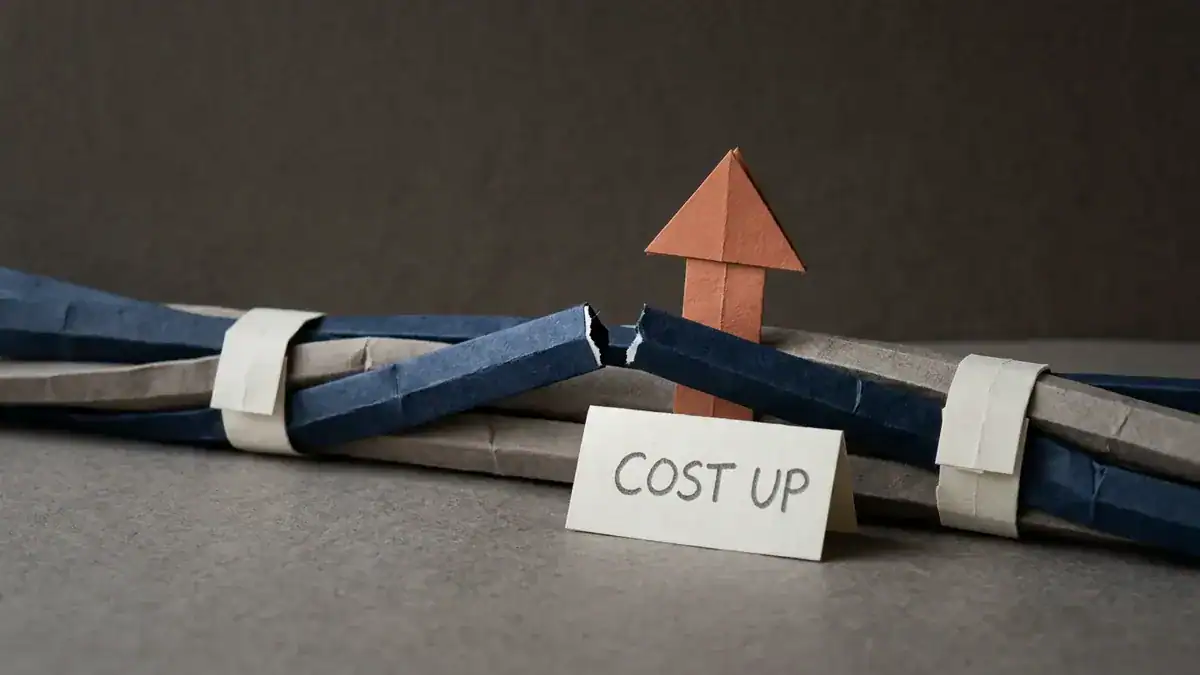
One strand of four breaks. The bundle holds, and the number spanning tree uses to compare paths quietly moves.
So: the link didn’t go down, the channel didn’t go down, and the network still reconverged.
Sound familiar? This is the one people spend an afternoon on. A single failed transceiver produces a topology change somewhere else entirely, and the logs on the switch that actually lost the fibre look completely clean.
The fix Cisco gives is to hard-code the cost so it can’t move:
Switch(config)# interface port-channel 1
Switch(config-if)# spanning-tree cost 10000
Now losing a member changes your throughput and nothing else. The topology holds.
Two caveats before you paste that everywhere. Set the same value on both ends, or you’ve created an asymmetry that’s harder to debug than the thing you fixed. And Cisco’s advice in the TechNote is to restore the default afterwards if you only hard-coded it for a maintenance window, because a static cost that nobody remembers setting becomes somebody else’s mystery in two years.
Worth knowing: RSTP converges in seconds rather than the 30 to 50 seconds classic STP takes, so this reconvergence hurts less on a modern network than it used to. It still shouldn’t be happening at all.
Ready to see this fire in a lab instead of at 2am? The CCNA Lab Workbook walks the full switching toolkit with topologies you can build and break safely.
EtherChannel Guard and the Mismatch That Causes a Loop
There’s a worse version of a mismatch, and Cisco built a feature specifically for it.
Picture one switch with two ports bundled into a channel. The other switch has the same two ports, but somebody missed the channel-group line on one of them. Switch A thinks it’s talking to one logical port. Switch B has two independent ports.
That’s a loop. Switch A won’t block anything, because as far as it’s concerned there’s only one link.
EtherChannel guard catches it, and it’s on by default. The detection is neat: the switch expects to see one Port Identifier in the BPDUs arriving on its channel. When it sees several, it knows the other end isn’t bundling, and it puts the interfaces into err-disabled before the loop can do damage.
You’ll find the ports down and the log complaining about a channel misconfiguration. Same err-disabled port state you’d get from BPDU guard, different cause.
Fix the config on the far end first. Then recover:
Switch(config)# errdisable recovery cause channel-misconfig
Switch(config)# errdisable recovery interval 300
Or bring it back by hand with shutdown then no shutdown on the interface.
Don’t disable the guard to make the error go away. The error is the guard doing its job, and the alternative is a broadcast storm.
Load Balancing: Why One Link Carries All the Traffic
Here’s a complaint that shows up constantly. Four links bundled, and one of them is at 90% while the others idle.
The bundle is working. Your hash is wrong.
EtherChannel doesn’t split individual conversations across links. It can’t, because frames would arrive out of order. Instead it hashes something from each frame, and the hash picks which member carries it. Every frame in that conversation takes the same link.
Default on many Cisco switches is source MAC. Which is fine in a general access layer and terrible in one specific case: a switch uplinked to a server with one NIC, or traffic passing through a router. One source MAC means one hash result means one link carries everything, no matter how many you bundled.
Check it, then change it:
Switch# show etherchannel load-balance
Switch(config)# port-channel load-balance src-dst-ip
Rough guide to picking one:
| Traffic pattern | Try |
|---|---|
| Access layer, many hosts | src-mac |
| Routed traffic, or through a firewall | src-dst-ip |
| Server to server, few IPs, many sessions | src-dst-port if the platform supports it |
More variables in the hash means better distribution. And it’s still statistical, so don’t expect four perfectly even links. You’re aiming for “all of them are busy”, not “all of them are equal”.

Four lanes, one queue. The bundle is fine. The hash picked the same member every time.
This is a different job from the load balancing MSTP maps VLANs to instances does. MSTP spreads VLANs across different spanning tree topologies. EtherChannel spreads frames across members of one link. People mix these up constantly. They can and often do run at the same time.
Build the EtherChannel Lab Yourself
Reading about a port channel that won’t bundle teaches you much less than watching one refuse.
The lab is small: two switches, four links, done in twenty minutes. What makes it worth doing is the breaking.
- Build it with both ends
active. Confirm(P)on every member. - Set both ends to
passive. Watch them go(I)and watch STP block one. - Change the allowed VLAN list on one member only. Watch it go
(s). - Remove
channel-groupfrom one port on one side. Watch EtherChannel guard err-disable it. - Shut one member and run
show spanning-treebefore and after. Watch the cost move.
Step 5 is the one that makes this article make sense.
Packet Tracer handles the basic bundle, but the STP cost behaviour and the guard are worth doing on real IOS. Install EVE-NG first, then add switch images to EVE-NG, and this topology drops straight into the set of free CCNA labs you can build in EVE-NG.
EtherChannel and LACP on the CCNA Exam
This is CCNA 200-301 topic 2.4, “Configure and verify (Layer 2/Layer 3) EtherChannel (LACP)”. Note the two words in brackets. The blueprint names LACP specifically, and it names both Layer 2 and Layer 3, so you need both configurations.
What gets asked:
- The mode combination table. Passive plus passive is the favourite distractor.
channel-group <n> mode activeand which keyword belongs to which protocol.- Reading
show etherchannel summaryand saying why a port shows(I)or(s). - What must match between member interfaces.
- That LACP is the IEEE standard and PAgP is Cisco-only.
It sits in the Network Access domain, which is 20% of the exam, alongside VLANs, trunking and spanning tree. Those topics get tested together, so questions often hand you a bundle and ask about STP, or hand you an STP topology and ask why a link is blocked.
Worth checking what changed in the CCNA v2.0 blueprint before you build a study plan around an older topic list.
LACP FAQ
What is LACP used for?
LACP bundles multiple physical Ethernet links into one logical link. That gives you more bandwidth, keeps the connection up if a cable fails, and makes spanning tree treat the group as a single port so none of the links get blocked.
What’s the difference between LAG and LACP?
A LAG (Link Aggregation Group) is the bundle itself. LACP is the protocol that negotiates it automatically between two devices. You can build a LAG without LACP by configuring it statically, but then nothing checks that both ends agree.
Is LACP the same as port channel?
No. A port channel is Cisco’s name for the logical interface created by bundling. LACP is one of three ways to create it, alongside Cisco’s PAgP and static on mode.
Is LACP Layer 2 or Layer 3?
LACP is a Layer 2 protocol. LACPDUs are data link layer frames. The bundle it creates can be configured as either a Layer 2 EtherChannel carrying VLANs or a Layer 3 EtherChannel with an IP address.
What happens if both sides are set to LACP passive?
No channel forms. Passive ports only respond to LACPDUs, they never send the first one, so neither side starts the negotiation. The ports stay independent, spanning tree blocks all but one of them, and the link quietly runs at a fraction of the speed you expected.
How many links can you put in one LACP bundle?
On Cisco switches you can configure up to 16 ports of the same type with LACP. Up to eight are active at once and up to eight sit in hot-standby. PAgP allows eight total.
Does EtherChannel stop spanning tree from running?
No, and it shouldn’t. Spanning tree still runs. It just sees the bundle as one logical port instead of several parallel links, so it has no loop to block.
Why did my network reconverge when a port channel member failed?
Because STP cost is derived from bandwidth. Losing a member raises the bundle’s cost, which can make a different path look cheaper and move the root port. Hard-code spanning-tree cost on the port channel to stop it.
What does (s) mean in show etherchannel summary?
Suspended. The port is configured for the channel but a setting doesn’t match the other end. Check speed, duplex, trunk mode and the allowed VLAN list on both sides.
Bottom Line
LACP is a spanning tree feature wearing a bandwidth costume.
The five things worth keeping:
- Bundling exists so STP counts one port instead of several. That’s why redundant links stop being blocked.
- Set both ends to active. Passive plus passive forms nothing, and it fails quietly.
- Every member must match on speed, duplex, VLAN and trunk mode, or it drops out of the bundle.
- A failed member changes your STP cost even though nothing went down. Hard-code the cost if a topology change would hurt.
- Check your load-balance hash. A bundle where one link does all the work is a hashing problem, not a bundling problem.
Build it, then break it. Set both ends passive and watch the channel fail to form. Shut one member and watch the cost move. Twenty minutes in a lab is worth more here than another article, including this one.
Ready to go further? The CCNA Lab Workbook covers the full switching toolkit with verified topologies and command output you can follow step by step.
Sources
- IEEE 802.1AX-2020, Link Aggregation – the current standard
- Cisco, Change of EtherChannel Member Interface Causes Disruption – STP cost recalculation and TCN generation, January 2024
- Cisco, Configuring EtherChannels, Catalyst 9200 Layer 2 Configuration Guide, IOS XE 17.3.x – port limits, mode combinations, link failure behaviour
- Cisco, Configuring Optional Spanning-Tree Features, Catalyst 9200, IOS XE 17.3.x – EtherChannel guard