Picture the Saturday morning exam slot. You’ve done a thousand practice questions and you’re scoring high on every mock. Then the exam drops a configuration sim in front of you, a live switch with a broken trunk, and asks you to fix it. Reading about VLANs forty times isn’t the same as building one. Want the condensed version to revise from? The free CCNA 200-301 PDF is 27 pages with Packet Tracer commands.
That’s the gap nobody warns you about. You’ve probably felt it too.
Here’s the deal. The 200-301 exam doesn’t just ask what you know. It watches you do things. And the fastest way to close that gap is to build your own CCNA labs and break them on purpose, before the exam breaks you. EVE-NG lets you do exactly that, for free, on the laptop you already own. If VLANs are still fuzzy, start at what a VLAN is and work up.
This post gives you 10 CCNA labs you can build right now in EVE-NG, mapped to the official v1.1 blueprint. You’ll also get the honest version of the free part, because there’s one catch with Cisco images that most “free labs” articles skip. Let’s get into it. Thinking past the exam? The 200-901 DevNet skills that get you hired shows what employers ask for.
What “free” actually means with EVE-NG CCNA labs
Quick answer first. EVE-NG Community Edition is free. Unlimited nodes, all major vendors, web-based topology builder, zero licence cost. (EVE-NG community docs cover the full feature set.)
The catch is the device images.
EVE-NG is an empty garage. It runs the virtual routers and switches, but it doesn’t ship with Cisco IOS inside. And here’s the part the forums gloss over: as of early 2026, Cisco no longer offers public downloads of the standalone IOSv image through DevNet. The only fully legal routes to Cisco images now are a Cisco Modeling Labs (CML) Personal subscription or a Cisco account tied to an employer support contract. Adding a firewall to the picture? Start with what FortiGate is and how an NGFW works.
So what do you do if you’ve got neither? You’ve got real options:
| Tool | Cost | Real Cisco IOS? | Node limit | Best for |
|---|---|---|---|---|
| Packet Tracer | Free (NetAcad) | Simulated | High | CCNA fundamentals, day one |
| CML Free | Free | Yes (IOS-XE) | 5 nodes | Real IOS on small labs |
| EVE-NG Community | Free (images extra) | Yes, if you supply them | Unlimited | Bigger multi-node topologies |
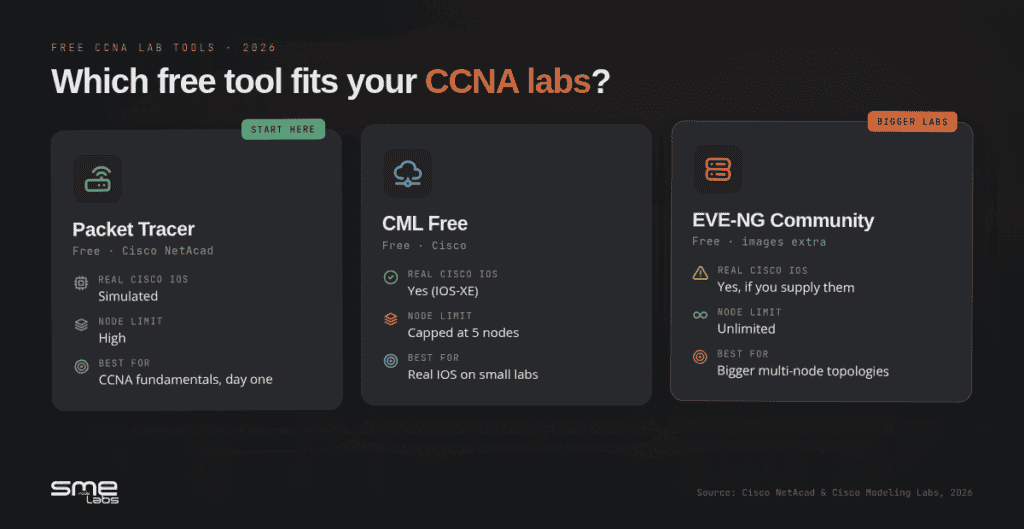
Be honest with yourself about where you are. If you’re brand new, start in Packet Tracer and move to EVE-NG when the topologies get bigger. If you’ve already got image access, EVE-NG is the better home for everything below.
First step before any lab: check your machine can handle it. Our EVE-NG hardware requirements guide shows the real RAM and CPU numbers so you don’t buy the wrong lab PC.
New to the whole idea? Our home lab guide covers what one actually is and how the build changes across every cert track, not just CCNA.
Before you build: the 15-minute setup
You need three things in place. Don’t skip this part. Half the “EVE-NG is broken” posts on Reddit are really setup problems. Still choosing a platform? We put them side by side in GNS3 vs EVE-NG.
- EVE-NG installed. A clean install on VMware Workstation or bare metal takes about 15 minutes if you follow the steps. Our 5-step EVE-NG install guide walks through it without the usual errors.
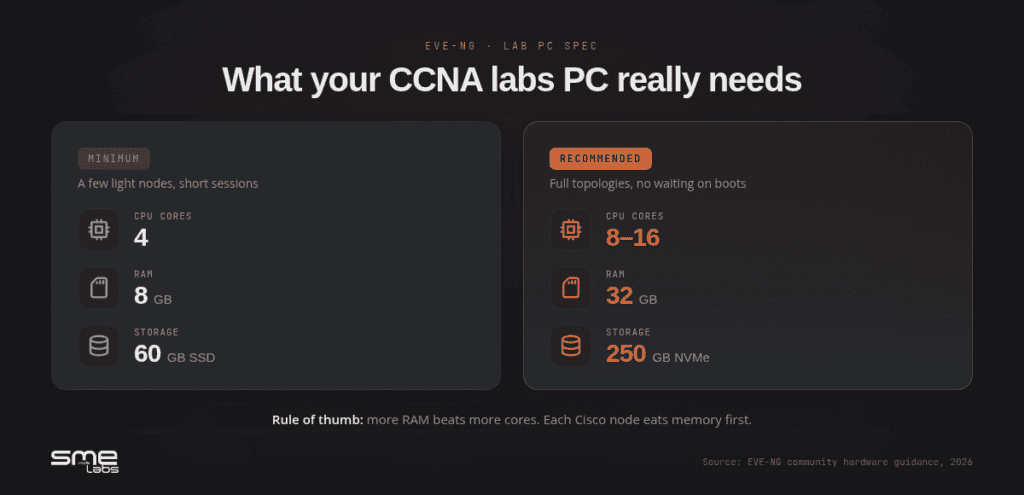
- Enough hardware. Minimum is 4 cores, 8GB RAM, 60GB SSD for a few light nodes. For real CCNA study, aim for 8 to 16 cores and 32GB RAM so you’re not waiting on nodes to boot.
- At least one router and one switch image loaded (IOL or IOSv for routers, IOSvL2 or vIOS-L2 for switches).
Not sure whether EVE-NG or GNS3 fits you better? We broke down the real trade-offs in GNS3 vs EVE-NG. Short version: GNS3 is lighter for a couple of nodes, EVE-NG scales better for the bigger labs further down this list.
Got the garage built? Time to put cars in it.
10 free CCNA labs to build in EVE-NG
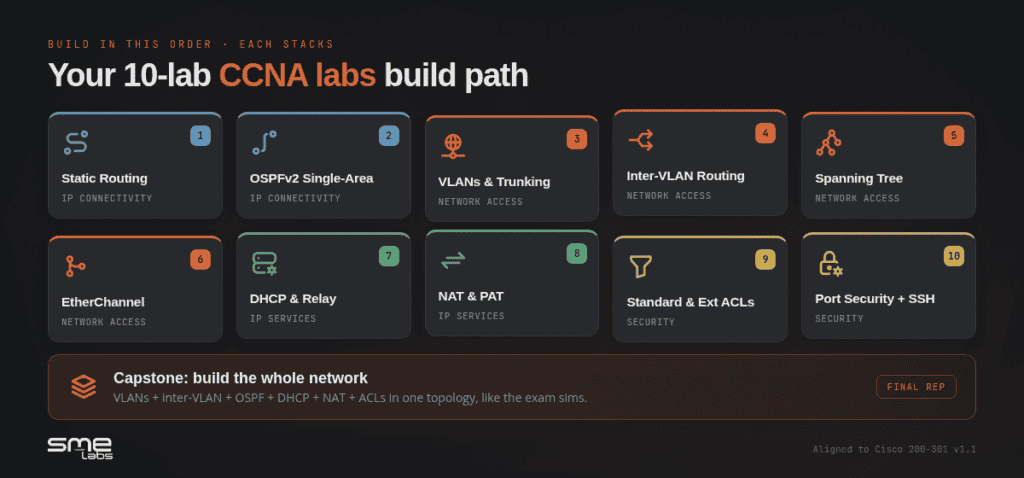
These map to the six domains of the official 200-301 v1.1 exam topics: Network Fundamentals (20%), Network Access (20%), IP Connectivity (25%), IP Services (10%), Security Fundamentals (15%), and Automation (10%). Build them in this order. Each one stacks on the last.
1. Two-router static routing (IP Connectivity)
Two routers, one link between them, a LAN behind each. Configure interfaces, set static routes, ping end to end.
Sounds basic. It’s the foundation everything else sits on. If you can’t get two routers to ping across a static route, OSPF won’t save you. Build it. Then delete one route and watch the ping die. That’s the lesson.
2. OSPFv2 single-area (IP Connectivity)
Take the same topology, rip out the static routes, and run OSPF area 0 instead. Watch neighbours form. Check the routing table fill itself.
Now break it for fun. Mismatch the OSPF timers on one side. Mismatch the network type. See the adjacency get stuck in EXSTART. Troubleshooting OSPF that won’t form a neighbourship is a classic exam scenario, and you only learn it by causing it.
3. VLANs and 802.1Q trunking (Network Access)
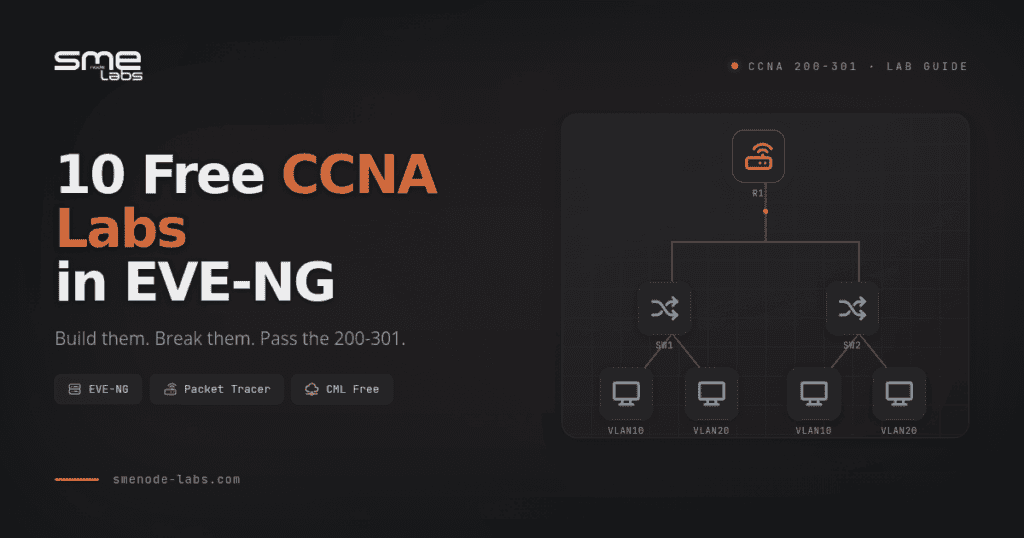
Two switches, a few access ports, one trunk between them. Put PCs in VLAN 10 and VLAN 20. Confirm same-VLAN devices talk and different-VLAN devices don’t.
This is the lab most people skip. Don’t skip it.
Want this whole sequence pre-built and tested? Our CCNA Lab Workbook ships with 75+ ready-to-load EVE-NG labs and tested IOS configs, so you skip the “why won’t this trunk come up” rabbit holes and just practice. No credit card needed to see the sample labs.
4. Router-on-a-stick inter-VLAN routing (Network Access)
Add a router to your VLAN lab. One physical link, sub-interfaces tagged per VLAN. Now VLAN 10 and VLAN 20 can route to each other.
When it doesn’t work, and it won’t on the first try, the problem is almost always the encapsulation command or a missing trunk. Fixing that teaches you more than any video.
5. Spanning Tree root bridge (Network Access)
Three switches in a triangle. Watch STP block one port to kill the loop. Then force a specific switch to become root with priority commands. Watch the blocked port move.
STP feels abstract until you see the topology re-converge in real time. Build it once and the port states stop being a list to memorise and start being a sequence you can predict.
6. EtherChannel (Network Access)
Bundle two links between switches into one logical channel with LACP. Confirm load balancing. Pull one cable and watch the channel stay up on the survivor.
Resilience you can see. That’s the point of building it instead of reading about it.
7. DHCP server and relay (IP Services)
Configure a router as a DHCP server. Then move the clients to a different subnet and set up an IP helper-address so requests still reach the server across the router.
The relay part trips people up. Build it, and you’ll never forget what ip helper-address does.
8. NAT and PAT (IP Services)
Set up PAT so a whole inside LAN shares one “public” address to reach a router pretending to be the internet. Check the translation table. Watch many inside hosts map to one outside IP on different ports.
NAT questions show up every exam cycle. A working lab beats memorizing the theory.
9. Standard and extended ACLs (Security Fundamentals)
Write a standard ACL to block one subnet. Then an extended ACL to block one host from reaching one port while everything else flows. Apply them in the right direction. Test by pinging and watching traffic drop.
Direction and order are where people lose marks. So break it. Apply the ACL the wrong way and see what happens.
10. Port security and SSH hardening (Security Fundamentals)
Lock a switch port to one MAC address and watch it shut down when a rogue device plugs in. Then disable Telnet, set up SSH, and log in the secure way.
Security Fundamentals is 15% of the exam. These two skills cover a real chunk of it.
Bonus capstone: build the whole thing
Once labs 1 through 10 work on their own, combine them. One topology with VLANs, inter-VLAN routing, OSPF, DHCP, NAT to the edge, and ACLs filtering traffic. This is the closest thing to the exam’s integrated sims, and it’s where your CCNA labs stop being isolated exercises and start feeling like an actual network. Short on time? Six labs to build before exam day map most directly to the 200-301 blueprint.
How to know your labs actually match the exam
Building random labs feels productive. But productive isn’t the same as ready.

The v1.1 blueprint changed in August 2024. Cisco added generative AI, machine learning in network operations, and cloud network management concepts. Those topics are conceptual, you won’t config them in EVE-NG, but they’re on the test. So your hands-on labs need to cover the config-heavy domains while you study the concept-heavy ones on the side. Worth knowing before you go deep: what changed in CCNA v2.0, including the new AI domain.
Here’s the quick gut-check. Open the official Cisco exam topics page and tick off every “configure and verify” line item. Those are the ones you must lab. If a topic says “describe” or “explain,” reading is fine. If it says “configure,” you build it. Simple rule.
One more thing about timing. The last day to test on v1.1 is February 2, 2027. After that, v2.0 takes over. If your exam is before then, the labs above are exactly what you need.
From clicking around to actually passing
Random labbing has a ceiling. You build OSPF, it works, you feel good, you move on, and three weeks later you’ve forgotten the troubleshooting steps because you never wrote them down or repeated them under pressure.
Structure is what separates people who tinker from people who pass.
Two months of scattered labs from YouTube leaves most people no closer to ready. A sequenced set, same topics but ordered, repeated and timed like the exam, closes the gap faster. The labs aren’t fancier. They’re organised.
That’s the whole idea behind our CCNA Lab Workbook: 950+ pages, 75+ labs that load straight into EVE-NG, Packet Tracer scenarios, and tested IOS configs aligned to the 200-301 v1.1 blueprint. Most students finish it in 4 to 6 weeks at 10 hours a week. It’s built so you stop guessing what to lab next.
Bottom line
You don’t pass the CCNA by reading about networks. You pass by building them, breaking them, and fixing them until the config is muscle memory. Not certain which cert to start with? We compare them in CCNA vs Network+.
Here’s what to do next:
- Get EVE-NG running with our install guide and check your hardware can handle it.
- Build labs 1 through 10 in order. Each one stacks. Don’t skip ahead.
- Break every lab on purpose. Mismatched timers, wrong ACL direction, missing encapsulation. The fix is the lesson.
- Check each topic against the official blueprint. Config items get labbed. Concept items get read.
- Add structure when random labbing stalls.
Build the labs. Then go be the person who fixes the broken trunk in 90 seconds while everyone else freezes.
See the sample CCNA labs free →
FAQ
Are EVE-NG CCNA labs really free?
EVE-NG Community Edition is free with unlimited nodes. The catch is Cisco device images, which need a CML Personal subscription or an employer support contract to get legally. For pure CCNA study, free Cisco Packet Tracer covers every tested topic, so you can practice at zero cost either way.
How much RAM do I need to build CCNA labs in EVE-NG?
The bare minimum is 8GB RAM for a few light nodes. For comfortable CCNA labbing with full topologies, aim for 32GB RAM and 8 to 16 CPU cores. Check our hardware guide for the real numbers before you buy anything.
Is EVE-NG or Packet Tracer better for CCNA?
For the 200-301 fundamentals, Packet Tracer is enough and it’s fully free. EVE-NG is the better choice once your topologies grow past 5 nodes or you want real IOS behaviour. Many students start in Packet Tracer and move to EVE-NG for the bigger labs.
How many labs do I need to pass the CCNA?
There’s no magic number, but you should have hands-on reps for every “configure and verify” item in the blueprint. That’s roughly 70 to 80 focused labs across all six domains. Sequenced, repeated practice matters more than raw count.
Do these CCNA labs match the latest 200-301 v1.1 exam?
Yes. The config-heavy domains, network access, IP connectivity, IP services, and security, are stable in v1.1. The v1.1 update added AI, machine learning, and cloud management concepts that you study rather than lab. The last test date for v1.1 is February 2, 2027. Coming from the CompTIA side, 100 Network+ practice questions is a fast way to find your gaps.