For most network engineers, the EVE-NG download you want right now is the v7.2.0-4 ISO from the official EVE-NG download page. It’s a 10 GB file, and here’s the part that trips people up: it’s one ISO for both tiers. Install it without a licence and it runs in Freemium mode, capped at 7 emulated nodes per lab plus unlimited VPCS. Add a 150 EUR licence and the same install becomes Professional, with 1,024 nodes.
That 7-node cap is new. It landed with v7 on 2026-06-24.
The free Community Edition you’ve read about everywhere else, the one with 63 nodes, is marked End of Support and End of Life, June 2026 on EVE-NG’s own download page. The 6.2.0-4 ISO is still sitting there and still downloads at 3.2 GB. It just won’t get another patch.
So you’ve got a real decision to make, and most EVE-NG tutorials online still haven’t caught up with it. Free and current means 7 nodes. Free and 63 nodes means running software nobody supports. Paying 150 EUR skips the problem.
This guide covers all three paths, the checksums to verify, and what changed for the client pack in v7. Every version number, size and checksum below was re-checked against EVE-NG’s download page on 2026-10-06.
What Changed in EVE-NG in June 2026
EVE-NG released version 7 on 2026-06-24, builds 7.0.1-2 onward. Three things changed at once.
Community Edition was retired. The download page now labels it “Free EVE Community Edition Version 6.2.0-4 EOS-EOL” with “End of Support & End of Life June, 2026” underneath. No more updates, no support responses.

Community 6.2.0-4 reached End of Support and End of Life in June 2026. v7 arrived on 2026-06-24.
Freemium replaced it. The v7 release notes describe it as “Freemium mode (7 nodes, unlimited VPCS, admin only)”. Same ISO as Professional, unlicensed. You get 7 real emulated nodes, meaning routers, switches, firewalls, anything running a vendor image. VPCS instances don’t count against the cap.
The base OS moved to Ubuntu 24.04 LTS. v6 sat on Ubuntu 20.04. That’s a long-overdue jump.
Worth flagging honestly: EVE-NG’s own site contradicts itself here. The features comparison page still lists Freemium at 63 nodes per lab as of 2026-10-06. The 7.0.1-2 release notes say 7. We’re going with 7, because the release notes are version-stamped to the exact build that introduced Freemium and the comparison table carries no version stamp at all, which makes it look like a leftover from the Community era. Check your own instance after install and trust what it tells you.
Anyway. Here’s how the three options actually stack up.
Community vs Freemium vs Pro: Which EVE-NG Download Do You Need?
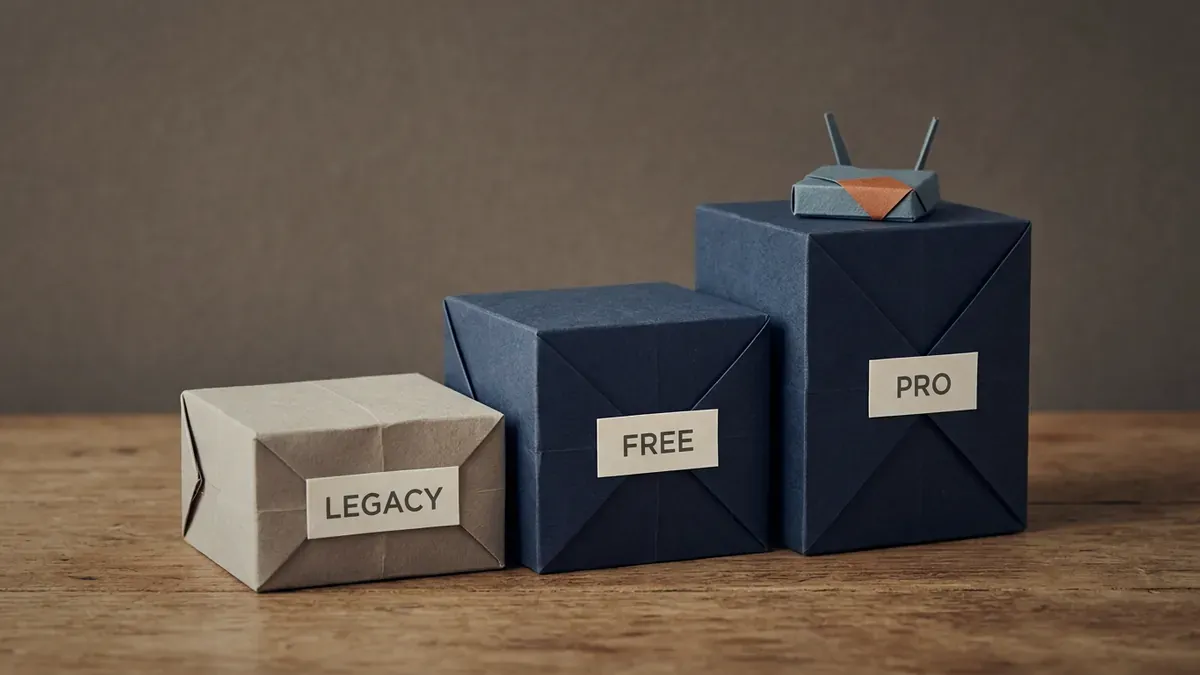
LEGACY is Community 6.2.0-4 (63 nodes, EOL). FREE is v7 Freemium (7 nodes). PRO is a 150 EUR licence (1,024 nodes).
Don’t skip this. Most people download the wrong file, waste an evening, and start over.
| Community 6.2.0-4 | Freemium (v7) | Professional (v7) | |
|---|---|---|---|
| Status | EOL since June 2026 | Current | Current |
| Latest version | 6.2.0-4 | 7.2.0-4 (2026-09-06) | 7.2.0-4 (2026-09-06) |
| Price | Free | Free | 150 EUR (Base, 1 year, 2 admin users) |
| File size | 3.2 GB ISO | 10 GB ISO | Same 10 GB ISO |
| Max nodes per lab | 63 | 7 (+ unlimited VPCS) | 1,024 |
| Base OS | Ubuntu 20.04 LTS | Ubuntu 24.04 LTS | Ubuntu 24.04 LTS |
| User access | Single admin | Admin role only | Base: 2 admins. RBL: multi-role |
| Hot-link changes | No, restart lab | No | Yes, live |
| RBAC / multi-user roles | No | No | RBL tier: admins, editors, users |
| Docker integration | Manual | Built-in package | Built-in package |
| Updates and support | None | Yes | Yes |
| Best for | Nothing new. Legacy installs only | Small CCNA labs, learning the tool | Training centres, CCNP/CCIE labs, CI pipelines |
Sources: EVE-NG download page, release notes and features comparison, checked 2026-10-06.
Two tiers exist on the paid side. EVE-NG Base is 150 EUR and gives you 1,024 nodes with two admin accounts. EVE-NG RBL is 150 EUR plus added roles, and that’s where role-based licensing lives: lock a user to a folder, restrict edit rights, set account validity. If you’re teaching, you want RBL. If you’re one person who needs more than 7 nodes, Base is enough.
Is 7 nodes actually workable? For a lot of CCNA study, yes. A three-router OSPF lab with two switches is 5 nodes. Add a couple of VPCS for hosts and you’re still fine, because VPCS is unlimited. Where it falls over is CCNP and anything with a firewall pair, a couple of L3 switches and a WAN edge. You’ll hit 7 fast.

Three routers and two switches make 5 nodes. Run the hosts as VPCS, which don’t count, and the lab fits the 7-node Freemium cap.
We use Professional for the multi-node topologies in our CCNA Workbook walkthroughs, and Freemium is fine for the single-protocol labs.
How to Download the EVE-NG v7 ISO (Freemium and Pro)
Same file for both. The licence is what changes, not the download.
1. Go to the official download page
Open https://www.eve-ng.net/index.php/download/ in a fresh tab. Type it in rather than trusting the first search result. Plenty of third-party sites rehost EVE-NG files, and you’ve no way of knowing what’s been changed inside them.
2. Pick your file
Under the Professional 7.2.0-4 entry you’ll see two things:
- EVE-NG PRO installation Full ISO, 10 GB with the dockers package. This is what you want for a fresh install.
- EVE-NG PRO Upgrade (.run) package, also 10 GB. Only for moving an existing v6 install to v7.
Both offer a MEGA mirror and a direct link. Same file, pick whichever is faster from where you are.
3. Verify the checksum
People skip this step. Don’t. A corrupted ISO boots and then crashes mid-install, and you’ll burn an evening working out why.

Check the SHA256 of the 10 GB ISO against EVE-NG’s download page before you boot it.
Checksums for the Full ISO, re-checked against the download page on 2026-10-06:
| Property | Value |
|---|---|
| Version | 7.2.0-4 |
| Size | 10 GB (with dockers package) |
| Format | Bootable ISO |
| Base OS | Ubuntu 24.04 LTS |
| SHA1 | ddd77b5580064b991066f65009ee4a4a7c71026e |
| SHA256 | f54fc9ccf67ecff952dd02af54106f1049e208e72a0f2a07383c03bec238fb37 |
And for the Upgrade (.run) package:
| Property | Value |
|---|---|
| SHA1 | 46495c813be41013d90a9de58d4630d78d2a7175 |
| SHA256 | 9ec48d19ddd0cd2a8339c068df853495556240774d874932b87d910765295080 |
On Windows PowerShell:
Get-FileHash -Algorithm SHA256 .\EVE-PRO-7.2.0-4.isoOn macOS or Linux:
shasum -a 256 EVE-PRO-7.2.0-4.isoYour file name may differ slightly from the one above. What matters is the hash. Compare it against the value on the download page rather than against this article. EVE-NG ships new builds regularly, and a checksum published in a blog post goes stale the moment they push the next one.
4. Buy a licence, or don’t
Freemium needs nothing. Install and go, 7 nodes.
For Professional, visit the EVE-NG buy page. The Base licence runs 150 EUR for one year and covers two admin users. You need EVE-NG installed first, because the purchase flow asks for a License Request generated from the EVE PRO web UI, and that request only works if Intel VT-x/EPT is enabled on the host.
One thing that catches people: a new licence doesn’t extend your current one. Leftover days on the old licence are lost. Renew at expiry, not before.
The licence is tied to a hardware fingerprint. Move EVE-NG to a new server and you’ll need to deactivate first or contact support to free the slot.
Downloading Community 6.2.0-4 (Still There, Still EOL)
Should you? Probably not. But there’s one honest case for it: you need more than 7 nodes, you can’t spend 150 EUR, and you accept running unsupported software on an isolated lab network. That’s a real situation for a lot of self-funded students.
If that’s you, go in with your eyes open. No patches. No standard security updates for the Ubuntu 20.04 underneath it either, since Canonical ended standard support in May 2025. No support forum answers.
| Property | Value |
|---|---|
| File name | EVE-Community-VM-6.2.0-4.iso |
| Size | 3.2 GB |
| Format | Bootable ISO |
| Base OS | Ubuntu 20.04 LTS Server |
| Status | End of Support and End of Life, June 2026 |
| SHA1 | 32b189ab6570aed6fa61f202e090c3a4cf962077 |
| SHA256 | a1c035135d618ea86975c9e8d03df549889999adbaec9bfaba480a2b11e8f347 |
It sits below the v7 section on the same download page, under the “EOS-EOL” label. MEGA mirror and direct link, same as before.
Our take: use Community only for a lab that’s already built and working. Don’t start a new install on it in late 2026. You’re building on something with no road ahead of it.
ISO vs OVA: Which Format Should You Pick?

ISO is the only official format for v7 and for Community 6.2.0-4. There’s no official OVA.
Quick decision tree:
| You want to… | Pick |
|---|---|
| Install on a bare metal server | ISO |
| Run inside VMware ESXi or vCenter | ISO (boot a fresh VM, attach as CD-ROM) |
| Run inside VMware Workstation Pro | ISO |
| Run inside Proxmox or KVM | ISO |
| Run inside VirtualBox | OVA (community-built only) |
The VMware OVA used to be the fast path for laptop users. Download the .ova, double-click in VMware Workstation, boot. EVE-NG retired the official OVA in 2024, and the current download page offers ISOs only, for v7 and for Community alike.
If you still want an OVA, two paths:
- Build your own. Install from the ISO into a fresh VM, then export to OVA from VMware. Safest route by a distance.
- Third-party mirrors. A few community sites host packaged OVAs. They’re convenient and unsigned. Verify the SHA256 against a known-good release and inspect the OVF manifest before booting.
For most readers: stick with the ISO. The five extra minutes during install pays back in stability later.
What’s Inside the v7 ISO
v7 runs on Ubuntu 24.04 LTS Server. That’s the headline change under the hood, and it’s a big part of why the ISO grew to 10 GB.
v6 and Community sat on Ubuntu 20.04 for years. Ubuntu 20.04 hit the end of standard support on 2025-05-31, which made the move to 24.04 overdue rather than optional.
Other components in the box:
- qemu-kvm with EVE-NG’s vendor patches
- libvirt
- Apache (for the lab GUI)
- VNC, telnet and HTML5 console gateways
- Docker daemon, preconfigured
- iol-tools, for Cisco IOL image support
Per the release notes, 7.2.0-4 also brought a new Silicon high-performance dataplane, better scaling for large labs up to 1,024 nodes, a faster Lab API and quicker node startup.
System Requirements: What Hardware Do You Need?
Short version: more RAM than you think.
8 GB of RAM is the floor for a small Freemium lab. Plan on 32 GB for 10-15 nodes.
| Tier | Use case | CPU | RAM | Disk |
|---|---|---|---|---|
| Minimum | Small Freemium lab, 3-4 nodes | 4 cores + VT-x | 8 GB | 60 GB SSD |
| Recommended | CCNP / Security labs, 10-15 nodes | 8 cores + VT-x | 32 GB | 200 GB SSD |
| Enterprise / Pro | Full DC labs, 50+ nodes | 16+ cores, Xeon or EPYC | 128 GB+ | 500 GB+ NVMe |
Note the disk figure moved up in practice. The v7 ISO is 10 GB on its own, so 60 GB is a genuine floor rather than a comfortable minimum.
Three things you can’t skip:
- Nested virtualisation must be on if you’re running EVE-NG inside VMware or Proxmox. On Intel hosts that’s
vmx, on AMD it’ssvm. Check withcat /proc/cpuinfo | grep -E 'vmx|svm'on the host. - CPU pinning matters once you pass 10 nodes. Less relevant on Freemium, obviously, since you’re capped at 7.
- SSD is non-negotiable. Spinning disk works for 2-3 nodes, but heavy images like CSR1000v take minutes per router to boot from HDD. On SSD it’s a fraction of that.
Our EVE-NG hardware requirements guide goes deeper on sizing if you’re buying hardware for this.
Client Side: This Changed in v7
The EVE-NG server is only half the picture. To click a node and get a console, you need the client integration pack on your laptop. It bundles the helpers, Wireshark, PuTTY, UltraVNC, into one installer.
Here’s what changed, and it catches people out. The client packs listed on the EVE-NG download page are labelled “Compatible with EVE-NG versions up to 6.x”. Right underneath, the page says:
“For EVE-NG version 7.0.1-1 and later, download client directly from your EVE-NG Server”
So on v7 you don’t grab the client pack from the website at all. You install the server first, log into its web UI, and pull the client from there. Downloading the website pack for a v7 server is the wrong move.

On v7.0.1-1 and later, download the client from your own EVE-NG server, not from the website.
For v6 and Community installs, the website packs still apply:
| OS | Pack on the website | Includes |
|---|---|---|
| Windows | Client Pack 3.0 | Wireshark 4.6.0, UltraVNC 1.6.40, PuTTY 0.83, plink 0.83, telnet handler |
| macOS | OSX Client Pack V3 (Intel / Silicon) | Wireshark 4.4.7, Real VNC 7.15.1, iTerm 2 3.4.4, telnet binary |
| Linux | GitHub integration pack | Wireshark + manual handler scripts |
The Windows pack supports Windows 7, 8, 10 and 11, x64 only. macOS works on both Intel and Apple Silicon.
Install the pack on the same machine you browse the web UI from. Otherwise clicking a router throws a “telnet:// not registered” error and you get nowhere.
Where to Install: VMware vs Bare Metal vs Cloud
Four paths. Pick by what hardware you already have.
Bare metal
Best for production training centres. Boot the ISO, install, get all the RAM and CPU available. Zero virtualisation tax.
VMware ESXi or vSphere
Most common in enterprise. Create a VM, give it 8+ vCPU and 32+ GB RAM, enable hardware virtualisation passthrough (vmx.allowNested = "TRUE"), attach the ISO as CD-ROM, boot.
VMware Workstation Pro
Free for personal, educational and commercial use since Broadcom dropped the licence fee in November 2024, and it’s linked straight from the EVE-NG download page. Good for laptop labs. Same VM settings as ESXi. Use bridged networking, not NAT, if you want to reach the lab from the host.
Cloud (AWS / Azure / dedicated servers)
Workable if your host supports nested virtualisation. AWS bare metal instances (i3.metal, c5.metal) work. Azure Dv3/Dv4 with nested virt enabled also works. For a lab you’ll run every week, a rented dedicated server with 64 GB of RAM usually costs less over a year than cloud instances billed by the hour.
We’ve seen folks try EVE-NG on small VPS instances. Don’t bother. Anything under 16 GB RAM with nested virt off boots and then falls over the moment you start two routers.
After the Download: First 10 Minutes
ISO verified? Here’s the path:
- Boot the ISO in your hypervisor, or burn to USB for bare metal. Take the default install option.
- Root password. Set a strong one. You’ll need it for SSH.
- Hostname. Default
eve-ngis fine. - DNS and proxy. Skip the proxy unless you’re behind a corporate firewall.
- NTP server. Use
pool.ntp.orgor your internal NTP. Licence activation fails if the clock is off. - Static IP. Set it. DHCP works but moves the IP and breaks your bookmarks.
After reboot, browse to http://<your-ip>/. Login is admin / eve by default. Change that password before anything else.
Then grab the client pack from the server itself if you’re on v7.
For a click-by-click walkthrough with screenshots, see our EVE-NG installation guide.
Still deciding between EVE-NG and GNS3? Our GNS3 vs EVE-NG comparison breaks it down for cert candidates. And if the install throws errors, EVE-NG install errors covers the Hyper-V and virtualisation fixes.
Common EVE-NG Download Problems and Fixes
The six that come up most.
Problem 1: The download crawls. Speed depends a lot on where you are. If the direct link is slow, switch to the MEGA mirror, or the other way round. At 10 GB, that choice can save you hours.
Problem 2: SHA256 doesn’t match. Almost always a half-finished download, and it’s more likely now the ISO is 10 GB. Use a download manager like aria2 that supports resume.
aria2c -x 8 -s 8 "<direct ISO link from the download page>"Problem 3: You installed v7 and only see 7 nodes. That’s Freemium working as designed, not a bug. Buy a Base licence for 1,024, or accept the cap.
Problem 4: The client pack won’t connect on v7. You probably downloaded the pack from the website. It’s labelled for 6.x. Pull the client from your own EVE-NG server instead.
Problem 5: Licence activation fails. Activation needs the server to reach EVE-NG’s licensing host over HTTPS, and a wrong clock breaks it too. Check the firewall and the NTP clock, in that order.
Problem 6: “Unsupported CPU” error after install. VT-x isn’t enabled in BIOS, or you’re on a CPU without vmx / svm flags. Some old Atoms and budget cloud VPS instances lack them. EVE-NG won’t run. Use a real x86 server.
Which Workbook Pairs with Your Lab?
The EVE-NG download is step one. The hard part is having something to do with it. A blank lab session is more demotivating than people admit. You sit down, stare at the GUI, and close the tab.
Our team built step-by-step workbooks that pair with EVE-NG topologies. Pick the one matching your goal:
- CCNA Workbook for CCNA 200-301. 75 labs, 950 pages. Most labs fit inside the Freemium 7-node cap.
- CCIE Security Workbook for the expert track. 125 labs, 1,950 pages. Needs Professional for the multi-node DC topologies.
- CCNA Automation Workbook for the 200-901 exam. 60 labs covering Python, the EVE-NG REST API and Ansible.
- FortiGate NSE4 Workbook if security is your lane. 35 labs on FortiGate VMs.
- Cisco SAFE Workbook for architecture-level design practice.
- MikroTik MTCNA Workbook for the RouterOS v7 track.
Every workbook ships with topology files you import straight into EVE-NG. No guessing what to build.
Rather learn with an instructor than on your own? The live CCNA course at SMEnode Academy uses the same kind of EVE-NG labs, with someone to answer when a lab won’t come up.
When Should You Pay?
The honest answer used to be “most home users never need Pro”. The 7-node cap changed that maths.
Buy a Base licence (150 EUR) if:
- Your labs regularly need more than 7 emulated nodes, which means most CCNP and all CCIE work
- You want hot-link changes instead of restarting the lab every time you move a cable
- You’re wiring EVE-NG into Ansible, Terraform or a CI pipeline
Step up to RBL if:
- You teach more than a couple of students and each needs their own session
- You need role separation, so an instructor sees all labs and a student sees only theirs
- You need per-user folder locks or account expiry dates
Stay on Freemium if you’re working through CCNA fundamentals one protocol at a time. 7 nodes plus unlimited VPCS covers more of the 200-301 blueprint than you’d guess.
EVE-NG Download FAQs
Is EVE-NG completely free?
There’s a free tier, but it’s smaller than it used to be. Since v7 in June 2026, unlicensed installs run in Freemium mode: 7 emulated nodes per lab, unlimited VPCS, admin role only. The old 63-node Community Edition is free too, and end of life since June 2026. Professional starts at 150 EUR.
Is EVE-NG Community Edition still available in 2026?
Yes, version 6.2.0-4 is still on the download page at 3.2 GB. It’s labelled EOS-EOL, with End of Support and End of Life dated June 2026. It downloads and installs, and gets no updates or support. Fine for an existing lab, a poor choice for a new one.
How many nodes do I get for free?
Seven emulated nodes on v7 Freemium, plus unlimited VPCS instances. Anything running a vendor image counts toward the 7. EVE-NG’s features comparison page still says 63, which looks like a leftover from the Community era. The v7 release notes say 7.
How much does EVE-NG Pro cost?
150 EUR for the Base licence, one year, two admin users, 1,024 nodes per lab. The RBL tier is 150 EUR plus added roles and adds role-based licensing for multi-user setups.
How big is the EVE-NG download?
The v7 ISO is 10 GB with the dockers package. Legacy Community 6.2.0-4 is 3.2 GB. Add 100-200 GB for vendor images (Cisco IOL, CSR1000v, Juniper vMX, FortiGate VM, Palo Alto VM).
What are the PC requirements for EVE-NG?
A CPU with Intel VT-x or AMD-V turned on, at least 8 GB RAM, 4 cores and a 60 GB SSD for a small Freemium lab. For CCNP-sized labs of 10-15 nodes, plan on 8 cores, 32 GB RAM and 200 GB of SSD. RAM runs out first.
Where do I get an EVE-NG OVA file in 2026?
You don’t, not officially. EVE-NG retired the official OVA in 2024, and the download page offers ISOs only. Build your own by installing from ISO and exporting from VMware, or verify a third-party OVA’s checksum carefully before booting it.
Can I run EVE-NG on a MacBook?
With caveats. M-series chips are ARM and EVE-NG is x86 only. You can run it inside UTM or Parallels with x86 emulation, and performance is poor. Better: run EVE-NG on a remote server and use the macOS client pack locally.
Which client pack do I need for v7?
Not the one on the website. EVE-NG’s download page labels those packs up to 6.x and directs v7.0.1-1 and later users to download the client directly from their own EVE-NG server after install.
Does EVE-NG support Windows Server?
No. The server runs on Ubuntu, 24.04 LTS as of v7. There’s no Windows port. You run EVE-NG in a Linux VM and your Windows machine is the client.
Can I run EVE-NG and GNS3 on the same machine?
Yes, but not at the same time if both need nested virtualisation. Stop one before starting the other.
Bottom Line
For a new install in 2026, download the v7.2.0-4 ISO. It’s 10 GB, it runs Ubuntu 24.04, and it’s the only build EVE-NG still supports. Unlicensed you get 7 nodes. That’s enough for a good chunk of CCNA study and not enough for CCNP.
Community 6.2.0-4 still downloads and still gives you 63 nodes. It’s also end of life as of June 2026, so treat it as a stopgap for an existing lab rather than a foundation for a new one.
Verify the checksum against the download page, not against this article. 7.2.0-4 was still the newest build on 2026-10-06, but EVE-NG ships updates often.
Once EVE-NG is up, the next move is a topology that maps to your exam blueprint. Pick a workbook, import the topology file, and you’ll be running real labs inside an hour.