Pull one cable in a switch triangle running legacy spanning tree and the network sits there, dead, for half a minute. Pull the same cable with RSTP running and you’ll miss the outage if you blink.
That’s the whole story in one sentence. RSTP (Rapid Spanning Tree Protocol) does the same job as STP, blocking redundant Layer 2 paths so frames can’t loop, but it recovers from a link failure in under a second instead of 30 to 50 seconds. It gets there by cutting five port states down to three, adding two new port roles, and replacing STP’s timers with a direct handshake between neighbours.
You’ve probably read that comparison table already. Most articles stop there.
This one goes further: what each port role actually does, how the proposal and agreement handshake works step by step, the real show spanning-tree output you’ll be asked to read on exam day, the Cisco commands to configure it, and the three misconfigurations that quietly cancel the speed you thought you’d bought.
If you’re shaky on the basics first, our guide to how spanning tree protocol blocks redundant paths covers root bridge election and BPDUs from scratch. Come back here for the rapid version.
What Is RSTP?
RSTP is a Layer 2 protocol that builds a loop-free path through a switched network and restores service in about a second when a link fails. It replaced legacy STP as the default on essentially every managed switch built in the last fifteen years.
Here’s the part almost every other page on this topic gets wrong.
RSTP was published as IEEE 802.1w in 2001. That standard was folded into 802.1D-2004, and 802.1D was later subsumed into IEEE 802.1Q and withdrawn. IEEE lists 802.1w-2001 as a superseded standard. So “802.1w” is still the name everyone uses, and every exam still asks for it, but the living specification is 802.1Q.
Nothing about the protocol changed. Just the paperwork. Know the number for the exam, know the nuance for the interview.
One thing worth clearing up early: RSTP isn’t a different protocol bolted on beside STP. It’s the same algorithm with the waiting removed. Same bridge IDs, same path costs, same root election. What changed is everything that happens after the topology is worked out.
Studying for the CCNA? Reading about port roles and spotting a blocked alternate port in live output are two separate skills. Only one gets tested. See what’s inside the CCNA Lab Workbook →
RSTP vs STP: What Actually Changed
Six differences matter. The rest is detail.
| STP (legacy 802.1D) | RSTP (802.1w) | |
|---|---|---|
| Convergence after link failure | 30 to 50 seconds | Under 1 second on point-to-point links |
| Port states | 5 | 3 |
| Port roles | Root, Designated, (blocked) | Root, Designated, Alternate, Backup |
| How ports start forwarding | Timers expire | Neighbours handshake |
| Who sends BPDUs | Root originates, others relay | Every switch sends its own, every hello |
| Topology change handling | Notify the root, root floods | Originating switch floods directly |
That fifth row is the one people skip, and it’s the foundation for everything else.
In legacy STP, a non-root switch only sends a BPDU downstream after it receives one from the root. Stop hearing from your neighbour and you have to wait out Max Age, 20 seconds, before you’re even allowed to suspect something’s wrong.
In RSTP, every switch generates its own BPDUs every 2 seconds, whether or not it heard from the root. Miss three in a row and the neighbour is declared dead. That’s 6 seconds worst case, and it’s usually far less because physical link-down is detected instantly. A BPDU in RSTP works like a hello packet in a routing protocol, which is a much better mental model than “the root’s message being passed along.”

Same job, same sand. STP is still waiting out its timers while RSTP has already finished.
RSTP Port States: Three Instead of Five
Legacy STP put a port through five states. RSTP merged the three that did nothing useful into one.
| Legacy STP state | RSTP state | Forwards data? | Learns MACs? |
|---|---|---|---|
| Disabled | Discarding | No | No |
| Blocking | Discarding | No | No |
| Listening | Discarding | No | No |
| Learning | Learning | No | Yes |
| Forwarding | Forwarding | Yes | Yes |
Ask yourself what blocking, listening and disabled had in common. A port in any of them drops every frame and learns nothing. Three names for one behaviour. RSTP calls it discarding and moves on.

Disabled, blocking and listening all dropped every frame and learned nothing. RSTP merged them into one.
This isn’t just tidier. Listening existed purely to burn 15 seconds of forward delay while the switch decided things were safe. RSTP doesn’t need to burn anything, because it asks the switch on the other end instead.
Worth knowing for the exam: the five-state list belongs to STP’s port states, the three-state list belongs to RSTP, and questions love to mix them. If a question mentions listening, it’s asking about legacy STP.
RSTP Port Roles: Root, Designated, Alternate and Backup
A state is what a port is allowed to do right now. A role is the job it’s been given. Mixing these up costs people marks every exam cycle.
RSTP keeps STP’s two roles and adds two more:
- Root port. The port with the lowest cumulative path cost back to the root bridge. One per non-root switch. Forwarding.
- Designated port. The port responsible for forwarding onto a given segment. One per segment, held by whichever end is closer to the root. Forwarding.
- Alternate port. An alternative path to the root, learned from a different switch. Discarding, but pre-calculated and ready.
- Backup port. A second connection to a segment that already has a designated port on the same switch. Discarding.
The alternate port is where the speed comes from.
In legacy STP, a blocked port was just blocked. Lose your root port and the switch had to recalculate and walk through listening and learning before anything forwarded again.
In RSTP, the alternate port is already a known-good backup. When the root port dies, the alternate is promoted, not recalculated. Failover becomes a role change, which is nearly instant.
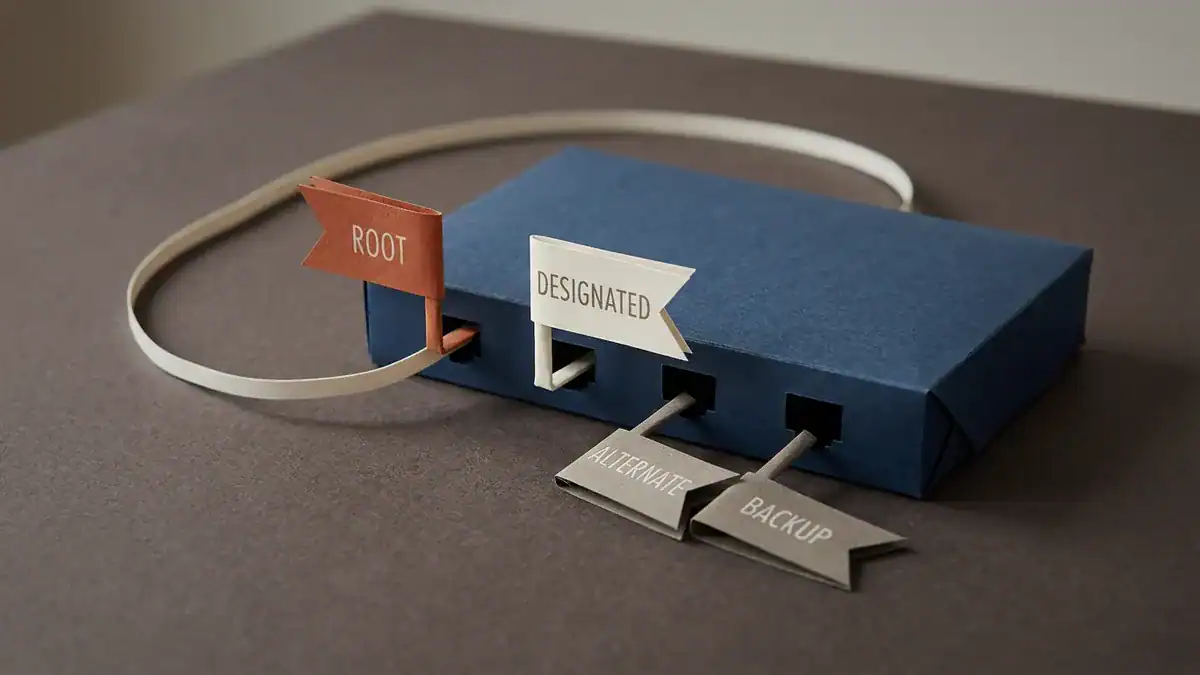
Two flags up and forwarding, two folded down and discarding. The alternate is already chosen, just waiting.
Alternate vs backup is the classic trap. Both are discarding, so they look identical in output. The difference is where the better path came from.
Alternate means a neighbouring switch has a better path to root. Backup means this switch already has a better port onto the same segment, which only happens with a hub or another shared-media segment in the path. Backup ports are rare in modern networks. Exam questions are not.
Why Is RSTP Faster? Proposal, Agreement and Sync
Legacy STP is pessimistic. It assumes a new link might create a loop, so it waits out the timers to be safe. Total wait: 20 seconds of Max Age plus two 15-second forward delays, which is where the 30 to 50 second figure comes from.
RSTP asks instead of waiting. The exchange takes four steps.
- Proposal. A switch brings up a point-to-point link and sends a BPDU with the proposal flag set, meaning “I intend to make this a designated forwarding port.”
- Sync. The receiving switch checks the proposal. If it’s superior, the switch blocks all of its own non-edge designated ports before replying. This is the safety step: it guarantees no loop can form during the transition.
- Agreement. Having made itself safe, the switch replies with the agreement flag set and moves its own port to root port, forwarding.
- Ripple. The newly blocked ports downstream now send their own proposals, and the same handshake repeats one hop further out.
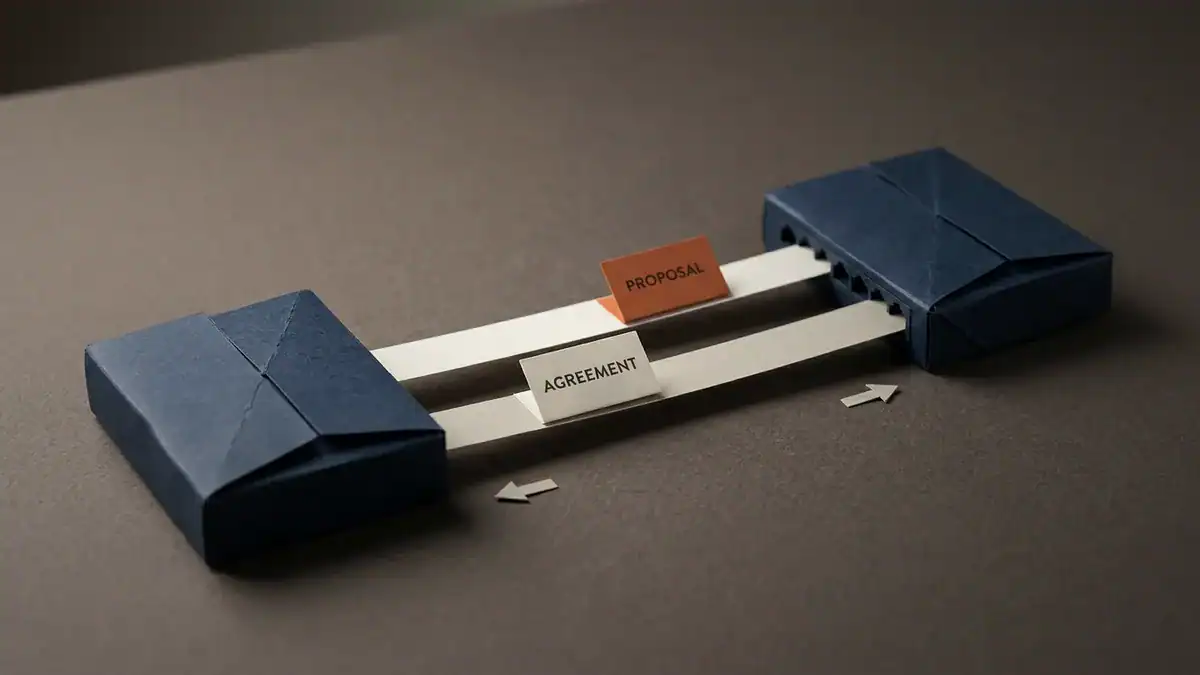
One question, one answer, and the link forwards. No timer anywhere in the exchange.
The whole thing propagates outward from the change, hop by hop, in milliseconds per hop. No timers anywhere in that sequence.
Sync is the part worth understanding properly, because it’s counterintuitive. RSTP temporarily blocks working ports to converge faster. Blocking is instant and provably loop-free, so it’s cheaper than waiting.
Link types decide whether you get any of this
The handshake only works between exactly two switches. On a shared segment there’s no single neighbour to negotiate with, so RSTP falls back to legacy timer behaviour on that port.
Cisco infers link type from duplex. Full duplex becomes point-to-point, half duplex becomes shared. Which means a duplex mismatch, or one interface hard-set to half duplex, silently takes a port back to 30-second convergence while show spanning-tree still cheerfully says the protocol is rstp.
You can force it:
SW1(config-if)# spanning-tree link-type point-to-pointEdge ports skip the negotiation
A port connected to a laptop or printer has no switch on the other end and no loop to prevent. Mark it as an edge port and it goes straight to forwarding with no handshake and no delay.
On Cisco gear the command is still spanning-tree portfast, which configures the RSTP edge port role. An edge port that receives a BPDU immediately stops being an edge port, which is the protocol protecting itself from someone plugging a switch into a desk jack.
That’s the protocol’s protection. Yours is BPDU guard, which shuts the port down rather than just reclassifying it. Use both. Always together.
Topology changes propagate differently
In legacy STP, a switch noticing a change sends a TCN toward the root, the root sets a flag, and every switch shortens its MAC aging timer. Slow, and centralised.
RSTP skips the round trip. The switch that noticed floods the topology change itself, immediately, and flushes MAC entries outright instead of ageing them faster. It also only raises a change for non-edge ports moving into forwarding.
A laptop rebooting doesn’t disturb the network. In legacy STP it did.
How to Configure and Verify RSTP on a Cisco Switch
Short version: switch the mode, then read the output. On most Catalyst gear you’re already running it.
Set the mode. Rapid PVST+ is Cisco’s per-VLAN version of RSTP.
SW1(config)# spanning-tree mode rapid-pvstSet the root bridge deliberately. Leave priorities at the default and the oldest MAC address in the building wins the election.
SW1(config)# spanning-tree vlan 10 root primary
SW2(config)# spanning-tree vlan 10 root secondary
Configure the edge ports.
SW1(config)# interface range gi0/2 - 24
SW1(config-if-range)# spanning-tree portfast
SW1(config-if-range)# spanning-tree bpduguard enable
Then verify. This is the output CCNA candidates are asked to interpret:
SW2# show spanning-tree vlan 10

VLAN0010
  Spanning tree enabled protocol rstp
  Root ID    Priority    24586
             Address     0c1f.8b2a.1000
             Cost        4
             Port        1 (GigabitEthernet0/0)

  Bridge ID  Priority    32778  (priority 32768 sys-id-ext 10)
             Address     0c1f.8b2a.2000

Interface        Role Sts Cost      Prio.Nbr Type
---------------- ---- --- --------- -------- --------------------
Gi0/0            Root FWD 4         128.1    P2p
Gi0/1            Altn BLK 4         128.2    P2p
Gi0/2            Desg FWD 4         128.3    P2p Edge
Read it in this order. Line 2 confirms the protocol is rstp, not ieee. The Role column gives you Root, Altn and Desg. The Type column is the one nobody teaches: P2p means the fast handshake is available, P2p Edge means the port skips negotiation entirely, and Shr means you’ve lost rapid convergence on that port.
One more command tells you the mode across the whole switch:
SW2# show spanning-tree summary
Switch is in rapid-pvst mode
RSTP vs Rapid PVST+ vs MSTP: Which Are You Actually Running?
This confuses people constantly, and the vendor naming doesn’t help.
| Mode | What it is | Trees | Best for |
|---|---|---|---|
pvst | Cisco PVST+, legacy timers, one tree per VLAN | Per VLAN | Nothing. Migrate off it |
rapid-pvst | RSTP, one instance per VLAN | Per VLAN | Most campus networks under ~100 VLANs |
mst | MSTP (802.1s), RSTP mechanics, VLANs mapped to a few instances | Per instance | Large VLAN counts |
| Standard RSTP | One tree for every VLAN | One | Non-Cisco switches, simple networks |
Rapid PVST+ is RSTP. Same handshake, same three states, same four roles, just run separately for each VLAN so you can load-share by making different switches root for different VLANs. The cost is CPU: 300 VLANs means 300 instances on every switch.
MSTP uses RSTP’s convergence mechanics and maps many VLANs onto two or three instances. You keep the speed and the load sharing, and drop the overhead. If you’re weighing that, it helps to understand where the VLAN count comes from in the first place, which our guide to VLANs and 802.1Q trunking covers.
On UniFi, TP-Link and most SMB gear, the setting is a plain STP/RSTP toggle. Pick RSTP. There’s no real argument for legacy STP on hardware built this decade, and the SMB forums are full of people running the slow one because it was the default and nobody changed it.
Three Things That Silently Break RSTP Convergence
Here’s what separates people who’ve read about RSTP from people who’ve run it. The protocol can be enabled, reporting healthy, and still converging in 30 seconds.
1. One legacy switch drags its neighbours backwards.
RSTP is backward compatible per port. When an RSTP port hears a legacy 802.1D BPDU, it falls back to legacy behaviour on that port to stay interoperable. One old switch in the middle of the network can put its neighbours’ ports back on timers.
Worse, the fallback is sticky. Replace the old switch and the port stays in legacy mode until something forces a renegotiation:
SW1# clear spanning-tree detected-protocolsThe tell is in the Type column: P2p Peer(STP) means this port is talking to something it believes is a legacy bridge.
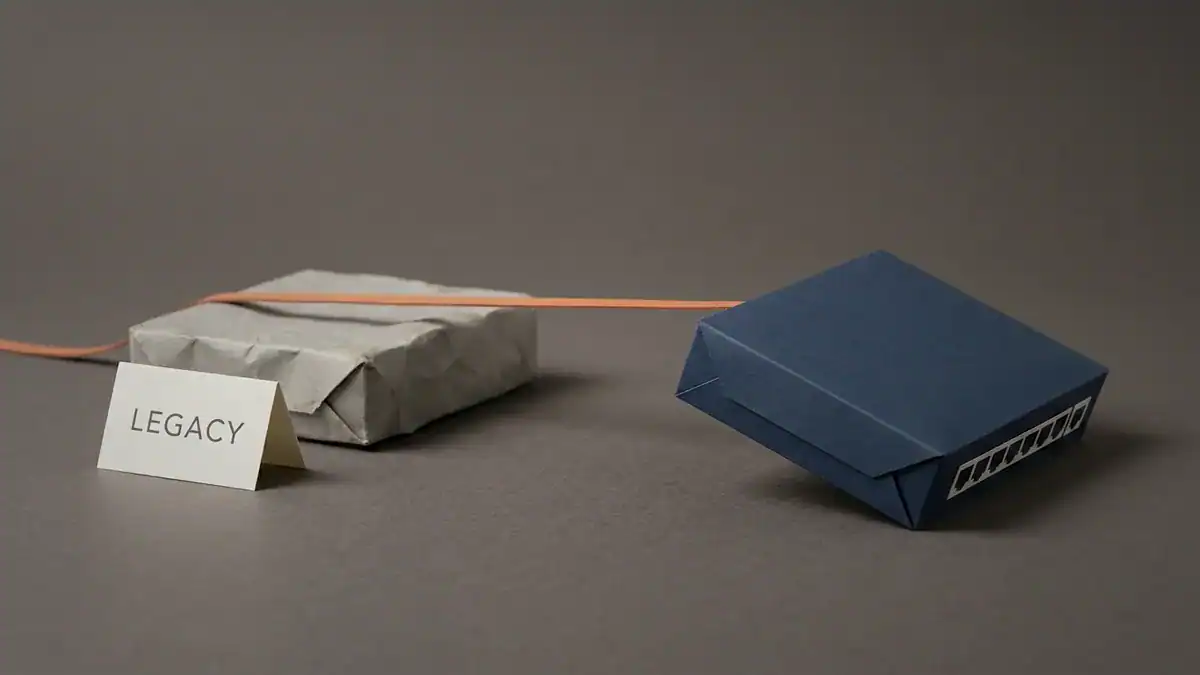
One old switch on the segment and its neighbour’s port goes back on timers, however new that switch is.
2. A half-duplex port kills the handshake.
Covered above, and it’s the most common cause of “we enabled RSTP and it didn’t get faster.” Check for Shr in the Type column. Then check the duplex setting on that interface.
3. Missing edge ports flood the network with topology changes.
Without portfast, every laptop that powers on or off counts as a non-edge port entering forwarding, which triggers a topology change, which flushes MAC tables network-wide. On a floor with 200 desks that’s a constant background hum of unnecessary flooding.
Catch it with:
SW1# show spanning-tree detail | include ieee|occurr|fromPicture a team chasing intermittent slowness across an office for three weeks. Bandwidth looks fine. CPU looks fine. Then somebody runs that command and finds topology change counters in the thousands, sourced from access ports.
The fix is one interface range command and a portfast. Finding it is the hard part, and you only find it if you know the counter exists.
Build the RSTP Lab and Time It Yourself
Reading this twice won’t make it stick. Timing it once will.
Three switches, wired in a triangle so there’s exactly one loop. Then run this sequence:
- Set the mode to
pvston all three. Runshow spanning-tree vlan 1and find the blocked port. - Shut the root port on a non-root switch. Time the recovery with a continuous ping. Expect 30 seconds or so.
- Bring it back, change every switch to
rapid-pvst, and do exactly the same thing again. Expect under a second. - Set one interface to half duplex, and repeat step 3. Watch it get slow again, and watch the Type column change to
Shr.
Step 4 is the one that teaches you something the articles don’t.
The EVE-NG CCNA labs you should build before exam day includes the three-switch topology and the full port-role walkthrough, so you can build on a topology that already works instead of starting from a blank canvas. There’s more switching practice in our free CCNA labs you can build in EVE-NG, and if EVE-NG isn’t running yet, start with the EVE-NG install guide.
Early in your studies? Packet Tracer handles this fine. Use EVE-NG when you want output that matches real IOS character for character.
Want the topologies instead of building from scratch? The CCNA Lab Workbook ships with the EVE-NG ISO, Packet Tracer files and verified solutions for 75+ labs, so your evening goes on the protocol instead of on QEMU naming conventions.
RSTP on the CCNA Exam
Spanning tree is a guaranteed appearance, and RSTP is the flavour they test.
On the current CCNA 200-301 v1.1 blueprint it’s topic 2.5: interpret Rapid PVST+, covering root bridge, port roles, port states, PortFast, root guard, loop guard and BPDU guard. Note the verb. Interpret. Cisco wants you reading show spanning-tree output, not reciting definitions.
CCNA v2.0 goes live on 2027-02-03, with 2027-02-02 the last day to sit v1.1. Spanning tree coverage expands rather than shrinks, and the emphasis moves further toward reading live output and fixing what’s wrong with it. Our breakdown of what changed in the CCNA v2.0 blueprint has the full domain weights.
Either way, study it now. It counts on both versions.
The failure mode we see most looks like this. A candidate can list the three RSTP port states in order and explain proposal and agreement from memory. Then a practice question puts a block of show spanning-tree vlan 10 output on screen and asks which port would take over if Gi0/0 went down, and they stall, because they’ve never looked at the Role column on a live switch.
Same material. Different verb. The fix is a weekend with a triangle and a continuous ping.
RSTP FAQ
What is the difference between STP and RSTP?
RSTP converges in under a second against 30 to 50 seconds for legacy STP. It uses three port states (discarding, learning, forwarding) instead of five, adds alternate and backup port roles as pre-computed backups, and negotiates directly with its neighbour over point-to-point links instead of waiting out timers. Every switch also originates its own BPDUs every 2 seconds rather than relaying the root’s.
Should I use STP or RSTP?
RSTP, on any switch made this century. There’s no scenario where legacy STP’s timers are preferable, it’s backward compatible with legacy devices on a per-port basis, and it’s the default on most modern hardware. On Cisco, set spanning-tree mode rapid-pvst. On UniFi and most SMB switches, choose RSTP in the settings.
Why is RSTP faster than STP?
Two reasons. It replaces timer-based transitions with a proposal and agreement handshake between neighbours on point-to-point links, so ports start forwarding as soon as both ends agree it’s safe. And it keeps alternate ports as pre-calculated backups, so a root port failure is a role promotion rather than a full recalculation.
What are the RSTP port states?
Three: discarding, learning and forwarding. Discarding replaces legacy STP’s disabled, blocking and listening states, which all did the same thing.
What are the RSTP port roles?
Four: root port (best path to the root bridge), designated port (forwards onto a segment), alternate port (a backup path to the root via another switch) and backup port (a backup to a designated port on the same shared segment).
Is RSTP the same as Rapid PVST+?
Rapid PVST+ is Cisco’s version of RSTP, running a separate instance per VLAN. The mechanics are identical. The difference is one tree per VLAN, which allows load sharing at the cost of extra CPU when the VLAN count gets high.
Is RSTP 802.1w or 802.1D?
It was standardised as IEEE 802.1w in 2001, merged into 802.1D-2004, and now lives in IEEE 802.1Q. IEEE lists 802.1w-2001 as superseded. Exams still ask for 802.1w.
Is MSTP better than RSTP?
For large networks, yes. MSTP uses RSTP’s convergence mechanics but maps many VLANs to a few instances, so you get load sharing without running hundreds of spanning tree instances. Below roughly 100 VLANs, Rapid PVST+ is simpler to run and troubleshoot.
Bottom Line
Five things worth keeping:
- RSTP does STP’s job in under a second instead of 30 to 50, and it’s the default on modern switches.
- Three port states, four port roles. Discarding replaced disabled, blocking and listening. Alternate and backup are the new roles, and alternate is where the speed lives.
- The speed comes from a handshake, not from shorter timers. Proposal, sync, agreement, ripple outward.
- Point-to-point links and edge ports are mandatory, not optional. A half-duplex port or a missing
portfastquietly gives back everything RSTP bought you. - The exam asks you to interpret output. Learn the Role column and the Type column.
Build the triangle. Run a continuous ping. Break a link on pvst, then on rapid-pvst, and watch the difference on your own screen. Twenty minutes of that beats a chapter.
Ready to make the labs count? The CCNA Lab Workbook gives you 75+ hands-on labs with the EVE-NG ISO, Packet Tracer files and verified solutions, mapped to the 200-301 blueprint. Automating the verification instead of typing it? The CCNA Automation Workbook covers the Python side.
Prefer a live instructor and a fixed schedule? Our sister site runs a live CCNA course at SMEnode Academy where you build these topologies alongside a room of other candidates.
Sources: Cisco: Understand Rapid Spanning Tree Protocol (802.1w) · IEEE SA: 802.1w-2001 (Superseded) · Cisco Learning Network: CCNA exam topics