
IPsec VPN Troubleshooting: Which Phase Is Failing?
Start with the phase. Phase 1 (the IKE SA) authenticates the two peers. Phase 2 (the IPsec or CHILD SA) carries your traffic. If Phase 1 is down, fix reachability, authentication and IKE proposals. If Phase 1 is up and Phase 2 is down, fix selectors, proposals and NAT. If both are up and nothing passes, fix routing, policy and MTU. Where each of those checks happens on a FortiGate is in our FortiGate packet flow guide. This free PDF is a 23-page field guide built on that order. This page adds the standards, the commands for four vendors and six interview scenarios.
| What you see | Likely cause | First check |
|---|---|---|
| No IKE SA | UDP 500 or 4500 blocked, wrong PSK, IKE proposal or ID mismatch | show crypto ikev2 sa |
| IKE SA up, no IPsec SA | Selector (Proxy ID) or proposal mismatch, no interesting traffic | show crypto ipsec sa |
| Both SAs up, no replies | Missing route, NAT, firewall policy or return path | Encrypt and decrypt counters |
| Ping works, RDP stalls | MTU or fragmentation | Ping with DF at several sizes |
| Drops at a fixed interval | DPD, NAT mapping or rekey failure | Logs near each drop |
IPsec Phase 1 and Phase 2: What Each One Does
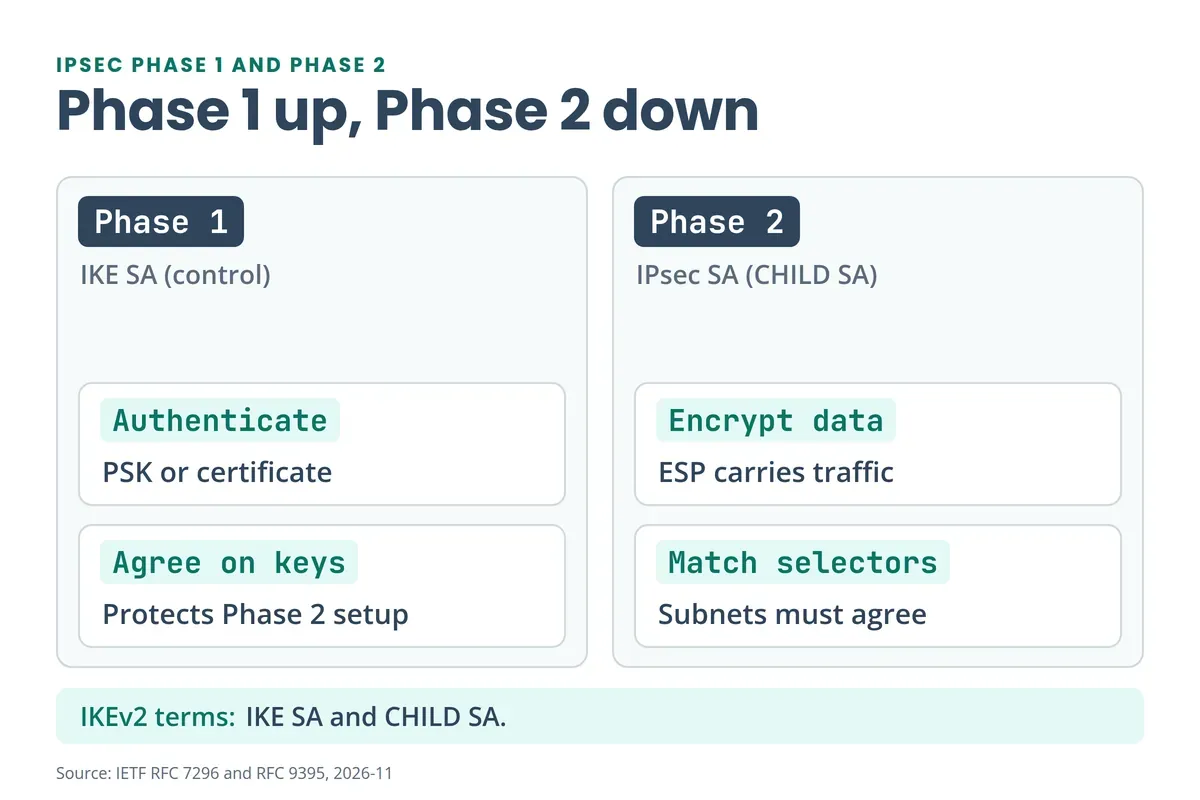
IPsec Phase 1 builds the IKE security association (SA). The peers authenticate with a pre-shared key (PSK) or certificate and agree on keys for a protected control channel. Phase 2 uses that channel to build the IPsec SA, which encrypts your data with ESP. Those two phases are IKEv1 terms. IKEv2 calls them the IKE SA and the CHILD SA, and an IKE SA can stay up while a CHILD SA fails (RFC 7296).
Two details change how you troubleshoot:
- Lifetimes. In IKEv1 the SA lifetimes were negotiated. In IKEv2 each end enforces its own lifetime policy, and the end with the shorter lifetime requests the rekey. Different lifetimes aren’t automatically a fault.
- IKEv1 is deprecated. RFC 9395 moved its RFCs to Historic status in April 2023, but old tunnels still use it. Check which version your peer runs before you compare settings.
DMVPN also talks about “Phase 1, 2 and 3”. That’s a different thing, covered in our DMVPN phases explainer.
Both peers must agree on these values:
| Phase 1 (IKE SA) | Phase 2 (IPsec SA) | |
|---|---|---|
| Version and auth | IKEv1 or IKEv2, PSK or certificate, local and remote ID | Inherited from Phase 1 |
| Crypto | Encryption, integrity, DH group | ESP encryption and integrity, optional PFS group |
| Scope | Peer IPs | Traffic selectors (local and remote subnets) |
| Timers | Lifetime, DPD | Lifetime, rekey |
IPsec Tunnel Not Coming Up: Phase 1 Checks
A tunnel with no Phase 1 SA usually fails on one of five things: peer reachability, blocked UDP 500 or 4500, a wrong PSK or certificate, an IKE proposal mismatch, or a peer ID mismatch. Work in this order:
- Ping the peer’s public IP from the right source.
- Confirm UDP 500 and UDP 4500 aren’t blocked.
- Compare the IKE version, encryption, integrity and DH group on both sides.
- Verify the PSK or certificate and the local and remote IDs.
- Read the log for the exact error.
IKEv2 names the failure. NO_PROPOSAL_CHOSEN (14) means none of the proposed crypto suites was acceptable. AUTHENTICATION_FAILED (24) usually points to the PSK, certificate or ID. Both numbers come from the IANA IKEv2 registry. Other strings you’ll see, such as DPD timeouts or decrypt errors, are vendor wording and differ between vendors and releases.
Which Ports and Protocols Does IPsec Use? UDP 500, UDP 4500 and ESP
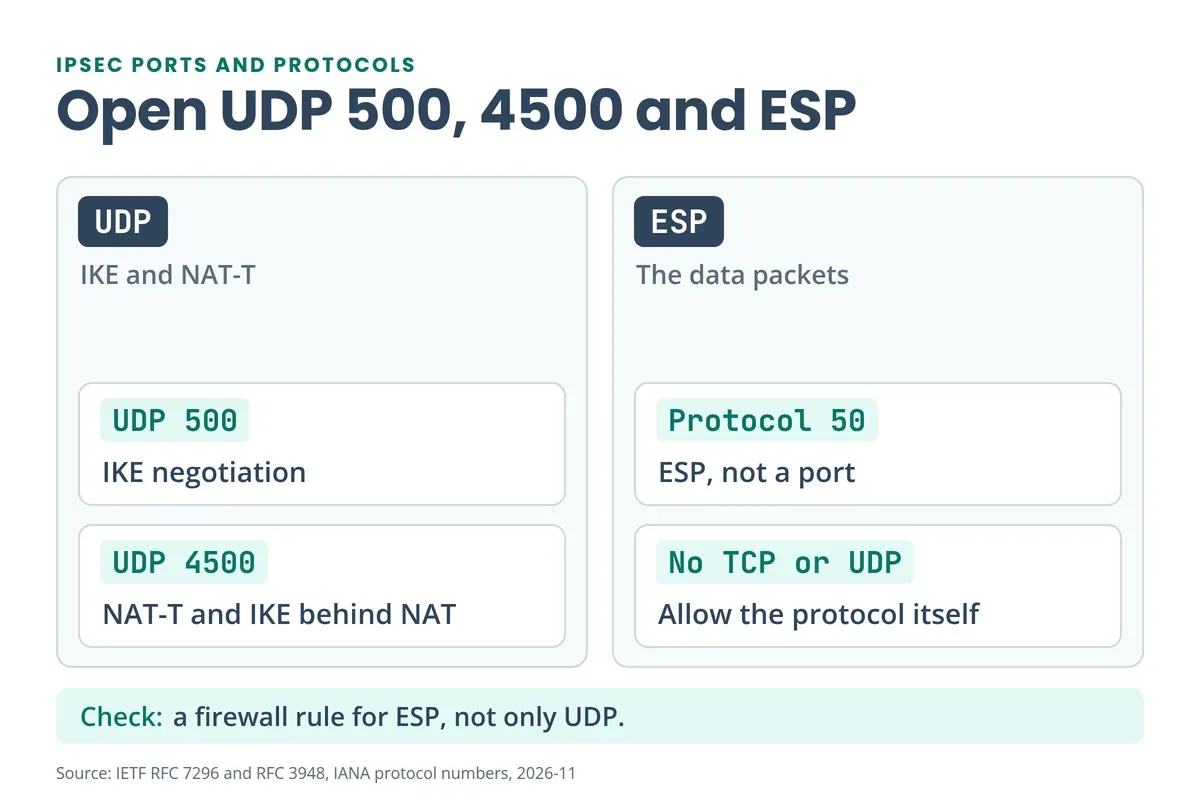
Allow UDP 500, UDP 4500 and ESP between the peers. IKE normally uses UDP 500 and may also use UDP 4500 (RFC 7296). ESP is IP protocol 50 in IANA’s protocol registry, so it has no TCP or UDP port. NAT traversal (NAT-T) wraps ESP in UDP 4500 so it can cross a NAT device (RFC 3948).
Three NAT problems look alike but aren’t:
- NAT-T moves ESP through an outer NAT device.
- NAT exemption stops your protected inner traffic from being translated.
- A wrong inner NAT rule still breaks the tunnel even when NAT-T works.
Cisco’s ASA IPsec troubleshooting guide tells you to allow UDP 4500, UDP 500 and ESP, and says crypto ACLs must mirror each other. For the wider port list, see our common ports cheat sheet. The L2TP/IPsec case is in What Is L2TP?.
Phase 1 Up, Phase 2 Down: TS_UNACCEPTABLE and NO_PROPOSAL_CHOSEN
When IKE Phase 1 is up and Phase 2 is down, the IPsec SA can’t be built. The usual causes are a traffic selector (Proxy ID) mismatch, an IPsec proposal or PFS mismatch, no interesting traffic, mismatched crypto ACLs, NAT, or a firewall blocking ESP. IKEv2 reports a selector problem as TS_UNACCEPTABLE (38) and a proposal problem as NO_PROPOSAL_CHOSEN (14). Check in this order:
- Selectors. Compare local and remote subnets on both peers. On Palo Alto, wrong Proxy IDs fail Phase 2.
- Proposal. Compare encryption, integrity, PFS group and lifetime.
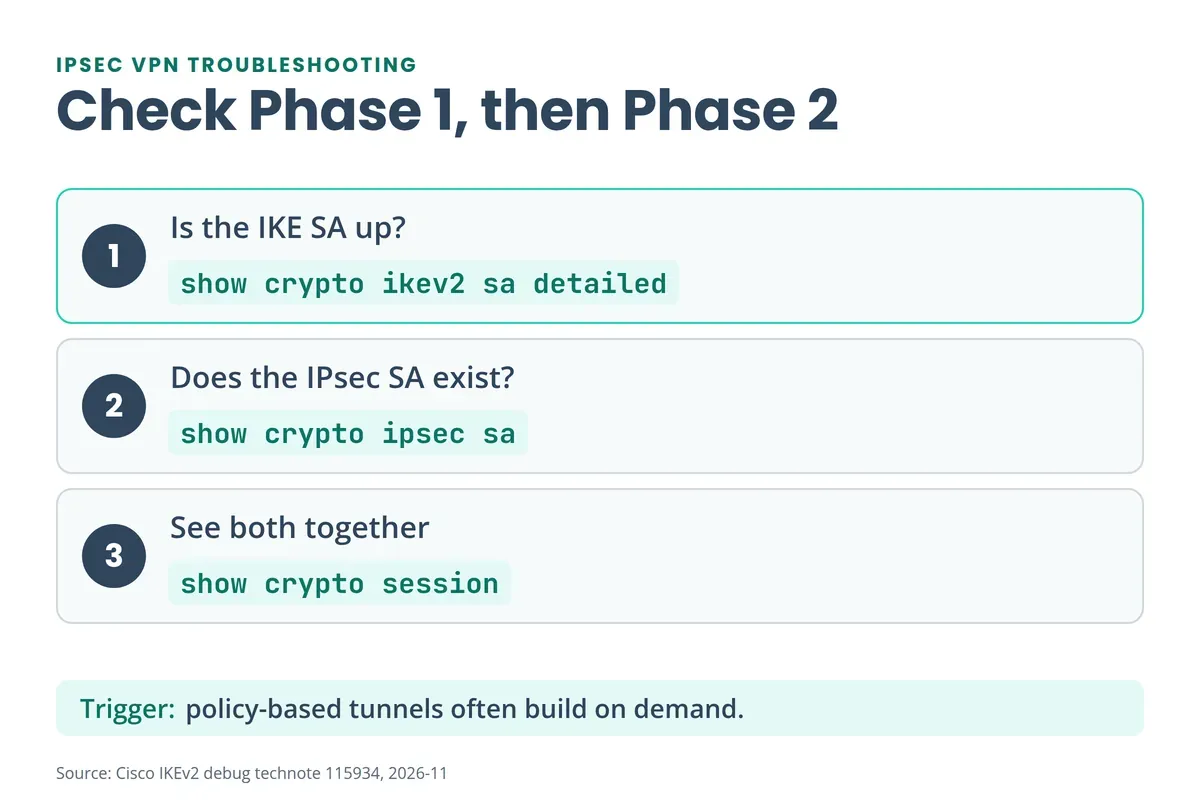
- Interesting traffic. Many policy-based tunnels build on demand, so send a test flow from the protected subnet. A tunnel that only runs monthly is easy to miss in a migration, as our Cisco ASA end-of-life guide warns.
- Crypto ACLs. They must mirror each other.
- NAT exemption. Protected traffic must skip translation. Our NAT guide shows how an over-broad rule breaks a site-to-site VPN.
Don’t assume the selectors must be identical. In IKEv2 the responder may narrow the initiator’s selectors to a subset (RFC 7296). A working subnet also doesn’t prove a newly added one is covered. Check the new prefix on both peers and confirm a new CHILD SA forms.
A PFS mismatch can hide. The first CHILD SA is set up during the initial exchange, and the extra Diffie-Hellman exchange in CREATE_CHILD_SA is optional (RFC 7296). So a tunnel can come up and fail at the first rekey.
Go deeper
Reading about a tunnel gets you the commands.
Break a tunnel and fix it yourself in the CCIE Security Workbook, with Site-to-Site VPN labs and EVE-NG topologies.
See the CCIE Security Workbook →Policy-Based vs Route-Based IPsec VPN: Why the Fix Is Different
Know which design you’re fixing. A policy-based tunnel decides what to encrypt from an ACL or policy, so the selectors and the “interesting traffic” rule matter most. A route-based tunnel is referenced by a route, which sends traffic into the tunnel by destination address (Juniper). There the route, the tunnel interface and the zone policy decide whether traffic flows, even when the SAs are up.
| Policy-based | Route-based | |
|---|---|---|
| What picks the traffic | Crypto ACL, policy or selectors | The routing table |
| Typical failure | Selector or ACL mismatch | Missing route, wrong tunnel interface, zone policy |
| First check | Compare selectors on both peers | show route <remote-host> or the platform equivalent |
IPsec Tunnel Up but No Traffic Passing
If both SAs are up and nothing returns, the fault is outside the crypto: a route, NAT, policy or the return path. An established SA proves cryptographic state, not forwarding.
Use the counters to split the path. On Cisco, show crypto ipsec sa shows encrypted and decrypted packet counts. If site A’s encrypt counter rises and site B’s decrypt counter doesn’t, the packets die in transit, so capture UDP 4500 or ESP on both WAN sides. If B does decrypt, trace the inner packet: policy, route, ARP, host firewall and the return route. An encrypt counter proves only that the local gateway tried.
- Routing. Check both directions. On a route-based Juniper VPN the destination needs a route through the bound
st0interface and a policy between the right zones (Juniper route-based VPN guide). - Overlapping subnets. If both sites use 192.168.10.0/24, a workstation ARPs locally and never sends to the tunnel. Renumber, or translate to unique prefixes on both sides.
IPsec MTU and Fragmentation: Why Ping Works but RDP Stalls
Small pings fit. Large packets exceed the path MTU once ESP, and NAT-T if used, add their headers. If ICMP “fragmentation needed” is blocked, large flows stall. RFC 4459 describes this tunnelling problem. There’s no single safe MTU, so measure:
- Ping across the protected path with DF set, at rising sizes, in both directions.
- Test real protected hosts, not the public peer IP. A ping to the peer only tests the underlay.
- Allow ICMP fragmentation-needed and Packet Too Big messages.
- Set the tunnel MTU or TCP MSS from the result.
ping <remote-protected-host> size 1400 df-bit ! IOS example, syntax varies by platformCisco’s debug guide shows ip tcp adjust-mss 1300 as an example of capping TCP MSS (Cisco IPsec debug guide). Pick your own value from the measurement. MSS only helps TCP, so retest UDP and ICMP flows as well.
IPsec Tunnel Flapping: Dead Peer Detection, NAT Keepalives and Rekey
A tunnel that drops and returns usually has one of four causes: dead peer detection (DPD) declares the peer dead, a NAT mapping expires, the ISP link is unstable, or a rekey fails. IKE checks liveness with an empty INFORMATIONAL request that must be acknowledged (RFC 7296). No answer, and the SA is torn down.
If outages line up with the same interval each hour, treat the rekey as the failing event. Collect timestamps from both peers, the SPIs and the delete and rekey messages. Then check the rekey proposal and PFS group, and whether the old SA is removed before the new one carries traffic. After an HA failover, tunnels can reset too: see our FortiGate HA troubleshooting PDF.
How Do You Check if an IPsec Tunnel Is Up?
A tunnel is up only when four things are true: the IKE SA exists, the IPsec SA exists, the packet counters rise in both directions, and a real application test passes. A green status on one peer isn’t enough. Check both peers, because one end can show a tunnel the other end has already torn down.
IPsec VPN Troubleshooting Commands: Cisco, Palo Alto, FortiGate and Juniper
Check Phase 1, then Phase 2, then counters.
| Vendor | Phase 1 (IKE SA) | Phase 2 (IPsec SA) |
|---|---|---|
| Cisco IOS XE | show crypto ikev2 sa detailed | show crypto ipsec sa, show crypto session |
| Cisco ASA | show vpn-sessiondb l2l | show crypto ipsec sa, packet-tracer |
| Palo Alto | show vpn ike-sa gateway <gateway_name> | show vpn ipsec-sa tunnel <tunnel_name> |
| FortiGate | diagnose vpn ike gateway list | diagnose vpn tunnel list |
| Juniper SRX | show security ike security-associations detail | show security ipsec security-associations detail |
To start negotiation from the CLI on Palo Alto, run test vpn ike-sa gateway <gateway_name> then test vpn ipsec-sa tunnel <tunnel_name> (Palo Alto VPN test guide). On FortiGate, diagnose vpn ipsec status shows encrypt and decrypt counters. For detail, Fortinet gives the IKE debug with a filter (Fortinet IKE and IPsec monitoring):
diagnose vpn ike log-filter dst-addr4 <peer-ip>
diagnose debug application ike -1
diagnose debug enable
Debug rules: filter to one peer, collect a short sample, then stop. Fortinet also advises turning off offload while you sniff or debug. Cisco’s IKEv2 debug walkthrough shows how to read the output, and debug crypto condition limits it on IOS XE (Cisco IKEv2 configuration guide).
More commands are in our FortiGate CLI commands cheat sheet, the Cisco ASA commands PDF and the network troubleshooting commands PDF. On Cisco’s firewall platform, site-to-site VPN is configured in FMC, covered in Firepower Threat Defense. New to Fortinet? What Is FortiGate? lists its VPN options. Need a lab for the FortiGate side? See how to add a FortiGate VM to EVE-NG.
IPsec VPN Interview Scenarios and What Each One Tests
The PDF ends with six scenarios, each with questions, investigation steps, evidence and a model answer.
| Scenario | What it tests | First move |
|---|---|---|
| A new subnet fails, the old one works | Selector coverage | Compare selectors on both peers |
| Encrypt counters rise, no reply | Counter pairing | Capture on both WAN sides |
| Ping works, RDP and transfers stall | Path MTU black hole | Probe with DF at rising sizes |
| Traffic drops at every rekey | Rekey, PFS, local lifetimes | Correlate both peers’ timestamps |
| Both sites use the same subnet | Overlapping addresses | Plan unique translated prefixes |
| Juniper SRX tunnel up, app fails | Route via st0 and zone policy | Check route, then session |
To rehearse these on a real topology, the Site-to-Site VPN chapter in the CCIE Security Workbook is built for that.
What’s Inside the Free IPsec VPN Troubleshooting PDF?
The free PDF is 23 pages. It’s a field guide, not a tutorial.
- 9 causes of Phase 2 down, with a nine-step troubleshooting flow and checklist.
- 7 issue categories: stuck at Phase 1, no traffic, flapping, one-way traffic, MTU, NAT and proposal mismatch.
- Commands for Cisco IOS, Cisco ASA, Palo Alto and FortiGate.
- An 8-row log table and two sample configurations to study, not paste.
- 6 interview scenarios with model answers, and 9 references.
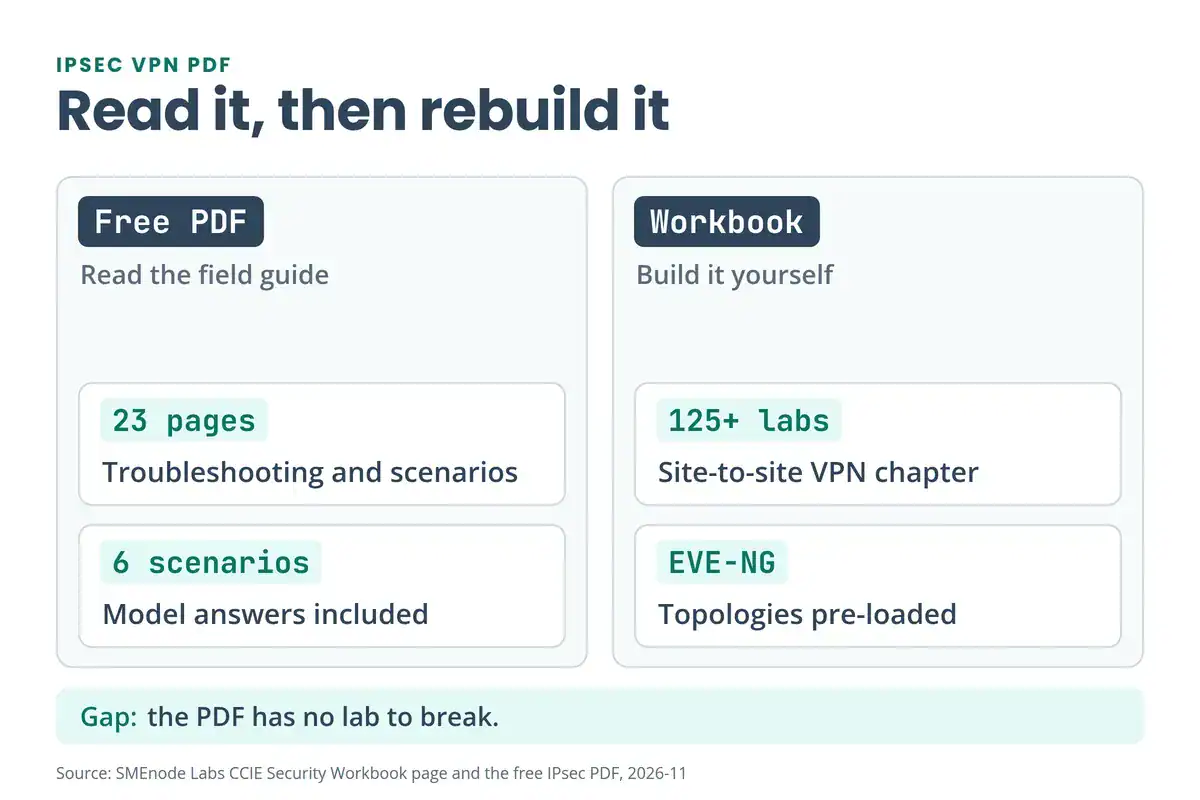
The PDF stops where building starts. It has no lab to break. The CCIE Security Workbook labs cover site-to-site VPN and VPN high availability with EVE-NG topologies. On the Fortinet side, the FortiGate NSE4 Workbook has a VPN troubleshooting and diagnostics topic.



No questions yet. Ask the first one.