The most common ports in networking are 80 (HTTP), 443 (HTTPS), 22 (SSH), 21 (FTP), 25 (SMTP), 53 (DNS), 67 and 68 (DHCP), 110 (POP3), 143 (IMAP) and 3389 (RDP). This free PDF gives you the port number, a plain-English explanation and a real-life example for 10 core protocols, plus NetBIOS, LDAP, SMB, RDP and TCP vs UDP.
Common ports in networking: the list you need
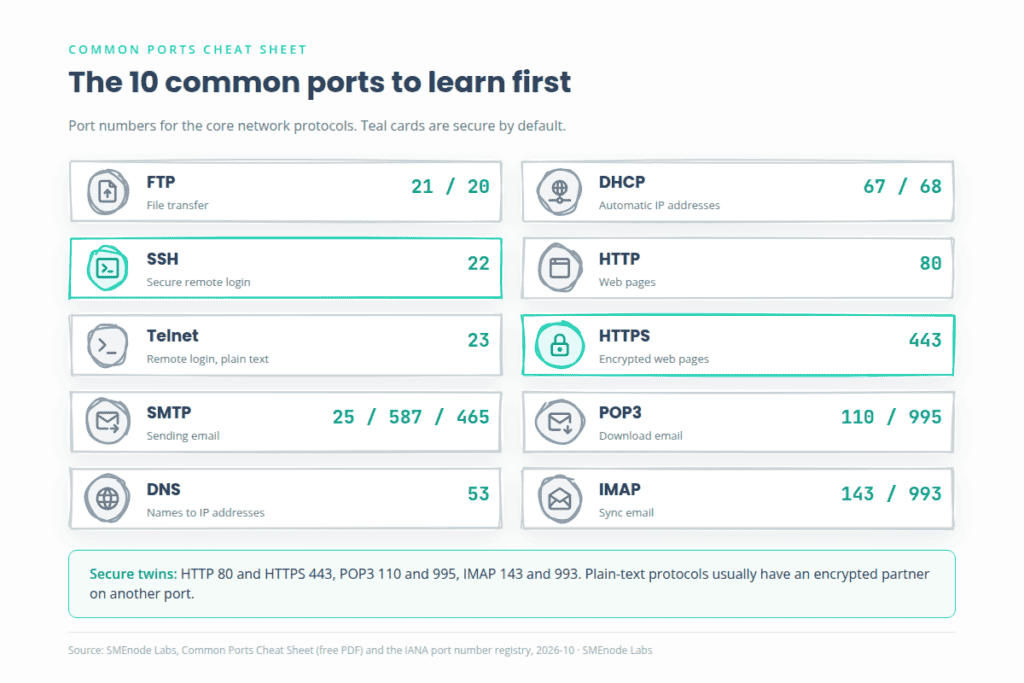
Here are the 10 protocols the PDF opens with. Learn this table first, because every other port you meet is a variation on it.
| Protocol | Port | Transport | What it does | Secure option |
|---|---|---|---|---|
| FTP | 21 (control), 20 (data) | TCP | Moves files between a client and a server | SFTP runs over SSH on port 22 |
| SSH | 22 | TCP | Encrypted remote login and commands | Already secure |
| Telnet | 23 | TCP | Remote login in plain text | Use SSH instead |
| SMTP | 25, 587, 465 | TCP | Sends email | 465 (TLS from the start) |
| DNS | 53 | UDP and TCP | Turns names into IP addresses | |
| DHCP | 67 (server), 68 (client) | UDP | Hands out IP addresses automatically | |
| HTTP | 80 | TCP | Loads web pages | HTTPS on 443 |
| HTTPS | 443 | TCP | Loads web pages with encryption | Already secure |
| POP3 | 110 | TCP | Downloads email to one device | POP3S on 995 |
| IMAP | 143 | TCP | Syncs email across devices | IMAPS on 993 |
The pattern worth memorising: most plain-text protocols have a secure twin on another port. POP3 is 110 and 995. IMAP is 143 and 993. HTTP is 80 and 443.
What is a TCP port, and how is it different from UDP?
A TCP port is a 16-bit number, from 0 to 65,535, that tells a computer which program should receive incoming data. The IP address finds the device. The port finds the service on it. Together they identify one end of a connection.
Why 65,535? The port field in the TCP and UDP headers is 16 bits wide, which gives 65,536 values, from 0 to 65,535. (RFC 9293 defines TCP and RFC 768 defines UDP.)
Both protocols sit at Layer 4, the transport layer. If the layers still feel fuzzy, our OSI model cheat sheet PDF lays them out on one page.
| Feature | TCP | UDP |
|---|---|---|
| Connection | Connection-oriented, a handshake first | Connectionless, just sends |
| Reliability | Acknowledges, retransmits lost data | No delivery guarantee |
| Order | Packets arrive in sequence | Packets may arrive out of order |
| Speed | Slower, more overhead | Faster, less overhead |
| Header size | 20 bytes minimum | 8 bytes |
| Typical use | Web, email, file transfer, SSH | DNS lookups, DHCP, voice calls, gaming |
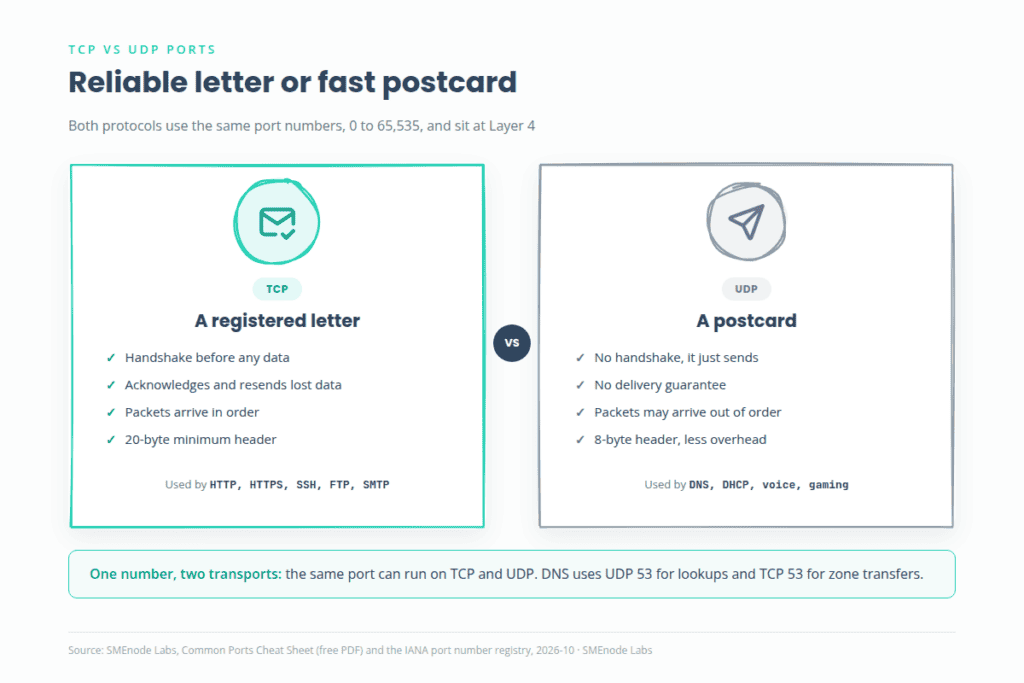
Think of TCP as a registered letter with tracking and UDP as a postcard. DNS is the interesting case. It uses UDP for quick lookups and TCP for zone transfers and large answers.
To see which ports a machine is using right now, run netstat -an on Windows or ss -tuln on Linux. Our network troubleshooting commands PDF shows how to read the output.
Well-known, registered and dynamic ports: how many are there?
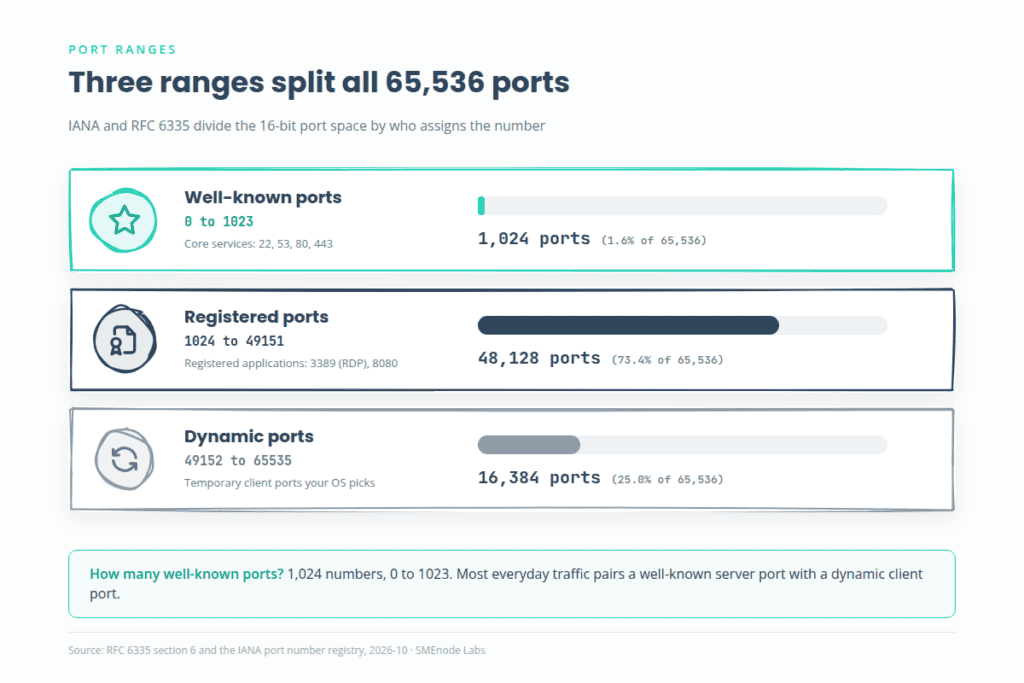
There are 1,024 well-known ports, numbered 0 to 1023. They’re assigned by IANA to core services such as HTTP, SSH and DNS, and port 0 is reserved. The full split of all 65,536 values looks like this:
| Range | Name | How many | Who uses it |
|---|---|---|---|
| 0 to 1023 | Well-known (system) ports | 1,024 | Core services: 22, 53, 80, 443 |
| 1024 to 49151 | Registered (user) ports | 48,128 | Applications registered with IANA: 3389 (RDP), 8080 |
| 49152 to 65535 | Dynamic (private, ephemeral) ports | 16,384 | Temporary client ports your operating system picks |
These ranges come from RFC 6335, and IANA keeps the official registry of who owns each number.
Dynamic ports are the ones you never see. When your browser opens a site on port 443, your computer picks a random source port from the dynamic range, such as 51234, for that one conversation. Registered and dynamic ports together make up the 64,512 numbers from 1024 to 65535.
What is port 443 (HTTPS)?
Port 443 carries HTTPS, which is HTTP wrapped in TLS encryption. It’s the port behind the padlock in your browser. Port 80 sends pages in plain text, and port 443 encrypts them, so anyone watching the network can’t read the traffic.
A web server such as nginx, Apache or IIS listens on 443 and answers secure requests. Newer web traffic also uses it. HTTP/3 runs over QUIC on UDP port 443, so 443 now appears on both transports. Because nearly every website needs it, port 443 is open on almost every firewall.
What is TCP port 22 (SSH)?
TCP port 22 is SSH, the Secure Shell. It gives you an encrypted remote login and lets you run commands on a server or network device. SSH replaced Telnet (port 23), which sends everything, passwords included, in plain text. SFTP and SCP also travel over port 22.
Admins use SSH to manage Linux servers and, just as often, routers and switches. Our Huawei router commands PDF walks through a full SSH setup on a Huawei AR router, and Chapter 5 of the CCNA Lab Workbook covers Telnet and SSH on Cisco gear.
Port 22 is a favourite target for scans. Use key-based logins and limit who can reach it with a firewall rule.
What is TCP port 8080?
TCP port 8080 is the alternate HTTP port. The IANA registry lists it as http-alt. It speaks the same HTTP as port 80, but in plain text on a different number.
People pick it for three reasons:
- On Linux and Unix, opening a port below 1024 needs root privileges. Port 8080 doesn’t.
- Port 80 may already be taken by another web server.
- Proxies, development servers and application servers such as Tomcat often default to it.
So is the default web port 80 or 8080? It’s 80. Port 8080 is the common alternative, and you’ll often type it into the address bar yourself, as in http://localhost:8080.
Email ports: SMTP, POP3 and IMAP
Email uses three protocols, and each has a secure port.
| Protocol | Job | Port | Secure port |
|---|---|---|---|
| SMTP | Sends mail between servers | 25 | |
| SMTP submission | Your mail app sends to its server | 587 (STARTTLS) | 465 (TLS from the start) |
| POP3 | Downloads mail to one device | 110 | 995 |
| IMAP | Syncs mail across devices | 143 | 993 |
POP3 downloads messages and usually removes them from the server. IMAP keeps the master copy on the server, so your phone, tablet and laptop all see the same inbox.
Some older guides call port 465 outdated. It isn’t. RFC 8314 (2018) says mail servers should offer encryption from the first byte on dedicated ports, and that includes 465, 993 and 995.
DNS, DHCP and the ports on network gear
Network devices lean on a handful of UDP services. DNS answers on port 53, and DHCP uses 67 for the server and 68 for the client. If you want the full DHCP exchange, read What Is DHCP? The DORA Process, Ports and Cisco Config. The same idea shows up in What Is NAT?, because PAT works by rewriting port numbers.
Beyond the 10 core protocols, you’ll meet these on routers and switches:
| Service | Port | Transport | Used for |
|---|---|---|---|
| TFTP | 69 | UDP | Simple file transfers, such as device images and configs |
| NTP | 123 | UDP | Keeping clocks in sync |
| SNMP | 161 (queries), 162 (traps) | UDP | Monitoring devices |
| Syslog | 514 | UDP | Sending log messages |
| BGP | 179 | TCP | Routing between networks |
| RADIUS | 1812, 1813 | UDP | Login authentication and accounting |
| TACACS+ | 49 | TCP | Admin login and command control |
The network services chapter of our CCNA 200-301 lab workbook covers DHCP and relay, NTP, SNMP, FTP and TFTP, so you can see these ports working on a live topology instead of memorising them.
Windows ports: NetBIOS, SMB, LDAP and RDP
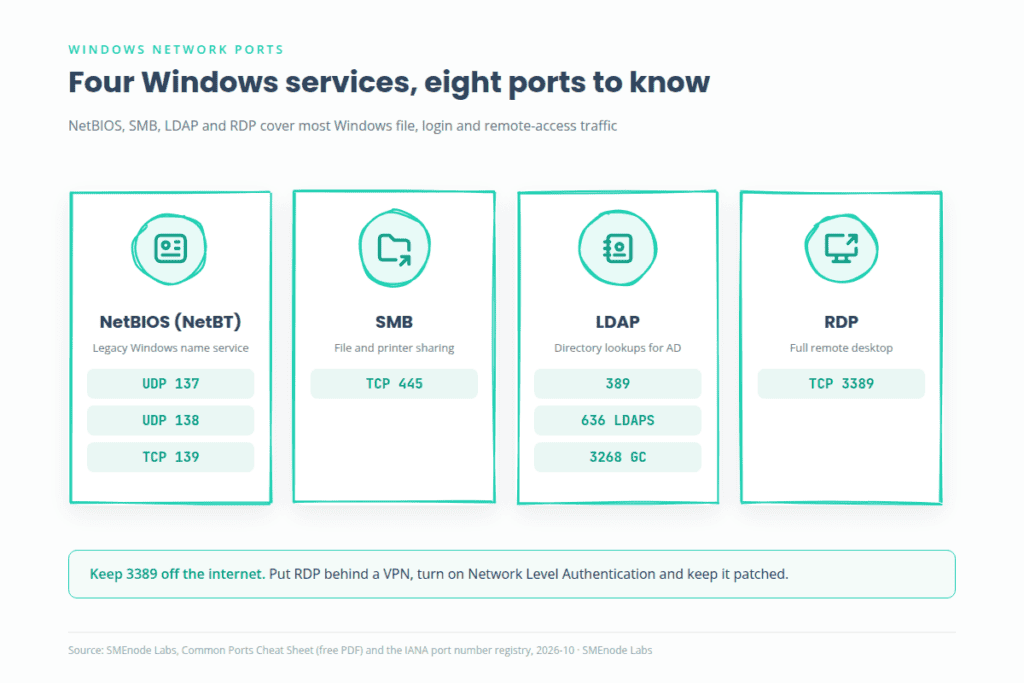
The second half of the PDF covers four Windows-era protocols. Here’s the short version.
| Service | Ports | What it does |
|---|---|---|
| NetBIOS (NetBT) | UDP 137, UDP 138, TCP 139 | Old name service, datagrams and sessions for Windows networks |
| SMB | TCP 445 (TCP 139 on legacy setups) | File and printer sharing |
| LDAP | 389 (LDAP), 636 (LDAPS), 3268 (Global Catalog) | Looking up users, groups and devices in a directory |
| RDP | TCP 3389 (and UDP 3389) | Full remote desktop |
NetBIOS is an API from the 1980s, not a protocol. NetBIOS over TCP/IP (NetBT) let it run on routed networks. Modern Windows uses DNS and SMB on port 445 instead, but NetBT is often still switched on for backward compatibility. You can turn it off in the adapter’s IPv4 properties: Advanced, then the WINS tab, then “Disable NetBIOS over TCP/IP”.
SMB powers \\Server\SharedFolder. CIFS is Microsoft’s old SMB 1.0 dialect, which is slow, chatty and insecure, and it’s disabled by default in modern Windows. SMB 2.0 arrived with Windows Vista and Server 2008. SMB 3.x, from Windows 8 and Server 2012, adds encryption.
LDAP is the protocol, and Active Directory is the directory service that speaks it. Think of AD as the bank vault and LDAP as the teller counter. When you log in to a domain-joined laptop, the domain controller checks your password (through Kerberos or an LDAP bind) and then checks your groups.
RDP gives you the whole remote desktop, with clipboard, printer and drive redirection. It’s also a favourite target, and the BlueKeep flaw proved it. Keep port 3389 off the public internet, put it behind a VPN, turn on Network Level Authentication and keep it patched.
Microsoft publishes the full list of Windows service ports in its service overview and network port requirements guide.
Which ports do you need to know for the CCNA?
The CCNA is built around the services behind these ports. The 200-301 blueprint covers TCP vs UDP and the IP services: DHCP, DNS, NTP, SNMP, syslog, SSH, TFTP and FTP, and NAT. It also expects you to write ACLs, and an ACL line often names a port, like permit tcp any any eq 443. Cisco’s v2.0 blueprint goes live on 2027-02-03 and restructures IP services, so check the official CCNA exam topics for your test date. Our CCNA v2.0 breakdown lists what changed.
A practical shortlist to learn first: 22, 23, 53, 67 and 68, 69, 80, 123, 161 and 162, 443 and 514. Want a quick refresher on the whole exam? The free CCNA 200-301 PDF condenses it, and our Cisco commands cheat sheet PDF covers the IOS side.
Where does this free PDF stop?
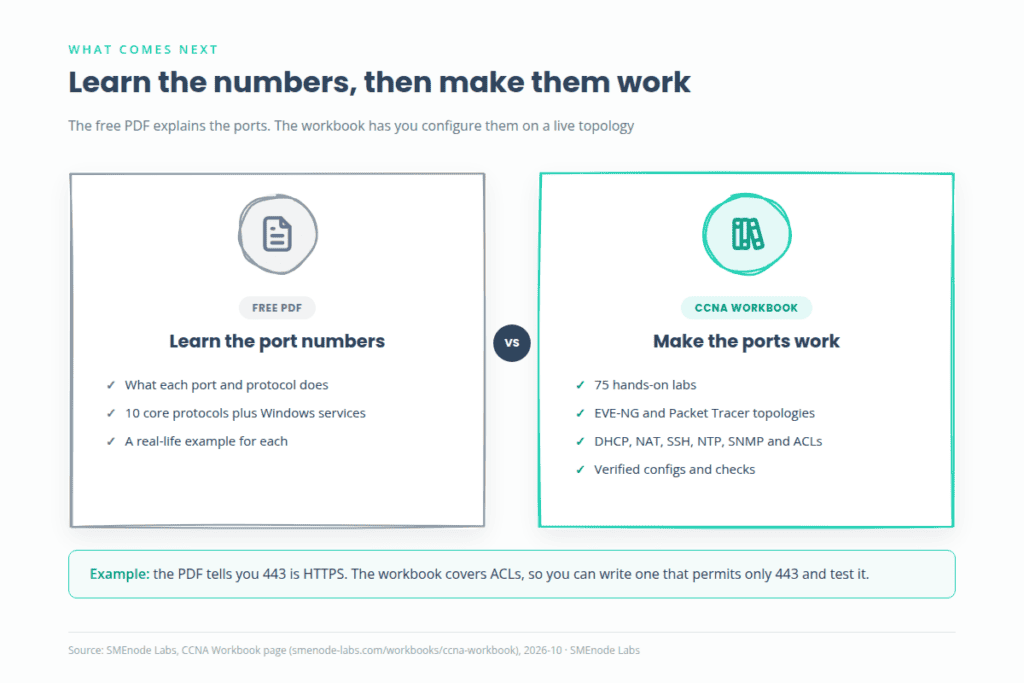
It tells you what each port does. It doesn’t make you configure anything. You won’t:
- Write an ACL that permits only port 443 and blocks the rest.
- Set up NAT or PAT and watch the port numbers change.
- Configure DHCP relay, NTP or SNMP on a router.
- Chase a “this port is blocked” fault on a live topology.
The 75-lab CCNA workbook closes that gap. It has hands-on labs for EVE-NG and Packet Tracer, with topology files, copy-ready configs and verification steps. Its network services and security chapter covers TCP to UDP comparison, DHCP, Telnet and SSH, NAT, NTP, SNMP, FTP and TFTP, DHCP snooping, port security and ACLs. You can grab a free 25-page sample on the workbook page before you decide. Use the free PDF to learn the numbers, then use the workbook to make them work.