Picture an on-call engineer paged late at night because an endpoint alert shows scanning tools running inside the network. The attacker isn’t outside trying to get in. They’re already inside, moving between servers, and a traditional stateful firewall that only checked IP addresses and port numbers never saw it.
If your firewall is still making decisions at layer 4, that scenario isn’t hypothetical. It’s the type of breach that hits organisations with legacy security stacks, and it’s exactly the gap Cisco Firepower Threat Defense (FTD) was built to close.
FTD brings together next-generation firewall (NGFW) capabilities, intrusion prevention, application visibility, advanced malware protection, and URL filtering into a single, unified platform. This guide covers what FTD is, how its architecture works, how it compares to ASA, how you manage it, what deployment modes exist, which hardware is going end-of-life, the mistakes that keep showing up in real deployments, and how FTD skills map to CCNP Security and a strong career in network security.
TL;DR – Key Points
- FTD combines the Cisco ASA firewall engine with the Snort IPS into one software image
- It adds native IPS, AMP malware protection, URL filtering, and SSL inspection that ASA doesn’t have
- Managed by FMC (multi-device), FDM (single device on-box), or CDO (cloud-based)
- Cisco’s direction is FTD for firewalls; ASA stays for specific migration scenarios
- The 300-710 exam (CCNP Security) tests FTD configuration through FMC, and updated to v1.2 on 2026-08-27
- Common mistakes include skipping SSL inspection, leaving IPS in detection-only mode, and ignoring Talos tuning
What Is Cisco Firepower Threat Defense (FTD)?
Cisco Firepower Threat Defense is Cisco’s unified next-generation firewall software. It merges two previously separate platforms, the Cisco ASA firewall and the Cisco Firepower Next-Generation IPS (NGIPS), into a single software image running on Cisco’s firewall appliance hardware.
In plain terms: FTD doesn’t just block traffic based on ports and addresses. It inspects the actual content of packets, identifies applications regardless of port, detects known threats and malware signatures, and makes policy decisions based on user identity, URL category, and file reputation.
Cisco officially renamed the product “Cisco Secure Firewall Threat Defense” in 2021, but the industry still uses “FTD” and “Firepower Threat Defense” interchangeably. That rebrand wasn’t cosmetic. It ran across the whole portfolio: the hardware shifted from “Firepower” to “Secure Firewall” naming, the management server became the “Secure Firewall Management Center,” Cisco Defense Orchestrator became “Security Cloud Control,” and in 2026 even the CCNP Security exam title changed from “Securing Networks with Cisco Firepower” to “Securing Networks with Cisco Firewalls.” You’ll still see “Firepower” everywhere in older docs, job postings, and the field, so it pays to recognise both names.
The shift FTD represents
| Old approach | Cisco FTD approach |
|---|---|
| Allow/deny based on IP + port | Decisions based on application, user, URL, file reputation |
| No visibility into encrypted traffic | SSL/TLS inspection built in |
| Signature updates manual or infrequent | Talos threat intelligence, updated continuously |
| IPS requires a separate device or module | IPS is native, part of the same inspection pipeline |
That shift from layer 4 filtering to deep, application-aware security is what makes FTD a genuine next-generation platform, not just a buzzword.
The Architecture Behind Cisco FTD
FTD’s capability comes from combining two technology stacks into one image.
1. LINA, the ASA firewall engine
The underlying ASA firewall component runs on LINA (Linux-based ASA), a custom embedded Linux environment. LINA handles stateful packet inspection, NAT, VPN (site-to-site and remote access), access control, and routing. It’s the proven firewall core enterprises have relied on for over two decades.
2. The Snort IPS engine
Snort is an open-source intrusion detection and prevention system that Cisco acquired through its Sourcefire purchase in 2013. Snort performs deep packet inspection, signature-based threat detection, protocol anomaly detection, and file analysis. This is what gives FTD its next-generation capability on top of the ASA base.
Since FTD version 7.0, the default inspection engine is Snort 3, which is faster than Snort 2 and uses a more flexible rule syntax. If you’re learning FTD today, learn it on Snort 3. There’s a hard reason for that, covered in the end-of-life section below.
The FTD inspection pipeline
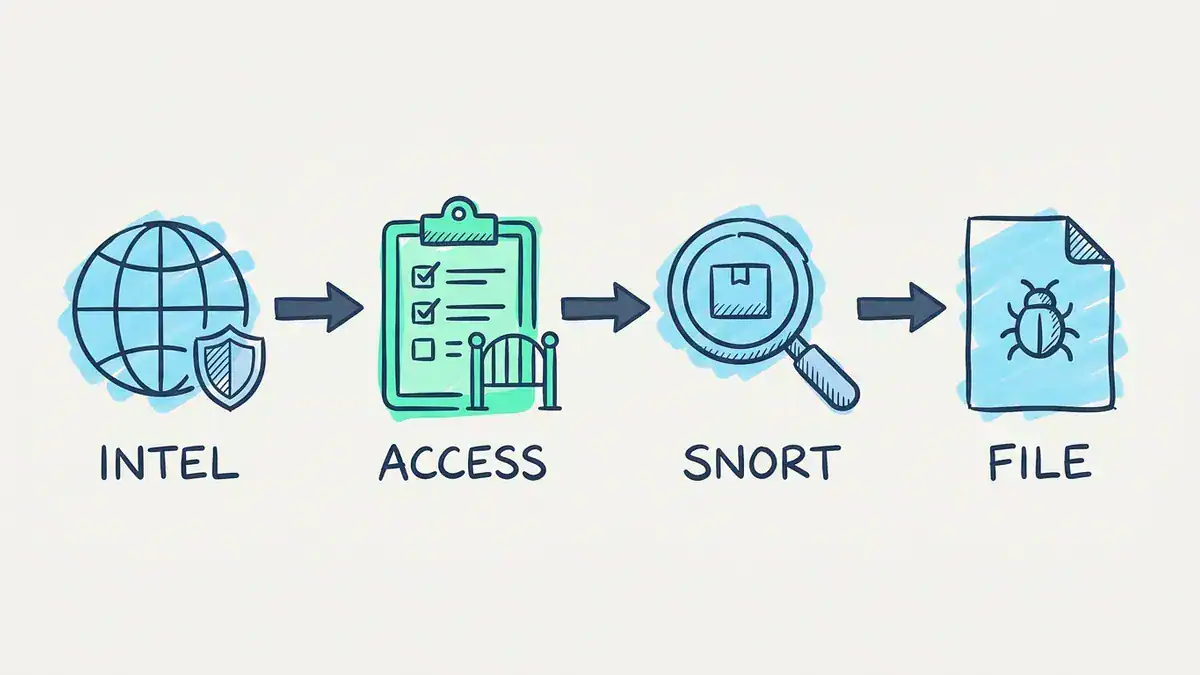
- Traffic arrives at the FTD interface
- Security Intelligence checks IPs, URLs, and file hashes against threat intelligence feeds
- Access Control Policy determines whether traffic is allowed, blocked, or passed to inspection
- Allowed traffic enters Snort for deep packet inspection and IPS analysis
- File Policy checks files against AMP (Advanced Malware Protection) for known and unknown malware
- URL Policy filters web traffic by category and reputation score
- Events and logs are sent to FMC for centralised storage and analysis
This pipeline means FTD doesn’t just make one decision at the front door. It watches traffic all the way through the session.
NAT on FTD: two policy types, one common mix-up
A question that trips people up in FMC: why are there two NAT policy types?
Threat Defense NAT applies to anything running the FTD image. That’s ASA X-Series and Secure Firewall appliances running FTD. It’s the one you’ll use.
Firepower NAT applies to the legacy standalone NGIPS appliances, the 7000 and 8000 series. Those are dedicated IPS boxes, not firewalls, and they’re long past their prime.
If you’re building a new FTD deployment, you want Threat Defense NAT every time. Picking the wrong policy type is a five-second mistake that costs an hour of confusion, and it shows up in the 300-710 exam too. If NAT concepts feel shaky, our NAT breakdown with Cisco configs covers static, dynamic, and PAT from the ground up before you tackle the FTD-specific NAT policy types.
FMC high availability
In production, FMC itself should run in a high-availability pair. FMC HA uses an active/standby model where the standby FMC syncs policy data, events, and device registrations from the active. If the active FMC goes down, you promote the standby by hand (Integration > Other Integrations > High Availability, then Switch Peer Roles). Meanwhile the FTD devices keep enforcing the last pushed policy.
Worth being clear about what FMC HA does and doesn’t buy you. It protects management and visibility. It doesn’t protect traffic. Losing FMC entirely doesn’t drop packets, it just leaves you blind and unable to change policy until it’s back.
Hardware platforms (current lineup)
FTD runs on the Cisco Secure Firewall appliance families. The current FTD models are the 1200, 3100 and 4200 series:
- Secure Firewall 1200 series, branch offices, SD-WAN, and SASE edge (roughly 6-9 Gbps on the compact models, 9-18 Gbps on the rack models)
- Secure Firewall 3100 series, mid-to-large enterprise, with clustering (roughly 10-45 Gbps)
- Secure Firewall 4200 series, high-performance enterprise and data centre (roughly 65-145 Gbps)
- Firepower 4100 / 9300 series, earlier high-end and service-provider platforms still widely deployed
FTD also runs as FTDv, a virtual appliance on VMware ESXi, KVM, Microsoft Azure, AWS, OCI, and GCP. The FTDv tiers scale by vCPU count, from light branch workloads up to data-centre throughput in virtual form. So you can build a full lab on a laptop and a production cluster in the cloud using the same image.
Is Cisco Firepower End of Life?
Short answer: the platform isn’t, but a lot of the hardware is. This is the single most confused question about FTD, and the rebrand made it worse.
“Firepower” as a product line was renamed, not retired. Cisco Secure Firewall Threat Defense is actively developed, and Cisco keeps publishing new releases and guides. Cisco is still shipping releases, still updating exam blueprints, and still selling new appliances.
What is ending is specific hardware and specific software versions.
Hardware to check before you buy or renew
| Platform | Status | Migration path |
|---|---|---|
| Firepower 2100 series | End-of-sale, last day to order May 27, 2025 | Secure Firewall 3100 series |
| Firepower 1000 series | Previous generation, being succeeded | Secure Firewall 1200 series |
| ASA 5508 / 5516 | End-of-sale announced | Firepower 1000 / Secure Firewall 1200 |
| ASA 5500-X with FirePOWER Services | End-of-life notices published | Secure Firewall 1200 / 3100 |
| Firepower 4100 / 9300 | Still supported, previous high-end generation | Secure Firewall 4200 |
Dates and support milestones vary by exact part number, so check your PID against Cisco’s Secure Firewall Threat Defense end-of-life notices and the ASA 5500-X end-of-life listing before you commit budget. Running security hardware past its end-of-support date means no software fixes for new vulnerabilities, which is a finding auditors write up. For the fuller picture on which ASA models are being retired and what replaces them, see our Cisco ASA end-of-life breakdown.
The Snort 2 deadline nobody talks about
This one bites teams that have been putting off migration.
Cisco blocks the upgrade to FTD 7.7 and later on devices still running Snort 2. You can stay on Snort 2 for now, but you can’t move forward, which means you eventually stop getting new features and, in time, fixes. If the upgrade stops with a message about custom Snort 2 policies, check the Snort 2 Local Rules section first. Cisco KB 225623 describes a false positive when it’s empty.
Two things make the migration less trivial than it sounds:
- Upgrading FTD from 7.2 through 7.6 will auto-convert eligible Snort 2 devices to Snort 3. Convenient, unless you weren’t expecting it.
- Custom Snort 2 rules are not converted automatically. If your team wrote local rules, you migrate those by hand.
Plan the rule migration before the version upgrade, not after. Cisco documents the process in the FMC Snort 2 to Snort 3 migration guide.
Cisco FTD vs ASA: What’s the Actual Difference?
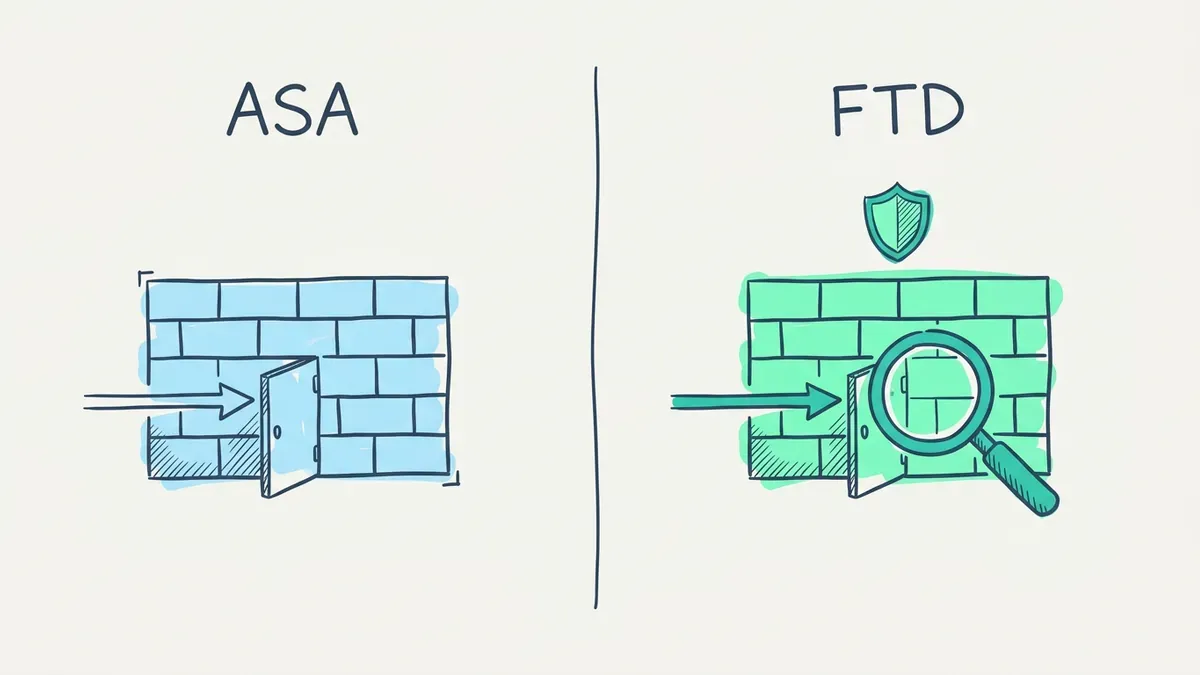
This is the first question every network engineer asks when they encounter FTD. The short answer: both run on the same Cisco Secure Firewall hardware, but the software decides what the device can do.
| Feature | Cisco ASA | Cisco FTD |
|---|---|---|
| Stateful firewall | Yes | Yes |
| NAT | Yes | Yes |
| Site-to-site VPN | Yes | Yes |
| Remote access VPN (Secure Client / AnyConnect) | Yes | Yes |
| Native IPS | No (external module) | Yes (Snort 3) |
| Application visibility and control | Limited | Full |
| URL filtering | Limited | Full |
| Advanced malware protection | External (optional) | Native (AMP) |
| SSL/TLS inspection | Limited | Full |
| Management tool | ASDM / CLI | FMC, FDM, or Security Cloud Control |
| Clustering | Full support | Full on 3100 / 4200 (up to 16 nodes) |
| OSPF / BGP routing | Full | Full |
A scenario
Here’s a scenario, not a case study. An ASA that only filters by port can’t inspect a fileless attack that runs over HTTPS on port 443. FTD with SSL inspection, Snort and file analysis can.
When does ASA still make sense in 2026?
ASA remains a reasonable choice for a few cases: networks where existing ASA VPN configurations are too dense to migrate short-term, brownfield setups where a specific ASA feature doesn’t yet have FTD parity, and teams that simply aren’t ready to retrain on FMC. The clustering gap has largely closed, since FTD now supports clustering on the 3100 and 4200 platforms, so that’s no longer the blocker it once was. Cisco’s direction is FTD for new deployments, and existing ASA installs should migrate at the next hardware refresh. If you’re staying on ASA until then, our free Cisco ASA NAT troubleshooting commands PDF covers the checks you’ll need day to day.
Comparing Cisco against other vendors? Start with our firewall types guide, then read our FortiGate firewall guide, which covers how Fortinet’s NGFW platform stacks up on the vendor side.
Cisco FTD vs FMC: What Each One Does
People search this constantly, so it’s worth clearing up. FTD and FMC aren’t competitors. They’re two halves of one system.
- FTD is the software image on the firewall. It inspects and enforces. It’s in the traffic path.
- FMC is the management server. It writes policy, stores events, and pushes configuration to FTD devices. It’s never in the traffic path.
You don’t choose between them. You choose whether to manage your FTD devices with FMC, with FDM, or with Security Cloud Control. That’s the actual decision, and it’s covered next.
Core Security Features of Cisco FTD
Application Visibility and Control (AVC)
FTD’s access control policies go beyond ports and protocols. You write rules based on application (Facebook, Dropbox, Salesforce), user identity (integrated with Active Directory or Cisco ISE), geographic location, URL category, and file type. A policy like “allow Salesforce for the sales team, block all unapproved SaaS applications” is straightforward to configure, and it works regardless of what port the application uses.
Intrusion Prevention System (IPS)
The Snort-based IPS runs signature sets that Cisco’s Talos threat intelligence team updates on an ongoing basis. Cisco says Talos analyses about 900 billion security events a day. FTD ships with four base intrusion policies:
- Connectivity Over Security – minimal blocking, maximises application performance
- Balanced Security and Connectivity – the standard starting point for most environments
- Security Over Connectivity – aggressive inspection, some risk of false positives
- Maximum Detection – the most aggressive base policy, for environments that put security ahead of everything else
Most organisations start with Balanced and tune based on what Talos recommendations show over the first few weeks.
Malware Defense (formerly AMP for Networks)
Malware Defense (formerly AMP) inspects files passing through FTD and checks their SHA-256 hash against Cisco’s cloud threat database. Known malware is blocked immediately. Unknown files can be sent for dynamic (sandboxed) analysis. AMP also does retrospective detection: if a file that passed inspection is later identified as malicious, AMP sends an alert and shows you every device that received it, so you know exactly what to clean up.
URL Filtering
FTD blocks or alerts on traffic based on URL category (phishing, gambling, adult content, file sharing) and URL reputation score. This applies even to HTTPS traffic when SSL inspection is active.
SSL/TLS Inspection
A significant portion of modern malware communicates over encrypted HTTPS channels, knowing that most firewalls won’t inspect it. FTD can decrypt SSL/TLS sessions, inspect the content, and re-encrypt before forwarding. Setting this up requires deploying a CA certificate to endpoints (to prevent browser certificate warnings), but it closes one of the most commonly abused attack vectors.
VPN
FTD supports Secure Client (formerly AnyConnect) remote access VPN for secure employee connections and site-to-site IKEv1/IKEv2 VPN for branch connectivity. The configuration model has moved away from ASA’s ACL-heavy approach toward a more object-based, policy-driven workflow in FMC. When a site-to-site tunnel won’t establish, see IPsec Phase 1 and Phase 2 troubleshooting. For remote access logins, RADIUS or TACACS+? See how they differ.
Managing Cisco FTD: FMC vs FDM vs CDO
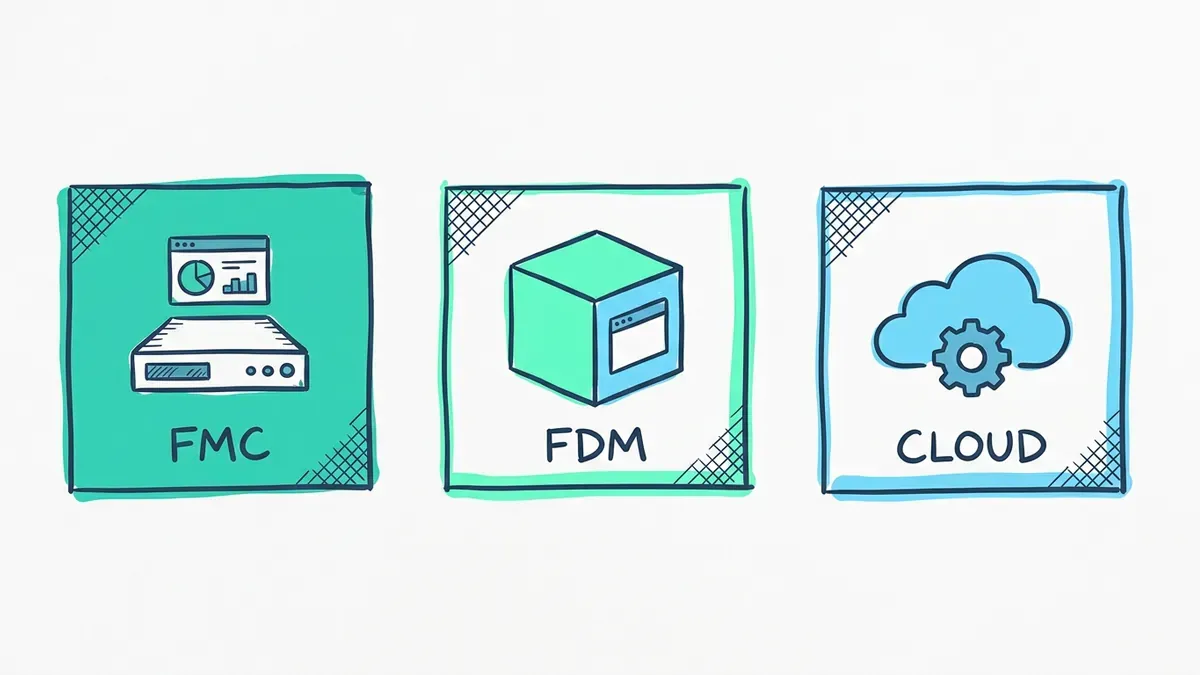
You’ll manage FTD with one of three tools, and picking the right one depends on your scale and operational model.
Cisco Secure Firewall Management Center (FMC)
FMC, the management server formerly called Firepower Management Center, is a separate appliance (hardware or FMCv virtual) that manages multiple FTD devices from a centralised dashboard. Any deployment with more than one FTD appliance should use FMC.
FMC gives you:
- Centralised policy management across all managed devices
- Detailed event logging, dashboards, and reports
- Correlation rules for threat hunting and automated response
- Integration with Cisco XDR for cross-product detection and response (Cisco XDR replaced the retired SecureX platform, which reached end-of-life on July 31, 2024)
- Health monitoring and alerting for all devices
- Larger FMC models manage hundreds of devices (check Cisco’s FMC datasheet for your model)
FMC is what enterprises use in production, and it’s what the 300-710 certification exam tests on.
Firepower Device Manager (FDM)
FDM is an on-box web GUI that runs directly on the FTD appliance, no separate server required. It’s designed for single-device deployments or smaller environments where a dedicated FMC server isn’t practical.
FDM is simpler and faster to get started with. It covers most common use cases: access control policies, NAT, VPN, and basic IPS. It doesn’t support the full feature set FMC does, no correlation rules, limited reporting, and fewer integration points.
Security Cloud Control (formerly Cisco Defense Orchestrator, CDO)
Security Cloud Control (formerly CDO) is Cisco’s cloud-based management platform. It manages FTD, ASA, and Meraki MX devices from a single cloud console, without running a dedicated FMC server on-premises. It’s worth knowing for distributed or cloud-first environments where maintaining local FMC infrastructure isn’t practical.
Security Cloud Control supports a subset of FMC features. It’s not a full replacement for FMC in complex enterprise deployments, but it’s a strong choice for managed service providers and organisations with distributed branches.
The decision:
| Scenario | Right tool |
|---|---|
| 1 device, branch or lab | FDM |
| 2-750 devices, on-prem management | FMC |
| Multi-tenant, cloud-managed, MSP | Security Cloud Control (CDO) |
| CCNP 300-710 exam study | FMC (exam tests FMC workflows) |
FTD Deployment Modes
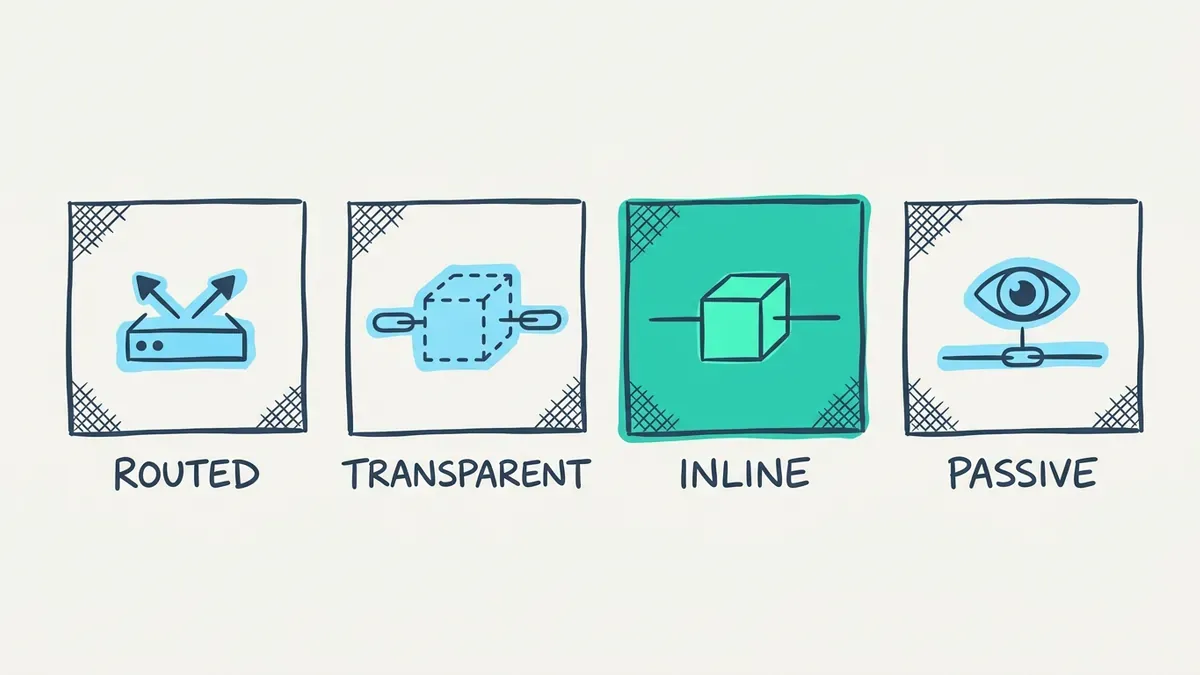
Where FTD sits in your network topology determines which deployment mode you choose.
Routed Mode, the default. FTD acts as a layer 3 hop, with its own IP addresses on each interface and traffic routing through it. This is the most common production deployment, internet edge, data centre perimeter, campus core.
Transparent Mode, FTD acts as a layer 2 bridge and is “invisible” to the network, with no IP addresses on data interfaces. Useful for inserting FTD into an existing network without changing IP addressing or routing tables. Common in data centres where renumbering is impractical.
Inline Mode, FTD sits directly in the traffic path and can actively block traffic. Used when you want the IPS running in prevention (not just detection) mode. Traffic must physically pass through the device.
Inline Tap Mode, FTD sits in the path, inspects a copy of each packet and never blocks anything. Used for testing IPS rules before going into prevention mode. Lets you see what would be blocked without impacting traffic.
Passive Mode, FTD monitors traffic from a SPAN port, again without blocking. Useful for visibility, baselining traffic patterns, and evaluating what an IPS policy would catch before you deploy it actively.
Routed and Transparent are firewall modes. Inline, Inline Tap and Passive are IPS-only interface modes. Which mode for which scenario:
| Scenario | Mode |
|---|---|
| New deployment, full NGFW | Routed |
| Inserting into existing network, no re-IP | Transparent |
| Active IPS/prevention | Inline |
| Testing IPS rules before going live | Inline Tap |
| Visibility only, SOC monitoring | Passive |
How Do You Set Up and Register FTD to FMC?
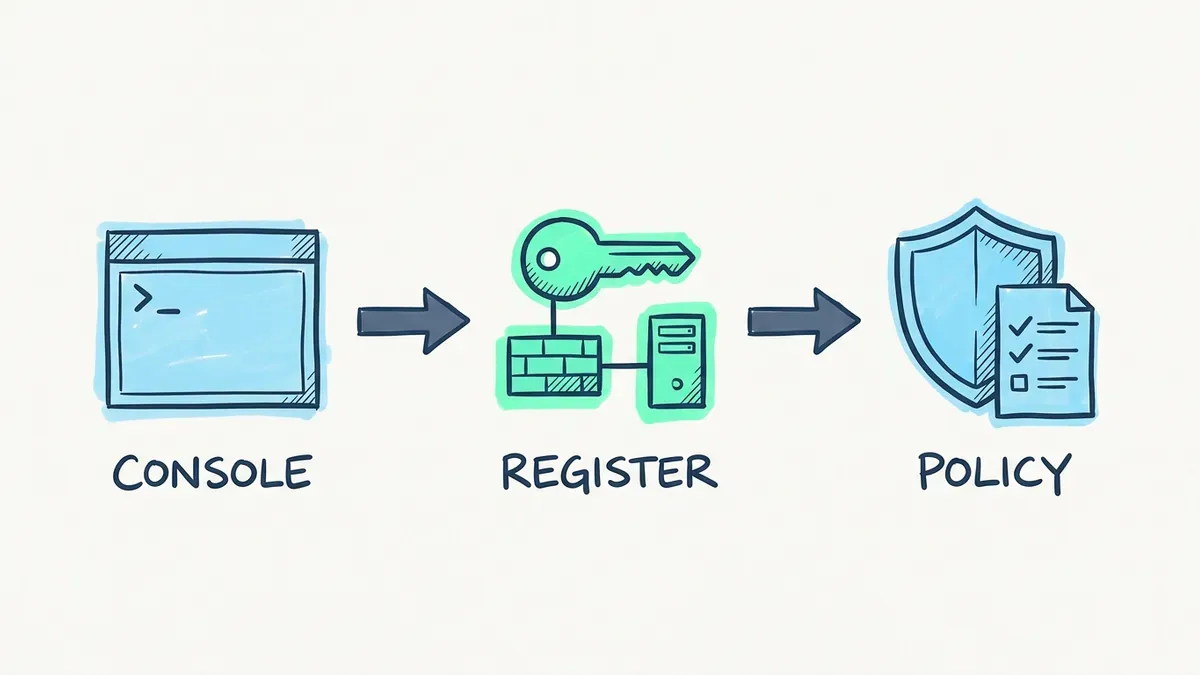
Registration is where most new deployments start. Here’s the short version.
- Connect to the console, or SSH to the management interface, and log in with the admin account. This is how you reach the FTD CLI.
- Set the management IP, gateway, DNS and NTP in the setup wizard.
- Tell FTD where the FMC is:
configure manager add <FMC IP> <registration key>. Add a NAT ID when the FMC sits behind NAT. - In FMC, go to Devices > Device Management > Add Device, enter the same registration key and pick the policies to assign.
- Check the result with
show managerson the FTD CLI and in the FMC device list.
Register to FMC first, then push all configuration from there. Once FMC manages the device, local FDM configuration is locked out.
5 Common FTD Configuration Mistakes
Most FTD deployments work well out of the box, but five mistakes show up repeatedly, especially for engineers coming from ASA backgrounds.
1. Leaving IPS in Detection-Only Mode
Engineers often turn IPS on, see the alerts, and leave it there without switching to prevention. Detection means FTD logs the threat. Prevention means it blocks it. If you’re only detecting, you’re paying for IPS without getting the protection. Start with Balanced Security and Connectivity in prevention mode, then tune from there.
2. Skipping SSL Inspection Entirely
Most networks now carry the majority of their traffic over HTTPS. An FTD deployment without SSL inspection is leaving a large inspection gap open. SSL inspection requires planning (deploying a CA cert, handling certificate pinning exceptions, managing performance impact), but skipping it entirely means attackers can tunnel malware and C2 traffic through encrypted channels freely.
3. Ignoring Talos Tuning Recommendations
FMC surfaces Talos-generated recommendations for IPS rule tuning based on your network’s traffic patterns. Many teams ignore these and run generic intrusion policies indefinitely. Talos tuning reduces false positives, improves performance, and keeps your policy aligned to what Cisco sees in the wild. It takes 30 minutes a week and makes a measurable difference.
4. Not Registering FTD to FMC Before Configuration
Engineers sometimes configure FTD through FDM first, then try to register it to FMC later and hit conflicts. The right sequence: register FTD to FMC first, then push all configuration from FMC. Once a device is managed by FMC, local FDM configuration is locked out, this is by design, not a bug.
5. Treating FTD Like an ASA in the CLI
FTD has its own CLI, and it’s not ASA IOS. The FTD CLI is for diagnostics and troubleshooting, you don’t configure policies there the way you do in ASA. Engineers used to interface GigabitEthernet0/0 / nameif outside will find that FTD CLI looks different. All policy configuration happens in FMC or FDM. The FTD expert CLI (expert command) gives you Linux shell access for deep diagnostics, but it’s not where you build security policies.
Cisco FTD and CCNP Security Certification
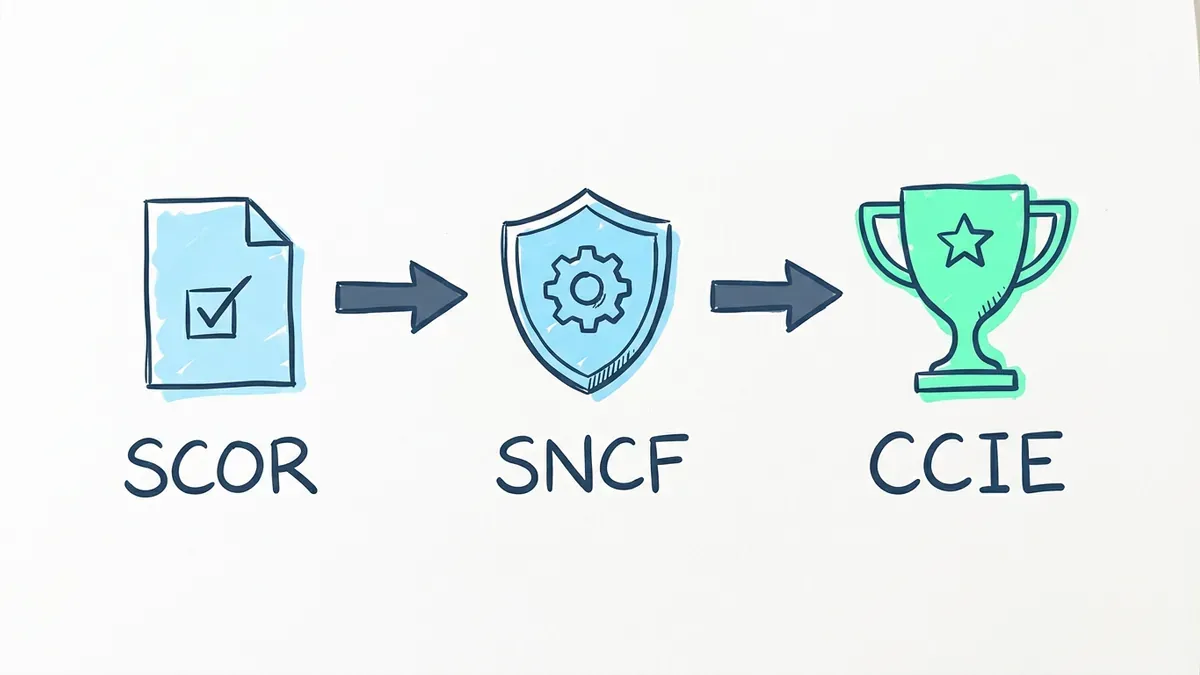
FTD sits at the centre of two Cisco certifications worth knowing.
CCNP Security – 300-710
The 300-710 exam covers FTD configuration and management through FMC. Topics include:
- Initial FTD deployment and registration to FMC
- Access control policies and security intelligence
- Intrusion and file policies (IPS tuning, AMP)
- SSL policy configuration
- Site-to-site and remote access VPN
- Troubleshooting FTD and FMC, with packet capture, Packet Tracer, firewall engine debug and System Support Trace
- Encrypted Visibility Engine and zero trust network access
- Threat Intelligence Director and Rapid Threat Containment
The 300-710 is a concentration exam. You pair it with the core SCOR exam (350-701) to earn CCNP Security.
Both exams changed on the same dates. The last day to sit the old versions was 2026-08-26, and the new versions went live on 2026-08-27:
- 300-710 updated from v1.1 to v1.2 and is now titled “Securing Networks with Cisco Firewalls”, reflecting the Firepower-to-Secure-Firewall rebrand.
- 350-701 SCOR updated from v1.1 to v2.0, adding coverage of AI/LLM security, post-quantum cryptography, zero-trust architecture, Splunk, Cisco Secure Access, and Cisco XDR.
The v1.2 blueprint is a 90-minute exam. Its domains are Deployment 30%, Configuration 30%, Management and Troubleshooting 25% and Integration 15%. Check the official 300-710 exam topics page and the SCOR exam topics page before you register.
To turn exam topics into hands-on reps, pair your study with a lab workbook. Our CCIE Security Workbook includes FMC management and ASA and FTD high-availability labs with EVE-NG topology files, aimed at the CCIE Security lab.
CCIE Security
FTD appears in the CCIE Security v6.1 lab exam, the current revision. It’s an eight-hour, hands-on practical split into Design and Deploy/Operate/Optimise modules. At that level you configure FTD through FMC at speed, troubleshoot policy issues in a live multi-device network, and handle edge cases around VPN migration from ASA to FTD. Identity Services Engine (ISE) is a large part of the lab, so FTD-plus-ISE fluency matters.
A study pattern that works:
For engineers who already know ASA, spend the first weeks on FMC navigation and policy structure. Then build IPS, file and URL policies in a virtual lab, and finish with VPN and troubleshooting scenarios. Lab every topic, not just read about it. FTD’s behaviour in FMC differs enough from ASA that video-only study leaves gaps that show up under exam pressure.
Career Opportunities with Cisco FTD Skills
Network security engineers who can configure and troubleshoot FTD are consistently in demand. The pay reflects it. Pay varies by city. Robert Half’s Hampton Roads page and its Cleveland page both show about $119.5K to $169.75K for a network security engineer, while its Atlanta page shows about $131K to $187K. Senior and specialist roles climb well past those midpoints (Source: Robert Half role pages, opened 2026-11-03)..
Common job titles that list FTD skills:
- Network Security Engineer
- Senior Firewall Engineer
- Security Infrastructure Engineer
- Cisco Firepower / Secure Firewall Engineer
- Security Operations Engineer
Industries with the highest FTD demand include financial services, healthcare, government, defence contractors, and large enterprises in regulated sectors. These environments can’t run basic stateful firewalls and stay compliant. FTD gives them the audit trails, IPS coverage, and malware detection their compliance frameworks require.
Getting Started: Your FTD Learning Path
If you’re starting from zero with FTD, here’s a practical sequence:
- Understand the ASA baseline. FTD shares core concepts with ASA, NAT, access lists, VPN. Even a surface-level understanding of ASA makes FTD easier to pick up. You don’t need to be an ASA expert, but you should know what stateful inspection and NAT do.
- Set up FTDv in a lab. Cisco offers FTDv as a virtual appliance. FTDv alone needs a modest amount of RAM, but FMCv needs 32 GB by itself, so plan a host with 48 GB or more of RAM for a lab that runs both, using VMware Workstation or EVE-NG.
- Connect FMCv to your FTDv. FMC is available as FMCv (virtual). Connect the two and you have a full management experience without physical hardware.
- Work through each policy type. Build access control policies first, then enable an IPS policy, add URL filtering, and finish with VPN configuration. Each policy type teaches you a different stage of the FTD inspection pipeline.
- Use the 300-710 exam topics as your checklist. The 300-710 exam topic list is a complete inventory of what a competent FTD engineer should know. Even if certification isn’t your immediate goal, it’s a useful roadmap for making sure you haven’t missed anything.
What does FTD stand for?
FTD stands for Firepower Threat Defense. Cisco’s full product name is Cisco Secure Firewall Threat Defense (rebranded in 2021), but “FTD” and “Firepower Threat Defense” are still widely used across the industry, job postings, and certification exams.
Can FTD replace ASA completely?
For most organisations, yes. FTD includes everything ASA does, stateful inspection, NAT, VPN, routing, plus the NGFW features ASA lacks. A few brownfield environments stay on ASA for specific VPN features or migration timing, but FTD clustering now works on the 3100 and 4200 platforms, so the old clustering gap is largely closed. Cisco’s direction is FTD for all firewall deployments.
What is the difference between FMC and FDM?
FMC (Cisco Secure Firewall Management Center) is a separate management server that handles multiple FTD devices, with full event logging, correlation rules, dashboards, and reporting. FDM (Firepower Device Manager) is an on-box GUI built into the FTD appliance itself, designed for single-device deployments. FMC is for enterprise multi-device environments; FDM is for single-device or branch deployments where a separate management server isn’t justified.
Does FTD support remote access VPN?
Yes. FTD supports Cisco Secure Client (formerly AnyConnect) for remote access VPN, including SSL and IKEv2 IPsec tunnels. Configuration is handled in FMC via Remote Access VPN policies, using connection profiles, group policies, and AAA integration with LDAP/AD or RADIUS.
How hard is the 300-710 exam?
It’s considered a mid-tier Cisco exam, harder than CCNA-level but more focused than CCIE. The exam tests FMC-based configuration scenarios heavily, so lab time in FMCv is more valuable than reading. Plan several weeks of lab time, and more if you’re new to Cisco firewalls.
What hardware do I need to practice FTD?
You don’t need physical hardware. Cisco offers FTDv and FMCv as virtual appliances that run on VMware Workstation, VMware ESXi, or KVM. Plan on 48 GB of RAM or more: Cisco says FMCv needs 32 GB on its own, and FTDv needs more on top of that. A host with less can run an FDM-managed FTDv, but not the FMC workflows the 300-710 tests.
How do I access the Cisco FTD CLI?
Connect to the console port, or SSH to the management interface, and log in with the admin account. You land in the FTD CLI, which is for diagnostics and initial setup, not for building policy. The expert command opens a Linux shell for deeper diagnostics.
What is the difference between an ASA and an FTD firewall?
ASA is Cisco’s classic stateful firewall. FTD runs the ASA engine (LINA) plus the Snort IPS in one image, so it adds native IPS, application visibility, URL filtering, malware defense and SSL inspection. You manage FTD with FMC, FDM or Security Cloud Control.
Wrapping Up
Cisco Firepower Threat Defense is the standard for enterprise next-generation firewall deployments in 2026. It replaces port-based inspection with deep packet analysis, application awareness, URL filtering, AMP, and integrated Snort 3 IPS, all managed from FMC, FDM, or CDO.
The five things to remember:
- FTD combines the ASA firewall engine (LINA) with Snort 3 IPS into a single, unified platform
- Talos threat intelligence keeps signatures and URL categories current against real-world threats
- FMC (the Cisco Secure Firewall Management Center) is the right tool for multi-device environments; FDM for single devices; CDO for cloud-managed or MSP deployments
- Deployment modes include Routed, Transparent, Inline, Inline Tap, and Passive
- The 300-710 certification validates FTD skills within the CCNP Security track, and updated to v1.2 (renamed “Cisco Firewalls”) on 2026-08-27
The best way to build FTD skills isn’t to read about it, it’s to configure it. Lab time with FTDv and FMCv turns theory into the kind of hands-on knowledge that holds up in a job interview and in production. Our CCIE Security Workbook is built around exactly that kind of guided, hands-on practice.