
TACACS+ vs RADIUS: What’s the Difference?
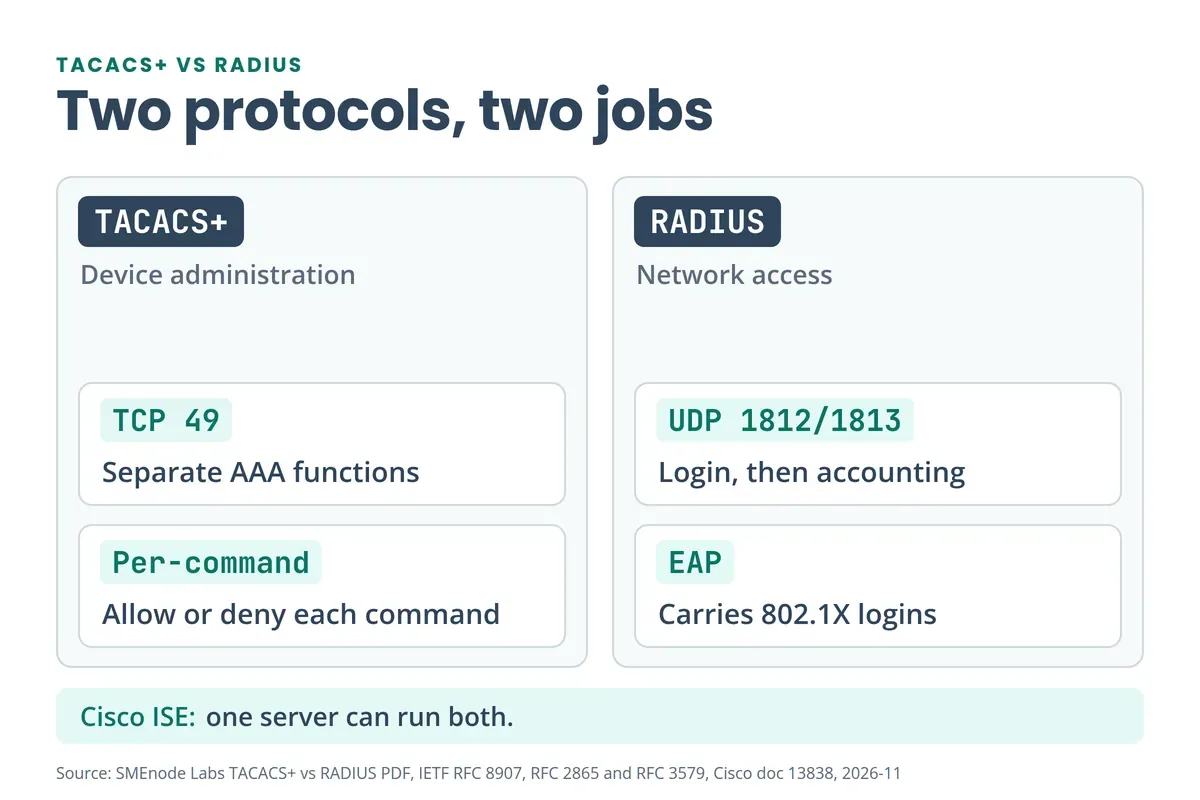
Use TACACS+ to control who can log in to your routers and switches and which commands they can run. Use RADIUS to let users and devices onto the network, mostly through 802.1X. TACACS+ keeps authentication, authorization and accounting (AAA) separate and runs over TCP port 49. RADIUS combines authentication and authorization and runs over UDP ports 1812 and 1813. Cisco ISE can serve both from one server.
| Feature | TACACS+ | RADIUS |
|---|---|---|
| Main job | Device administration | Network access |
| Transport and ports | TCP 49 | UDP 1812 (authentication), UDP 1813 (accounting) |
| AAA design | Authentication, authorization and accounting are separate | Authentication and authorization are combined |
| Packet protection | Body is obscured, header is clear | Only the password is hidden |
| Per-command authorization | Yes | No |
| Command accounting | Yes | No |
| EAP and 802.1X | Not its job | Yes, EAP runs over RADIUS |
| Standard | RFC 8907 (Informational) | RFC 2865 and RFC 2866 |
The rows follow Cisco’s TACACS+ and RADIUS comparison and the RFCs. The free PDF on this page draws the same split on pages 6 to 10.
What Is TACACS+? (TACACS Plus Explained)
TACACS+ (TACACS plus) is an AAA protocol built for managing network devices. A router or switch asks the server whether an admin may log in, which privilege level they get and whether each command is allowed. Then it sends accounting records back. Cisco originated it, and RFC 8907 documents it as an Informational RFC. The original draft was never made an Internet standard, so don’t call TACACS+ a standard.
Two cautions. RFC 8907 calls the scrambling of the packet body “obfuscation”, not encryption, because it gives no meaningful integrity, privacy or replay protection. Cisco’s ISE 3.5 guide tells you to run IPsec between the device and ISE, and it offers TACACS+ over TLS on port 6049 (off by default).
What Is RADIUS? (RADIUS Authentication Explained)
RADIUS is the AAA protocol for network access. A switch, access point or wireless controller (the RADIUS client) sends the user’s credentials to a RADIUS server. The server answers accept or reject, plus attributes. By standard it runs over UDP: port 1812 for authentication and authorization, port 1813 for accounting. TCP and TLS versions exist (RFC 6613, RFC 6614 on TCP 2083), but both are Experimental. So “RADIUS is UDP” is still the right exam answer.
RADIUS also carries EAP (RFC 3579), and that’s how 802.1X works: the laptop talks EAP over the wire to the switch, and the switch relays it to the RADIUS server. Those frames use EtherType 0x888E, listed in our Ethernet frame guide. The Network+ exam tests exactly this: a question in our Network+ N10-009 practice test asks which combination secures wireless logins against Active Directory, and the answer is WPA2-Enterprise with RADIUS and 802.1X.
TACACS+ and RADIUS Ports: Which Number Is Which?
| Protocol | Transport | Port | Used for |
|---|---|---|---|
| TACACS+ | TCP | 49 | All AAA traffic |
| RADIUS | UDP | 1812 | Authentication and authorization |
| RADIUS | UDP | 1813 | Accounting |
| RADIUS (older) | UDP | 1645, 1646 | Early authentication and accounting ports |
Some old gear still listens on 1645 and 1646. RFC 2865 and RFC 2866 moved to 1812 and 1813 because the old numbers clashed with other services. Both ends must use the same pair, or the packets go nowhere. For the wider list, see our common ports cheat sheet.
Where Do TACACS+ and RADIUS Fit in Cisco ISE?
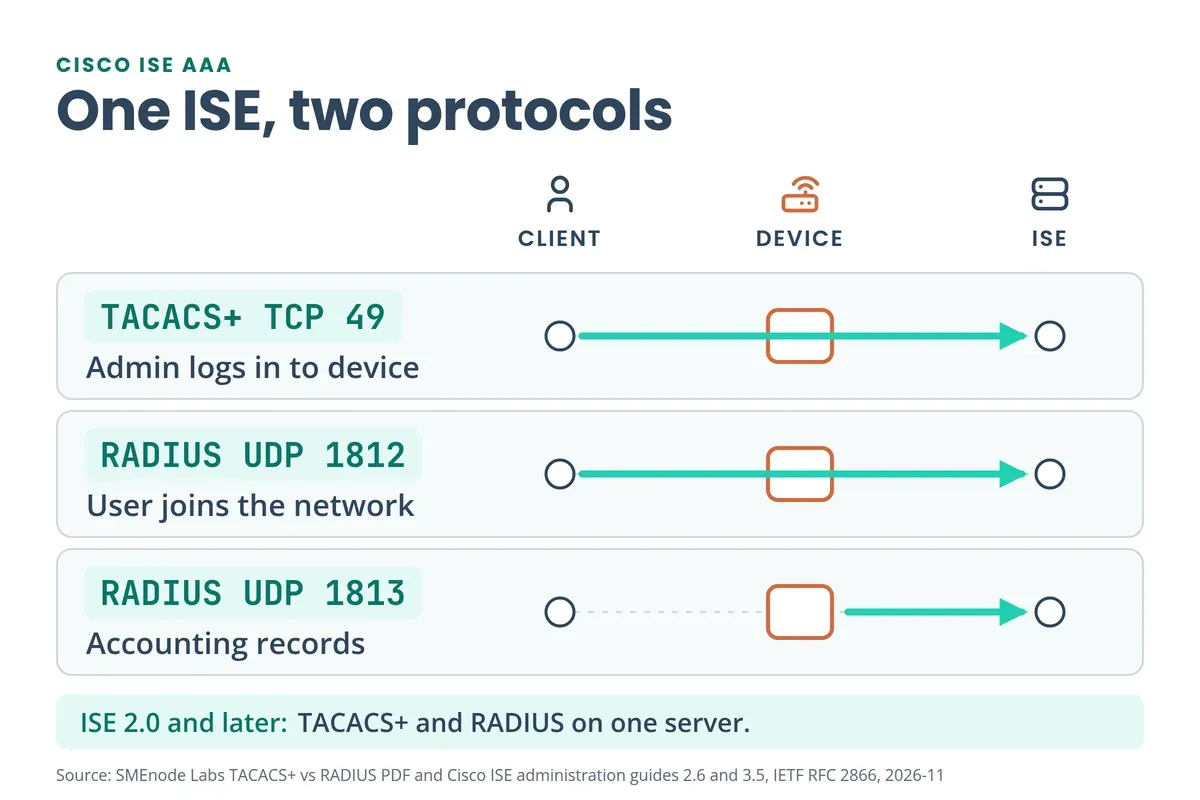
Cisco ISE runs both. For device administration, an engineer SSHs to a router, the router is the TACACS+ client, and ISE decides the login, the privilege level and the allowed commands through command sets and shell profiles (ISE 3.5 guide). For network access, a laptop or phone joins through a switch or wireless controller, that device is the RADIUS client, and ISE answers over RADIUS. Cisco ISE 2.0 and later releases cover TACACS+ device administration.
Firewalls use the same servers. A Cisco FTD remote access VPN can use AAA with LDAP, AD or RADIUS, as in our Cisco FTD guide. FortiGate admins can log in with LDAP, RADIUS or TACACS+ (FortiGate Administration Guide). See what a FortiGate firewall is and the FortiGate CLI commands PDF, which shows how to test RADIUS logins from the CLI. To build ISE yourself, the CCIE Security Workbook has an Identity Management chapter on ISE deployment and network access authentication.
Go deeper
The notes explain the protocols.
Build and break AAA yourself in the CCNA Lab Workbook: 75+ labs for EVE-NG and Packet Tracer.
See the CCNA Lab Workbook →How Do You Configure TACACS+ on Cisco IOS XE?
Create a local user first, so a dead server can’t lock you out. Then turn on AAA, define the servers, group them and point the login method list at the group. This is the order the PDF uses (pages 12 to 16).
username netadmin privilege 15 algorithm-type scrypt secret <LOCAL-PASSWORD>
aaa new-model

tacacs server ISE-PRIMARY
 address ipv4 10.10.10.1
 key <SHARED-KEY>
tacacs server ISE-SECONDARY
 address ipv4 20.20.20.1
 key <SHARED-KEY>

aaa group server tacacs+ ISE-TACACS+
 server name ISE-PRIMARY
 server name ISE-SECONDARY

aaa authentication login default group ISE-TACACS+ local
aaa authentication enable default group ISE-TACACS+ enable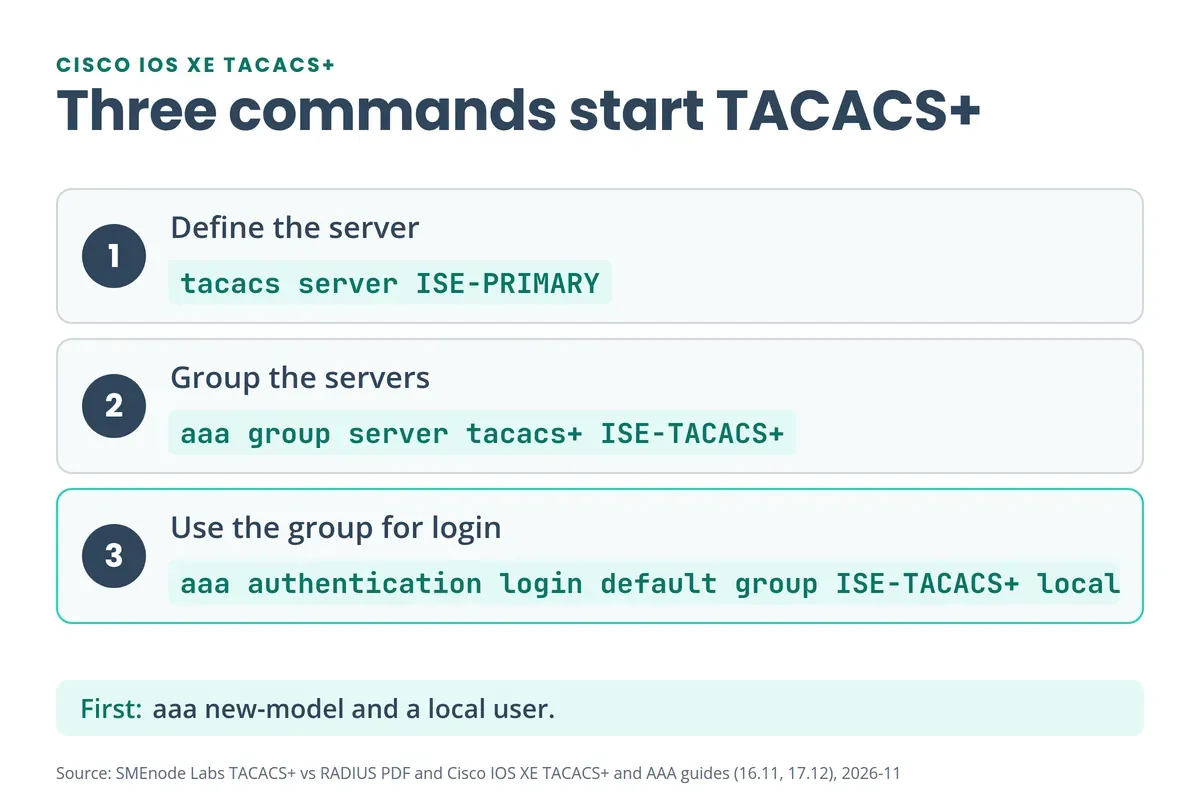
Older configs use tacacs-server host 10.10.10.1 key <SHARED-KEY>. Cisco’s TACACS+ guide says the named tacacs server command replaced it from IOS XE 3.2S. The named form with server name inside the group is the current syntax (Catalyst 9200 guide).
What Happens If the TACACS+ Server Is Down?
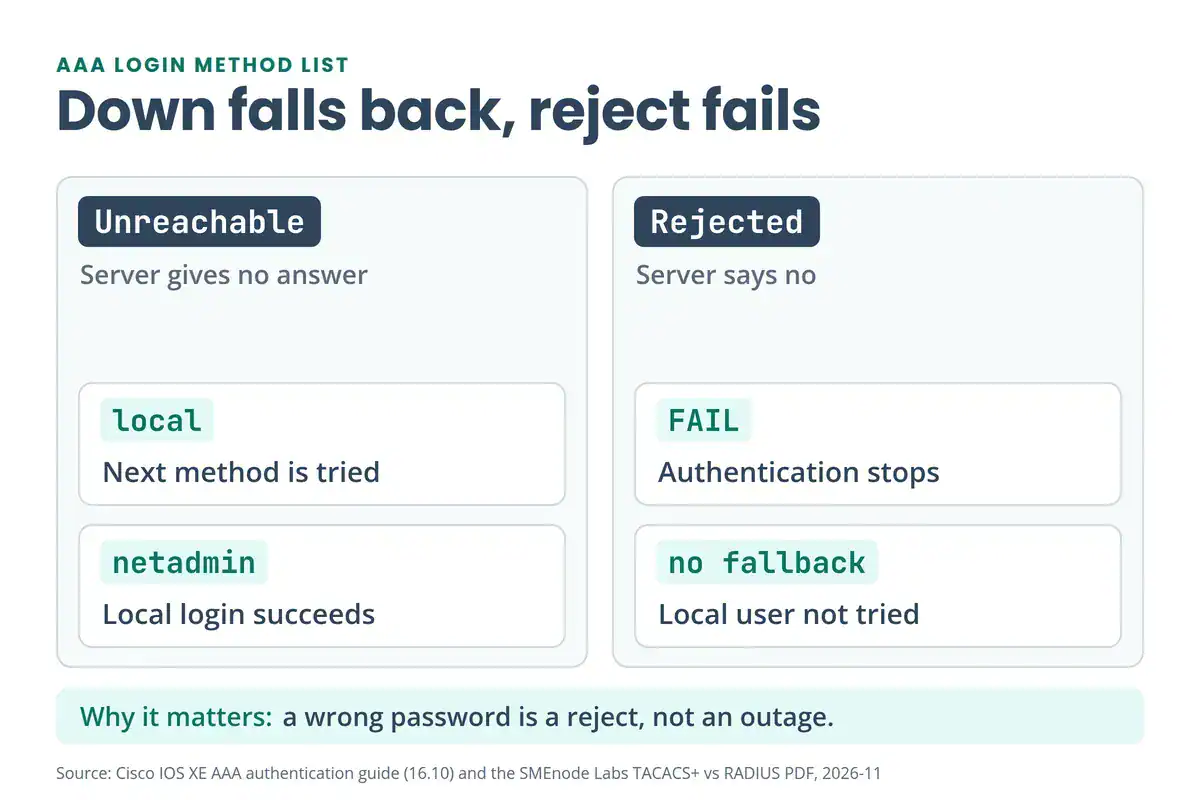
The login line tries methods in order: the TACACS+ group, then local. Cisco’s AAA guide says the next method is used only if the previous one returns an error, not if it fails. So an unreachable server falls back to the local netadmin user. A rejected password stops right there.
The enable password works the same way: aaa authentication enable default group ISE-TACACS+ enable asks the server first and uses the local enable password if the server is silent.
How Do Authorization and Accounting Work?
Authentication proves who you are. Authorization decides what you can do. Exec authorization decides whether you get a shell, and command authorization checks commands by privilege level.
| Privilege level | Meaning |
|---|---|
| 1 | User EXEC |
| 2 to 14 | Custom levels you define |
| 15 | Privileged EXEC |
aaa authorization exec default group ISE-TACACS+ if-authenticated
aaa authorization commands 1 default group ISE-TACACS+ if-authenticated
aaa authorization commands 15 default group ISE-TACACS+ if-authenticated
aaa authorization config-commands
aaa authorization console

aaa accounting exec default start-stop group ISE-TACACS+
aaa accounting commands 15 default start-stop group ISE-TACACS+
if-authenticated lets a user in when they’ve already authenticated, and Cisco’s authorization guide uses it as the fallback when the server errors out. Our reading: during an outage, anyone who passed local login gets that function with no command check. Weigh that before you copy it. config-commands adds configuration-mode commands to the checks, and Cisco says AAA authorization is off on the console by default, so aaa authorization console turns it on.
Accounting records sessions and commands. start-stop sends a record when the session starts and another when it ends. stop-only sends one at the end. If your scripts log in through RADIUS or TACACS+, the account needs privilege 15 for RESTCONF (Python for network engineers). With AAA on, NETCONF over SSH needs an exec authorization line too (NETCONF and YANG PDF).
How Do You Verify and Troubleshoot AAA?
Test with two users. In the PDF’s lab, netadmin gets full access and netops gets limited access (pages 28 and 29). SSH in from a second router with ssh -l netadmin 10.12.1.1, then check:
show privilegeas netadmin returns level 15, andconfigure terminalworks.show privilegeas netops returns level 1.show versionworks,show running-configis rejected, andenablereturns “Command authorization failed.”
When something breaks, ask three questions in order. Can the user log in? If not, check authentication: reach the server, then the server address, the shared secret, the credentials and the method list. Can they run the command? If not, check authorization. Are records missing? Check accounting. Start with a ping to the server using our network troubleshooting commands PDF, and keep the Cisco commands cheat sheet open for the show commands.
What’s Inside the Free TACACS+ vs RADIUS PDF?
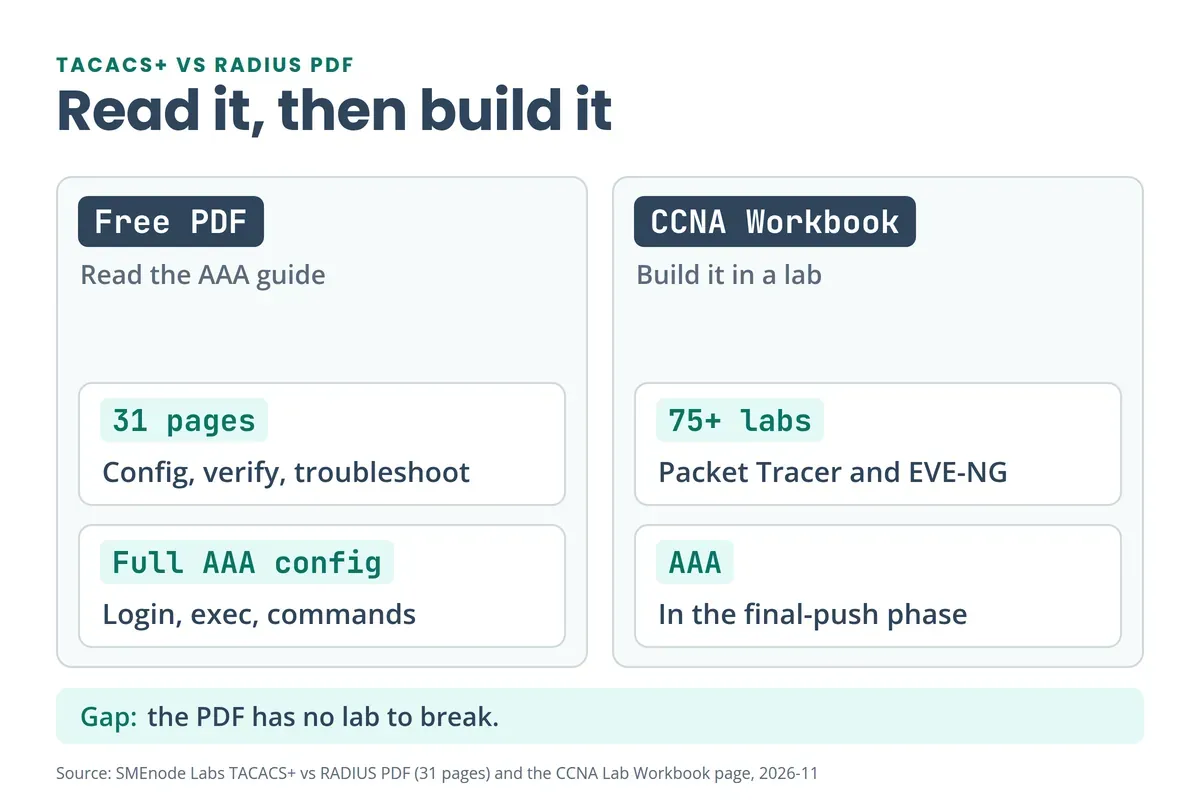
It’s a 31-page slide deck that runs from concepts to a working config:
- AAA basics and why a central server beats local users (pages 1 to 5)
- TACACS+ vs RADIUS: use cases, ports, comparison table (pages 6 to 10)
- Cisco ACS to Cisco ISE, and what ISE needs (pages 11 and 27)
- IOS XE configuration, step by step, with fallback behaviour (pages 12 to 26)
- A two-user verification lab and a troubleshooting flowchart (pages 28 to 30)
- A one-page summary (page 31)
The PDF has no lab to break. For that, the CCNA Lab Workbook has 75+ labs for Packet Tracer and EVE-NG, and its final phase covers device hardening and AAA. Our CCNA v2.0 study plan puts AAA in month 4, and the free CCNA 200-301 PDF lists it under Security Fundamentals. On Huawei routers, AAA lives in an aaa view: see the Huawei router commands PDF.



No questions yet. Ask the first one.