
What Is NETCONF?
NETCONF (Network Configuration Protocol) is an IETF protocol that installs, changes and deletes the configuration of network devices. RFC 6241 defines it. It sends XML-encoded remote procedure calls (RPCs), normally over SSH on TCP port 830, so a script gets structured data back instead of CLI text to scrape.
Three things set it apart from a CLI script:
- Structured replies. Every answer is XML you can parse, not text you have to pattern-match.
- Config and state are separate.
<get-config>returns configuration.<get>returns configuration plus operational state. - Safer changes. A device can lock a datastore, validate an edit and undo it if part of it fails.
If you still work in the CLI, our Cisco commands cheat sheet covers the commands NETCONF replaces.
What Is NETCONF Used For?
NETCONF is used to push configuration, read device state, and back up or restore configs from code. Its design comes from the operator wish list in RFC 3535, the 2003 report on the IAB’s 2002 network management workshop. Four of those wishes map straight onto NETCONF features:
| Operator need (RFC 3535) | NETCONF feature |
|---|---|
| Fetch configuration separately from state | <get-config> and <get> |
| Configuration transactions | Candidate datastore with <commit>, or rollback-on-error |
| Dump and restore configurations | <get-config> and <copy-config> |
| Check consistency before applying | <validate> |
What Is a YANG Data Model?
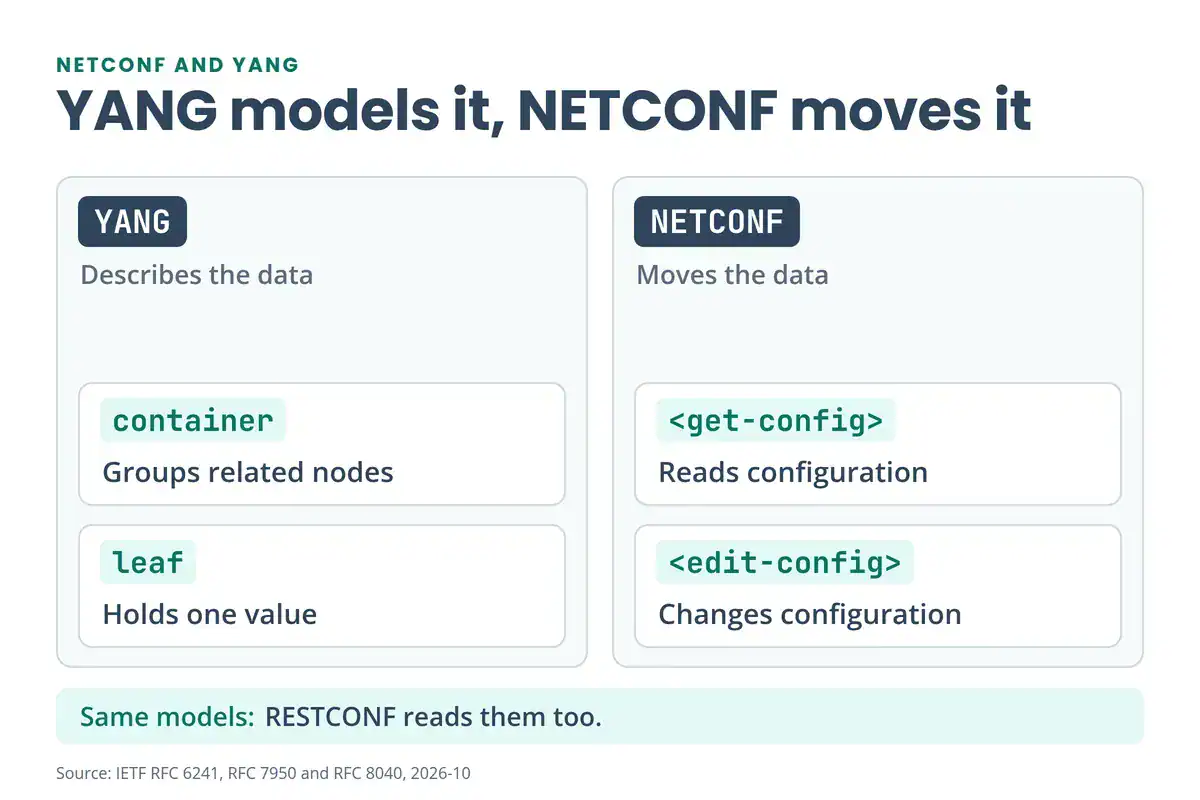
YANG (“Yet Another Next Generation”) is the language that describes what a device exposes: configuration, state data, RPCs and notifications. RFC 7950 defines YANG 1.1. It was built for NETCONF, and RESTCONF uses it too. A YANG module is the schema. Vendors ship modules such as ietf-interfaces and Cisco-IOS-XE-native, and your script reads them to know what it can ask for.
A module is built from four statements:
| Statement | Job | Example |
|---|---|---|
module | Names and versions the schema | ietf-interfaces |
container | Groups related nodes | interfaces |
list | Repeats entries, each with a key | interface (key: name) |
leaf | Holds one value | enabled (boolean) |
This snippet is adapted from the examples in RFC 7950 section 4.2.2:
container system {
  leaf host-name {
    type string;
    description "Hostname for this system.";
  }
}
In XML that becomes <system><host-name>my.example.com</host-name></system>. To see a real model, trim the tree of ietf-interfaces (RFC 8343):
module: ietf-interfaces
  +--rw interfaces
     +--rw interface* [name]
        +--rw name                        string
        +--rw description?                string
        +--rw type                        identityref
        +--rw enabled?                    boolean
        +--ro admin-status                enumeration {if-mib}?
        +--ro oper-status                 enumeration
rw is configuration you can change. ro is read-only state. * marks a list, ? an optional node, and [name] the key. Browse more modules in the YANG Catalog.
NETCONF vs YANG: What’s the Difference?
NETCONF is the protocol that moves data. YANG is the model that says what the data looks like. You can’t use one without the other for model-driven automation.
| NETCONF | YANG | |
|---|---|---|
| What it is | Management protocol | Data modelling language |
| Job | Reads and changes device data | Defines which data exists and its type |
| Defined in | RFC 6241 | RFC 7950 (YANG 1.1) |
| Format on the wire | XML RPCs | Text modules, read by tools |
| Also used by | Not applicable | RESTCONF |
Does NETCONF Use Port 830?
Yes. IANA assigned TCP port 830 as the default for NETCONF over SSH (RFC 6242), and Cisco’s IOS XE guide says the port is configurable. NETCONF over TLS is a separate option (RFC 7589) and uses TCP 6513. You’ll also see port 830 in our common ports cheat sheet.
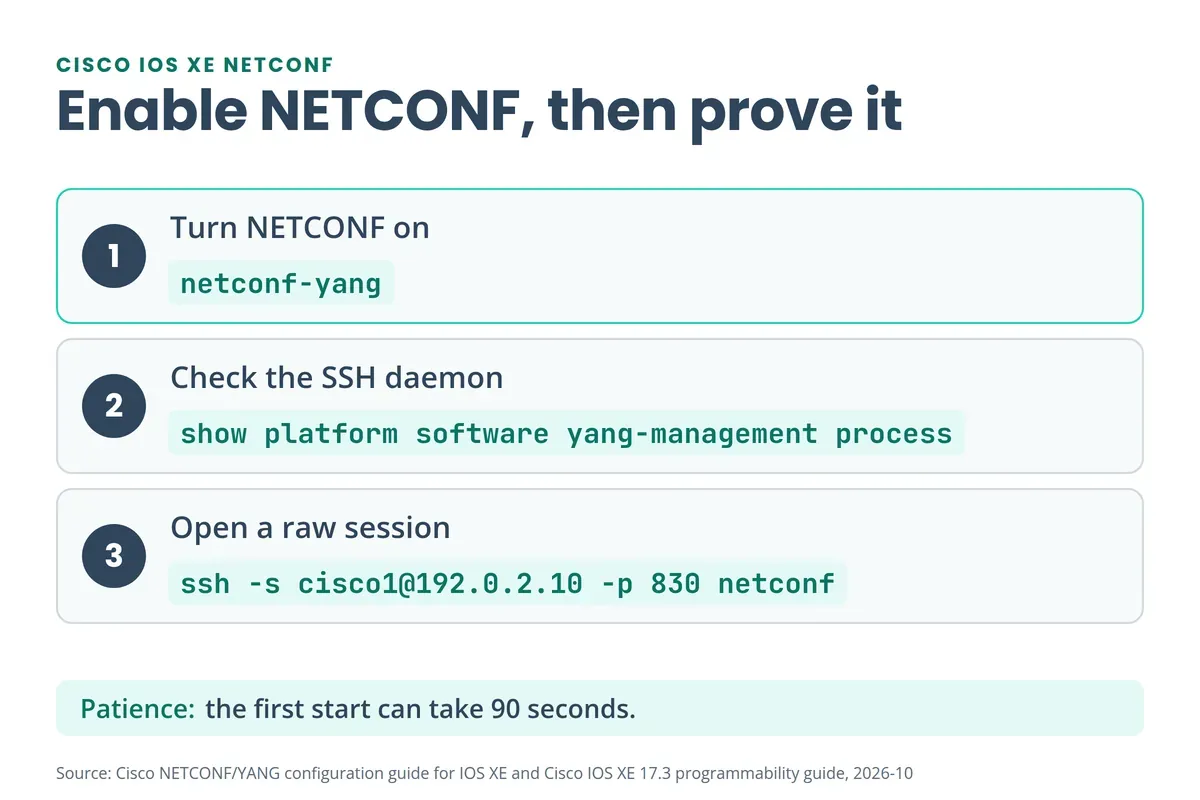
The SSH session carries one more detail. NETCONF 1.0 ends every message with ]]>]]>. NETCONF 1.1 uses chunked framing instead. To open a raw session and see the server’s hello, run:
ssh -s [email protected] -p 830 netconfNETCONF Operations: get, get-config, edit-config, lock and commit
Every NETCONF request is an <rpc> with a message-id. The device answers with <ok/> or an <rpc-error>. These are the operations you’ll meet most:
| Operation | What it does | Needs a capability? |
|---|---|---|
<get> | Returns running config and device state | No |
<get-config> | Returns all or part of one datastore | No |
<edit-config> | Loads all or part of a config into a datastore | No |
<copy-config> | Replaces one datastore with another | No |
<delete-config> | Deletes a datastore (not running) | No |
<lock> / <unlock> | Stops other sessions editing a datastore | No |
<close-session> / <kill-session> | Ends your session, or forces another to end | No |
<commit> | Copies candidate into running | :candidate |
<discard-changes> | Throws away the candidate edits | :candidate |
<validate> | Checks a config without applying it | :validate |
<create-subscription> | Streams event notifications (RFC 5277) | :notification |
<edit-config> stops at the first error by default (stop-on-error). If the device advertises :rollback-on-error, you can ask it to undo the whole edit instead. The base operations are in RFC 6241 sections 7.1 to 7.9.
NETCONF Datastores: Running, Candidate and Startup
A datastore is a complete configuration the device can hold. NETCONF names three:
| Datastore | Capability | Role |
|---|---|---|
running | Always present | The configuration in use now |
candidate | :candidate | A scratch copy you edit, then <commit> |
startup | :startup | The configuration loaded at boot |
With a candidate, you can stage several edits and apply them together. A confirmed commit adds a safety net: if you don’t confirm within the timeout, the device rolls back. RFC 6241 sets the default at 600 seconds. Newer devices follow the Network Management Datastore Architecture (RFC 8342), which RFC 8526 adds to NETCONF with <get-data> and <edit-data>.
On Cisco IOS XE the candidate datastore has its own switch. Cisco’s 17.3 programmability guide lists netconf-yang feature candidate-datastore to enable it, and show netconf-yang datastores shows what your device offers.
Go deeper
Reading about NETCONF gets you the theory.
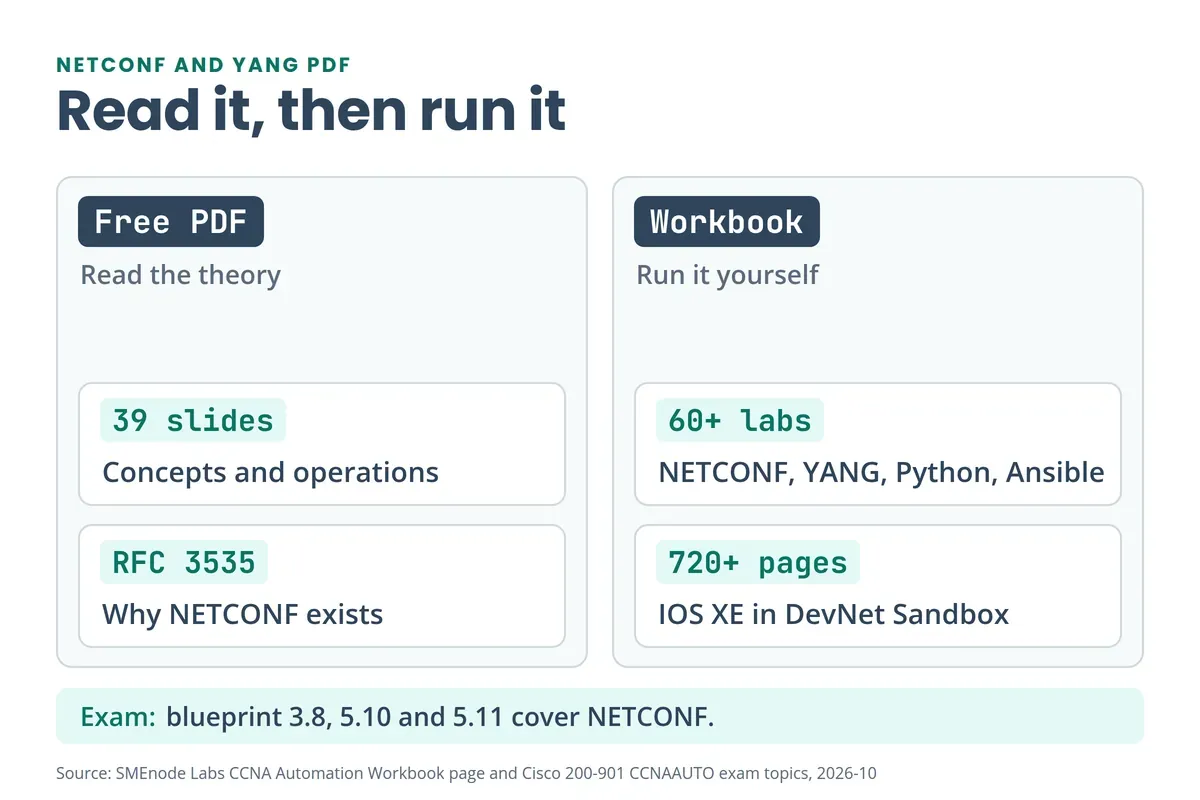
Run every operation above in the CCNA Automation Workbook: 60+ labs on IOS XE in the free DevNet Sandbox.
See the CCNA Automation Workbook →NETCONF Example: Hello, get-config and edit-config
Every session opens with a hello exchange. The server sends its capabilities, and the client answers with its own:
<hello xmlns="urn:ietf:params:xml:ns:netconf:base:1.0">
  <capabilities>
    <capability>urn:ietf:params:netconf:base:1.0</capability>
  </capabilities>
</hello>]]>]]>
Then read the interface list with a subtree filter:
<rpc message-id="101" xmlns="urn:ietf:params:xml:ns:netconf:base:1.0">
  <get-config>
    <source><running/></source>
    <filter type="subtree">
      <interfaces xmlns="urn:ietf:params:xml:ns:yang:ietf-interfaces"/>
    </filter>
  </get-config>
</rpc>]]>]]>
The reply carries the matching <data> tree. To change something, send <edit-config>. This one sets the hostname through the Cisco-IOS-XE-native module:
<rpc message-id="102" xmlns="urn:ietf:params:xml:ns:netconf:base:1.0">
  <edit-config>
    <target><running/></target>
    <config>
      <native xmlns="http://cisco.com/ns/yang/Cisco-IOS-XE-native">
        <hostname>R1</hostname>
      </native>
    </config>
  </edit-config>
</rpc>]]>]]>
A good edit returns <ok/>. Try it on a lab router, never on production.
How to Enable NETCONF on Cisco IOS XE
NETCONF-YANG is supported from IOS XE 16.3.1, according to Cisco’s NETCONF/YANG configuration guide. You need SSH working and a local user at privilege 15. If AAA is on, Cisco also requires aaa authorization exec default local for NETCONF over SSH and for edit-config. Then turn it on:
R1(config)# netconf-yangGive it up to 90 seconds to start. Then check it:
R1# show platform software yang-management process
R1# show netconf-yang datastores
R1# show netconf-yang sessions
In the process list, ncsshd (the NETCONF SSH daemon) should read Running. show netconf-yang sessions lists your open sessions, so you’ll see yours after you connect.
Want a free device to try it on? Cisco’s DevNet Sandbox offers IOS XE labs.
NETCONF Not Connecting? Four Checks
| Symptom | Check |
|---|---|
| Nothing answers on port 830 | Run show platform software yang-management process. ncsshd must read Running, and the first start can take 90 seconds |
Login or edit-config fails with AAA on | Add aaa authorization exec default local and use a privilege 15 user |
| SSH host key error in a script | Set hostkey_verify=False in a lab only. On real gear, add the key to known_hosts |
edit_config is rejected | Check the target. ncclient defaults to candidate, which IOS XE may not offer |
NETCONF With Python: ncclient Example
ncclient is a Python library for NETCONF clients. Install it with pip install ncclient, then connect on port 830:
from ncclient import manager

with manager.connect(
    host="192.0.2.10", port=830,
    username="cisco1", password="cisco1",
    hostkey_verify=False,  # lab only: skips SSH host key checks
) as m:
    flt = ("subtree",
           '<native xmlns="http://cisco.com/ns/yang/Cisco-IOS-XE-native"/>')
    print(m.get_config(source="running", filter=flt).data_xml)

    cfg = """<config>
      <native xmlns="http://cisco.com/ns/yang/Cisco-IOS-XE-native">
        <hostname>R1</hostname>
      </native>
    </config>"""
    m.edit_config(target="running", config=cfg)
Watch the target. In ncclient 0.6.15, edit_config defaults to candidate, so pass target="running" unless you’ve enabled the candidate datastore.
Netmiko is the other common choice. It sends CLI text over SSH, while ncclient exchanges structured XML. Our free BGP multi-AS lab PDF automates seven routers with Netmiko, and the Python for network engineers guide shows where each fits. Ansible can drive NETCONF too, through its netconf_config module (see our Ansible commands cheat sheet, and our Terraform vs Ansible guide for how the two tools differ). Terraform’s IOS XE provider also manages devices over NETCONF on port 830, according to Cisco’s Network as Code docs, so the same netconf-yang command applies.
Reading about get_config is the easy part. The CCNA Automation Workbook has you build NETCONF sessions, filter the reply and push YANG-based config templates on IOS XE devices in the DevNet Sandbox.
NETCONF vs RESTCONF: Which One Should You Use?
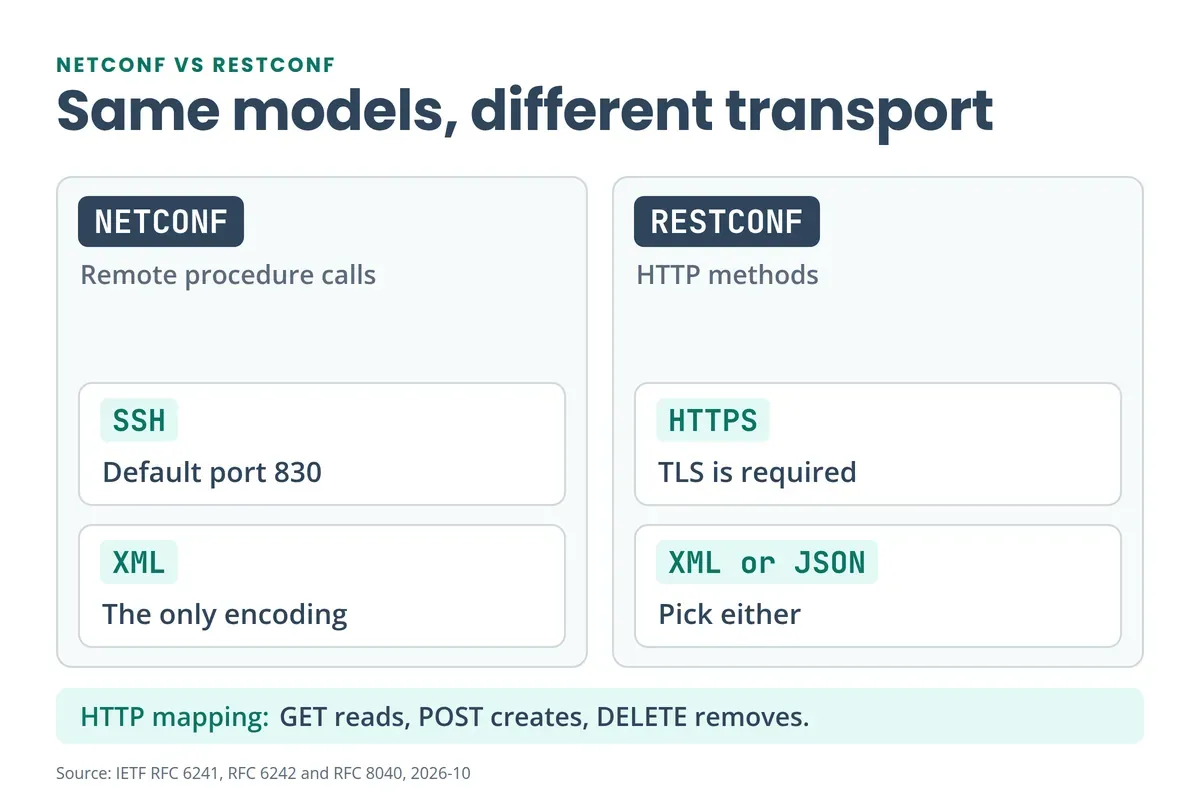
Both protocols read the same YANG models. They differ in how you reach them. RFC 8040 describes RESTCONF as an HTTP-based protocol for accessing data defined in YANG, using NETCONF’s datastore concepts.
| NETCONF | RESTCONF | |
|---|---|---|
| Transport | SSH (TCP 830) | HTTPS (TLS is required) |
| Encoding | XML | XML or JSON |
| Operations | RPCs such as <get-config> | HTTP methods |
| Edits | <edit-config> plus <commit> | POST, PUT, PATCH, DELETE |
| Python tool | ncclient | requests |
RFC 8040 maps GET to <get-config> or <get>, POST to a create, PUT to a create or replace, and DELETE to a delete. A rule of thumb: reach for NETCONF when a change needs locks, validation and a commit. Reach for RESTCONF when a script or web tool only needs to read and write a few values.
NETCONF vs SNMP
SNMP uses MIBs and sends messages over UDP. NETCONF uses YANG and sends XML over SSH on TCP. RFC 3535, the report on the 2002 operators’ workshop that led to NETCONF, says SNMP “works reasonably well for device monitoring”. NETCONF fills the gap SNMP leaves: reliable configuration changes. SNMP isn’t going away, though. Objective 5.4 of the new CCNA 200-301 v2.0 blueprint still asks you to describe its function, so know both. See what changed in CCNA v2.0.
NETCONF and YANG on the CCNA Automation Exam
Cisco renamed the DevNet Associate to CCNA Automation (exam 200-901 CCNAAUTO v1.1), and every DevNet Associate holder was migrated on 2026-02-03. The exam topics PDF covers this topic in five objectives:
- 3.8: Apply concepts of model driven programmability (YANG, RESTCONF and NETCONF) in a Cisco environment.
- 5.1: Describe the value of model driven programmability for infrastructure automation.
- 5.10: Interpret the results of a RESTCONF or NETCONF query.
- 5.11: Interpret basic YANG models.
- 6.7: Recognize common protocol port values, including NETCONF.
So port 830 and the tree format above are exam material. Every lab in this 200-901 lab workbook maps to the v1.1 blueprint. The same blueprint covers Git (1.8) and automation tools such as Ansible and Terraform (5.6). Brush up with our Git commands and Terraform commands cheat sheets, and read the CCNA 200-901 Python automation guide.
What’s Inside the Free NETCONF and YANG PDF?
The PDF is a 39-slide deck. It covers:
- Why NETCONF exists: the operator requirements in RFC 3535
- NETCONF and YANG overviews, and a comparison with SNMP
- Protocol layers, with an example RPC message
- Operations:
<get>,<get-config>,<edit-config>,<lock>,<commit>and confirmed commits - Content layers, general behaviour and notifications
Its router examples come from a service-provider operating system, so the syntax differs from Cisco IOS XE. Use the IOS XE commands on this page for Cisco labs.
The PDF stops at theory and reference. For hands-on practice at the next level, the CCIE Enterprise Workbook includes a model-driven automation lab set covering gNMI, YANG models, NETCONF and streaming telemetry.


No questions yet. Ask the first one.