
What Is DHCP Snooping?
DHCP snooping is a Layer 2 switch feature that stops fake DHCP servers. You mark the ports that lead to your real DHCP server as trusted. Every other port stays untrusted and can’t send server replies (OFFER, ACK, NAK). The switch also builds a binding table of MAC, IP, VLAN and port that Dynamic ARP Inspection (DAI) and IP Source Guard rely on.
It’s off by default. On a Cisco Catalyst switch you turn it on globally and per VLAN, and every port starts untrusted (Cisco Catalyst 9300 IP Addressing guide). It covers IPv4 DHCP only.
| Port type | Connects to | Server replies (OFFER, ACK, NAK) | Default |
|---|---|---|---|
| Trusted | The DHCP server, plus uplinks, trunks and the gateway toward it | Forwarded | No. You set it with ip dhcp snooping trust |
| Untrusted | PCs, laptops, phones, access points | Dropped | Yes, every port |
The free PDF on this page draws this split on page 2 and walks through a fake-server attack and a two-switch lab on pages 3 to 5.
How Does DHCP Snooping Work?
A client sends DHCPDISCOVER and DHCPREQUEST to UDP port 67, the server port. The server answers to UDP port 68, the client port (RFC 2131). The switch watches both directions. Client requests pass. Server replies pass only when they arrive on a trusted port. An OFFER or ACK that arrives on an untrusted port is dropped, so a laptop running a fake server never reaches the other clients. Our DHCP guide covers the DORA exchange itself, and the common ports cheat sheet lists UDP 67 and 68.
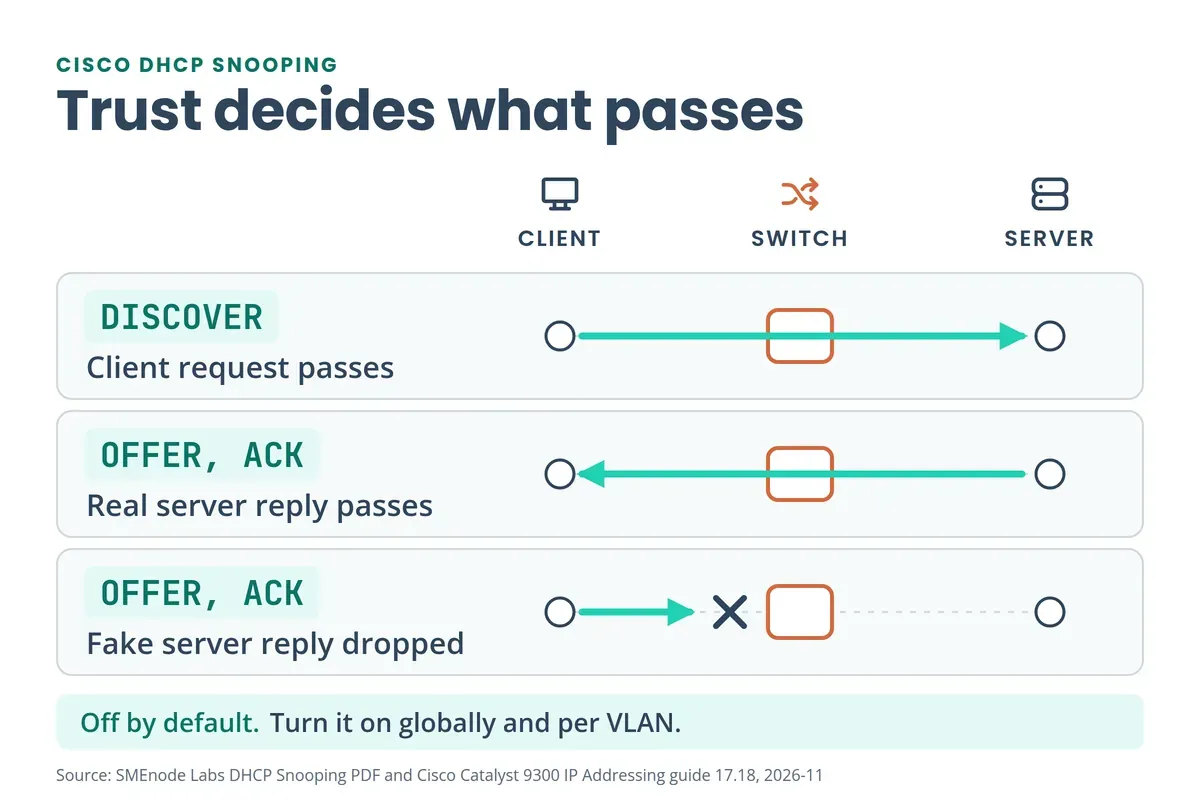
Cisco lists when the switch drops a DHCP packet. The main cases:
- A server message (DHCPOFFER, DHCPACK, DHCPNAK, DHCPLEASEQUERY) arrives from outside the network or firewall, as it does on an untrusted port.
- A packet on an untrusted port has a source MAC that differs from the client hardware address inside the DHCP message.
- A broadcast DHCPRELEASE or DHCPDECLINE carries a MAC that’s in the binding database on a different interface.
- A relay agent forwards a packet with option 82 to an untrusted port.
- The snooping queue grows past 1,000 packets.
What Attacks Does DHCP Snooping Stop?
Rogue DHCP server. Someone plugs in a router or starts a DHCP service on a laptop. It answers first and hands out a wrong gateway or DNS server. Snooping drops those replies on untrusted ports. Cisco says it “prevents a rogue DHCP server from an attack to the network on untrusted ports” (Cisco doc 217055). Our Network+ practice test asks exactly this in Q51.
DHCP starvation. The attacker broadcasts “DHCP requests with spoofed MAC addresses” until the address pool runs dry (Cisco doc 72846, 2007). Two snooping settings help. MAC verification, on by default, drops a request whose source MAC doesn’t match the client hardware address. A per-port rate limit caps DHCP packets per second. Cisco’s Catalyst 4500 guide suggests no more than 100 packets per second on untrusted ports, and no limit is set by default.
Our reading: a tool that spoofs the Ethernet source MAC too gets past MAC verification, so pair snooping with the rate limit and port security. Cisco’s current pages don’t name one feature as the fix, so test it on your platform.
Go deeper
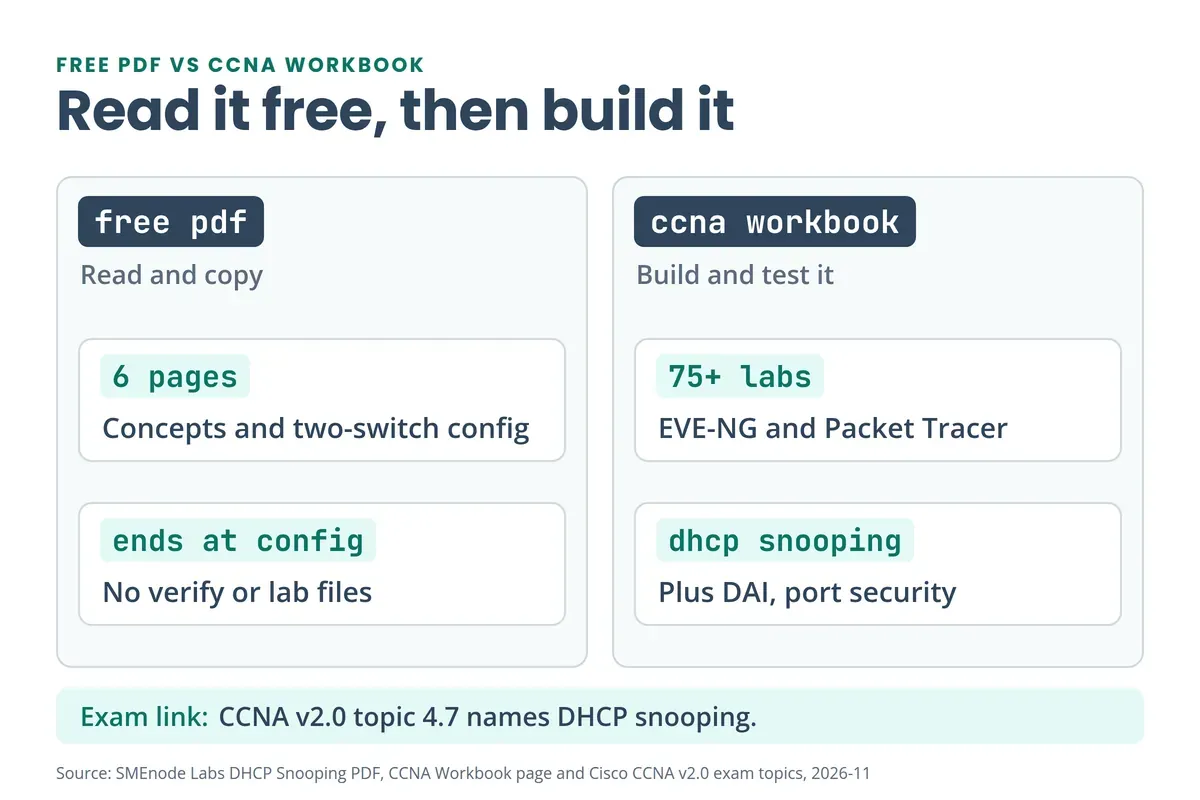
The PDF shows you the config.
Build and test DHCP snooping yourself in the CCNA Lab Workbook: 75+ labs for EVE-NG and Packet Tracer.
See the CCNA Lab Workbook →How Do You Configure DHCP Snooping on a Cisco Switch?
Three commands do the job: turn it on globally, turn it on for the VLAN, then trust the port toward the DHCP server. A VLAN usually maps to one subnet, as in our VLAN vs subnet guide. Skip the trust step and the real server’s replies get dropped too. This is the PDF’s lab (page 5): SW1 sits next to the DHCP server, SW2 serves the clients over a trunk.
! SW1 (DHCP server side)
ip dhcp snooping
ip dhcp snooping vlan 10
interface FastEthernet0/23
 switchport mode access
 ip dhcp snooping trust

! SW2 (client side)
ip dhcp snooping
ip dhcp snooping vlan 10
interface FastEthernet0/24
 switchport mode trunk
 ip dhcp snooping trust
On SW2, Fa0/24 is the uplink toward the server, so it’s trusted. Every client port on both switches stays untrusted. For starvation protection, add a rate limit on the client ports:
interface range FastEthernet0/1 - 22
 ip dhcp snooping limit rate 100
!
errdisable recovery cause dhcp-rate-limit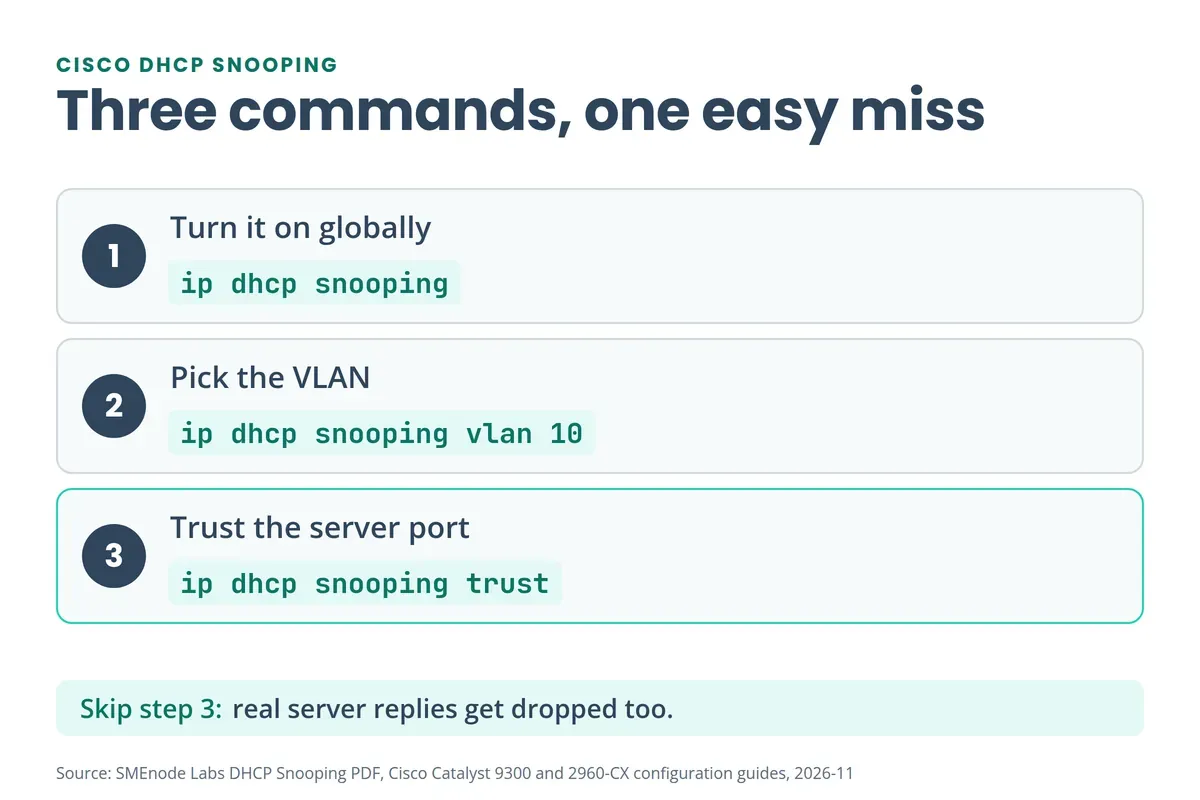
On the Catalyst 4500, Cisco says a port that exceeds the limit goes err-disabled. Recovery is off by default, and the interval is 300 seconds once you enable it. To build this on a full multi-VLAN topology, the wireless and security lab in the CCNA Lab Workbook covers port security and DHCP snooping.
How Do You Verify DHCP Snooping?
Run three commands:
show ip dhcp snoopingshows whether it’s enabled, the VLANs it’s configured on and the VLANs where it’s operational.show ip dhcp snooping bindinglists the leases the switch learned.show ip dhcp snooping statisticsshows the counters.
This is a trimmed sample from Cisco’s Catalyst 9000 troubleshooting doc:
Switch DHCP snooping is enabled
DHCP snooping is configured on following VLANs:
10-11
DHCP snooping is operational on following VLANs:
10-11
Insertion of option 82 is disabled
Verification of hwaddr field is enabled

MacAddress         IpAddress   Lease(sec) Type          VLAN Interface
00:A3:D1:44:20:46  10.0.0.3    85556      dhcp-snooping 10   FortyGigabitEthernet1/0/2
Total number of bindings: 1
That switch has option 82 insertion turned off. The default is on.
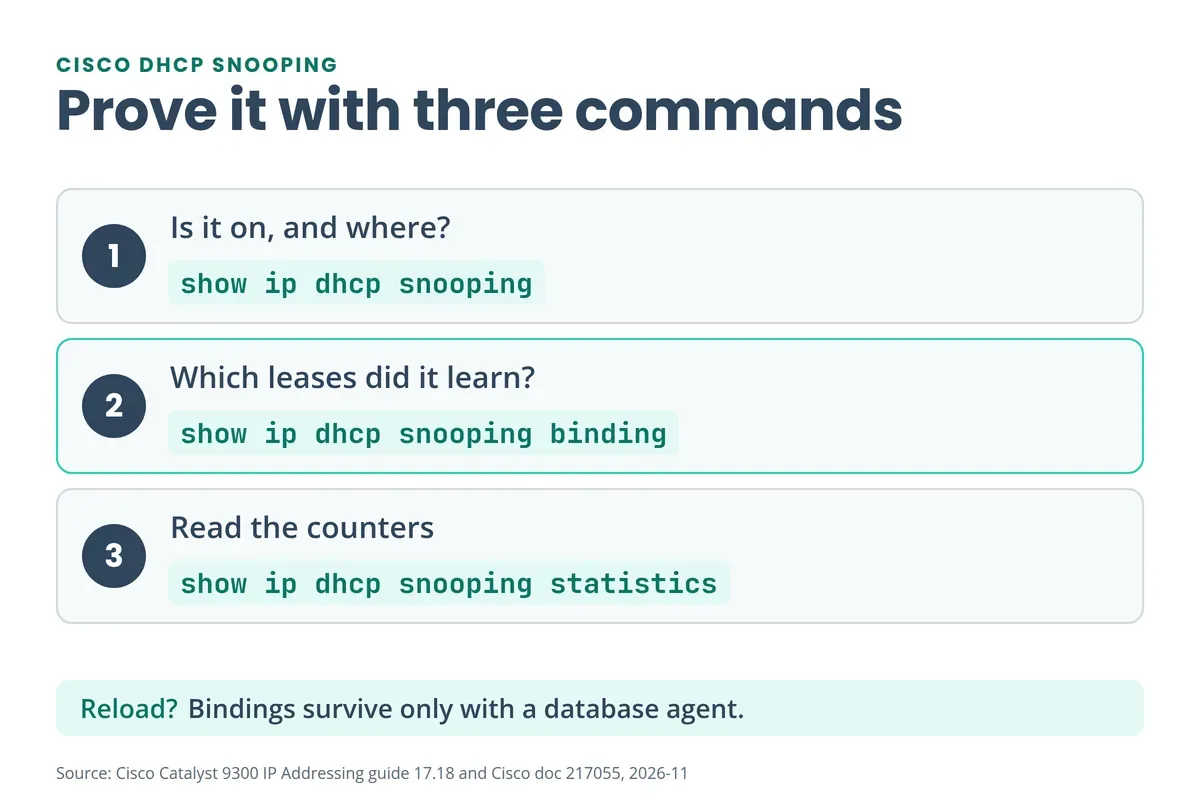
What Is the DHCP Snooping Binding Table?
Each row holds a MAC address, IP address, lease time, binding type, VLAN and interface. The switch builds it from DHCP traffic on its own untrusted ports and holds up to 64,000 bindings. Two other features read it. Cisco says DAI “depends on the entries in the DHCP snooping binding database” (DAI guide), and the IP source binding table “has bindings that are learned by DHCP snooping” (IP Source Guard guide).
To keep bindings across a reload you need the database agent, for example ip dhcp snooping database flash:dhcp-snooping.db. Cisco warns that with the agent off, DAI or IP Source Guard on and dynamic bindings present, “the switch loses its connectivity”.
Why Do Clients Get No IP After You Turn On DHCP Snooping?
Check in this order:
- Trust. Is the port toward the server, and every uplink and trunk on the way, trusted? Untrusted is the default, so a missing
ip dhcp snooping trustis the first suspect. - VLAN. The VLAN must show under “operational” in
show ip dhcp snooping. Cisco: “By default, the feature is inactive on all VLANs.” - Rate limit. A port over its limit can be err-disabled. Check the port state.
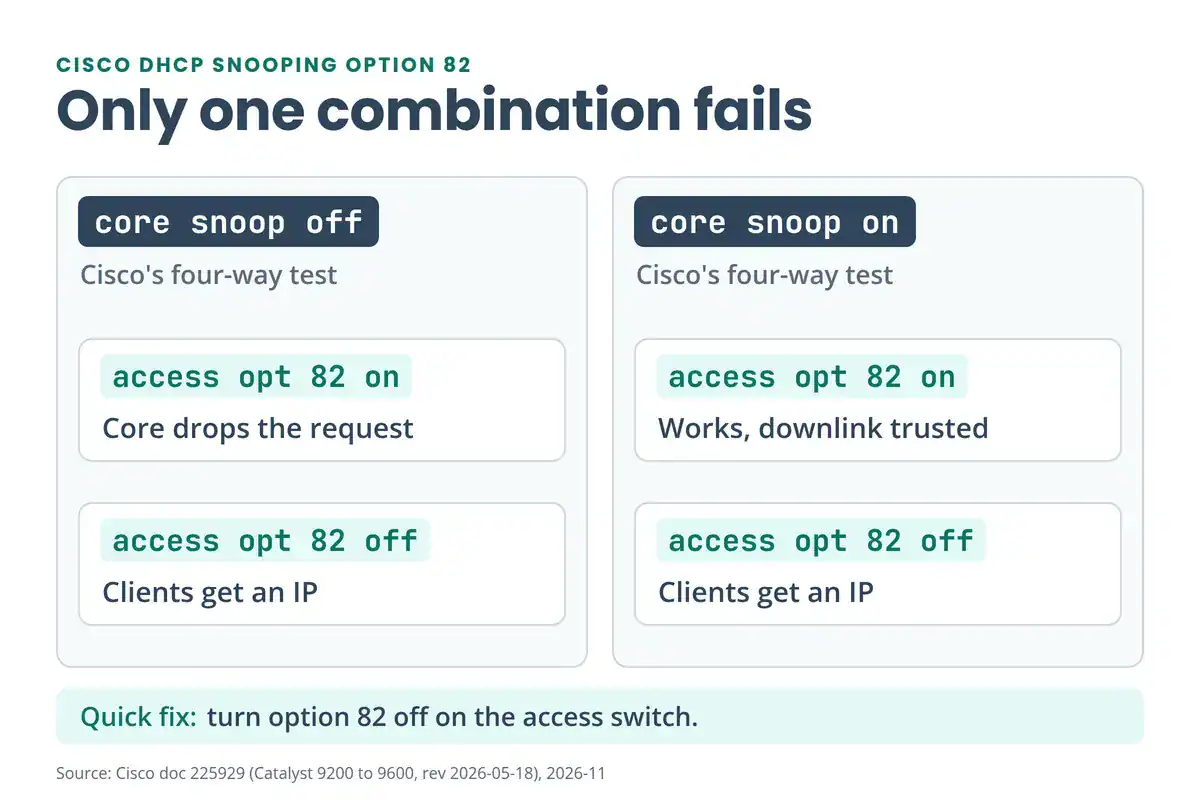
- Option 82. An access switch inserts option 82 by default, with relay IP 0.0.0.0 when the VLAN has no SVI.
On option 82, Cisco doc 225929 (Catalyst 9200 to 9600) tested four combinations. Only one fails: snooping off on the core while the access switch inserts option 82. The core drops the packet and debug shows “relay information option exists, but giaddr is zero.” Cisco shows two fixes working. Run no ip dhcp snooping information option on the access switch. Or turn snooping on at the core and trust its downlink to the access switch, so the core replaces 0.0.0.0 with its SVI address.
If a router relays the DHCP traffic, RFC 3046 says a relay that gets a packet with giaddr zero and option 82 from an untrusted circuit “SHALL discard the packet”. Cisco’s IOS XE relay guide has ip dhcp relay information trusted for that case. Doc 225929 didn’t test it. Use ip dhcp snooping information option allow-untrusted only on an aggregation switch whose edge-facing port is trusted. For the basics, see what APIPA means and our network troubleshooting commands PDF.
DHCP Snooping vs DAI vs IP Source Guard vs Port Security
| Feature | What it checks | Uses the binding table? |
|---|---|---|
| DHCP snooping | DHCP messages, by port trust | It builds the table |
| Dynamic ARP Inspection | ARP packets | Yes |
| IP Source Guard | Source IP of traffic | Yes |
| Port security | Source MACs on a port | No, it has its own secure MAC list |
They’re separate features. A BPDU guard won’t catch a rogue DHCP server either, as that post explains.
On the exam, Cisco’s CCNA v1.1 lists “5.7 Configure and verify Layer 2 security features (DHCP snooping, dynamic ARP inspection, and port security)” (v1.1 topics). CCNA v2.0 has “4.7 Configure Layer 2 security features” with 4.7.a DHCP snooping, 4.7.b DAI and 4.7.e port security (v2.0 topics), and v2.0 testing starts on 2027-02-03 (Cisco blog). The CCNP ENCOR 350-401 v1.2 blueprint doesn’t name DHCP snooping (v1.2 topics). Our CCNA v2.0 study plan and the free CCNA 200-301 PDF cover the rest, and TACACS+ vs RADIUS is the v2.0 4.1 topic. Cisco lists DHCP snooping as supported on IOSvL2 in Cisco Modeling Labs.
What’s Inside the Free DHCP Snooping PDF?
It’s a short visual guide:
- Page 1: cover
- Page 2: trusted and untrusted ports, and which server messages get blocked
- Page 3: the fake DHCP server scenario
- Page 4: the two-switch scenario, with a trunk and a blocked attacker at 192.168.10.100
- Page 5: IOS configuration for SW1 and SW2
The PDF has no show commands, binding table, option 82 or rate limit. This page covers them. It also has no lab to break. The CCNA Lab Workbook lists DHCP snooping, Dynamic ARP Inspection and port security as topics, with 75+ labs across 950+ pages for Packet Tracer and EVE-NG. Our CCNA practice test PDF and the Cisco commands cheat sheet are good next steps.



No questions yet. Ask the first one.