
VTP, the VLAN Trunking Protocol, is a Cisco protocol that copies VLANs from one switch to every other switch in the same domain over trunk links. It saves typing. It can also wipe VLANs off every switch in your building in one go. For most networks the right setting is vtp mode transparent or vtp mode off, and this guide shows you exactly why.
You’ll get the four VTP modes, what changed in version 3, a worked example of one lab switch taking out 72 access ports, how Dynamic Trunking Protocol ties into it, what the current Cisco exams actually test, and the config to switch VTP off safely.
What is VTP (VLAN Trunking Protocol)?
VLANs are local to each switch. Create VLAN 20 on one switch and the switch next to it has no idea it exists. On a campus with 40 switches, that’s 40 places to type vlan 20, and 40 chances to get the name wrong.
VTP was Cisco’s answer. You group switches into a VTP domain (just a shared name), make VLAN changes on one switch, and VTP advertises the new VLAN database to the rest. Everyone in the domain ends up with the same list of VLANs.
Three things hold it together:
- The domain name. Switches only accept updates for their own domain. And the password, if you set one, must be identical on every switch in it.
- Trunks. VTP advertisements only travel over trunk links. No trunk, no VTP.
- The configuration revision number. A 32-bit counter that goes up by one every time the VLAN database changes. In versions 1 and 2, the highest number wins. Always.
Hold on to that last point. It’s the whole reason this post exists.
How does the VLAN Trunking Protocol work?
A VTP switch sends three kinds of message, all to the multicast MAC address 01-00-0C-CC-CC-CC (Cisco, Understand VLAN Trunk Protocol):
| Message | When it’s sent | What it carries |
|---|---|---|
| Summary advertisement | Every 5 minutes, and straight after any change | Domain name, revision number, a hash of the database |
| Subset advertisement | After a change | The actual VLAN list |
| Advertisement request | After a reload, a domain name change, or on hearing a higher revision | “Send me your database” |
So a switch hears a summary, compares the revision number with its own, and if the incoming one is higher, it asks for the full database and replaces its own copy. It doesn’t merge. It replaces.

Every VTP advertisement carries the configuration revision, a 32-bit counter. The receiving switch compares it with its own and keeps whichever is higher.
One more default catches people. A brand-new Catalyst switch sits in a “no-management-domain” state until you give it a domain name, or until it hears an advertisement over a trunk. If it hears one first, it simply adopts that domain name (Cisco, Catalyst 9300 Configuring VTP). That’s harmless on a factory-fresh switch at revision 0. It’s not harmless on a switch with history.
What are the VTP modes?
Every switch runs in one of four VTP modes. Cisco switches ship as server, running VTP version 1.
| Mode | Create or delete VLANs locally? | Syncs to the domain? | Sends its own updates? | Forwards other switches’ updates? |
|---|---|---|---|---|
| Server (default) | Yes | Yes | Yes | Yes |
| Client | No | Yes | Yes, it re-advertises what it learned | Yes |
| Transparent | Yes, local only | No | No | Yes |
| Off | Yes, local only | No | No | No |
Server and client are the “real” VTP modes. A client can’t create a VLAN, but notice the third column: it still takes part in advertisements, and it still has a revision number. That matters in a minute.
What’s the difference between VTP transparent mode and off?
Both ignore the domain’s VLAN database, and both let you create VLANs locally. With either mode the switch keeps its own VLANs and they never leave the box.
The difference is manners. A transparent switch still passes other switches’ advertisements along its trunks, so it can sit between two VTP switches without breaking them. An off switch drops them. As Cisco puts it, off “functions in the same manner as a VTP transparent device, except that it does not forward VTP advertisements on trunks” (Cisco, Catalyst 9300 Configuring VTP).
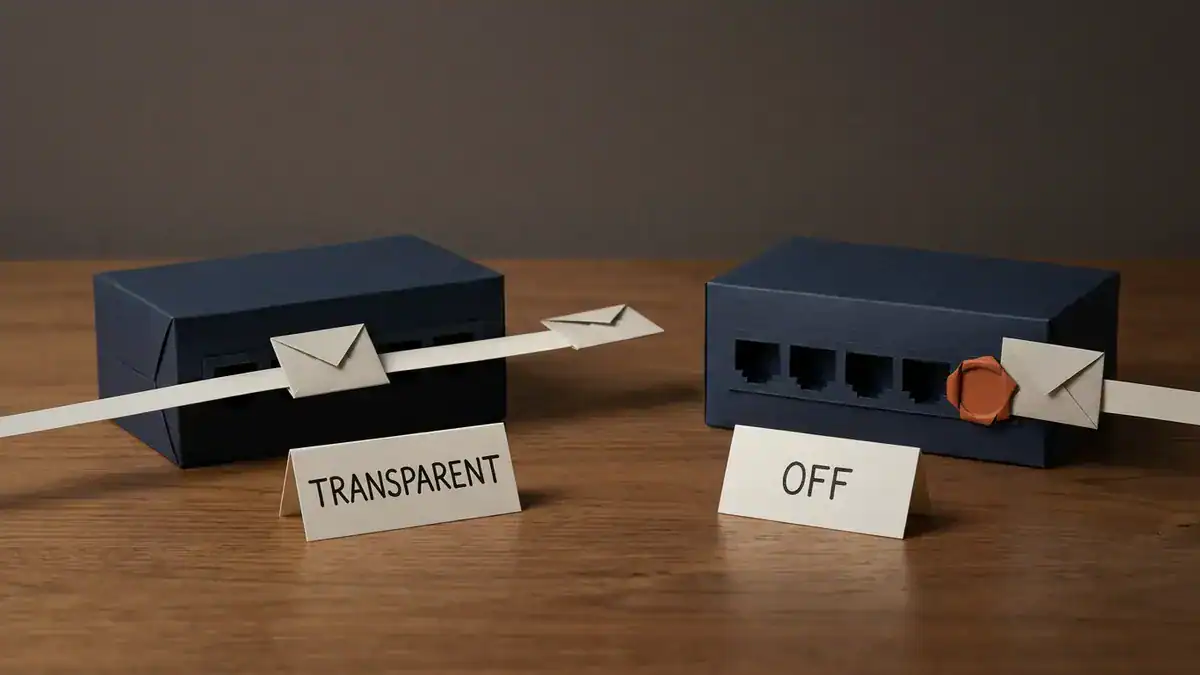
Transparent and off both keep VLANs local. Transparent forwards other switches’ advertisements; off drops them at the trunk.
One practical bonus of transparent mode: the VTP mode and domain name are saved in the running config, so a show run tells you what you’re looking at.
What changed between VTP versions 1, 2 and 3?
Short version: 1 and 2 are nearly the same, and 3 is a different animal.
| Version 1 | Version 2 | Version 3 | |
|---|---|---|---|
| VLAN range carried | 1 to 1005 | 1 to 1005 | 1 to 4094 |
| Extended-range VLANs (1006 to 4094) | No | No | Yes |
| Private VLANs | No | No | Yes |
| Can carry the MST database | No | No | Yes |
| Who can change the domain | Any switch with a higher revision | Any switch with a higher revision | Only the one primary server |
| Token Ring support | No | Yes | Yes |
Source: Cisco, Catalyst 9300 Configuring VTP, updated 2025-03-31.
The row that matters most is “who can change the domain”. In versions 1 and 2, any switch with a higher revision number wins. In version 3, only a switch you’ve explicitly promoted to primary server can push changes. We’ll come back to v3 once you’ve seen what goes wrong without it.
Why do most networks leave VTP off?
Because of one number. Here’s the failure, step by step, with real counts.
The worked example: one lab switch, 72 dead ports
Your network looks like this:
- VTP domain
CORP, version 2. - Core-1 is the VTP server. Its configuration revision is 17.
- The VLAN database holds VLAN 1, 10 (STAFF), 20 (CAMERAS), 30 (PRINTERS) and 99 (MGMT).
- Four access switches run as VTP clients. Each has 48 ports: 2 trunk uplinks, 28 ports in VLAN 10, 12 in VLAN 20 and 6 in VLAN 30. That’s 46 access ports each, 184 in total.
- Every switch has a management SVI on VLAN 99 for SSH.
Now a spare switch comes back from the lab bench. Someone built it from the standard template months ago, so it still carries vtp domain CORP, the same VTP password, and server mode. In the lab you created and deleted a few dozen VLANs while testing. Each change bumped the revision by one. It’s now sitting at 42, and its database only holds VLAN 1 and VLAN 10.
You patch it into an access switch port that’s configured switchport mode trunk, ready for a new switch.
Here’s what happens next:
- The trunk comes up. The lab switch’s port is at its default of dynamic auto. Your port is a trunk, which actively offers trunking via DTP. The DTP frame carries the VTP domain name. Both say
CORP, so nothing objects. - The lab switch sends a summary advertisement. Domain
CORP, revision 42. - Everyone compares. 42 is higher than 17. The access switch requests the full database, takes it, and re-advertises it. Before anyone notices, Core-1 and all four access switches hold the lab database: VLAN 1 and VLAN 10. Nothing else.
- VLANs 20, 30 and 99 are deleted. Cisco is blunt about what that does to ports: “When you delete a VLAN, any ports assigned to that VLAN become inactive” (Cisco, Catalyst 9300 Configuring VLANs).
Now count the damage:
| Per access switch | All 4 switches | |
|---|---|---|
| Ports in VLAN 20 (cameras) | 12 | 48 |
| Ports in VLAN 30 (printers) | 6 | 24 |
| Ports now inactive | 18 | 72 of 184 (39.1%) |
| Staff ports in VLAN 10, still working | 28 | 112 |
And the part nobody mentions. VLAN 99 is gone too. An SVI only comes up when its VLAN “exists and is in active status on the switch VLAN database” (Cisco, Autostate Feature). So interface Vlan99 goes down on Core-1 and on all four access switches. That’s 5 switches you can no longer SSH into, at the exact moment you need to fix them. You’re walking to the wiring closets with a console cable.
Worse, it doesn’t look like a VTP problem. Staff can still work, since 112 ports are fine. The helpdesk hears “the cameras are down and nobody can print.” That’s a strange ticket to trace back to a switch someone plugged in ten minutes ago.

The worked example: Core-1 at revision 17, four clients, and one lab switch at revision 42 on a single trunk. VLANs 20, 30 and 99 disappear from all five production switches: 72 of 184 access ports go inactive and every Vlan99 SVI goes down.
Would it fail if the revision were lower?
No, and it’s worth proving. Put the same lab switch in at revision 16. Now 16 is lower than 17. The lab switch hears Core-1’s advertisement, sees a higher number, requests the database and quietly adopts VLANs 10, 20, 30 and 99. Nobody else changes. Nothing breaks.
So the danger isn’t the mode, the domain or the switch model. It’s the revision number, and you usually can’t see it without typing a command.
One more check. If the new port had been left at its default dynamic auto too, auto plus auto doesn’t form a trunk. The link comes up as an access port, VTP never crosses it, and your VLANs survive. The failure needs a trunk.
Isn’t a VTP client safe, though?
This is a common misunderstanding about VTP, and Cisco’s own warning is written about clients:
“Before adding a VTP client device to a VTP domain, always verify that its VTP configuration revision number is lower than the configuration revision number of the other devices in the VTP domain… If you add a device that has a revision number higher than the revision number in the VTP domain, it can erase all VLAN information from the VTP server and VTP domain.”
That’s from the Catalyst 9300 VTP guide. A client can’t create VLANs from its CLI, but in versions 1 and 2 it can still carry a high revision in from another network and win. Client mode stops a person. It doesn’t stop the protocol.
How do you check a switch before you plug it in?
If VTP is running anywhere near you, make this a habit. On the switch you’re about to connect, run:
Switch# show vtp statusRead four lines:
- VTP Operating Mode. Server or client means it’ll take part.
- VTP Domain Name. If it matches your production domain, stop.
- Configuration revision. Compare it with your production server. If it’s higher, stop.
- VTP Pruning Mode. Worth knowing before it joins, since pruning is domain-wide.
To reset the revision to 0, Cisco’s method is to change the domain name to anything else and then change it back (Cisco, Understand VLAN Trunk Protocol):
Switch(config)# vtp domain RESET-ME
Switch(config)# vtp domain CORP
Run show vtp status again and confirm the revision reads 0 before the cable goes in.
Honestly though? The cleaner fix is to never have a production domain name on a lab switch in the first place.
What does VTP pruning do, and what replaced it?
By default a trunk carries every VLAN, so a broadcast in VLAN 30 floods to switches that don’t have a single VLAN 30 port. VTP pruning stops that. Switches tell each other which VLANs they actually use, and trunks stop flooding the rest.
A few rules from Cisco’s VTP guide:
- It’s disabled by default.
- You turn it on at a server, and it applies to the whole domain.
- VLANs 2 to 1001 are prune-eligible. VLAN 1, VLANs 1002 to 1005 and all extended-range VLANs never get pruned.
The replacement is boring, which is the point. You prune by hand with the allowed list on each trunk:
Switch(config-if)# switchport trunk allowed vlan 10,20,99It’s explicit, it’s visible in the config, and it can’t change behind your back. It’s also what the CCIE Enterprise Infrastructure v1.1 blueprint lists: “Manual VLAN pruning”, not VTP pruning.
Where do trunk ports fit in?
A trunk port carries traffic for many VLANs over one link, usually between two switches or between a switch and a router. An access port carries one VLAN. VTP needs trunks because that’s the only place its advertisements travel.
We cover trunk configuration properly in What Is a VLAN?, so here’s just what you need for VTP to make sense.
What does 802.1Q do on a trunk?
802.1Q is the IEEE standard for tagging frames on a trunk. Each frame gets a 4-byte tag holding a 12-bit VLAN ID, so the switch at the other end knows which VLAN it belongs to. On current Catalyst 9000 switches, 802.1Q is the only trunk encapsulation Cisco documents.
Here’s the naming trap. VTP has “trunking” in its name, but it isn’t a trunking protocol. 802.1Q does the tagging. DTP negotiates whether a link becomes a trunk. VTP only manages the VLAN list that rides across it.
If you want to see 802.1Q from the router side, router on a stick builds it one subinterface at a time.
Why does the native VLAN matter?
The native VLAN is the one VLAN whose frames cross an 802.1Q trunk untagged. It’s VLAN 1 by default. Cisco’s warning is short: make sure the native VLAN is the same on both ends, because a mismatch can cause spanning-tree loops (Cisco, Catalyst 9300 Configuring VLAN Trunks).
What is Dynamic Trunking Protocol, and why does it care about your VTP domain?
Dynamic Trunking Protocol (DTP) is the Cisco protocol that lets two switch ports negotiate whether their link becomes a trunk. On a Catalyst 9300, every Ethernet port defaults to dynamic auto (Cisco, Catalyst 9300 Configuring VLAN Trunks).
The modes, and what two ports end up as:
| access | trunk | dynamic desirable | dynamic auto | |
|---|---|---|---|---|
| access | Access | Mismatch, don’t do this | Access | Access |
| trunk | Mismatch | Trunk | Trunk | Trunk |
| dynamic desirable | Access | Trunk | Trunk | Trunk |
| dynamic auto | Access | Trunk | Trunk | Access |
Derived from Cisco’s mode definitions: access is permanently non-trunking, trunk and desirable actively try to form a trunk, and auto will only agree if the other side asks.
Now the VTP link. Cisco says it directly: DTP “sends the VTP domain name in a DTP packet”, so if the two ends of a link belong to different VTP domains, a DTP-negotiated trunk doesn’t come up (Cisco, Understand VLAN Trunk Protocol).
Read that twice, because it cuts both ways. Different domain names can stop a trunk you wanted. And a matching domain name, like the lab switch in the worked example, sails straight through.

DTP carries the VTP domain name. Different names stop a negotiated trunk; matching names, like CORP on both ends, let it straight through.
The fix Cisco gives for mismatched domains is the same thing hardening guides tell you anyway: hard-code the trunk and switch DTP off.
Switch(config)# interface gigabitEthernet1/0/49
Switch(config-if)# switchport mode trunk
Switch(config-if)# switchport nonegotiate
switchport nonegotiate stops the port generating DTP frames. The trunk comes up because you said so, not because a neighbour agreed. On access ports, set switchport mode access so they can’t be talked into trunking.
VTP vs DTP: what’s the difference?
People mix these up constantly, because both are Cisco-only, both run on trunks and both have “trunking” in the name.
| VTP | DTP | |
|---|---|---|
| Full name | VLAN Trunking Protocol | Dynamic Trunking Protocol |
| Job | Copies the VLAN database between switches | Negotiates whether a link becomes a trunk |
| Works on | The whole domain | One link at a time |
| Modes | Server, client, transparent, off | Access, trunk, dynamic desirable, dynamic auto (plus nonegotiate) |
| Default | Server, version 1 | Dynamic auto |
| Best practice | Transparent or off, or v3 with one primary | Hard-code trunks, switchport nonegotiate |
| Tested on exams | No current blueprint lists it | ENCOR 3.1.a, “dynamic 802.1q trunking” |
The one thing they share: DTP carries the VTP domain name. That’s the whole relationship.
When is VTP version 3 worth running?
If you genuinely want central VLAN management on an all-Cisco campus, VTP version 3 fixes the problem in the worked example. It’s the only version we’d consider.
What changes:
- Only a primary server can change the domain. Every v3 server boots as a secondary server. You promote one with
vtp primary, and its updates “are honored by all devices in the system” (Cisco, Catalyst 9300 Configuring VTP). A lab switch with revision 42 is just a secondary with a big number. It doesn’t win. - Primary status doesn’t survive a reload. It’s lost after a reload, a switchover, or a change to domain parameters. Someone has to take it deliberately each time.
- It won’t take orders from older versions. A v3 switch doesn’t accept configuration from a v1 or v2 device. It sends a cut-down v2-format database towards v2 neighbours so they can still sync.
- It carries more. Extended VLANs up to 4094, private VLANs and the MST database. If you run Multiple Spanning Tree, v3 can keep the region config identical across switches, which is the thing that usually splits an MST region.
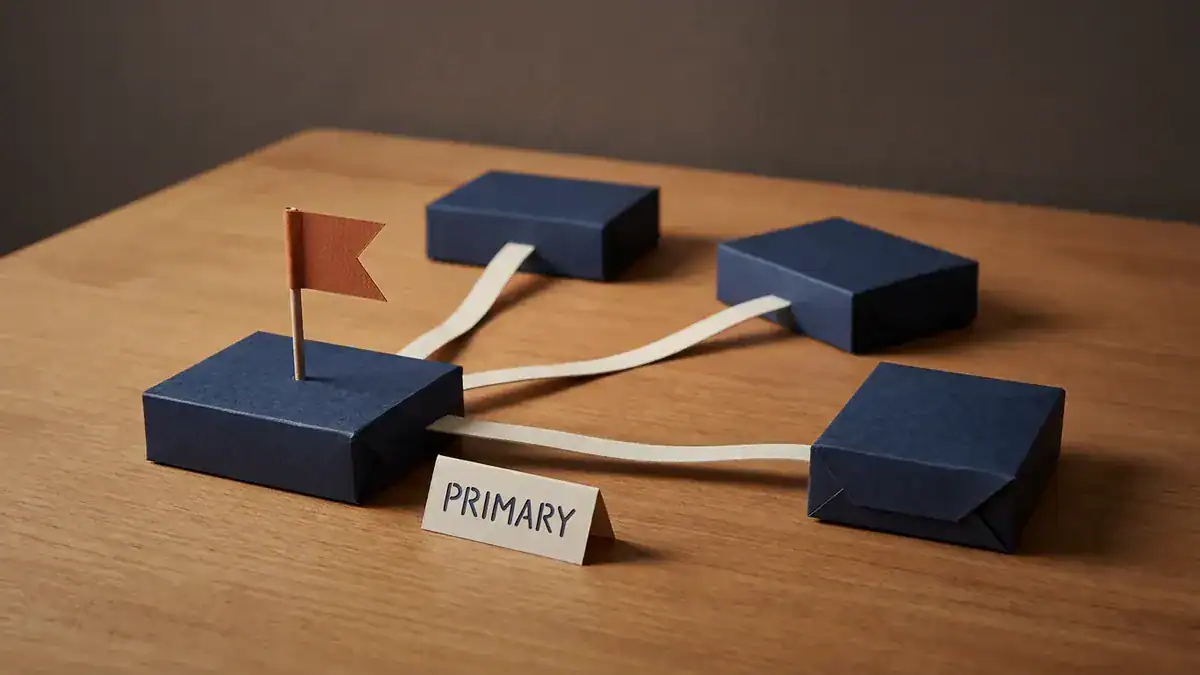
VTP version 3: every server boots as a secondary, and only the one you promote with vtp primary can change VLANs for the domain.
A minimal v3 setup on the switch that will own the VLAN database:
Switch(config)# vtp domain CORP
Switch(config)# vtp version 3
Switch(config)# vtp password <your-password> hidden
Switch(config)# exit
Switch# vtp primary vlan
The other switches get the same domain, version and password, plus vtp mode client. The hidden option saves the secret key generated from your password in vlan.dat.
This is Cisco’s own sample of taking primary status (from the same guide):
Device# vtp primary vlan
Enter VTP password: mypassword
This switch is becoming Primary server for vlan feature in the VTP domain

VTP Database Conf Switch ID      Primary Server Revision System Name
------------ ---- -------------- -------------- -------- --------------------
VLANDB       Yes  00d0.00b8.1400=00d0.00b8.1400 1        stp7

Do you want to continue (y/n) [n]? y
If you ever suspect two switches both think they’re primary, show vtp devices conflict lists them.
Still, ask yourself the honest question. If your VLAN list changes a few times a year, is a protocol that can rewrite it worth the risk, even a safer one? For most networks, no. A config template or an automation job does the same job, and it leaves a change record.
Is VTP on the CCNA or ENCOR exam?
No current Cisco blueprint lists VTP. We checked every relevant PDF on 2026-09-28:
| Exam | Status | What it lists instead |
|---|---|---|
| CCNA 200-301 v1.1 | Live until 2027-02-02 | 2.2 interswitch connectivity: trunk ports, 802.1Q, native VLAN |
| CCNA 200-301 v2.0 | Live from 2027-02-03 | 2.1.b Layer 2 802.1Q trunk interfaces |
| ENCOR 350-401 v1.2 | Current | 3.1.a Troubleshoot static and dynamic 802.1q trunking protocols |
| CCIE Enterprise Infrastructure v1.1 | Current | 1.1.c trunk ports (802.1Q), native VLAN, manual VLAN pruning |
Sources: the Cisco exam topic PDFs for CCNA v1.1, CCNA v2.0, ENCOR v1.2 and CCIE EI v1.1. The version dates are from Cisco’s CCNA refresh announcement. For what else moved in v2.0, see our CCNA v2.0 changes.
Two caveats, just being realistic. Cisco’s blueprints say related topics may still appear, so a VTP distractor in a multiple-choice question isn’t impossible. And the trunking around VTP is very much tested. For ENCOR, “dynamic 802.1q trunking” in practice means DTP, and the DTP table above is exactly the kind of thing you’ll be asked to troubleshoot.
So study VTP to the depth of this article: modes, the revision number, why v3 exists. Put your lab hours into trunks, native VLANs and DTP.
How do you turn VTP off?
On a current Catalyst switch, one line:
Switch(config)# vtp mode offOr, if the switch sits between other switches that still run VTP and you don’t want to break their advertisements:
Switch(config)# vtp mode transparentYour existing VLANs should stay put. Check with show vtp status that the operating mode changed, then show vlan brief to confirm nothing went missing.
So which VTP setting should you pick?
| Your situation | Set this | Why |
|---|---|---|
| Small or medium network, VLANs change rarely | vtp mode off | Nothing can overwrite anything |
| Switch sits between switches still running VTP | vtp mode transparent | Local VLANs, passes their updates through |
| Large all-Cisco campus, frequent VLAN changes, wants central control | VTP v3, one primary, hidden password | Only a deliberate primary can change the domain |
| Mixed vendors | Off, and use a template or automation | VTP is Cisco-only. The IEEE’s equivalent is MVRP, so check your platforms support it |
| Anything on v1 or v2 in server/client mode | Move it | One stray revision number from the worked example |
That’s the real meaning of the title. Leave VTP off unless you’ve got a specific reason, and if you have, run version 3.
Frequently asked questions
Why is VTP not recommended?
Because in versions 1 and 2, any switch with a higher configuration revision number and the same domain name overwrites the VLAN database on every switch in the domain. Ports in deleted VLANs go inactive and management SVIs go down. Most networks don’t change VLANs often enough to justify that risk, so they run transparent or off.
Why is VTP used?
To manage VLANs in one place. You create a VLAN on a VTP server and every switch in the domain learns it over the trunks. On a large campus that saves real time, which is why VTP v3 still has a place.
What is the default VTP mode?
Server, running version 1. A new switch also has no domain name until you set one or it hears an advertisement over a trunk, at which point it adopts that domain.
Is 802.1Q a trunking protocol?
Yes. 802.1Q is the IEEE standard that tags frames with a VLAN ID so one trunk link can carry many VLANs. VTP isn’t a trunking protocol despite its name. It manages the VLAN list. DTP negotiates whether a trunk forms.
Are DTP and VTP on the CCNA?
Neither is named in CCNA v1.1 or v2.0. Both list trunk ports, 802.1Q and the native VLAN. ENCOR 350-401 v1.2 does test dynamic 802.1Q trunking, which is DTP.
What’s the difference between VTP transparent mode and VTP off?
Both keep VLANs local and ignore the domain. Transparent still forwards other switches’ VTP advertisements across its trunks. Off drops them.
Does VTP work on non-Cisco switches?
No. VTP and DTP are both Cisco-only. Other vendors use the IEEE’s MVRP for dynamic VLAN registration, though most networks simply configure VLANs per switch or through automation.
How do I configure VLAN trunking?
Set the port with switchport mode trunk, match the native VLAN on both ends, trim the allowed list with switchport trunk allowed vlan, and add switchport nonegotiate to stop DTP. The full walkthrough, with verification, is in our VLAN guide.
Bottom line
VTP solves a real problem, VLANs being local to each switch, with a mechanism that trusts whichever switch has the biggest number. In versions 1 and 2 that trust is the risk. One reused switch, one trunk, one revision number higher than yours, and 39% of the access ports in the worked example go dark along with SSH to every switch.
So: set vtp mode off or transparent on anything that doesn’t need VTP. If you truly want central VLAN control, run version 3 with a single primary server. And before any used switch touches a trunk, run show vtp status.
Then go and break it on purpose. Build the core, two access switches and a “lab” switch with a higher revision, and watch the VLANs disappear. Our list of free CCNA labs in EVE-NG will get the topology running, and for trunks that don’t fight you, see EtherChannel and LACP.
If you’d rather have the labs ready to boot, the CCNA lab workbook covers VLANs, trunking and VTP with verified solutions, and the CCIE Enterprise workbook picks up manual pruning and the rest of the Layer 2 blueprint. Keep the Cisco commands cheat sheet open while you work, test yourself with the free CCNA practice test PDF.