Your video call just froze. Again.
Here’s the frustrating part. You’ve got three WAN links right there. But your router keeps shoving all traffic down the same MPLS tunnel. It’s like a highway with two empty lanes next to a traffic jam.
That’s the problem application-aware routing solves.
Application-aware routing (AAR) is the SD-WAN feature that watches network conditions in real time. It measures latency, jitter, and packet loss. Then it steers each app’s traffic to the best path. Voice goes over the low-latency link. Bulk backups go over the cheaper broadband. And when a link degrades? Traffic moves before users even notice.
In this guide, you’ll learn how AAR works under the hood: BFD probes, SLA classes, failover, and Enhanced AAR. You’ll also get the exact vManage steps and the CLI commands to prove it’s working, plus how AI-driven analytics changed the game in 2026.
Quick answer: AAR matches each application to a WAN path that meets a service-level agreement (SLA) for latency, jitter, and loss. BFD probes measure every tunnel non-stop. When a path breaks the SLA, traffic reroutes on its own. With default timers, standard AAR averages the last hour of probes, so it can take 10 to 60 minutes to move traffic off a degraded path. Enhanced AAR can react in 10 to 60 seconds in its aggressive mode. On Cisco, you build it in vManage under a centralised policy, and it’s heavily tested on the 300-415 ENSDWI exam.
What Is Application-Aware Routing?
Application-aware routing is an SD-WAN policy that matches app traffic to WAN paths based on real-time metrics. Not static routing costs. Real, measured performance. New to the overlay itself? Read What Is SD-WAN? The Complete Beginner’s Guide first.
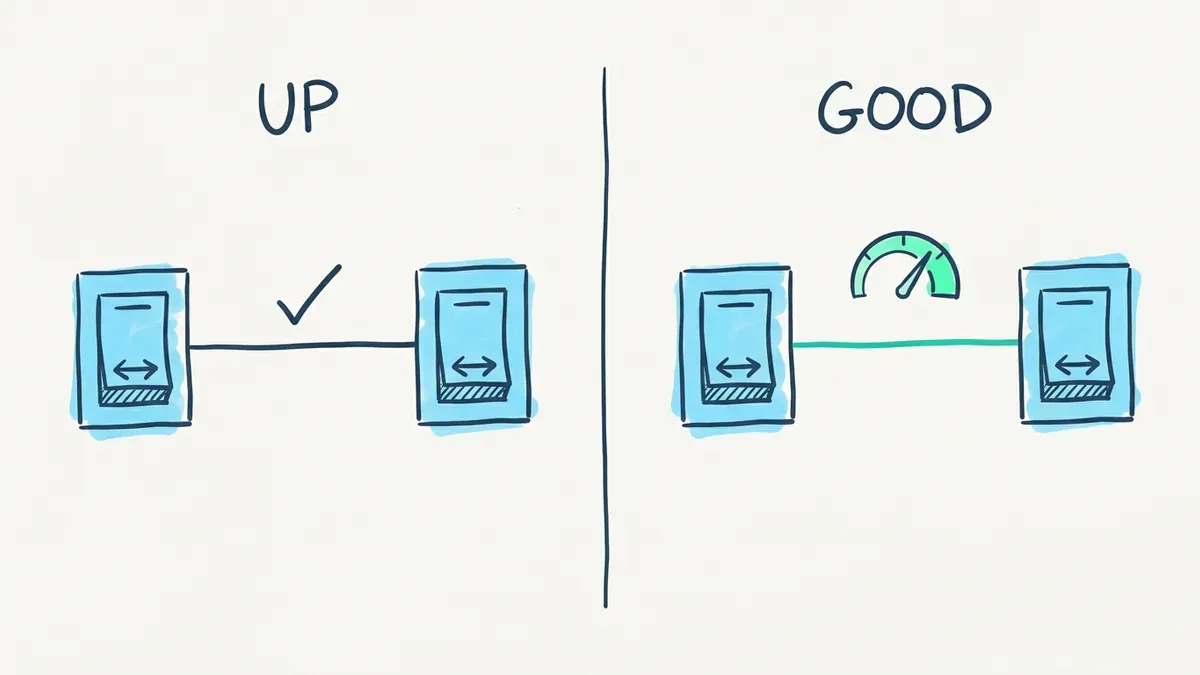
Traditional routing protocols (OSPF, BGP, EIGRP) pick paths based on cost, hop count, or bandwidth. They don’t care if a link has 200ms latency or 5% packet loss. Link is up? Good enough. Traffic keeps flowing through the same congested tunnel regardless of application sensitivity.
AAR flips that model. It measures path quality all the time. Then it makes routing choices based on what each app actually needs. A voice call needs one-way delay under 150 ms for good quality, per ITU-T G.114. Voice design guides usually add a loss target of about 1% and jitter of about 30 ms, but those figures come from QoS guidance, not G.114. A file transfer doesn’t care about latency. But it needs zero packet loss. AAR knows the difference. And it acts on it.
Here’s the short version. Old routing asks “is this path up?” AAR asks “is this path good enough for this specific app?”
One quick naming note. Cisco now calls the platform Catalyst SD-WAN. Older docs and forums still say Viptela or vEdge. Same fabric, same AAR logic. Cisco has also renamed the controllers: SD-WAN Manager (formerly vManage), SD-WAN Controller (formerly vSmart) and SD-WAN Validator (formerly vBond). This guide keeps the old names where you’ll still meet them in menus, CLI output and forums. The 26.x releases (current in 2026) kept the core behaviour and added the AI and Enhanced AAR pieces we’ll cover below.
How Does Application-Aware Routing Work in Cisco SD-WAN?
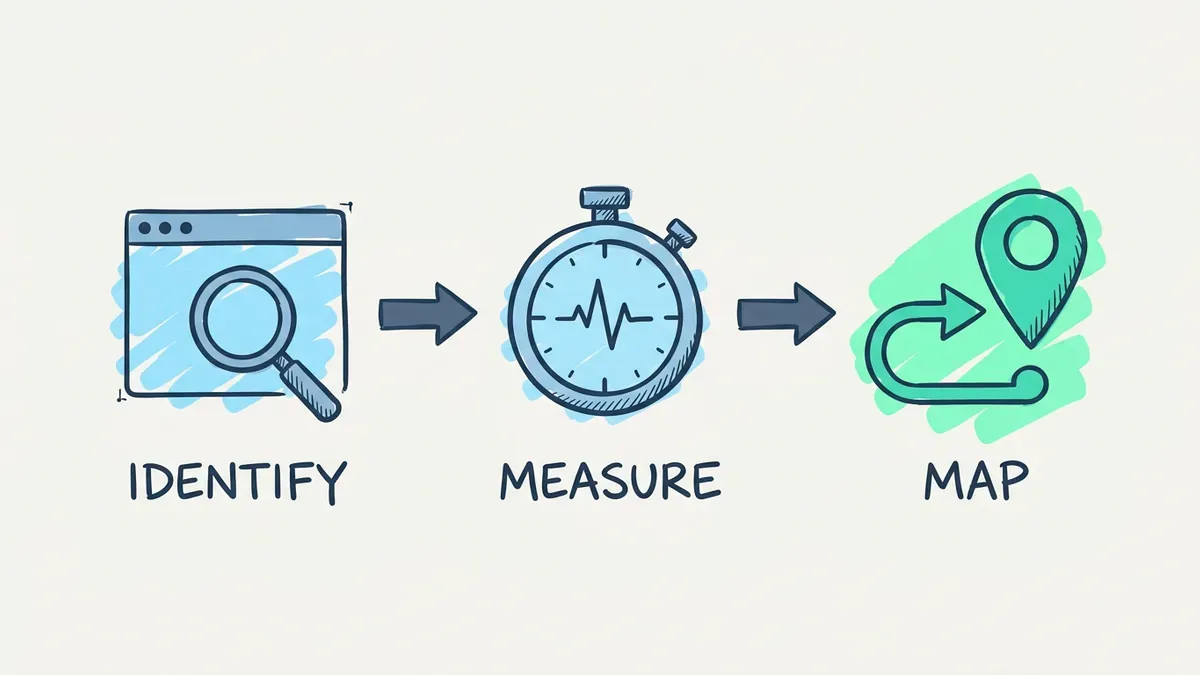
Cisco’s AAR works in three stages: identify, measure, and map. Let’s break each one down.
Stage 1: Identify the Application
First, the SD-WAN fabric needs to know what traffic it’s looking at. Cisco SD-WAN spots apps using deep packet inspection (DPI). It matches traffic against known app signatures.
You can also sort traffic by hand using Layer 3/Layer 4 headers:
- Source and destination IP prefixes
- Source and destination ports
- Protocol (TCP, UDP)
- DSCP markings
Want to target Microsoft Teams traffic? The DPI engine spots it on its own. Or you can match it by its known prefixes and ports. Either way, the system knows what’s running across your network.
Stage 2: Measure Path Quality with BFD Probes
This is where AAR gets smart. Once overlay tunnels come up between WAN edge routers, BFD (Bidirectional Forwarding Detection) sessions kick in on their own. You can’t turn them off. They run on every tunnel, all the time.
Here’s how it works:
| Parameter | Default Value | Purpose |
|---|---|---|
| BFD Hello interval | 1,000 ms (1 second) | How often probes are sent |
| Poll interval (bucket) | 10 minutes | How often averages are calculated |
| Number of buckets | 6 | How many intervals are averaged |
| Probes per bucket | ~600 | Gives statistically reliable data |
| Total averaging window | ~60 minutes | Rolling average across all buckets |
BFD probes run in echo mode. One router sends packets. The other bounces them back without processing. This gives precise measurements for three metrics:
- Latency – delay from end to end, in milliseconds
- Jitter – how much delay varies between packets
- Packet loss – what percentage of packets never arrive
Every 10 minutes (by default), the system calculates fresh averages across all active buckets. Rolling averages smooth out brief spikes. But they still catch real trends when a path degrades.
Stage 3: Map Traffic to the Best Path
Here’s where it all comes together. You set up SLA classes with max limits for latency, jitter, and loss. Then you build an app-route policy that ties each app to the right SLA class.
Say you create an SLA class called “Voice-SLA” with these limits:
- Maximum latency: 150 ms
- Maximum jitter: 30 ms
- Maximum loss: 1%
Your AAR policy says: “Match all voice traffic. Use any tunnel that meets Voice-SLA. Prefer MPLS first, then LTE, then broadband.”
Every 10 minutes, the system checks each tunnel against your SLA limits. MPLS tunnel has 180ms latency? It fails the Voice-SLA check. Traffic shifts to the next tunnel that still passes, say LTE.
No manual work. No ticket. No angry call from the CTO.
What Happens During a Brownout? The Failover Process
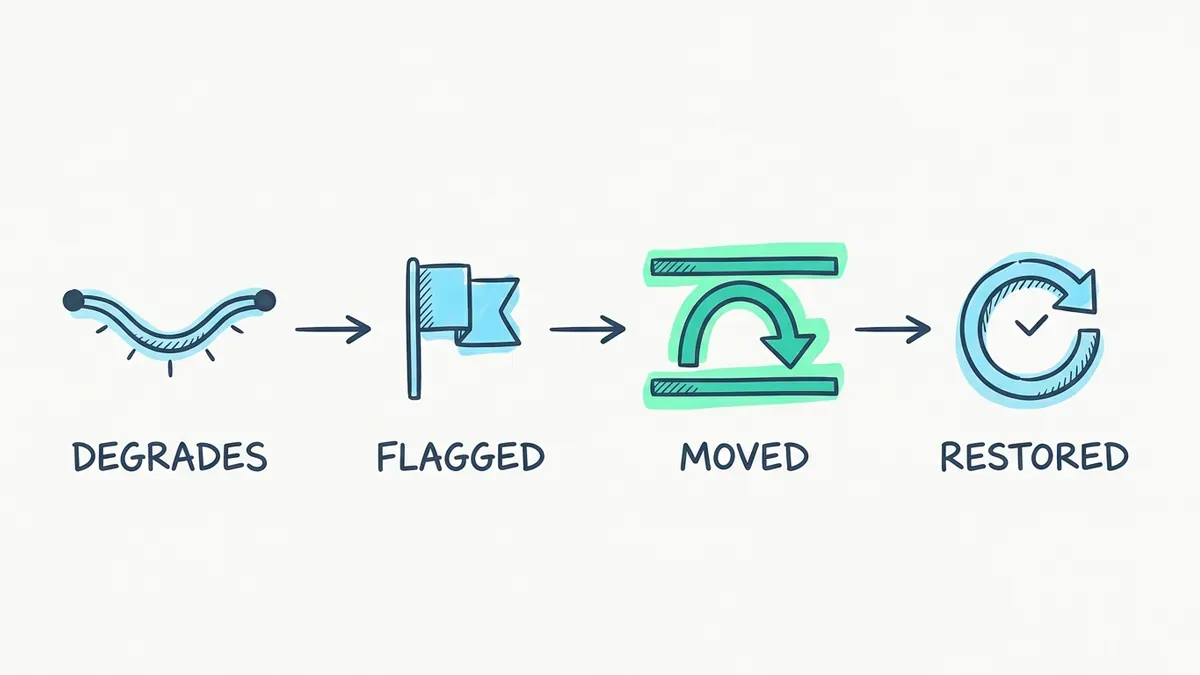
Blackouts are easy. Link goes down. BFD catches it in seconds. Traffic reroutes. Done.
Brownouts are the tricky part. The link is technically up, but it’s slow. Maybe latency jumped from 30ms to 200ms. Old routing doesn’t even notice.
Here’s how AAR handles it:
- BFD probes catch the drop – the rolling average shows latency past the SLA limit
- SLA violation logged – the tunnel gets flagged as non-compliant
- Traffic redirected – AAR moves that app’s traffic to the next tunnel that still meets the SLA
- Ongoing checks – BFD keeps testing the bad tunnel
- Auto recovery – when the tunnel gets better and passes SLA again, traffic can shift back
One key detail: with default settings the system averages six 10-minute buckets, so how long it takes depends on how bad the path gets. In Network Academy’s worked example, latency jumping from 20 ms to 200 ms against a 100 ms limit took about 30 minutes to push the average over the limit. A smaller degradation can take longer, up to the full hour. Bad data takes time to outweigh the good.
Too slow for you? You can tune it. But be careful. Faster settings mean more path changes. And that can cause its own issues.
What Is Enhanced Application-Aware Routing?
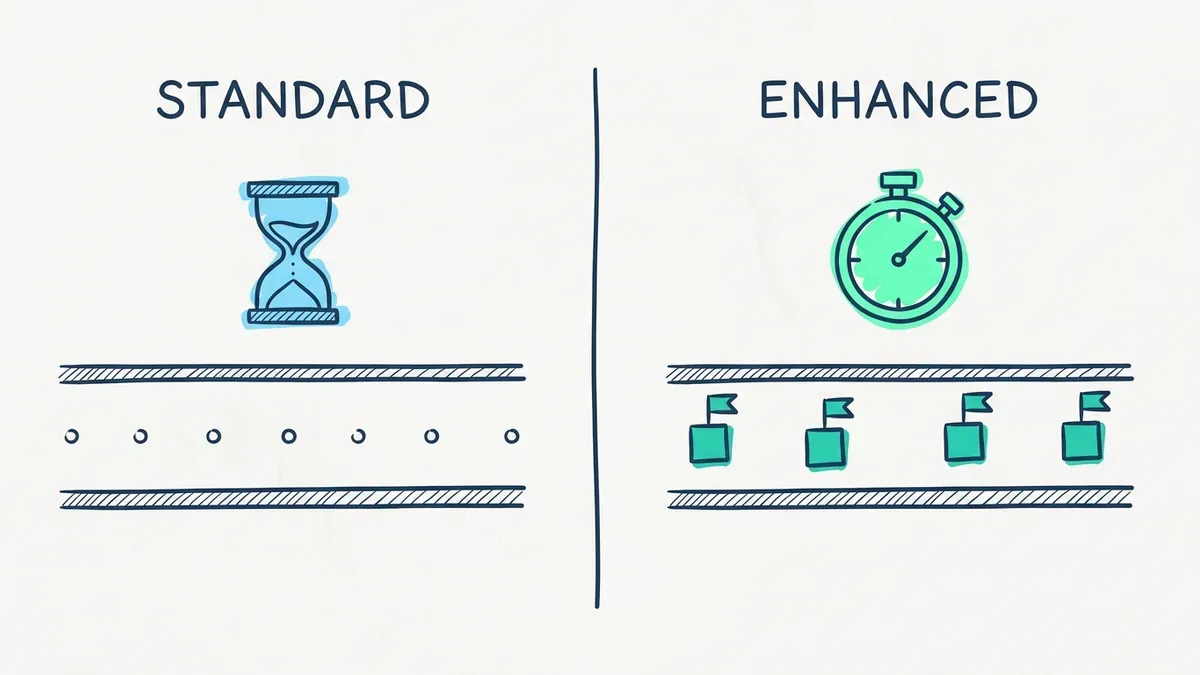
Standard AAR works well for most cases. But up to an hour to spot a brownout? For voice and video, that’s too long.
Enhanced AAR was built to fix this. It catches tunnel issues faster, so traffic can reroute in tens of seconds instead of tens of minutes.
Key differences:
| Feature | Standard AAR | Enhanced AAR |
|---|---|---|
| Detection speed | 10 to 60 minutes at default timers | 10 to 60 seconds in aggressive mode |
| Measurement | BFD probes, averaged per tunnel | Inline data on live packets, BFD as a fallback |
| Failover trigger | Averaged SLA violation | Real-time threshold breach |
| Best for | General traffic | Latency-sensitive apps (voice, video) |
Standard AAR measures with BFD probes. Enhanced AAR (EAAR, introduced in release 20.12) adds metadata to the data packets your apps already send: 12 extra bytes per packet, so the tunnel MTU shrinks a little. It samples latency every 100 ms and measures loss on the packets themselves, and the receiver reports the result back to the sender through BFD. If a tunnel carries no live traffic, or the other end doesn’t support EAAR, the router falls back to the BFD measurements.
EAAR is off by default. It also adds a dampening setting that keeps a path which just left its SLA from carrying traffic again until it has stayed inside the SLA for a full window. In the aggressive mode that window is 20 minutes, which stops traffic bouncing between transports when a link is borderline.
Running hundreds of remote offices? Enhanced AAR is what keeps your Webex calls from sounding like a submarine radio.
How to Configure an Application-Aware Routing Policy
You do all of this through vManage, Cisco’s central dashboard. Here’s the process step by step.
Step 1: Define Your SLA Classes
Create SLA classes based on what your apps need. Common setups:
| SLA Class | Max Latency | Max Jitter | Max Loss | Use Case |
|---|---|---|---|---|
| Voice-SLA | 150 ms | 30 ms | 1% | VoIP, UC |
| Video-SLA | 200 ms | 50 ms | 2% | Video conferencing |
| Business-Critical | 300 ms | 100 ms | 3% | ERP, CRM, databases |
Traffic that matches no app-route sequence isn’t governed by an SLA class. By default it’s load-balanced across all your transports. A policy can hold up to six SLA classes (four before release 17.3.1a).
Step 2: Create the App-Route Policy
In vManage, go to Configuration > Policies > Centralized Policy. Build an app-route policy that:
- Matches traffic by app (DPI) or DSCP/prefix
- Assigns an SLA class
- Sets transport order (MPLS first, then LTE, then broadband)
- Defines what happens if no path meets the SLA
What Happens When No Path Meets the SLA?
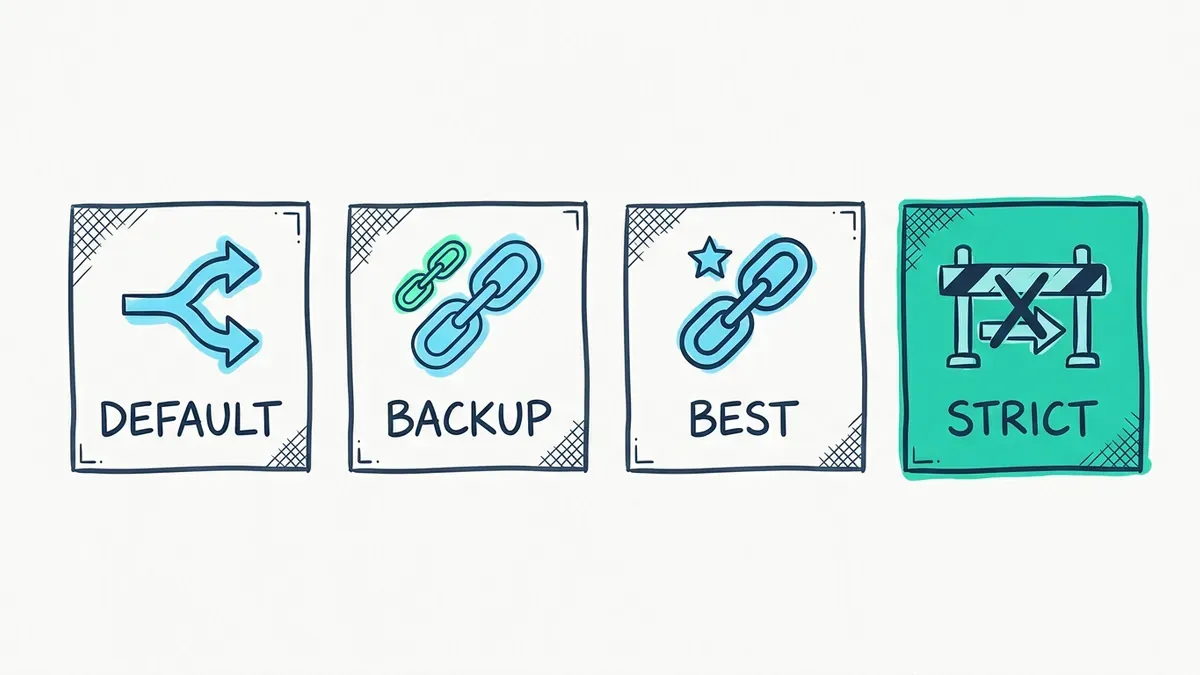
You choose the fallback in the policy. Cisco’s policies guide lists four behaviours:
- Default (no strict): traffic keeps flowing, load-balanced across the equal-cost paths.
- Backup SLA preferred colour: traffic goes to the colours you list.
- Fallback to best path: a flag on the SLA class that makes the router pick the best tunnel it has.
- Strict: traffic is dropped.
Step 3: Apply the Policy
Attach the policy to the right site lists in vManage. It pushes out to all WAN edge routers in those sites on its own.
Step 4: Verify and Monitor
Go to Monitor > Network > Application-Aware Routing in vManage. Check these:
- Tunnel metrics right now
- SLA status per tunnel
- Past trends and violations
- Which path each app is using
How to Verify AAR Is Actually Working (CLI)
The GUI is fine for a quick look. But when a policy doesn’t behave, the CLI tells the truth faster. These are the commands worth reaching for first on a WAN edge router (IOS XE Catalyst SD-WAN):
show sdwan bfd sessions– confirms tunnels are up and BFD is running on each transportshow sdwan app-route stats– shows measured latency, jitter, and loss per tunnel, plus which SLA classes each path currently passesshow sdwan policy from-vsmart– proves the centralised policy actually reached this router from vSmartshow sdwan omp routes– checks the overlay routes and preferences the policy is acting on
Read them in that order. If BFD sessions aren’t up, nothing else matters. If the stats look healthy but traffic still takes the wrong path, the policy probably didn’t push from vSmart. That single check saves hours.
Want the numbers behind the mechanism? show sdwan app-route stats prints the per-bucket loss and latency. Line those up against your SLA class limits and you can see exactly why a path was marked non-compliant.
Common AAR Configuration Mistakes
A working lab config can still fail in production. Here are the traps worth knowing before you touch a live network:
Timers too aggressive. Shrinking the poll interval feels smart until traffic flaps every few minutes. Enhanced AAR’s dampening exists for a reason. Use it instead of hand-tuning standard timers to extremes.
Dropped traffic with no warning. The strict option drops an app’s traffic when no tunnel meets its SLA. Use it only for traffic you’d rather lose than send over a bad path, and give everything else a backup.
SLA limits copied from a blog. The 150ms voice target is a guideline, not gospel. Measure your own baseline first, then set limits with real headroom.
Forgetting DPI needs first-packet learning. DPI can take a few packets to classify a new flow. For traffic you must pin from the very first packet, match on prefixes and ports too.
Why Isn’t My AAR Policy Working?
Start with the order of operations. For traffic going from the service side to the WAN, Cisco’s policies guide lists this order: the input access list on the LAN side, then application-aware routing, then centralized data policy, then the output access list on the WAN side.
That order has a catch. Data policy actions such as redirect DNS, next hop, SIG, NAT VPN or service make matching traffic skip the AAR policy. If a data policy matches the same traffic, AAR never sees it.
Then check three things, in this order:
show sdwan policy from-vsmart: did the policy reach this router?show sdwan app-route stats: do the measured numbers show the path failing its SLA?- The site list: is this site in the list the policy is attached to? This is the most common “it’s not working” ticket.
Application-Aware Routing vs QoS: What’s the Difference?
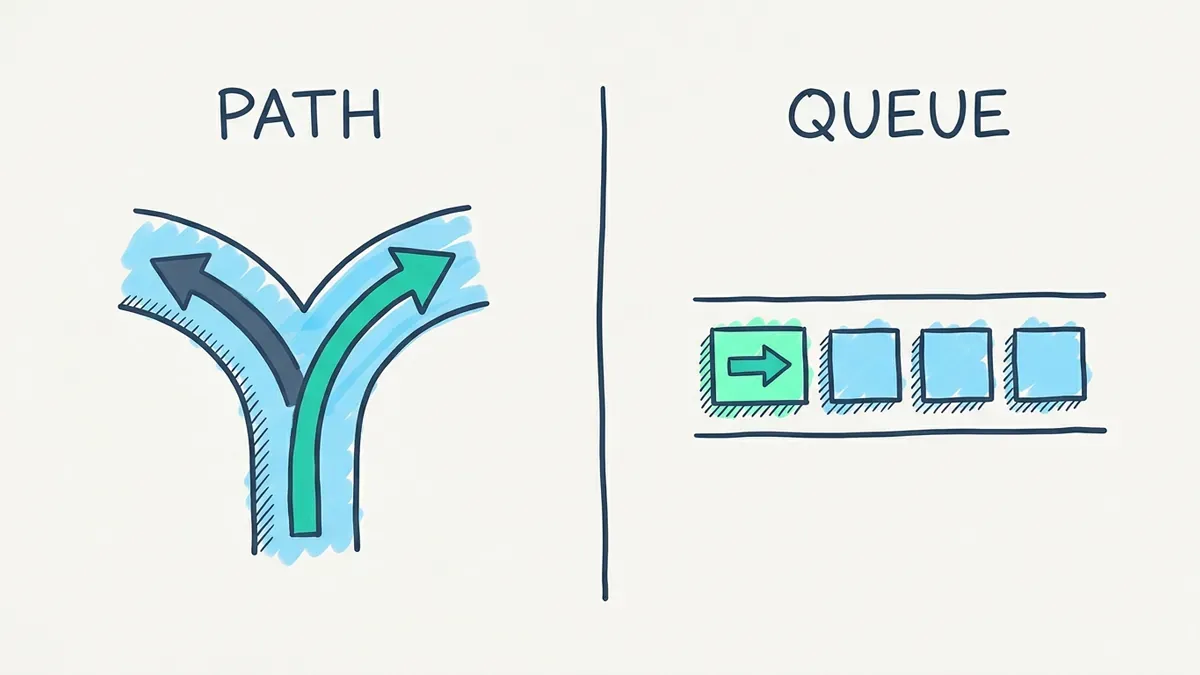
Engineers sometimes mix up AAR with QoS. They’re related. But different.
QoS controls traffic priority within a single link. It picks which packets go first when there’s congestion. QoS uses queuing, shaping, policing, and marking.
AAR picks which link to use in the first place. It chooses the best path across your WAN transports based on real-time data.
Think of it this way. QoS is the traffic cop at one intersection. AAR is the GPS that picks the best road for your trip.
In a good SD-WAN setup, you use both. AAR picks the path. QoS handles priority on that path. They work together.
Both AAR and QoS are tested on the 300-415 ENSDWI exam. They fall under the Policies domain (20%) and Security/QoS domain (15%).
Real-World Use Cases for Application-Aware Routing
AAR isn’t just exam material. Here’s how enterprises use it in production.
Healthcare: Protecting Telehealth Sessions
Picture a hospital network that runs telehealth video across MPLS and broadband. AAR routes video over MPLS when it meets latency limits. If MPLS degrades at peak hours, video shifts to broadband, but only if that link passes the Video-SLA check. EHR traffic gets its own SLA class with tighter loss limits.
Finance: Securing Trading Floor Communications
A trading firm could set tight SLA limits for market data traffic and turn on Enhanced AAR, so a jitter spike on the primary link moves that traffic within a minute instead of an hour.
What’s New for Application-Aware Routing in 2026?
SD-WAN is still growing fast. One forecast puts the SD-WAN market at about $9.5B in 2026 and $44B by 2033. Source: Persistence Market Research SD-WAN forecast, 2026 Here’s what’s pushing AAR forward this year.
Predictive Path Recommendation. Cisco’s Predictive Path Recommendation (PPR), built on ThousandEyes WAN Insights, studies path performance for the application lists you pick and suggests better paths when performance falls below its history or the SLA. You see it in the Predictive Networks tab of SD-WAN Manager. The 300-415 blueprint now lists it under application-aware routing.
How to Build Your SD-WAN Skills in 2026
AAR is one of the most tested topics on the Cisco 300-415 ENSDWI exam. That exam counts as a CCNP Enterprise concentration. The Policies domain alone is 20% of the test. Cisco’s 300-415 v1.2 blueprint (July 2025) is a 90-minute exam. Its Policies domain includes 4.4, application-aware routing with AI-driven Predictive Path Recommendation.
Here’s a study path that works:
- Start with the basics. You need solid CCNA-level skills, routing (OSPF, BGP), IPsec and WAN design. Then learn the SD-WAN pieces: SD-WAN Controller (formerly vSmart), SD-WAN Manager (formerly vManage), SD-WAN Validator (formerly vBond) and the WAN edge routers.
- Get hands-on with AAR. Set up SLA classes, build app-route policies, and test failover in a lab.
- Study Enhanced AAR. Know the gaps between standard and enhanced, and when to use each.
- Drill the verification commands. The CLI checks above come up in troubleshooting questions and on the CCIE lab.
Prepping for the CCIE Enterprise Infrastructure lab too? SD-WAN policies are part of that track as well, so the same policy skills carry over.
What is application-aware routing in SD-WAN?
AAR is an SD-WAN policy that routes traffic based on real-time path metrics. Not static routing costs. It uses BFD probes to measure latency, jitter, and packet loss on each WAN tunnel. Then it sends app traffic down the path that meets its SLA. If a path gets worse, AAR moves traffic to a better one. No manual work needed.
What are SLA classes in application-aware routing?
SLA classes set max limits for latency, jitter, and packet loss per app group. You build them in vManage and tie them to traffic types through an app-route policy. A voice SLA class might cap latency at 150ms, jitter at 30ms, and loss at 1%. Any tunnel past those limits fails the check. It stops getting that app’s traffic until it gets better.
Can application-aware routing work with multiple ISPs?
Yes. AAR is built for mixed transports. It works across MPLS, broadband, LTE/5G, and satellite at the same time. Each link is measured on its own. Traffic goes to whichever path meets the SLA for that app. This is one of the biggest wins of SD-WAN over old WAN setups. You get smart failover across totally different link types.
What is Enhanced Application-Aware Routing?
Enhanced AAR is a faster version of standard AAR. It was introduced in release 20.12 and is off by default. It measures loss and latency on the live packets your apps already send, with BFD carrying the results, so it can react in 10 to 60 seconds in its aggressive mode instead of 10 to 60 minutes. It’s built for real-time workloads like voice and video calls.
Which Cisco exam covers application-aware routing?
The 300-415 ENSDWI (Implementing Cisco SD-WAN Solutions) exam tests AAR in depth. AAR falls under the Policies domain (20%) and the Security/QoS domain (15%). Pass this exam plus the ENCOR 350-401 core, and you earn the CCNP Enterprise cert. AAR also shows up on the CCIE Enterprise Infrastructure lab exam.
Is application-aware routing the same as policy-based routing?
No. Policy-based routing matches traffic and sends it to a next hop you chose. AAR matches traffic too, but only sends it over paths that currently meet the SLA, and it moves traffic when they stop meeting it.
What is vManage now called?
SD-WAN Manager. Cisco’s 300-415 exam blueprint (v1.2, July 2025) writes “SD-WAN Manager (formerly vManage)”, and the controller and validator got the same treatment: vSmart is now the SD-WAN Controller and vBond the SD-WAN Validator.
Bottom Line
AAR is what makes SD-WAN smart. Without it, you’ve got an overlay with fancy tunnels. With it, you’ve got a WAN that watches performance and picks the best path for every app. Big difference.
The tech keeps moving. Faster failover with Enhanced AAR and AI-assisted recommendations are pushing AAR from a “set and forget” policy toward one that tunes itself.
Whether you run a multi-site network or you’re studying for the Cisco SD-WAN cert, AAR is must-know material. It’s the feature that turns raw WAN links into a real app delivery platform.
Put it into practice
- CCNA Workbook – the routing, IPsec and WAN fundamentals AAR builds on.
- CCIE Enterprise Infrastructure Workbook – covers SD-WAN fabric deployment and policies.
Related reading on SMEnode Labs
- Expedited Forwarding (EF) Explained: The DSCP 46 Guide – the QoS side of the AAR vs QoS question.
- DMVPN Explained: Hub-and-Spoke VPN Phases 1, 2 and 3 – the other overlay option, before SD-WAN.