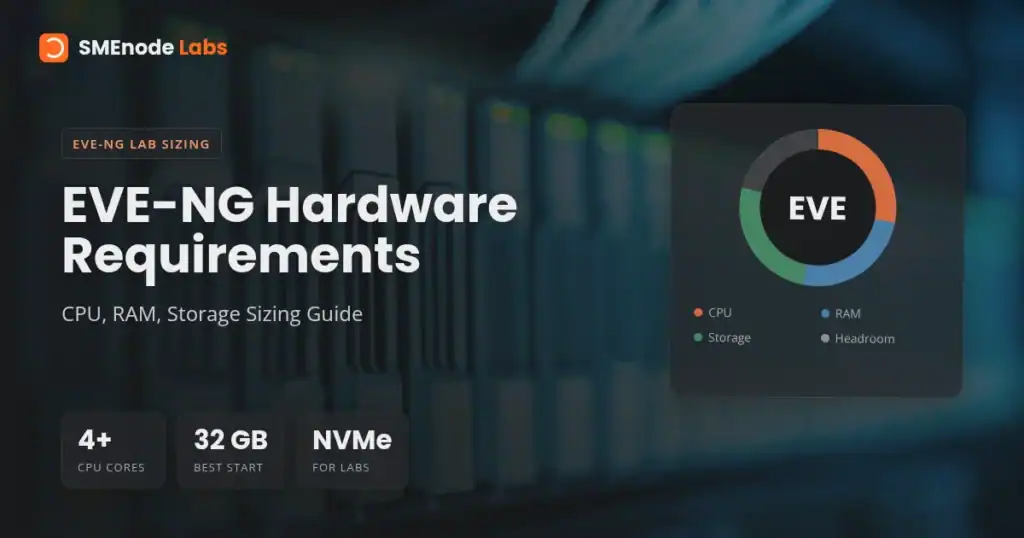
Quick answer: for EVE-NG, start with 4 CPU cores, 8 GB RAM, and 60 GB SSD for tiny CCNA labs. Use 8 to 16 CPU cores, 32 GB RAM, and 250 GB SSD or NVMe for serious CCNA, CCNP, Fortinet, and multi-vendor labs. For CCIE-style labs, plan for 16+ cores, 64 to 128 GB RAM, and 500 GB to 1 TB NVMe.
That’s the short version.
The real answer depends on the nodes you run. Two IOSv routers are easy. A topology with Nexus 9000v, CSR1000v, FortiGate, ISE, Windows Server, and Linux clients is a different machine entirely.
For the bigger picture on what a home lab actually is and what it costs by certification track, our complete home lab guide is a good place to start
This guide gives you practical EVE-NG hardware requirements by lab size, not just a generic minimum spec. You’ll see how to size CPU, RAM, and storage for certification labs, home labs, and heavier network emulation.
EVE-NG Hardware Requirements at a Glance
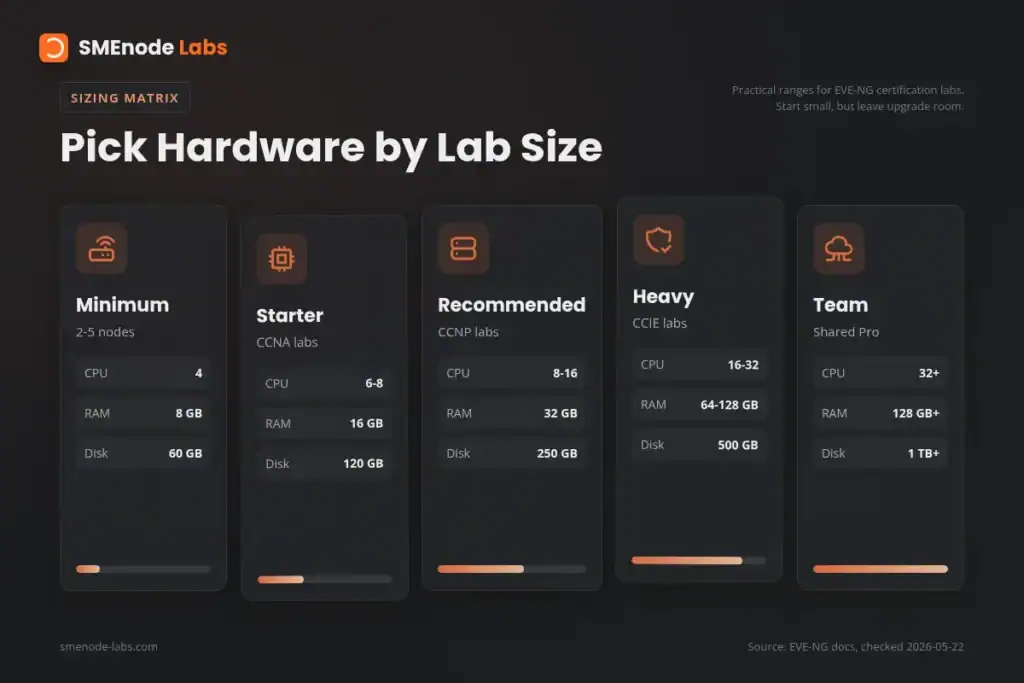
Use this table first. Then tune up or down based on your lab.
| Lab type | Best for | CPU | RAM | Storage |
|---|---|---|---|---|
| Minimum | 2 to 5 light nodes | 4 cores | 8 GB | 60 GB SSD |
| Better starter | CCNA, small routing labs | 6 to 8 cores | 16 GB | 120 GB SSD |
| Recommended | CCNP, FortiGate, mixed vendor labs | 8 to 16 cores | 32 GB | 250 GB SSD or NVMe |
| Heavy | CCIE Enterprise, CCIE Security, data centre | 16 to 32 cores | 64 to 128 GB | 500 GB to 1 TB NVMe |
| Team lab | Training room, shared Pro server | 32+ cores | 128 GB+ | 1 TB+ NVMe or fast local RAID |
The official EVE-NG hardware page lists the base platform support: Intel VT-x/EPT or nested AMD CPU EPT, local disk, Ubuntu Jammy 22.04 64-bit, Proxmox, VMware ESXi 6.7 or later, VMware Workstation 16.0 or later, VMware Fusion 8 or later, VMware Player 16.0 or later, and Google Cloud Platform VM support. You can verify the current list on the EVE-NG supported hardware page.
Here’s the thing. Official requirements tell you what EVE-NG can boot on. They don’t tell you what feels good when 14 routers start at the same time.
Big difference.
What Is the Minimum Hardware for EVE-NG?
The minimum hardware for EVE-NG is 4 CPU cores, 8 GB RAM, and 60 GB SSD storage if you’re running a small lab. That setup is fine for a few lightweight Cisco IOL or IOSv nodes, basic switching, and short CCNA practice sessions.
Use this minimum only if your lab is simple:
- 2 to 4 routers
- 1 or 2 switches
- VPCS endpoints
- No firewall VMs
- No Windows Server
- No SD-WAN controllers
- No ISE, DNA Center, or Nexus images
If you’re working through early CCNA topics like static routes, OSPF single area, VLANs, trunks, NAT, and ACLs, 8 GB can work. Our CCNA Workbook with EVE-NG and Packet Tracer labs is designed so beginner labs can start small, then scale as you add more realistic topologies.
But don’t confuse “boots” with “good to study on.”
An 8 GB host leaves very little headroom once the host OS, VMware, browser, PDF reader, and EVE-NG VM are all open. If your laptop has 8 GB total RAM, EVE-NG will be tight. If the EVE-NG VM alone gets 8 GB and your laptop has 16 GB or more, you’re in a better place.
Recommended EVE-NG System Requirements for Real Labs
For most learners, the best EVE-NG system requirements are 8 to 16 CPU cores, 32 GB RAM, and 250 GB SSD or NVMe storage. This covers most CCNA, CCNP, FortiGate, MikroTik, Juniper, and mixed network labs without constant waiting.
That spec gives you enough room for:
- 10 to 20 light network nodes
- Several Cisco IOSv or IOL routers
- A few virtual switches
- One or two firewall VMs
- Linux test clients
- Packet captures
- Lab snapshots and exported topology files
This is the sweet spot for a serious home lab.
If you’re installing EVE-NG inside VMware Workstation, read our How to Install EVE-NG on VMware Workstation guide after sizing the hardware. The VMware nested virtualization checkbox matters as much as the CPU model.
CPU Requirements: Cores Beat Clock Speed, Until They Don’t
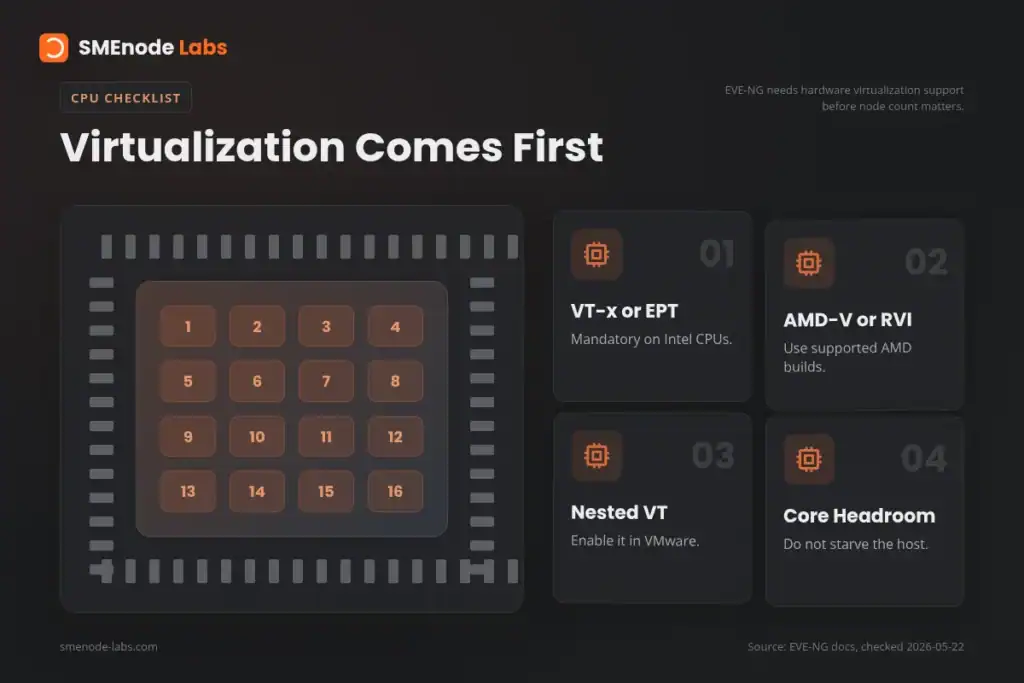
For EVE-NG CPU sizing, look at three things:
- Core count
- Virtualization support
- Single-core performance
You need hardware virtualization support. On Intel, that means VT-x/EPT. On AMD, that means AMD-V/RVI or nested AMD CPU EPT in the supported setup. EVE-NG names virtualization support as a mandatory requirement in its supported hardware docs.
For lab sizing, use this rough CPU guide:
| Lab profile | CPU target | Notes |
|---|---|---|
| Tiny CCNA | 4 cores | Fine for a few light nodes |
| Comfortable CCNA | 6 to 8 cores | Better for VMware Workstation users |
| CCNP Enterprise | 8 to 12 cores | Good for routing, switching, and automation labs |
| FortiGate or security | 8 to 16 cores | Firewalls need more CPU during boot and inspection |
| CCIE Enterprise | 16+ cores | Large topologies need room |
| Shared lab server | 24 to 32+ cores | Depends on active students and nodes |
Most people overfocus on CPU and underbuy RAM. Don’t do that.
EVE-NG can oversubscribe CPU better than RAM. A lab with 12 routers won’t always use all vCPUs at 100 percent. But if the RAM is gone, the host swaps to disk and the whole lab crawls.
For laptops, a modern i7, i9, Ryzen 7, or Ryzen 9 is a strong start. For used servers, Xeon and EPYC systems work well, especially if you can add ECC RAM cheaply. The official EVE-NG page notes that AMD Ryzen 3900 and newer AMD EPYC should work, while older AMD series may have issues.
RAM Requirements: The Real Bottleneck
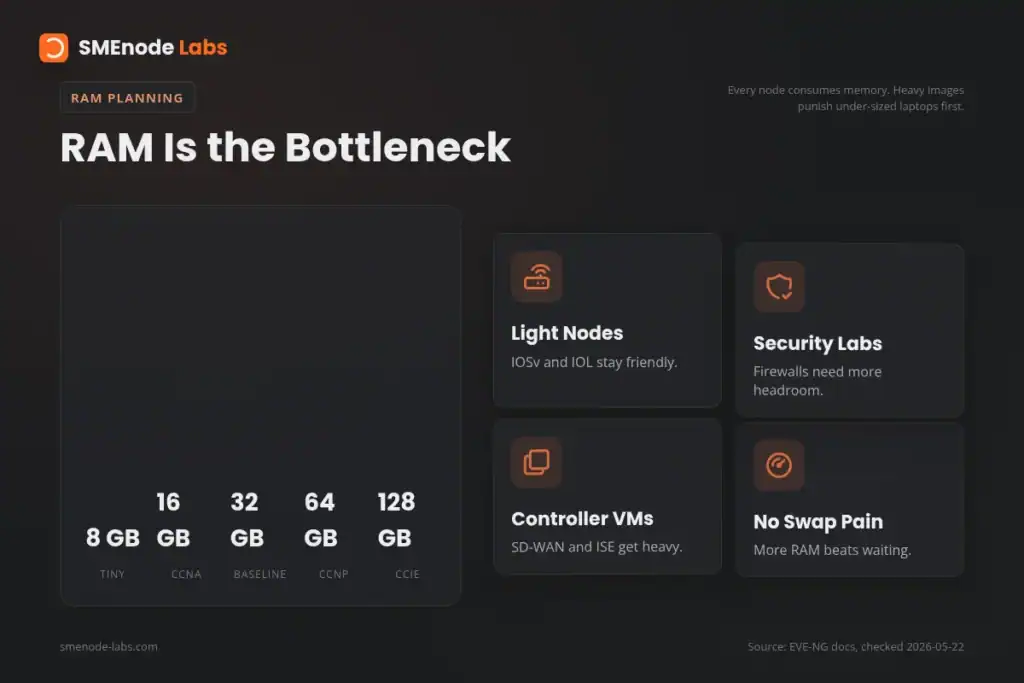
RAM is the part that decides how many nodes you can actually run.
Use this as a practical EVE-NG RAM guide:
| RAM | What you can expect |
|---|---|
| 8 GB | Tiny labs only |
| 16 GB | Good CCNA starter setup |
| 32 GB | Best baseline for serious self-study |
| 64 GB | CCNP, security, and smaller CCIE-style labs |
| 128 GB | Large CCIE, SD-WAN, data centre, and multi-user labs |
Why does RAM matter so much? Every vendor image has its own memory profile. Lightweight IOL nodes are easy. Firewall, Nexus, SD-WAN, ISE, Windows, and management appliance images are not.
Say you’re building a CCIE Enterprise topology with routers, switches, SD-WAN controllers, Linux endpoints, and monitoring. The EVE-NG GUI may look simple, but under the hood you are running many full virtual machines.
That’s where laptops hit the wall.
For expert-level Cisco practice, don’t build around the lowest number you can tolerate. Build around the lab you want to run three months from now. The CCIE Enterprise Workbook includes large EVE-NG topology work, so 64 GB is a more realistic floor than 16 GB.
For security labs, the same logic applies. Firewalls, ISE-style identity flows, VPNs, endpoint images, and logging tools eat memory quickly. If you’re using the CCIE Security Workbook or the FortiGate NSE4 Workbook, 32 GB works for smaller labs, but 64 GB feels much better.
Storage Requirements: Use SSD, Prefer NVMe
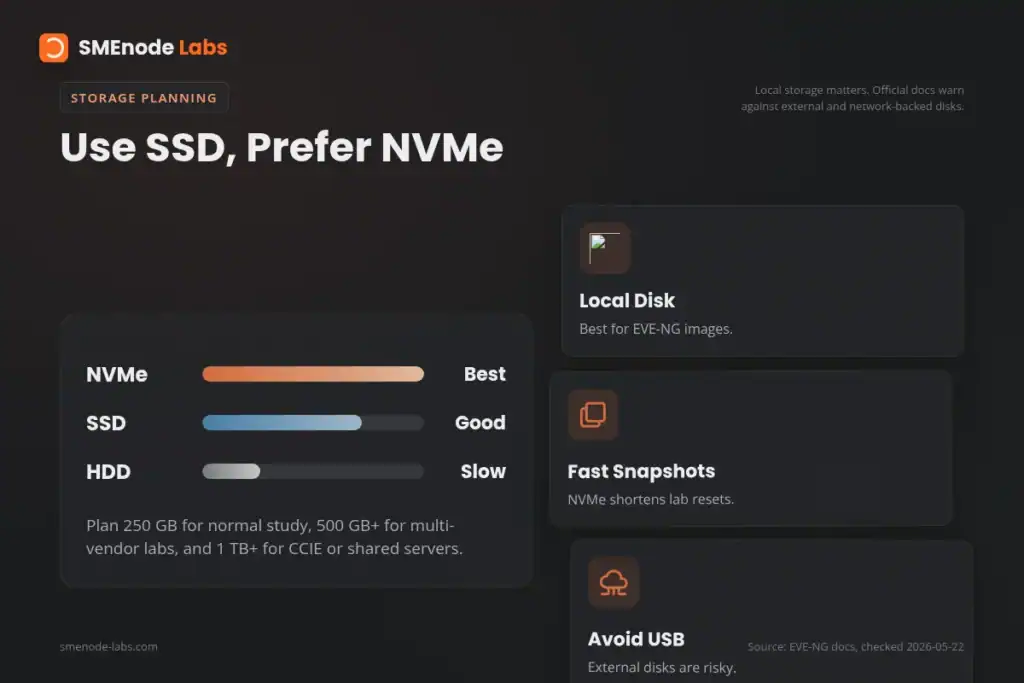
EVE-NG can run on SSD or HDD, but you should use SSD. For larger labs, use NVMe.
The official supported hardware page allows single local disks or same size, same speed disks in RAID or LVM. The EVE-NG not-supported page warns against NAS, SAN, DAS, cloud storage folders, external USB drives, microSD cards, and uneven disk setups for EVE storage. That matters because network images boot from disk and write state constantly.
Use this storage sizing guide:
| Storage | Best fit |
|---|---|
| 60 GB | Minimal install and tiny labs |
| 120 GB | CCNA plus a small image set |
| 250 GB | Good self-study baseline |
| 500 GB | Multi-vendor labs and snapshots |
| 1 TB+ | CCIE, security, data centre, and shared servers |
Storage fills up faster than beginners expect.
You need room for:
- EVE-NG ISO and install
- QEMU images
- IOL images
- Docker images in Pro setups
- Lab exports
- Snapshots or VM backups
- Packet captures
- Temporary files
If you plan to test Cisco, Fortinet, Juniper, MikroTik, Linux, and Windows in one lab server, start at 500 GB. If you’re building a shared lab server, 1 TB NVMe is not excessive.
Laptop vs Desktop vs Server: Which Should You Use?
Use a laptop if you’re studying CCNA, light CCNP, or small security labs. Use a desktop if you want better cooling, more RAM slots, and cheaper upgrades. Use a dedicated server if you’re building CCIE or team labs.
Here’s the quick comparison:
| Host type | Best for | Watch out for |
|---|---|---|
| Laptop | CCNA, travel, small demos | RAM ceiling, heat, fan noise |
| Desktop | Serious home lab | Needs space and upgrade planning |
| Used workstation | 64 to 128 GB lab builds | Power draw and noise |
| Rack server | CCIE and team labs | Heat, noise, electricity |
| Cloud VM | Temporary labs | Nested virtualization support and cost |
Honestly, a desktop with 64 GB RAM is often the best home-lab value. You get better cooling than a laptop and less noise than a rack server.
VMware, Proxmox, ESXi, and Bare Metal
EVE-NG can run on bare metal or as a VM. Your choice changes how you size the machine.
VMware Workstation
VMware Workstation is the easiest path for many learners. Broadcom states that VMware Workstation Pro 17.5.2 and newer is free for personal, commercial, and educational users, with no free-version licence key required. You can confirm details on Broadcom’s VMware Desktop Hypervisor download and licence page.
For VMware Workstation, don’t give every CPU core to EVE-NG. Leave enough for Windows or Linux on the host.
Good starter split:
- Host laptop: 16 GB RAM total
- EVE-NG VM: 8 GB RAM
- CPU assigned to EVE-NG: 4 cores
- Disk: 80 to 120 GB SSD
Better split:
- Host desktop: 32 GB RAM total
- EVE-NG VM: 20 to 24 GB RAM
- CPU assigned to EVE-NG: 8 cores
- Disk: 250 GB SSD or NVMe
Proxmox or ESXi
Proxmox and ESXi are better if EVE-NG will live on a dedicated box. You can allocate local NVMe storage, pass through virtualization cleanly, and keep your daily laptop separate from lab load.
For a dedicated Proxmox or ESXi host, start at 32 GB RAM. Move to 64 GB if you run more than one heavy topology.
Bare Metal
Bare metal gives EVE-NG the whole machine. No host OS overhead. No nested virtualization layer.
It is a good fit for a dedicated lab server, but it is less flexible. You won’t be using the same box as your daily workstation.
How to Calculate EVE-NG Resources for Your Lab
Use this simple method:
- List every node in the topology.
- Write down expected RAM per node.
- Add a 20 to 30 percent buffer.
- Add 4 to 8 GB for EVE-NG and system overhead.
- Check CPU only after RAM looks reasonable.
- Add storage for images, snapshots, and future labs.
The EVE-NG download page also links an official resource calculator spreadsheet. EVE-NG notes that resources add together when you run multiple labs at the same time. You can find it on the official EVE-NG download page.
Quick example:
| Node type | Count | RAM each | Total RAM |
|---|---|---|---|
| IOSv router | 6 | 512 MB | 3 GB |
| IOSvL2 switch | 4 | 768 MB | 3 GB |
| Linux host | 2 | 512 MB | 1 GB |
| FortiGate VM | 1 | 2 GB | 2 GB |
| EVE-NG overhead | 1 | 4 GB | 4 GB |
| Buffer | 1 | 4 GB | 4 GB |
| Total | 17 GB |
In that case, a 32 GB host is sensible. A 16 GB host is possible, but tight.
Common Hardware Mistakes
Most EVE-NG performance problems come from five choices:
- Buying 8 GB RAM and expecting CCNP or CCIE labs to run well
- Using HDD storage for VM images
- Running EVE-NG from USB or external storage
- Forgetting nested virtualization in VMware
- Building on unsupported cloud or hypervisor setups
The EVE-NG not-supported page lists Hyper-V, VirtualBox, AWS cloud, Azure cloud, external disks, and Mac M-series CPUs as unsupported or not officially supported in current docs. That doesn’t mean nobody has ever made them work. It means you shouldn’t build your study plan around them.
One more thing.
Don’t size only for today’s lab. If you’re starting with CCNA but planning CCNP or CCIE, buy RAM capacity now. It is usually cheaper to buy a system with four RAM slots than to replace a sealed laptop later.
Best EVE-NG Hardware by Certification Goal
| Goal | Suggested hardware |
|---|---|
| CCNA | 6 to 8 cores, 16 GB RAM, 120 GB SSD |
| CCNA plus automation | 8 cores, 32 GB RAM, 250 GB SSD |
| CCNP Enterprise | 8 to 12 cores, 32 to 64 GB RAM, 250 to 500 GB SSD |
| CCIE Enterprise | 16+ cores, 64 to 128 GB RAM, 500 GB to 1 TB NVMe |
| CCIE Security | 16+ cores, 64 to 128 GB RAM, 1 TB NVMe preferred |
| FortiGate NSE4 | 8 to 16 cores, 32 to 64 GB RAM, 250 to 500 GB SSD |
| Multi-user training | 32+ cores, 128 GB+ RAM, 1 TB+ fast local storage |
If you’re still choosing between EVE-NG and GNS3, read our GNS3 vs EVE-NG comparison. For installation basics before you size the final machine, start with How to Install EVE-NG and the EVE-NG Download Guide.
Bottom Line
For most learners, the best EVE-NG hardware target is 8 to 16 CPU cores, 32 GB RAM, and 250 GB SSD or NVMe. That gives you enough room for real labs without buying a noisy server on day one.
If you’re preparing for CCIE, security, or multi-vendor labs, move to 64 GB RAM minimum and consider 128 GB if the budget allows.
RAM first. NVMe second. CPU third.
That’s the buying order.
Frequently Asked Questions
What are the requirements to run EVE-NG?
EVE-NG needs a CPU with hardware virtualization support, enough RAM for your nodes, and local disk storage. The official supported list includes Intel VT-x/EPT or nested AMD CPU EPT, local disk, Ubuntu Jammy 22.04 64-bit, Proxmox, VMware ESXi 6.7 or later, VMware Workstation 16.0 or later, VMware Fusion 8 or later, VMware Player 16.0 or later, and Google Cloud Platform VM support.
How much RAM does EVE-NG need?
EVE-NG needs 8 GB RAM for tiny labs, 16 GB for comfortable CCNA practice, 32 GB for serious self-study, and 64 to 128 GB for CCNP, CCIE, security, and data centre labs. RAM depends on the images you run, not EVE-NG alone.
What is the minimum RAM for EVE-NG?
The practical minimum RAM for EVE-NG is 8 GB for a small lab. That is enough for a few lightweight routers and VPCS nodes, but it is not enough for heavy firewalls, Nexus images, SD-WAN controllers, Windows servers, or CCIE-style topologies.
How much storage does EVE-NG need?
EVE-NG needs at least 60 GB of SSD storage for a small install. Use 120 to 250 GB for normal self-study, 500 GB for multi-vendor labs, and 1 TB or more for CCIE, security, data centre, and shared lab servers.
Does EVE-NG need a GPU?
No, EVE-NG does not need a dedicated GPU for normal network emulation. Spend the budget on RAM, NVMe storage, and CPU cores instead. A GPU only matters for your desktop display, not for routing and firewall nodes inside EVE-NG.
Can I run EVE-NG on a laptop?
Yes, you can run EVE-NG on a laptop if it has hardware virtualization support and enough RAM. A 16 GB laptop is fine for CCNA labs. A 32 GB laptop is much better for CCNP and small security labs. For CCIE-scale work, a desktop or server is usually easier.
Which is better for EVE-NG, SSD or HDD?
SSD is much better for EVE-NG than HDD. NVMe is better again for large labs because node boot times, image reads, snapshots, and packet captures all hit storage. HDD can work for tiny labs, but it gets painful quickly.