TL;DR – Since FortiOS 7.2.1, the free FortiGate VM trial is permanent. It doesn’t run on a 15-day timer any more. – You get one trial per FortiCloud account. It caps the VM at 1 vCPU, 2 GB of RAM, three interfaces, three firewall policies, three routes and two VDOMs. It has no FortiGuard and no FortiCare support. – That’s enough for policies, NAT, routing, VDOMs and CLI practice. It’s not enough for live threat signatures or big topologies. – You can’t reset it. Plan around your account, not a countdown.
The FortiGate VM evaluation license no longer expires. Half the guides you’ll find still say it dies after 15 days, and that’s worth fixing before you build a lab around it.
Picture the moment. You’ve downloaded the image, booted it and typed get system status. The output says License Status: Invalid. The GUI shows a license page, and you can’t tell whether the free FortiGate VM trial gives you a real firewall or a toy.
It gives you a real one, with sharp edges. This guide covers what the trial license limits, what it still lets you practise, how to activate it, where to run it and what to do when activation fails. Every limit comes from Fortinet’s own documentation. Where Fortinet doesn’t say, we say so.
Building toward NSE 4? The FortiGate NSE4 Lab Workbook gives you topologies and lab steps for a FortiGate VM, so your trial goes into practice instead of design work.
What is the FortiGate VM evaluation license?
It’s a free, permanent license that turns an unlicensed FortiGate VM into a working but size-limited firewall. Fortinet calls it “permanent trial mode”. It arrived in FortiOS 7.2.1 and replaced the old 15-day evaluation (Fortinet 7.2.1 release notes).
Three facts define it:
- It’s tied to your FortiCloud account. A free account is fine. Fortinet allows one free evaluation copy per account.
- It covers private clouds and BYOL cloud instances. That means hypervisors like VMware ESXi and KVM, plus bring-your-own-license instances on public clouds.
- It doesn’t expire. The CLI says so itself: “This license does not expire.”
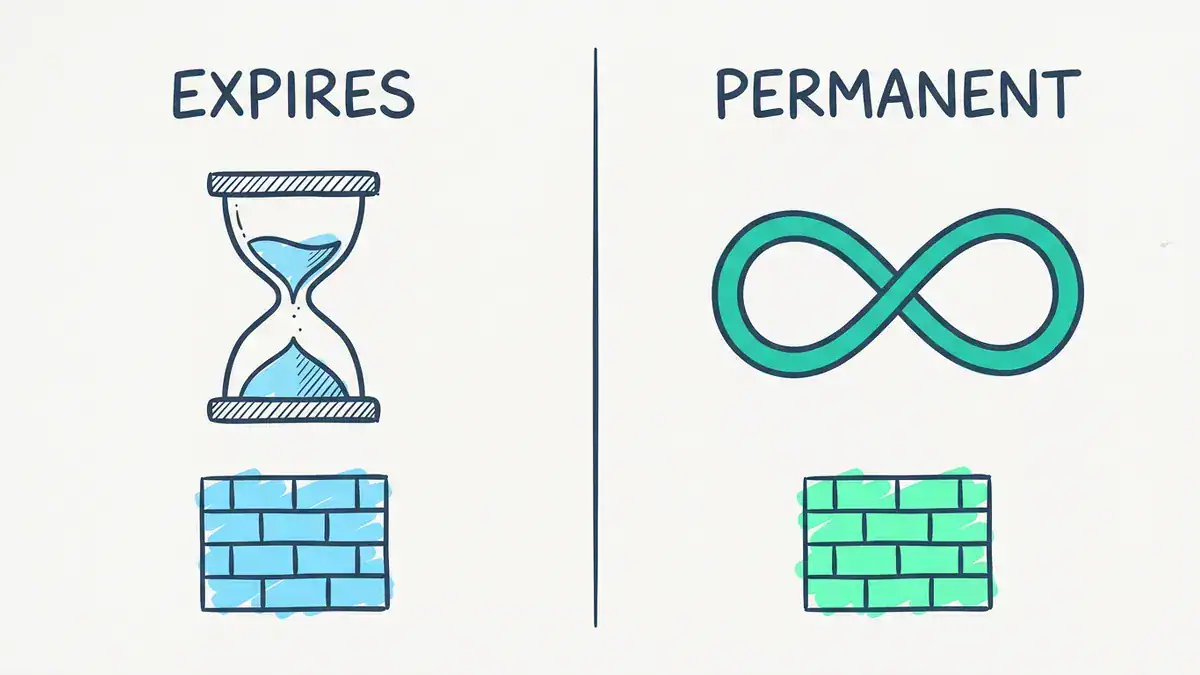
Before FortiOS 7.2.1 the free trial ran for 15 days from first boot. Since 7.2.1 it’s permanent, but size-limited.
You’ll still see forum posts about a 60-day FortiGate VM trial. We couldn’t find a 60-day trial in Fortinet’s current documentation. Treat any time-limited file from a Fortinet rep as a separate, sales-issued evaluation.
FortiGate VM trial license limits: the full list
Here’s the limit table from Fortinet’s FortiOS 7.6.2 administration guide, with the 8.0.2 differences noted.
| Limit | Free trial |
|---|---|
| CPU and memory | 1 CPU, 2 GB RAM |
| Interfaces, firewall policies, routes | 3 of each, at most |
| VDOMs | 2 (the root VDOM must be admin type, the other a traffic VDOM) |
| Copies | 1 per FortiCloud account |
| FortiGuard | None |
| FortiCare support | None |
| Encryption | Low-encryption operation only, except GUI management and FortiManager communication (listed in 7.6.2, not listed in 8.0.2) |
Two details catch people out. First, a 2022 tester found that disabled interfaces and loopbacks still count toward the three-interface cap (yurisk.info, 2022-08-08). That was on FortiOS 7.2.1, so check your own build. Second, the encryption line changes between releases, so read the guide for the exact FortiOS version you run.
A new VM also starts unlicensed. Fortinet’s docs say a freshly deployed VM has no valid evaluation license, even when it already has 1 CPU and 2 GB of memory. You have to activate it.
What the FortiGate VM free trial can do in a lab
Think of the trial as one small, honest firewall. It runs the same FortiOS as the appliance, so in a FortiGate VM lab the CLI, the GUI and the logic are real. The limits only decide how big a topology you can build.
| Lab topic | Fits the trial? | Why |
|---|---|---|
| Firewall policy, NAT, static routing | Yes | Three policies and three routes cover a focused lab |
| GUI over HTTPS and the CLI | Yes | Fortinet exempts GUI management from the encryption limit |
| Admin VDOM plus one traffic VDOM | Yes | The trial allows exactly two VDOMs |
| WAN, LAN and DMZ layout | Yes, with no spare port | Three interfaces is the whole budget |
| IPsec and SSL VPN | Test first | Fortinet doesn’t document which ciphers low-encryption mode allows |
| HA cluster | Test first | Fortinet doesn’t document HA on the trial, and a heartbeat link uses one of your three interface slots |
| Web filter, antivirus, IPS, application control | Partly | No FortiGuard means no live signature or rating updates |
| SD-WAN with two ISPs | Tight | Two WAN links plus one LAN uses every interface, and the policy cap bites fast |
| More than two VDOMs | No | Two is the hard cap |
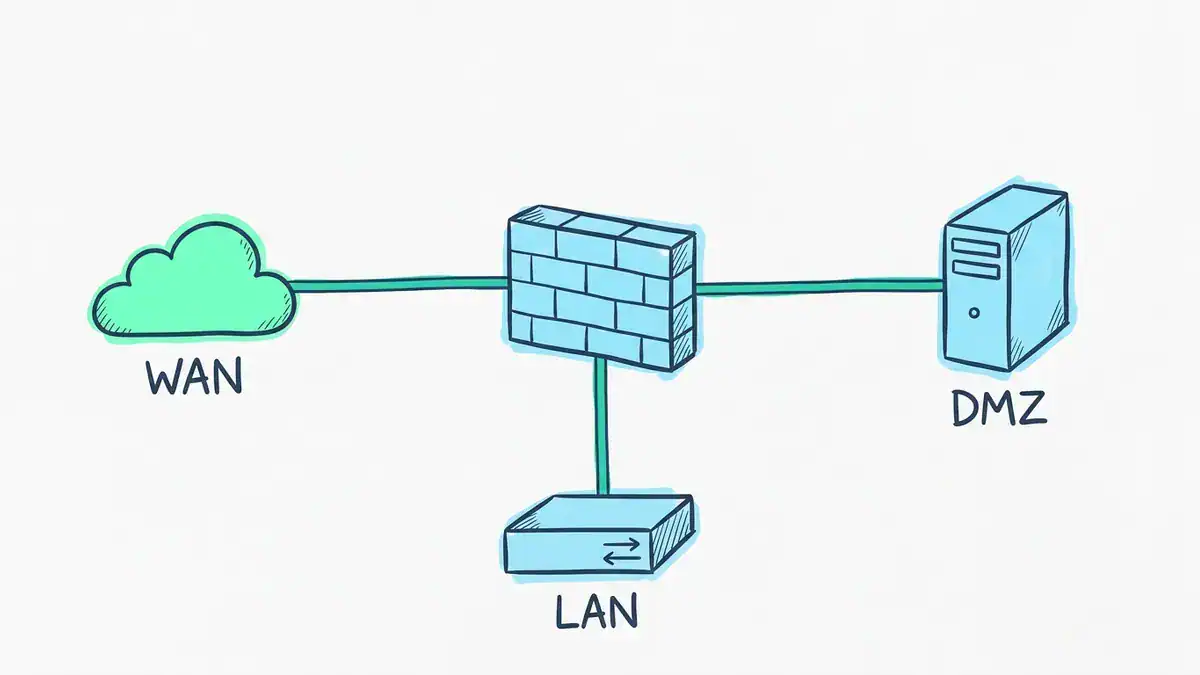
The trial’s three interface slots fit the classic WAN, LAN and DMZ layout. A management port or a second ISP puts you over budget.
What you’ll hit
You’ll hit three walls, in this order.
Policies run out first. Three firewall policies sound like plenty until you add an outbound rule, a DMZ rule and a return path for a VIP. Plan your lab on paper before you click anything. Write the three policies down and build exactly those.
FortiGuard is the second wall. The trial has no FortiGuard support, so anything that needs live Fortinet data won’t behave the way it does on a licensed unit. That covers signature updates and category lookups. You can still configure the profiles and read the logs. You just won’t see threat data.
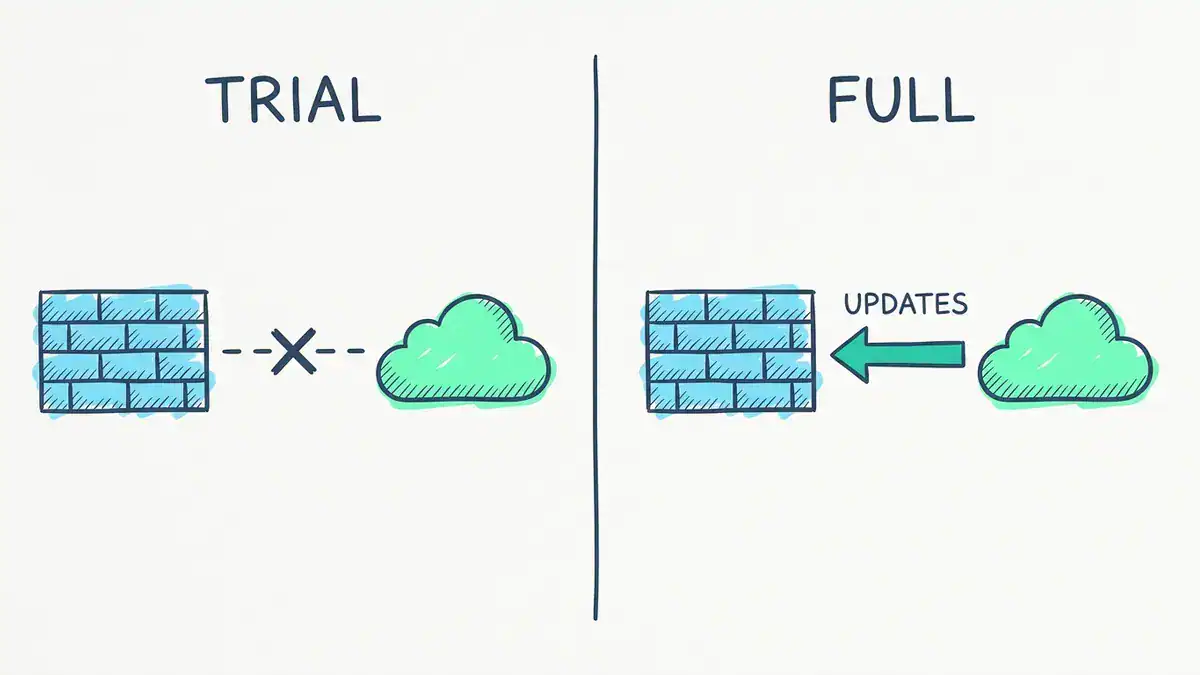
The trial blocks the update path from FortiGuard. A full license opens it.
VPNs and HA are the unknowns. A 2021 test on the old 15-day license found that low-encryption mode allowed only DES, and that SSL VPN and HTTPS inspection failed (yurisk.info, 2021-02-28). That license is gone, and Fortinet doesn’t document the permanent trial’s ciphers. If a tunnel refuses to negotiate with AES, suspect the encryption limit first. Build a small test tunnel before you plan a VPN lab around it.
Practise the commands, not just the clicks. Our FortiGate CLI commands cheat sheet lists the ones worth running on this VM. For clustering, read the FortiGate HA setup and troubleshooting PDF before you test it. If you’re planning two ISPs, the FortiGate SD-WAN guide shows the zone, SLA and rule steps.
FortiGate VM download: where to get the image
You need a FortiCloud account. Create one free at Fortinet Support, then download the FortiGate VM image for your hypervisor. There’s no separate evaluation license file to download. The VM fetches the license from Fortinet during activation, which we cover below.
A Fortinet Community tip from 2024-08-16 describes the path as Support, then VM Images, then Product “FortiGate”, then your platform (Fortinet Community). Menu names change, so treat that path as a guide.
Three rules save you trouble:
- Download from Fortinet only. A file from a random share link is an unknown firewall image, and your license attaches to your account.
- Match the platform. Pick Hyper-V, VMware or KVM to match what you run.
- Match the FortiOS release. Use the release your study material uses. If you’re studying for NSE 4, read our note on the July 2026 NSE changes first, and check the NSE 4 exam cost before you book.
How to get a FortiGate VM trial license, step by step
Activation usually takes a few minutes if the VM can reach the internet. It needs a route out and working DNS, because the VM contacts Fortinet to fetch the license.
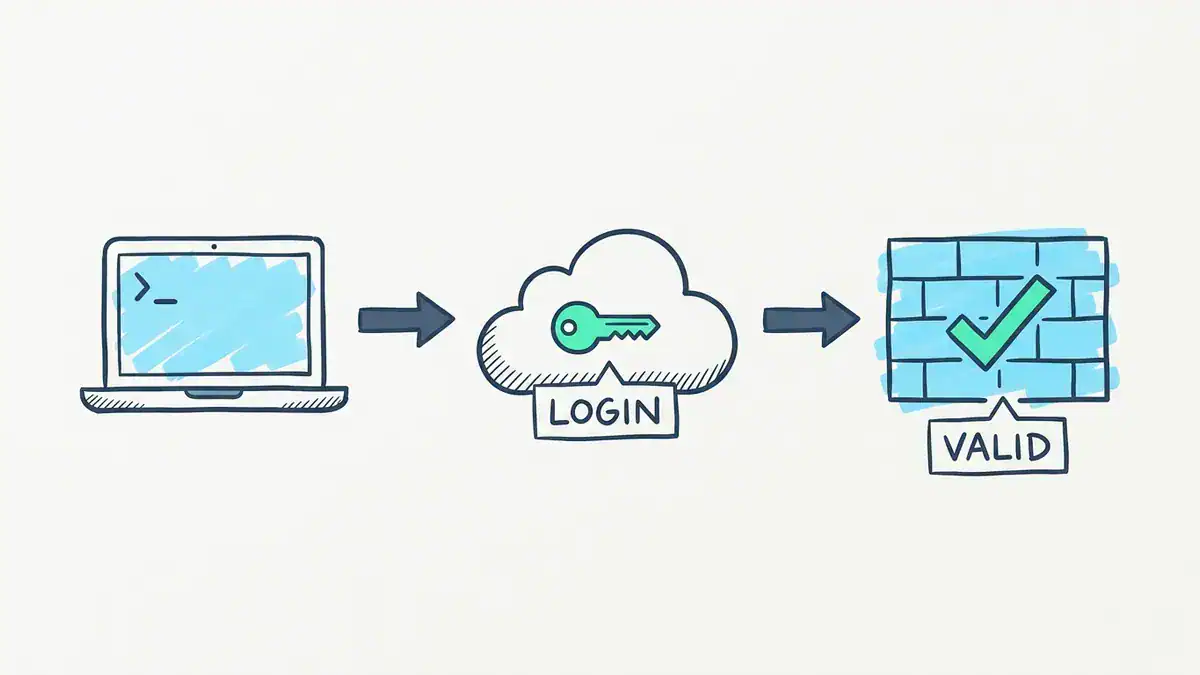
Activation in three moves: reach the console, log in to FortiCloud, get a valid license.
Activate from the GUI
- Give the VM an interface with internet access and a DNS server.
- Log in as
adminwith a blank password. That’s the FortiGate VM default password. Newer builds make you set a new one at once. Our FortiGate default password guide covers that change. - On the FortiGate VM License page, under “How will you license this VM?”, pick Evaluation License.
- Enter your FortiCloud email and password, then click OK.
- Let the VM reboot.
Activate from the CLI
execute vm-license-options account-id <your-forticloud-email>
execute vm-license-options account-password <your-password>
execute vm-license
Fortinet’s docs show the VM printing the trial’s limits and warning that the operation reboots the system. Answer y.
Check that it worked
get system status
diagnose hardware sysinfo vm full
diagnose debug vm-print-license
You want License Status: Valid in the first output. In Fortinet’s example, the license output shows Model: EVAL and a permanent VDOM count of 2, and the serial number begins with FGVMEV.
When activation fails
The usual error is “Failed to download VM license”. One forum thread from 2023-03-03 shows error code 61 from the console. Work through these checks:
- Internet and DNS. Run
execute ping update.fortiguard.net. If that fails, fix routing or DNS first. - One trial per account. If your account already used its trial, the Evaluation License option may not appear at all.
- No internet by design. Fortinet’s docs describe letting a FortiManager apply a license to an unlicensed VM. Set
config system central-management,set type fortimanager, pointset fmgat your FortiManager, then assign the license there.
Here’s what the second check looks like in real life. In a Fortinet Community thread, someone built a FortiGate VM on AWS for study and applied the evaluation license. They deleted the instance and redeployed it, trying t2.small, t3.small and t3.medium. The Evaluation License option never came back. The GUI offered only a full license upload or a FortiFlex token.
A Fortinet staff member replied on 2026-01-29 that there’s one permanent trial per FortiCloud account, that redeploying most likely blocks a second activation, and that sales can issue an evaluation license (Fortinet Community thread).
Can you reset the FortiGate VM trial license?
No. Fortinet documents one free evaluation copy per FortiCloud account, and its staff say redeploying usually won’t give you another. A factory reset used to restart the old 15-day clock. That trick belonged to the old license, and it doesn’t apply to the permanent trial.
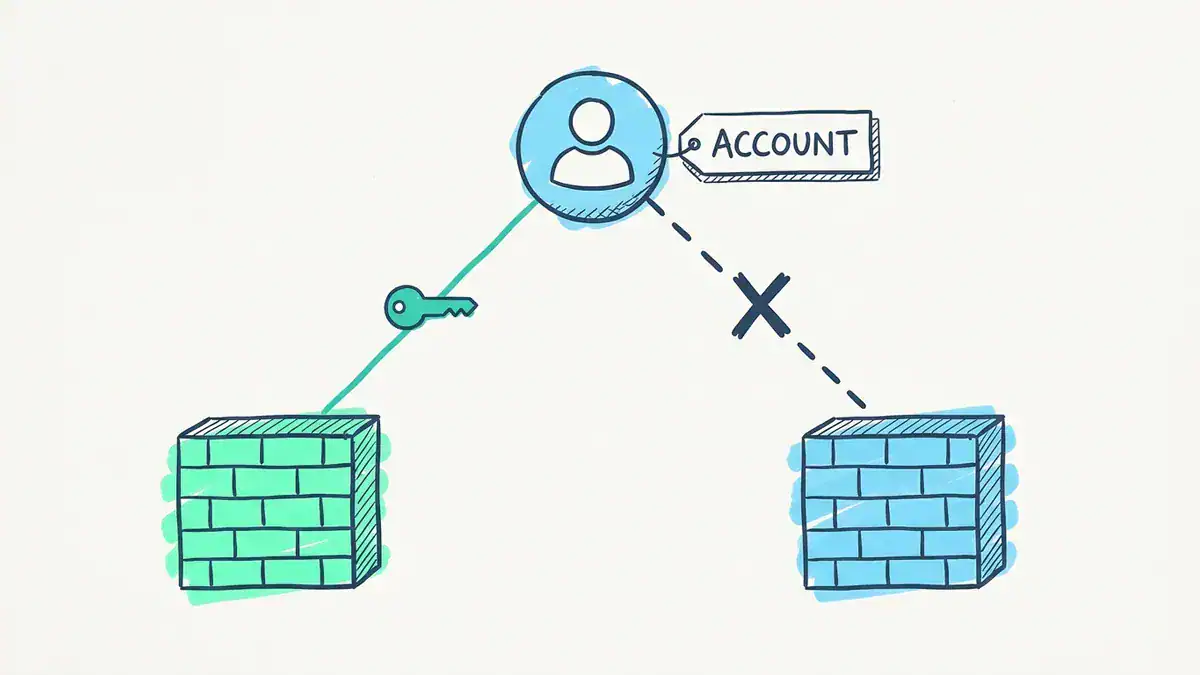
One FortiCloud account, one trial. A second firewall on the same account doesn’t get a second key.
So treat your first VM as the keeper:
- Export your configuration after every lab, so you can rebuild without a fresh license.
- Take hypervisor snapshots before risky changes. Roll back instead of redeploying.
- Don’t delete the VM when you’re stuck. Fix it in place.
- Ask Fortinet sales if you need a second evaluation, as the staff reply above says.
We don’t cover license bypass tricks. They’re unsupported, and we haven’t tested them.
Where to run it: VMware Workstation, Hyper-V, EVE-NG, AWS and Azure
Fortinet’s FortiGate VM datasheet (edition dated 2026-10-01) lists the supported platforms. Here’s how the usual lab choices line up against it.
| Platform | On Fortinet’s list? | Lab note |
|---|---|---|
| VMware ESXi | Yes (6.7, 7.0, 8.0) | Closest to a production setup |
| VMware Workstation | Not listed | Plenty of lab guides use it, but Fortinet lists ESXi, not Workstation |
| Microsoft Hyper-V | Yes (2008 R2 to 2019) | Needs a Generation 1 VM for the vendor image |
| KVM | Yes | The base for most open labs |
| EVE-NG | Not a listed platform | Runs on QEMU and KVM, so it works for labs |
| AWS, Azure, GCP, OCI | Yes (marketplaces) | The trial applies to BYOL instances |
FortiGate VM for VMware Workstation
Workstation isn’t on Fortinet’s hypervisor list, so you’re outside the supported path. For a FortiGate VM lab that’s usually fine. If something odd happens, reproduce it on ESXi or KVM before you blame your config.
How to install FortiGate VM on Hyper-V
The Fortinet Community tip gives a clear path: download the Hyper-V ZIP, create a Generation 1 VM, turn off Dynamic Memory and use the Default Switch so the VM can reach the internet for activation. Attach the fortios.vhd disk first, then the data disk. Log in as admin, set a new password and activate.
FortiGate VM in EVE-NG
EVE-NG gives you many nodes on one host, which is the best way to build NSE 4 topologies. Our guide to adding a FortiGate VM to EVE-NG covers image naming and node settings. Size the host first with our EVE-NG hardware requirements post. If you’d rather use Workstation as the host, follow our EVE-NG on VMware Workstation walkthrough.
FortiGate VM on AWS and FortiGate VM on Azure
Fortinet says the trial covers BYOL public cloud instances, so a FortiGate VM on AWS or Azure can use it. Marketplace instances bill through the cloud and, per the datasheet, come with the UTP bundle. Both are worth little for a study lab, because cloud instances cost money by the hour and a local VM costs nothing.
FortiGate VM requirements and sizing guide for a lab
For the trial, give the VM 1 vCPU and 2 GB of RAM. The license caps use at that anyway. The datasheet lists a 32 GB minimum for storage. A Fortinet Community tip says Fortinet recommends at least 4 GB of RAM for licensed VMs from FortiOS 7.6.0, so don’t read the trial’s 2 GB cap as the number to plan production around.
FortiGate VM license types: subscription vs perpetual
The trial is one of four models. Fortinet’s VM license page describes them like this.
| Model | How it works |
|---|---|
| Trial | Free, permanent, size-limited, no support |
| Perpetual (VM-Series, V-series) | VM base is perpetual. FortiGuard and FortiCare are bought separately each year |
| S-series (subscription) | One annual SKU that bundles the VM base with FortiCare and FortiGuard |
| FortiFlex | Points-based program for qualified enterprise and MSSP customers |
Licenses are sold by vCPU count: 1, 2, 4, 8, 16, 32 or unlimited. The October 2026 datasheet’s ordering table lists S-series SKUs only (for example, FC1-10-FGVVS-<Support Bundle>-02-DD for the 1-vCPU model).
The admin guide still documents perpetual licensing, and a Fortinet Community tip says existing perpetual licenses stay valid, but you can renew feature licenses on them only until 2029. Ask a Fortinet partner what’s orderable today before you plan a budget. That’s your FortiGate VM ordering guide question, and the answer changes.
For sizing, here’s what the datasheet says about the first three S-series sizes and the larger ones.
| Model | vCPU (min / max) | Firewall policies |
|---|---|---|
| VM-01S | 1 / 1 | 10K |
| VM-02S | 1 / 2 | 10K |
| VM-04S | 1 / 4 | 10K |
| VM-08S and above | 1 / 8 up to unlimited | 200K |
The datasheet doesn’t list a firewall throughput table in this edition, and it marks all performance values as “up to”. FortiGate VM throughput depends on your host, your hypervisor and features like vSPU and Intel QAT. Fortinet says vSPU can more than triple UDP firewall throughput, and QAT can give two to three times the IPsec throughput.
Test on your own host. Forum numbers won’t match your hardware. For fixed limits per FortiOS version, use Fortinet’s maximum values table, and see Fortinet’s ordering guides for current SKUs.
FortiGate VM vs appliance
A FortiGate VM firewall runs the same FortiOS as a hardware FortiGate. Fortinet’s datasheet says FortiOS powers every FortiGate, physical or virtual. The differences are practical:
- Performance. An appliance has dedicated hardware. A VM shares your host’s CPU.
- Licensing. An appliance ships with its model’s limits. A VM is licensed by vCPU count.
- Lab value. A VM costs nothing to rebuild and fits on a laptop. An appliance doesn’t.
For learning, the VM wins on cost and speed. For understanding hardware offload, you’d need the appliance. If you’re still deciding what FortiGate is for, start with What Is FortiGate?
FAQ
Does the FortiGate VM evaluation license expire?
No. Since FortiOS 7.2.1 the free trial is permanent. The older 15-day evaluation applied to releases before 7.2.1.
How do I get a FortiGate VM trial license?
Create a free FortiCloud account, download the VM image, boot it with internet access, then pick Evaluation License on the license page and sign in. The VM reboots and shows License Status: Valid.
Can I reset the FortiGate VM trial license?
No. Fortinet allows one free evaluation copy per FortiCloud account, and its staff say redeploying usually blocks a second activation. Ask Fortinet sales for an evaluation license if you need another.
How many interfaces does the FortiGate VM evaluation license allow?
Fortinet’s docs list a maximum of three interfaces, firewall policies and routes. A 2022 test found disabled interfaces and loopbacks also count, so plan for three in total.
Can I run FortiGate VM on VMware Workstation?
Many lab guides do, but Workstation isn’t on the hypervisor list in Fortinet’s datasheet. ESXi, Hyper-V and KVM are. If something odd happens, test on a listed platform.
Is a free FortiGate VM enough for NSE 4 practice?
It covers policies, NAT, routing, VDOMs and CLI work. It doesn’t cover live FortiGuard data, and larger topologies run into the three-interface cap. Check your study plan against the limit table above.
Your first weekend with the free trial
Here’s a plan that works. On Saturday morning, create your FortiCloud account, download the image for your hypervisor, boot it and activate. Check License Status: Valid before you touch anything else. Spend the afternoon on one lab: WAN, LAN and DMZ with three policies written down first.
On Sunday, export the configuration, take a snapshot and try the CLI commands from the cheat sheet without the GUI. If you plan a VPN lab, build one test tunnel first and see which ciphers the VM accepts. That single check saves you a weekend of guessing.
Key takeaways
- The free FortiGate VM trial is permanent since FortiOS 7.2.1, not 15 days.
- It’s one per FortiCloud account, with 1 vCPU, 2 GB RAM, three interfaces, policies and routes, and two VDOMs.
- There’s no FortiGuard and no FortiCare support, so live threat data is off.
- You can’t reset it. Export configs and snapshot instead of redeploying.
- Test VPN and HA before you build a lab around them, because Fortinet doesn’t document them for the trial.
Ready for labs built around these limits? The FortiGate NSE4 Lab Workbook gives you the topologies and steps. Browse more in the Fortinet workbook category.