Cat6e isn’t a real standard. Most Cat7 cable you’ll find online isn’t compliant Cat7 either.
That’s not a hot take. A cable tester has no Cat6e limit to test against, and neither ISO nor TIA lists one. It’s why so many network students, homeowners, and small business owners end up confused when they try to research this properly and keep hitting contradictory marketing claims.
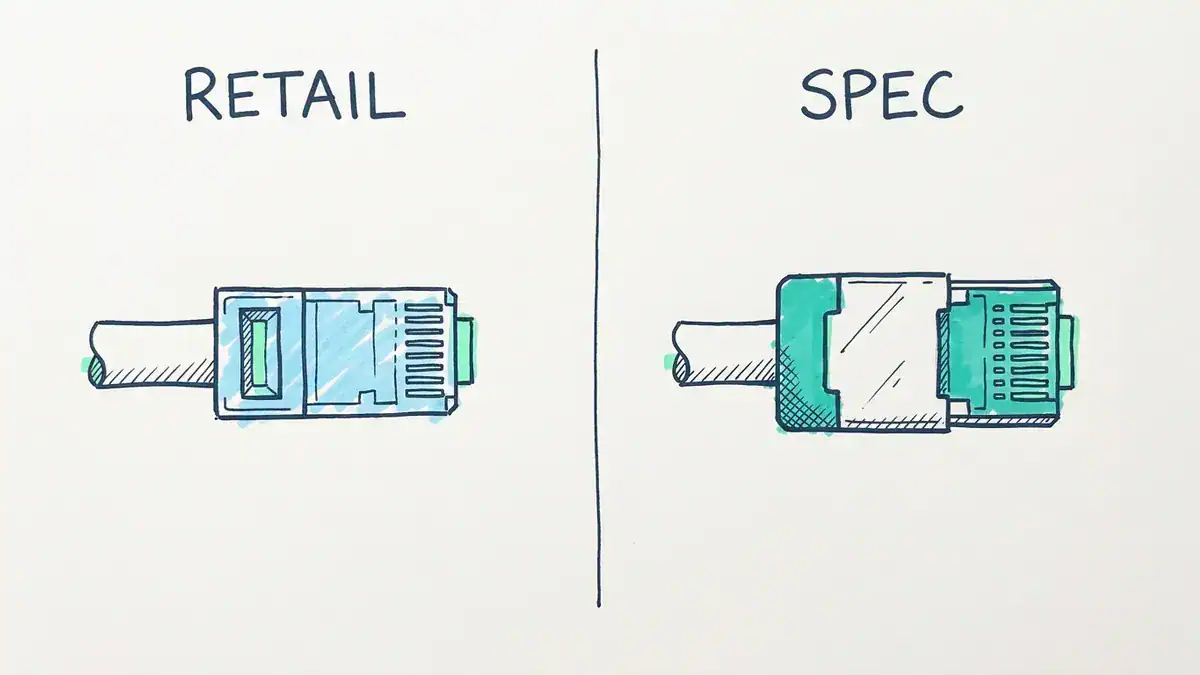
Here’s what’s actually true: TIA’s categories are Cat5e, Cat6, Cat6A and Cat8. ISO adds Cat7 and Cat7A. Cat6e sits in none of them. Cat7 exists as an ISO standard, but it needs GG45 or TERA connectors you won’t find on retail patch cords, and TIA has never recognised it.
By the end of this guide, you’ll know exactly what each category delivers in real-world numbers, why Cat6e and consumer Cat7 are mostly marketing noise, and which cable professional installers actually spec for new builds.
TL;DR
- Cat6e isn’t a standard. No TIA or ISO category exists for it, and a field tester certifies it as Cat6 or Cat6A.
- Cat6 is real and fine for 1 Gbps at 100 m. It does 10 Gbps only up to about 55 m, and only if the link tests well.
- Cat6A is the one to pull for new work: 10 Gbps at 100 m.
- Cat7 is an ISO standard TIA doesn’t recognise. It needs GG45 or TERA connectors, so RJ-45 “Cat7” cords can’t be certified as Cat7.
- Cat8 is for short data-centre links, up to 30 m.
Last checked 2026-11-09.
What Is Cat6 Cable?
Cat6 is the most common ethernet cable in active use today, and for good reason. It’s been the baseline for commercial structured cabling for over 20 years and still earns its place in plenty of installations.
Officially defined in ANSI/TIA-568.2-E (announced 2024-11-05) and ISO/IEC 11801, Cat6 delivers:
- 250 MHz bandwidth
- 1 Gbps at 100 metres (the full horizontal channel)
- 10 Gbps at up to about 55 metres, if the link tests well
That last number is where most people get tripped up. Cat6 can do 10 Gigabit Ethernet, but only over shorter runs, and only if the link tests well. The IEEE puts typical 10GBASE-T reach on Cat6 at 55 metres. TIA’s TSB-155 says worst-case bundling can cut it to 37 metres, and it says the link has to be tested to 500 MHz, because Cat6 itself is only specified to 250 MHz. The limiter is alien crosstalk, interference from cables bundled alongside yours in the same cable tray. It’s not a hard failure, just degradation that grows worse as you push the distance.
Cat6 typically ships as UTP (unshielded twisted pair): no foil, no braid, just the twisted pairs inside a PVC jacket. That’s fine for most offices and homes where there’s no significant electrical interference nearby.
Cat6 is the cheapest of the four. That’s a big part of the appeal.
Cat6 makes sense for home installs where your internet plan tops out at 1 Gbps, for small office retrofits where every run stays under 40 metres, or anywhere cost matters more than future-proofing. It’s a real, tested standard. It works well in the right context.
If you’re studying, CCNA topic 1.3 covers copper vs fibre cabling and PoE concepts, and CompTIA Network+ N10-009 objective 1.5 covers the copper categories. Our CCNA 200-301 practice test and OSI model cheat sheet cover the physical layer.
Cat6e: The Standard That Doesn’t Exist
Let’s clear this up quickly.
There is no “Cat6e” in ANSI/TIA-568.2-E. There’s no Cat6e in ISO/IEC 11801. It doesn’t appear in any officially recognised cabling standard anywhere in the world.
Cat6e is a marketing label. Some cable manufacturers invented it to imply their product performs somewhere between Cat6 and Cat6A. The problem is that every manufacturer defines their own “Cat6e” numbers. Buy Cat6e from Brand A and you get something different from Brand B’s Cat6e. No shared spec, no test criteria, no certification path.
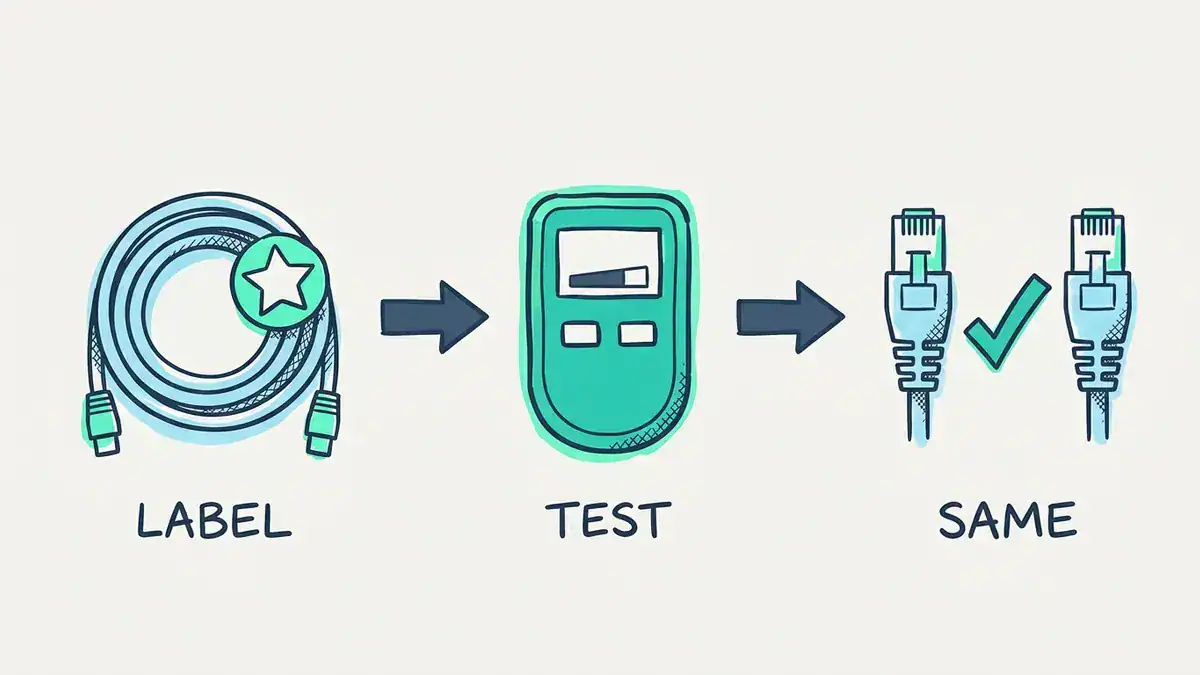
Here’s the real tell: run a field certifier such as a Fluke DTX on an installed Cat6e channel. It will report a Cat6 or Cat6A result, because there’s no Cat6e limit to test against. Whatever you paid extra for, it won’t appear on any certification report.
ICC, a cable manufacturer, sells a Cat6e line (some brands write it Cat 6e) that it rates at 600 MHz, and says on its own site that there’s no standard for Cat6e recognised by the TIA. Another brand’s Cat6e can carry a different number. A certifier tests either one against Cat6 or Cat6A limits, so the label never shows up on the report.
If a quote says Cat6e, ask which TIA test limit the channel will be certified to, Cat6 or Cat6A, and ask for the report. If they can’t say, price it as Cat6.
What should you actually buy? Cat6 (a real, tested standard) or Cat6A (also real, and significantly more capable). Anything marketed as “Cat6e” deserves the same scepticism you’d give any product with a trademarked name instead of a standards body number.
Cat6A: The Real Upgrade
Cat6A is the cable professional installers actually recommend for almost every new install. The “A” stands for Augmented, and that name reflects a real performance improvement.
Cat6A was designed specifically to support 10GBASE-T (IEEE 802.3an), 10 Gigabit Ethernet over twisted copper at full distance. It achieves that with:
- 500 MHz bandwidth (double Cat6)
- 10 Gbps at the full 100 metres (no distance penalty)
- IEEE 802.3bt PoE support, up to 90W at the power source
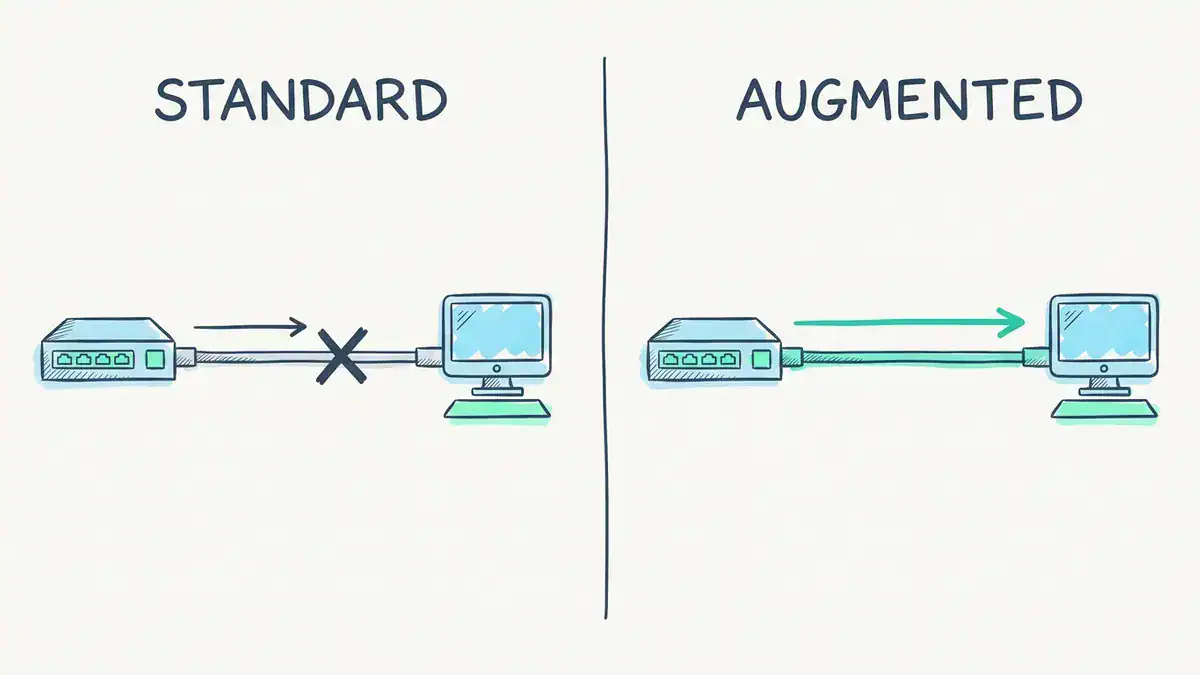
That full-distance 10 Gbps is the practical difference from Cat6. Cat6 maxes out at 55 metres for 10 Gbps. Cat6A delivers the same speed across the complete horizontal channel, which means it fits standard commercial runs without any distance guesswork.
Here’s where the decision gets easy. Say you’re cabling a new 60-seat office. Most Wi-Fi 7 access points have a 2.5G uplink, and 2.5G runs 100 metres on Cat5e or Cat6, so Cat6 handles those drops fine. If you’re specifying access points with 10G uplinks on runs of 60 to 80 metres, Cat6 falls in the problem zone, and Cat6A is the right call. Check the uplink speed on the access point’s spec sheet before you choose.
Cat6A costs more per foot than Cat6, while labour per drop is about the same. Get quotes for both before you decide. For cabling that will stay in the walls for a decade or more, the material difference is usually small next to the cost of opening a ceiling again.
ANSI/TIA-568.2-E was announced on 2024-11-05. TIA says it revises 568.2-D, corrects known errors and updates nomenclature. Industry summaries say it carries DC resistance unbalance (DCRU) requirements for Cat5e, Cat6 and Cat6A, and recommends Cat6A or higher where the cable carries power. If you’re pulling cable for anything that’ll stay in the walls for more than a decade, Cat6A is the answer.
Cat7: Fast in Theory, Complicated in Practice
Cat7 looks impressive on a spec sheet:
- 600 MHz bandwidth
- 10 Gbps at 100 metres
- Mandatory S/FTP shielding (per-pair foil plus overall braided jacket)
- Cat7A (Class FA, 2010) goes to 1000 MHz, with the same connector story.
But Cat7 has a fundamental problem that stops most North American projects before they start.
TIA doesn’t recognise Cat7. Fluke says it was ahead of its time and no application needed it. The standard exists only in ISO/IEC 11801 as “Class F,” a European specification, and a Class F channel is terminated with a different connector from the plain RJ-45 plug that’s been universal since the 1980s. Cat7 uses one of two:
- GG45 (GigaGate 45): backward-compatible with RJ-45 at lower frequencies, adds four extra contacts to reach 600 MHz
- TERA: a standardised interface (IEC 61076-3-104), found mostly in European and industrial installations
This is where the consumer market gets messy.
Search for Cat7 on Amazon or in a retail electronics shop and you’ll find pages of results with standard RJ-45 plugs already crimped on both ends. Installers say those cords can’t be certified as Cat7, because a Class F channel is terminated with GG45 or TERA. Ask the seller for the connector type and a test report to Class F.
ACCL, a UK structured cabling firm, makes the same point: most Cat7 sold to businesses uses RJ45 plugs and can’t be certified to Cat7. Fluke Networks’ history of the standard explains why Cat7 never caught on in North America.
Where does Cat7 make sense? Heavy industrial environments with significant EMI, facilities near MRI machines, or European infrastructure where GG45 or TERA systems already exist. For a standard North American office, data centre, or home, Cat6A covers everything Cat7 promises on paper and uses connectors that every keystone jack, patch panel, and patch cord in the industry already supports.
Properly terminated Cat7 with GG45 connectors, the compliant kind, costs more per installed drop than Cat6A. You get the same 10 Gbps over the same 100 metres. The case for Cat7 in a standard environment just doesn’t hold together.
Side-by-Side Comparison: Cat6 vs Cat6e vs Cat6A vs Cat7
| Spec | Cat6 | Cat6e | Cat6A | Cat7 |
|---|---|---|---|---|
| Bandwidth | 250 MHz | Brand claims vary (some say 500 to 600 MHz) | 500 MHz | 600 MHz |
| Max speed | 10 Gbps up to about 55 m (37 m worst case), 1 Gbps at 100 m | Certifies as Cat6 or Cat6A | 10 Gbps at 100 m | 10 Gbps at 100 m |
| TIA/EIA standard | Yes | No | Yes | No |
| ISO/IEC standard | Yes | No | Yes | Yes (Class F) |
| Standard connector | RJ-45 | RJ-45 | RJ-45 | GG45 or TERA |
| Typical shielding | U/UTP | Varies | U/UTP or shielded | S/FTP mandatory |
| Recommended for new builds | Acceptable | Skip it | Yes | Rarely |
Cat8 is a TIA category that uses RJ-45 and is specified to 2000 MHz. It carries 25G and 40G up to 30 metres, so it belongs in data-centre top-of-rack links, not office runs. Cat5e does 1 Gbps at 100 metres, and 2.5G at 100 metres (IEEE 802.3bz). It’s fine for existing runs, but don’t pull it new.
Shielding Codes: U/UTP, F/UTP, U/FTP, S/FTP
If you’ve seen these codes on cable packaging and skipped past them, here’s a quick decoder.
ISO/IEC 11801 names cables using a two-part code: outer jacket shield / inner per-pair shield.
- U/UTP: No outer shield, no pair shields. Standard Cat6 and Cat6A for most office environments.
- F/UTP: Foil outer jacket, unshielded pairs. Cat6A for moderate-EMI areas.
- U/FTP: No outer shield, foil on each individual pair. Common for Cat6A and Cat7.
- S/FTP: Braided outer jacket plus foil on each pair. Required for compliant Cat7. Used in high-EMI installations.
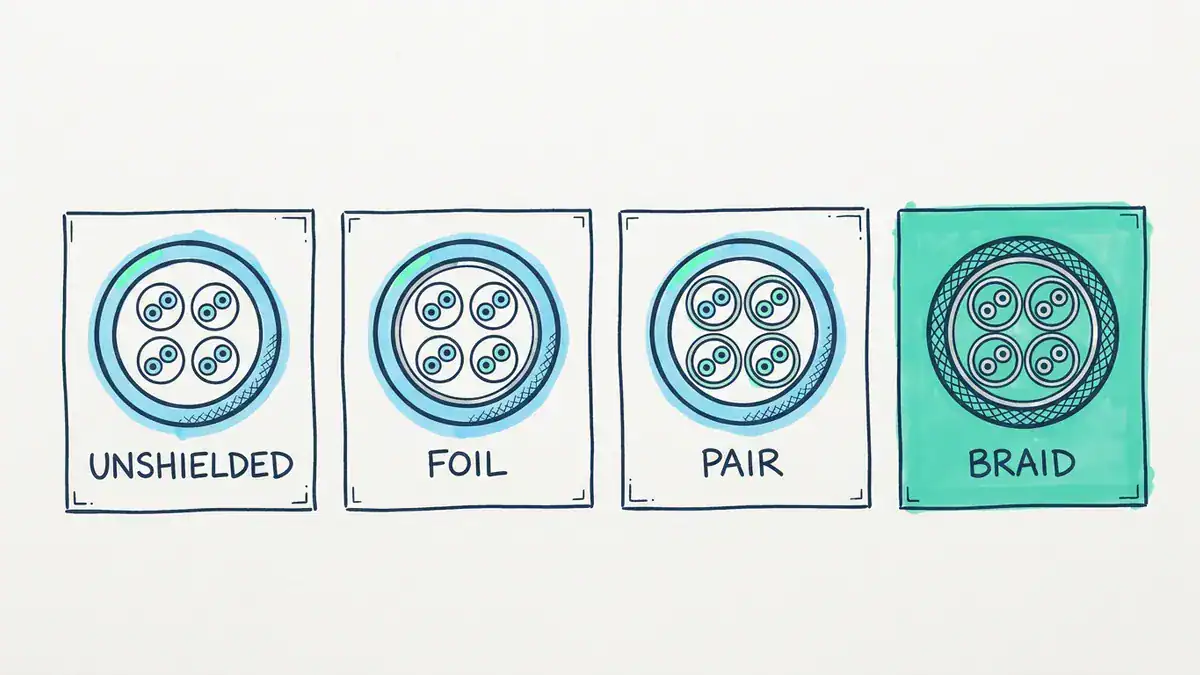
Does shielding help in a typical office? Often not. In a standard environment with normal electrical infrastructure there’s little interference for shielding to block, so UTP usually performs the same. That’s our view, so check the cable vendor’s test data for your site.
Shielding earns its cost when there’s actual interference: factory floors near large motors, rooms with dense fluorescent lighting, healthcare facilities near imaging equipment, or high-density cable trays in large data centres.
One catch worth knowing: a poorly grounded shielded installation can actually perform worse than UTP. Adding shielding means you also need shielded keystone jacks, shielded patch panels, and solid grounding at both ends of every run. Don’t add shielding without the rest of the system to back it up.
Which Cable Should You Use?
Here’s a straightforward breakdown by situation.
Home install, basic internet: Cat6 UTP. Your internet plan is almost certainly under 1 Gbps. Cat6 handles that at the full 100-metre run length. No reason to spend more.
Home with multi-gig service or future-proofing: Cat6A UTP. If you’re on a 2.5G or 10G ISP plan now, or think you might be in the next few years, pull Cat6A while you have access to the walls. It’s a one-time job.
Small office, up to ~50 users: Cat6A UTP. Full 100-metre 10 Gbps runs, 802.3bt PoE support for access points and cameras, and it meets current TIA category requirements. This is the usual professional recommendation.
Multi-gig access points and desktops (2.5G or 5G): Cat5e or Cat6 reach 100 metres (IEEE 802.3bz). Pull Cat6A if 10G is possible later.
Enterprise or commercial builds: Cat6A (UTP or shielded depending on EMI environment). Full-distance 10 Gbps, no distance guesswork, and enough headroom for 802.3bt PoE devices. TIA’s current revision recommends Cat6A or higher where cable carries power.
Industrial or high-EMI environments: Cat6A S/FTP. If there’s a specific reason to spec Cat7 (existing GG45 infrastructure, mandatory EMI requirements), budget for compliant connectors and installers who know the system. Don’t spec Cat7 without both.
Data centre short-reach: Cat6A for 10 Gbps top-of-rack connections. Cat8 for 25G or 40G at distances under 30 metres. Cat8 is a real TIA standard, it uses RJ-45, and it avoids the connector problem Cat7 carries.
What Changed in ANSI/TIA-568.2-E (November 2024)
The latest revision of the North American structured cabling standard was announced on 2024-11-05, and a few items from it are worth knowing.
Industry summaries say the update carries DC resistance unbalance (DCRU) requirements for Cat5e, Cat6 and Cat6A. DCRU affects how cleanly power is delivered over PoE. Sources disagree on whether the earlier -D-2 revision or this one introduced it, and DCRU isn’t a required field test, so ask for it explicitly if your project needs the result.
One industry summary says Annex H recommends Cat6A or higher where cable carries power.
Cat6e and Cat7 aren’t among TIA’s categories.
The Wi-Fi 7 context matters here, but not the way it’s often sold. Most Wi-Fi 7 access points have a 2.5G uplink, which runs 100 metres on Cat5e or Cat6. Cat6A is the safer choice for 10G uplinks, long runs and cabling that has to last.
Source: TIA announcement of ANSI/TIA-568.2-E, 2024-11-05
Is Cat6e a real cable standard?
No. Cat6e isn’t in TIA’s or ISO’s standards. Some manufacturers sell a Cat6e line with their own numbers, and a field tester certifies it as Cat6 or Cat6A. If you need 10 Gbps at 100 m, buy Cat6A.
Can Cat7 use RJ-45 connectors?
Not as a compliant Cat7 channel. ISO’s Class F is terminated with GG45 or TERA. Installers say most “Cat7” cords sold with RJ-45 plugs can’t be certified as Cat7, and they perform like Cat6A at best.
Is Cat6A worth the extra cost over Cat6?
For new runs that stay in the walls for years, usually yes. Cat6A gives 10 Gbps at 100 m, while Cat6 gives it only up to about 55 m, and only if the link tests well. Cat6 is fine for 1 Gbps. Get quotes for both.
What cable do I need for Wi-Fi 7 access points?
Check the access point’s uplink speed. Most Wi-Fi 7 APs have a 2.5G port, which runs 100 m on Cat5e or Cat6. Pull Cat6A for 10G uplinks, long runs or future-proofing.
Do I need shielded cable for my office?
Usually not. Shielding helps near heavy electrical equipment, imaging machines and dense cable trays. If you add it, the connectors and grounding have to be shielded too, or it can perform worse than UTP.
What is the difference between Cat5, Cat6 and Cat7?
Cat5e does 1 Gbps at 100 m, and 2.5G at 100 m. Cat6 is specified to 250 MHz and does 10 Gbps only up to about 55 m, if the link tests well. Cat7 is an ISO-only standard that needs GG45 or TERA connectors. The comparison table above has the detail.
Is Cat7 overkill for home use?
Yes. A home network gains nothing from it, and retail cords with plain RJ-45 plugs can’t be certified as Cat7 anyway. Cat6 covers 1 Gbps and Cat6A covers 10G.
Is Cat6 overkill for home use?
No. Cat6 is the sensible default for 1 Gbps at home. Pick Cat6A only if you plan to run 10G.
Is Cat6A backwards compatible?
Yes. It uses the same RJ-45 connectors and works with Cat5e and Cat6 gear, at the speed of the slowest part of the link.
Bottom Line
Cat6e is a marketing label. Skip it.
Cat7 with a standard RJ-45 plug isn’t compliant Cat7. That’s most of what’s sold as “Cat7” in retail and on Amazon.
Cat6 is a solid, well-defined standard that works well for home installs and shorter office runs at 1 Gbps. It’s cheap and reliable in the right context.
Cat6A is what professional installers spec for new builds. It delivers 10 Gbps over full 100-metre runs, covers 10G access point uplinks, supports 802.3bt PoE, and fits TIA’s current recommendation for powered cable. Get quotes for both Cat6 and Cat6A: the material premium is usually small against the cost of re-cabling.
If you’re working through physical layer topics for your certification, our Network+ practice test covers cabling standards alongside the rest of the N10-009 blueprint, and our CCNA Workbook includes a Physical Interfaces and Cabling topic.
Want to see the layers around the cable? See how an Ethernet frame is built, how a LAN differs from a WAN, and where the physical layer sits in the TCP/IP and OSI models. Building a lab at home? Our home lab setup guide covers the cabling.
Sources: TIA announcement of ANSI/TIA-568.2-E (2024-11-05); Fluke Networks, “What Ever Happened to Category 7?” (2018-12-05); ICC, “What is the difference between CAT6 and CAT6e?”; ACCL, “Cat5e vs Cat6 vs Cat6A vs Cat7 vs Cat8” (updated 2026-11-06); IEEE 802.3bz. Checked 2026-11-09.