
TL;DR – An immutable backup is a backup copy that nobody can change, encrypt or delete until a retention period you set runs out. Not you, not an attacker with your admin password, and in strict modes not even the cloud provider. – It matters because attackers go after backups first. In a Sophos survey of organisations hit by ransomware, 94% said the attackers tried to compromise their backups, and 57% of those attempts worked. – You get immutability from the storage layer: a Veeam hardened repository on Linux, S3 Object Lock, AWS Backup Vault Lock, an Azure immutable vault, or a backup appliance with a locked file system. – It isn’t a full defence on its own. It doesn’t stop data theft, it won’t clean malware that’s already inside the backup, and a retention period that’s too short expires before you notice the attack.
What does a ransomware crew do right after it gets domain admin? It doesn’t encrypt your servers. Not yet. It goes looking for your backups.
That’s the whole reason immutable backup exists. An immutable backup is a copy of your data that’s locked for a set number of days, so it can’t be modified, encrypted or deleted by anyone during that window, including someone who’s stolen your best credentials. The lock lives in the storage itself, not in a permission setting that an admin account can flip back.
You probably already back up every night. Good. The question this guide answers is whether those backups would still be there after an attacker spent a week inside your network. We’ll cover what immutable backup means, how it stops ransomware, how it differs from an air gap, and how to set it up in Veeam, AWS and Azure, with the real limits from each vendor’s own documentation.
Want to build this instead of just reading about it? The Veeam Backup Workbook has a full chapter on ransomware-resilient backup: a hardened Linux repository, immutable backups and an air-gapped copy, all as EVE-NG labs. It isn’t on sale yet, so use the Notify Me button on the page.
What is immutable backup?
An immutable backup is a backup written once and then locked against changes and deletion for a fixed retention period. During that period the storage refuses every write, overwrite and delete request, whoever sends it. When the period ends, the lock lifts and normal retention can clean the file up.
So what does immutable backup mean in plain terms? “Immutable” just means “can’t be changed”. Your backup software can still read the file and restore from it. It can copy it somewhere else. What it can’t do is alter it or remove it early.
People search for the immutable backup meaning and the immutable backup definition as if they were two different things. They aren’t. Both point to the same idea, usually called WORM storage: write once, read many.
What is immutable backup storage?
Immutable backup storage is the layer that actually enforces the lock. This is the part people get wrong. A backup job with a “don’t delete” tick box isn’t immutable if the storage underneath will happily delete the file when an admin asks.
Real immutable storage enforces the rule below the backup application. A few common ways:
- File system flags. Linux can mark a file immutable with the
chattrattribute, and only root can clear it. Veeam’s hardened repository is built on this. - Object lock. Object storage such as Amazon S3 attaches a retention date to each object version and refuses deletes until that date.
- Locked vaults. Managed services such as AWS Backup and Azure Backup lock the whole vault so recovery points can’t be removed early.
- Locked appliances. Some backup appliances run a file system that only appends data and has no normal “delete” path exposed to users.
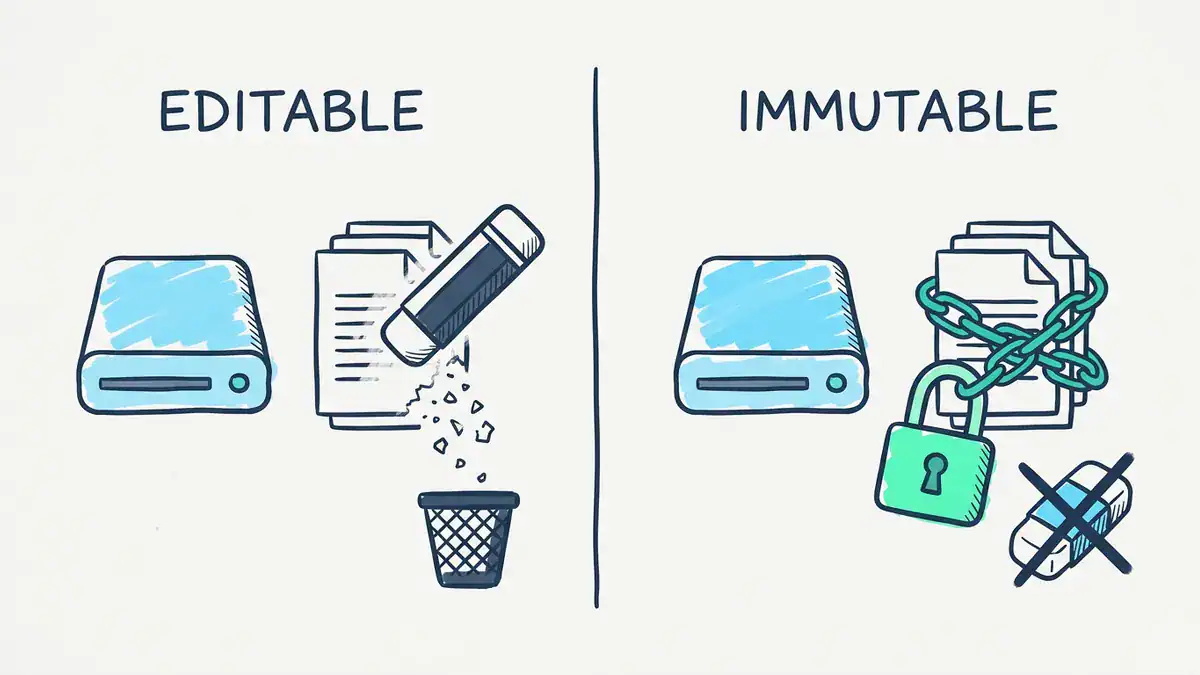
A normal backup can be erased by anyone with enough rights. An immutable backup refuses changes and deletes until its retention period ends.
How immutable backup stops ransomware
Here’s the pattern that keeps showing up in incident reports. Attackers get in, often through an unpatched device or stolen credentials. They move around for days. They find the backup server, delete or encrypt the backups, and only then launch the encryption that you actually notice.
Why that order? Because a company with working backups can restore instead of paying. Kill the backups and the ransom note gets a lot more persuasive.
The numbers back this up. In Sophos’s analysis of compromised backups, based on a survey of 2,974 IT and security professionals run in early 2024, 94% of organisations hit by ransomware said the attackers tried to compromise their backups, and 57% of those attempts succeeded. The gap between the two groups was brutal:
| Backups compromised | Backups not compromised | |
|---|---|---|
| Paid the ransom | 67% | 36% |
| Median total recovery cost | $3M | $375K |
Source: Sophos, “The impact of compromised backups on ransomware outcomes”.
Immutable backup ransomware protection works by breaking the attacker’s first step. They can log into the backup console with stolen admin credentials. They can click delete. The storage says no, because the retention lock hasn’t expired. The job fails, the backups stay, and you get to restore.
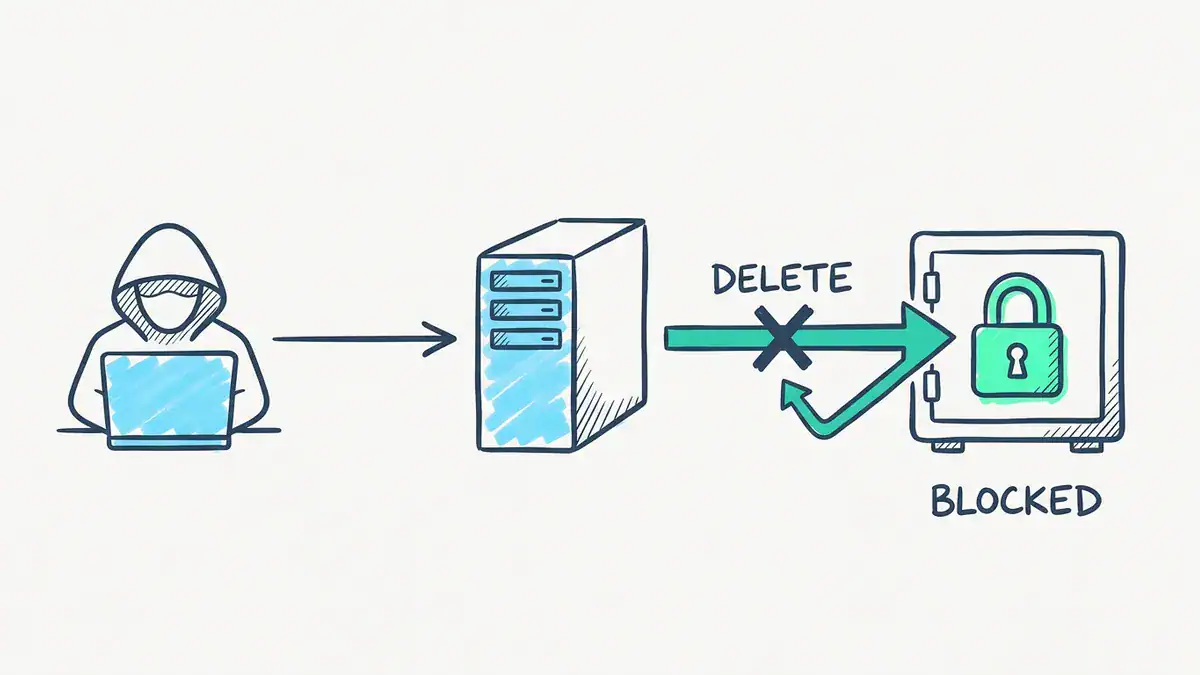
The attacker can own the backup server and still fail to delete the locked copies. The storage enforces the lock, not the console.
Picture a 60-person accounting firm with nightly backups to a NAS. An attacker phishes an IT admin, sits quietly for nine days, then wipes the NAS shares and encrypts the file server on a Friday night. Without immutability, Monday starts with a ransom note and no restore point. With a 14-day immutable copy on separate storage, Monday starts with a restore job instead.
What immutable backup doesn’t protect against
Be honest with yourself about the gaps. Immutability solves one problem very well. It doesn’t solve these:
- Data theft. Most crews now steal data before they encrypt it, then threaten to leak it. A locked backup does nothing about a leak.
- Malware already inside the backup. If the attacker planted a backdoor three weeks ago, your immutable backups from the last two weeks contain it too. You’ll need to scan restores or go back further.
- A retention window that’s too short. If the lock lasts 7 days and the attacker waited 10, the clean copies have already aged out.
- Clock tampering. Some systems decide “has the lock expired?” by checking the clock. Move the clock forward and the lock can look expired. Good products detect this (Veeam does, see below), but it’s worth checking.
- Compromise of the storage itself. If the attacker gets root on the Linux box that holds your hardened repository, the file flags can be cleared. That’s why the repository has to be locked down harder than anything else you run.
Immutable backup vs air gap: what’s the difference?
People use “immutable” and “air-gapped” as if they’re the same. They aren’t, and you want both ideas in your plan. When people ask for an immutable backup air gap setup, the best answer is usually one copy of each.
An air gap means the backup copy isn’t reachable from your network at all. A tape cartridge on a shelf. A removable disk in a safe. An attacker can’t delete what they can’t reach. The downside is speed: restores are slow, and someone has to rotate the media by hand.
An immutable copy stays online and reachable, but it can’t be changed. Restores are fast. The risk is that it’s still on a network, so the storage system itself has to be hard to break into.
| Air-gapped copy | Immutable copy | |
|---|---|---|
| Reachable from the network | No | Yes, but locked |
| Protects against deletion | Yes, by being out of reach | Yes, by refusing deletes |
| Restore speed | Slow (fetch and mount media) | Fast |
| Main risk | Media handling, rotation skipped | Root access to the storage |
| Typical example | Tape, removable disk | Hardened Linux repo, S3 Object Lock |
Cloud vendors now offer a middle ground they call a “logical” air gap, such as the AWS Backup logically air-gapped vault covered below. It’s online, but stored in an account you don’t control and locked by default.
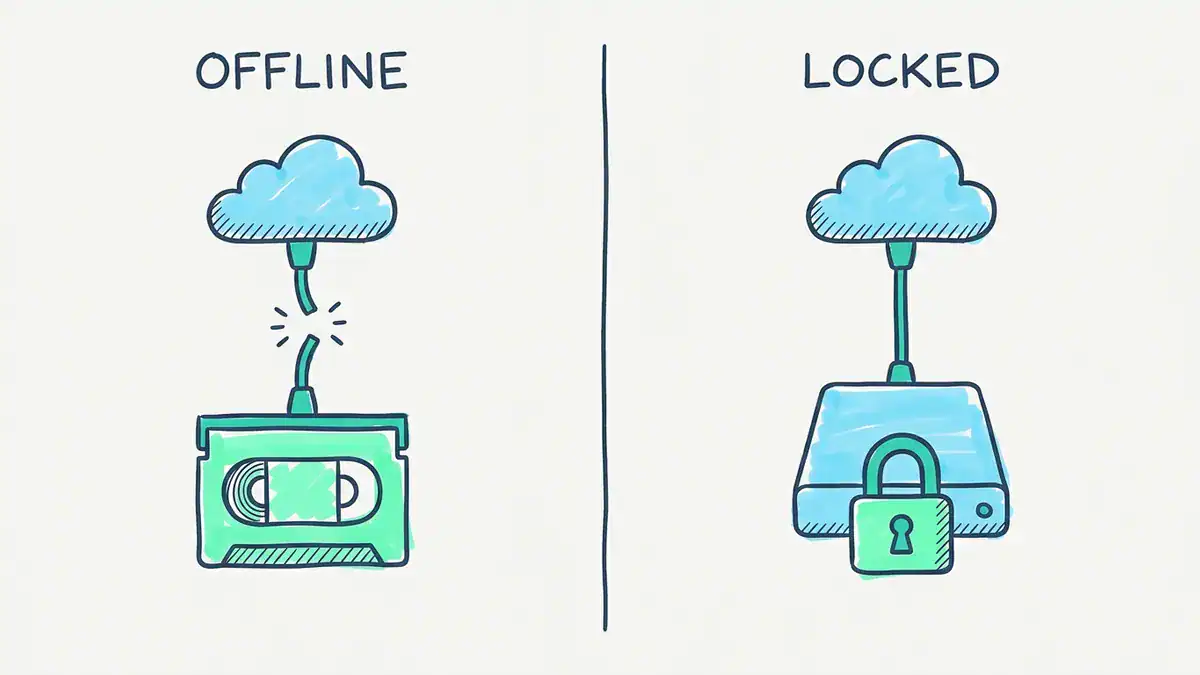
An air gap protects a copy by disconnecting it. Immutability protects a copy that stays online by refusing changes.
The 3-2-1-1-0 rule
Veeam’s version of the classic 3-2-1 rule adds two digits that matter here. Keep 3 copies of your data, on 2 different media, with 1 copy offsite, 1 copy offline, air-gapped or immutable, and 0 errors after automated recovery checks.
That last zero is the bit people skip. A locked backup you’ve never restored from is a guess, not a plan.
Here’s a real-world sign that even official guidance is cautious. CISA’s #StopRansomware Guide tells you to “maintain offline, encrypted backups of critical data” and test them regularly. It also says some cloud vendors offer immutable storage, and to use it “with caution as it does not meet compliance criteria for certain regulations”. So check your industry’s rules before you assume immutability ticks the compliance box.
Immutable backup solutions and software compared
There are five broad ways to get immutable backup storage. Most real setups combine two of them.
| Approach | How the lock works | Examples |
|---|---|---|
| Hardened Linux repository | Linux immutable file attribute, set by a root service | Veeam Hardened Repository |
| Object storage lock | Retention date on each object version | Amazon S3 Object Lock, S3-compatible storage |
| Managed cloud vault | Vault-level lock on recovery points | AWS Backup Vault Lock, Azure Backup immutable vault |
| Backup appliance | Append-only or locked file system inside the appliance | Rubrik, Commvault with WORM storage lock |
| NAS snapshots | Snapshot can’t be deleted until a set date | Synology immutable snapshots |
Which immutable backup software is best? Wrong question. Ask which layer your attacker can’t reach. If everything sits in one Active Directory domain with one admin account, the brand on the box won’t save you.
How to set up a Veeam immutable backup with a hardened repository
The Veeam immutable backup most people mean is a backup job writing to a Veeam hardened repository: a Linux server with local block storage where Veeam sets the immutable attribute on each backup file. The details below come from the Veeam Backup & Replication 13 user guide (pages updated 2026-10-30, build 13.1.2.57).
How it works
Two Veeam services do the work on the Linux box. The Veeam Data Mover (veeamtransport) talks to the backup server, runs as a non-root user and listens on port 6162. It passes the immutability period to the Veeam Immutability Service (veeamimmureposvc), which runs with root rights, checks files every 20 minutes and sets or removes the immutable attribute.
The point of that split? The process the backup server talks to can’t remove the lock. Even if an attacker takes over the backup server, they’re talking to a non-root service.
Veeam also adds a .veeam.N.lock file next to each backup with the lock period, and sets an extended attribute on the backup file itself.
Step by step
- Pick the hardware. Veeam recommends a physical server with local storage to reduce the attack surface. NFS and SMB storage can’t be used, because the hardened repository needs block storage. Veeam suggests RAID 1 SSDs (at least 100 GB) for the OS and RAID 6 or 60 for backup data.
- Choose your build. You can deploy the Veeam Infrastructure Appliance ISO as a hardened repository, or configure a Linux server yourself. On the appliance, the repository uses certificate-based authentication, SSH can’t be used, and it can’t join a domain by default.
- Format with XFS. The file system must support immutable files and extended attributes (
chattrandsetxattr). Veeam recommends XFS for its block cloning, which saves space on synthetic fulls. - Prepare the backup folder. If you build the Linux server yourself, the folder’s owner and group must be the account Veeam connects with, permissions must be
0700, and there must be no sticky bit. No symlinks in the path. - Add it with single-use credentials. When you add a manually built Linux server, use single-use credentials. Veeam uses them once to deploy the Data Mover and doesn’t store them, so a compromised backup server can’t reuse them.
- Set the immutability period. Veeam 13 accepts a minimum of 7 days and a maximum of 9,999 days.
- Use a compatible backup method. Only forward incremental with active or synthetic full backups works. Reverse incremental and forever forward incremental are out, because they need to merge or rewrite files that are now locked.
- Lock backup copies too. For backup copy jobs, immutability only applies when the GFS retention policy is turned on.
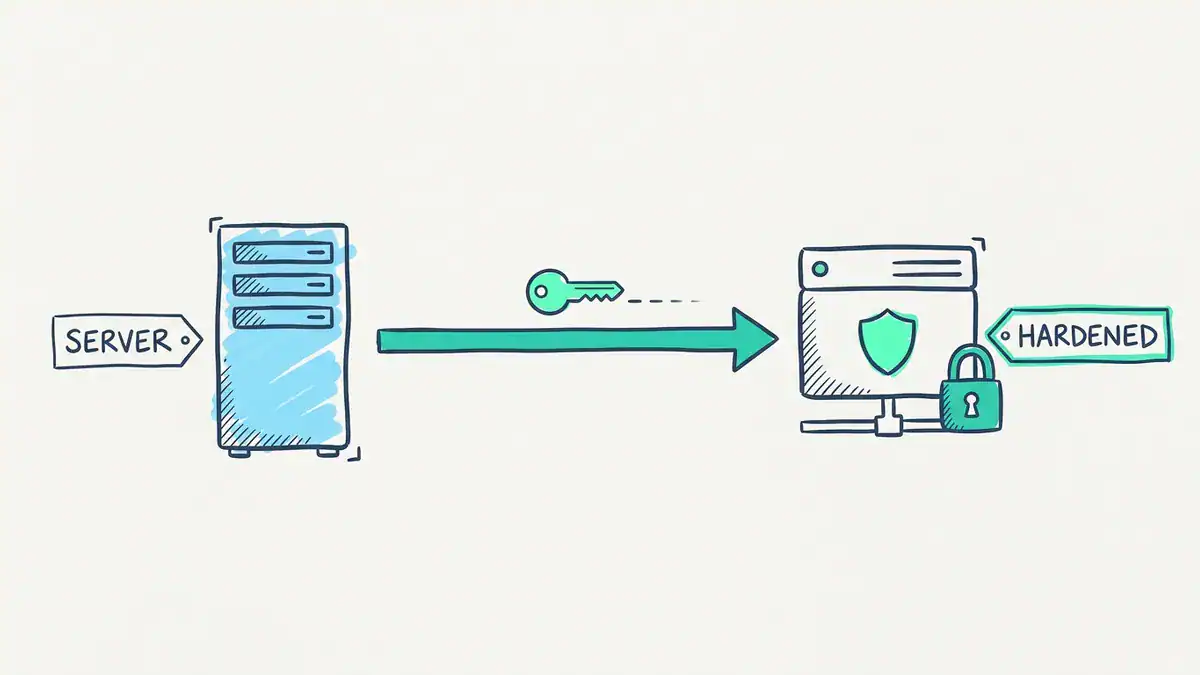
The backup server deploys the Veeam Data Mover once with single-use credentials, then sends backups. The lock is set by a separate root service on the repository.
How long backups stay locked
This catches people out. The immutability count starts from the last restore point in the active backup chain, and Veeam extends it to every file in that chain.
Veeam’s own example: a full backup on January 12, increments on January 13 and 14, and a 10-day immutability period. Every file in that chain stays locked until January 24 (January 14 plus 10 days). So your oldest files are often locked for longer than the number you typed.
Two more rules from the same page. The lock is only applied when a backup session completes, so a failed run doesn’t get locked until a later run applies it. And the .vbm metadata file can never be immutable, because it changes on every job run.
Veeam immutable backup best practices
- Lock longer than your detection time. Attackers often sit inside a network for days or weeks before they encrypt anything. A 7-day lock is Veeam’s minimum, not a target. Base yours on how long an intruder could go unnoticed in your network, plus margin.
- Protect the clock. Veeam’s Immutability Service runs timeshift detection. If the system time or hardware clock jumps by more than 24 hours, retention operations are blocked until you reset the protection. Set the hardware clock to UTC. Our PTP vs NTP guide explains why time sources are a security dependency, not a convenience.
- Don’t leave it powered off. Shutting the repository down for more than 24 hours also triggers that block.
- Keep it single-purpose. Veeam allows only one extra role on a hardened repository: a VMware backup proxy in Network mode. Don’t install Veeam Agent for Linux on it, and don’t share it between backup servers.
- Turn on four-eyes approval if your version supports it, so shortening or disabling immutability needs a second person.
- Copy offsite. One hardened repository in one rack is still one site. Send a second copy to object storage with Object Lock.
Picture a two-person IT team at a small manufacturer that set its hardened repository to the 7-day minimum because disk was tight. An intruder stayed hidden for 12 days before triggering encryption. Every locked copy was clean, but none of them was older than the intrusion. They restored, and the backdoor came back with the restore. Doubling the period would have cost a few more drives. Rebuilding servers from scratch cost them two weeks.
Want to practise this before you touch production? The Veeam Backup Workbook lists “veeam immutable backup on hardened Linux repository” in its topics, alongside backup server hardening and MFA. Hit Notify Me on the page to hear when it’s out. In the meantime, our Linux file permissions cheat sheet covers the 0700 and ownership rules step 4 depends on.
AWS immutable backup: Vault Lock and S3 Object Lock
For AWS immutable backup there are two tools, and they work at different levels. AWS Backup Vault Lock locks a whole backup vault. S3 Object Lock locks individual objects in a bucket.
AWS Backup Vault Lock
AWS Backup Vault Lock has two modes. Read this part twice before you click anything.
- Governance mode. Users with enough IAM permissions can still remove the lock. It stops mistakes and casual deletes, not a determined admin.
- Compliance mode. You get a grace time of at least 3 days (72 hours). During it you can still change or remove the lock. After it ends, AWS’s Vault Lock documentation says the vault configuration “cannot be altered or deleted by a customer, account/data owner, or AWS” as long as it holds recovery points. That includes the root user.
You can also set a minimum and maximum retention. Backup and copy jobs with a retention outside that range fail, so a careless job can’t drop a 1-day backup into a 30-day vault. Recovery points already in the vault before you lock it aren’t affected.
Here’s AWS’s own CLI example for compliance mode (drop --changeable-for-days for governance mode):
aws backup put-backup-vault-lock-configuration \
        --backup-vault-name my_vault_to_lock \
        --changeable-for-days 3 \
        --min-retention-days 7 \
        --max-retention-days 30
AWS also offers a logically air-gapped vault. It stores backups in an AWS Backup service-owned account, comes with Vault Lock in compliance mode automatically, and can be shared with specific other AWS accounts through AWS Resource Access Manager for recovery.
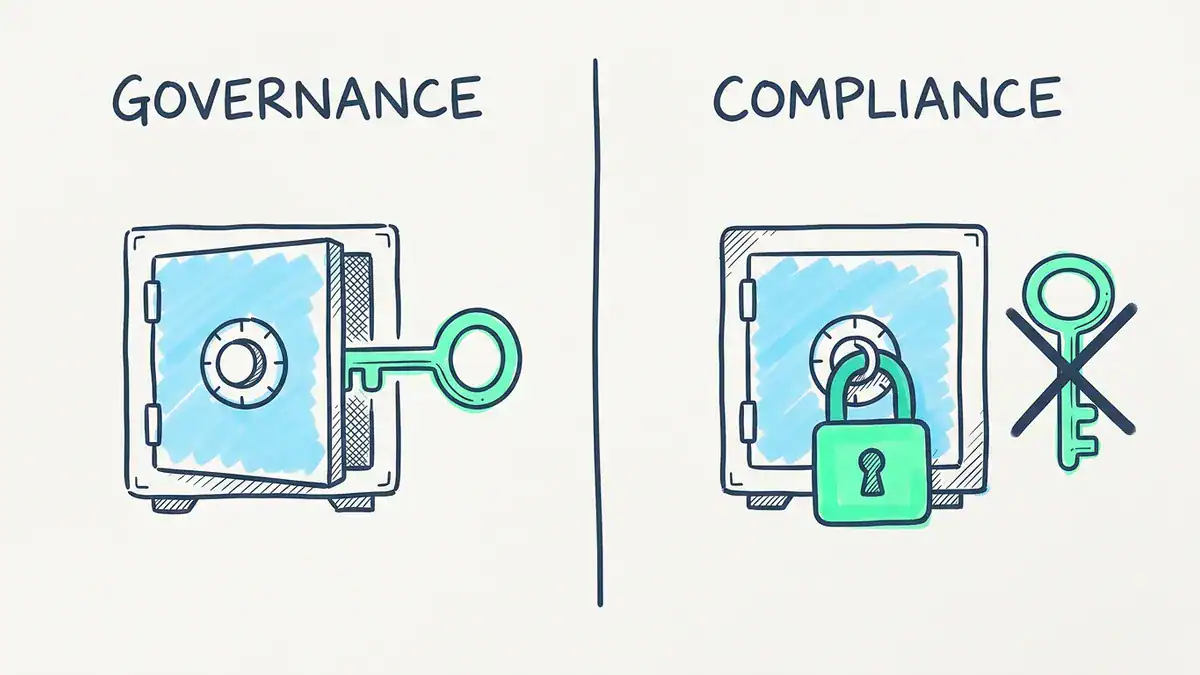
Governance mode can be undone by users with the right IAM permissions. Compliance mode can’t be undone by anyone, including AWS, once its grace time of at least 3 days ends.
S3 immutable backup with Object Lock
If your backup software writes to S3 (Veeam, Commvault and many others can), S3 Object Lock gives you S3 immutable backup at the object level. It needs S3 Versioning turned on. It also has two modes:
- Governance: users can bypass it with the
s3:BypassGovernanceRetentionpermission and a special request header. - Compliance: no user can overwrite or delete a locked object version, including the root user. AWS says the only way to remove it early is to delete the whole AWS account.
There’s also a legal hold, which has no end date and stays until someone with the right permission removes it. Details are in the S3 Object Lock guide.
A practical tip: test with governance mode and a short retention first. A compliance-mode mistake with a 10-year retention is a 10-year storage bill.
Azure immutable backup and Azure immutable storage
Azure splits this the same way AWS does: one feature for Azure Backup vaults, one for Blob storage.
Azure Backup immutable vault
An Azure immutable backup comes from turning on immutability for a Recovery Services vault or a Backup vault. The vault has three states, per Microsoft’s immutable vault overview (updated 2026-11-19):
| State | What it means |
|---|---|
| Disabled | No immutability, nothing blocked |
| Enabled | Immutability on, but you can still turn it off |
| Enabled and locked | Can’t be turned off. Microsoft calls locking “irreversible” |
Once immutability is on, you can’t delete recovery points before they expire, like by stopping protection and deleting the data. On a Recovery Services vault you also can’t change a backup policy in a way that reduces retention. Increasing retention is fine.
Microsoft lists locked immutability as generally available in all Azure public and US government regions. Enable it first, test your restores, then lock it.
Azure immutable storage for Blob
Azure immutable storage for Blob is the object-storage version, and it’s what you’d point backup software at. Two policy types exist:
- Time-based retention, from 1 day up to 146,000 days (400 years).
- Legal hold, which lasts until someone clears it.
A new time-based policy starts unlocked so you can test it. Once you lock it, you can extend retention but never shorten it. At container level, a locked policy can be extended a maximum of five times over its life. Microsoft says Cohasset assessed the feature against SEC Rule 17a-4(f), FINRA Rule 4511 and CFTC Rule 1.31(c)-(d). The rules are in Microsoft’s immutable storage overview.
If you’re studying for AZ-104, both features are worth a lab. Our AZ-104 study guide lists the other storage and backup skills worth practising.
Rubrik, Commvault, Synology and Proxmox: how other tools handle it
Rubrik immutable backups. Rubrik keeps recovery points in its own Atlas file system, which it describes as append-only, and doesn’t expose backup data as a normal writable SMB or NFS share. Operations go through authenticated APIs. Those descriptions come from Rubrik’s own material, so test the restore and admin-account scenarios yourself.
Commvault immutable backups. Commvault uses a WORM storage lock combined with a compliance lock on backup destinations. Its documentation warns that turning it on is irreversible and you can’t lower retention afterwards, and that locked storage needs extra space because data can’t be pruned early. On cloud storage it uses object-level locks where the platform supports them.
Synology immutable backup. Synology’s immutable snapshots (on supported models) stop a snapshot from being deleted for a protection period, and Synology suggests 7 to 14 days. Once you tick the immutable option you can’t untick it, and you can’t delete a shared folder that holds immutable snapshots until the period ends. Check Synology’s model list first, because not every NAS supports it.
Proxmox backup immutable options. This one’s honest-answer territory. Proxmox Backup Server 4.2 (April 2026) made S3-compatible storage an officially supported backend, but object locking isn’t part of its S3 feature set, according to Proxmox staff on the official forum. Deduplication makes it tricky: a chunk uploaded months ago can still be needed by today’s backup. The protected flag on a snapshot keeps prune jobs away from it, but anyone with enough rights can clear it, so treat it as a safety catch, not immutability. For real immutability with Proxmox, people add a separate locked copy outside PBS, such as a hardened repository or object storage with Object Lock. If you’re still building your lab, start with our Proxmox homelab setup guide.
Common immutable backup mistakes
These come up again and again:
- Locking the primary copy only. If your only immutable copy is in the same room as production, a fire or a flood still wins.
- Same credentials everywhere. If the backup repository trusts the same domain admin account that the attacker just stole, the lock is your only defence. Separate identities for backup admins, and MFA on everything.
- Retention shorter than dwell time. Covered above. It’s the most common gap.
- Never testing a restore. The zero in 3-2-1-1-0 exists for a reason. Schedule restore tests, and scan restored systems before putting them back online.
- Compliance mode on day one. Test with governance mode or an unlocked policy first. Compliance mode mistakes can’t be undone, and you’ll pay to store them.
- Forgetting the bill. Locked data can’t be pruned early. Size storage for your retention, not your average backup.
Picture a security team that turned on S3 Object Lock in compliance mode for a whole bucket during a busy Friday change window, with a default retention of seven years meant for one compliance dataset. Every nightly backup in that bucket inherited it. Nobody could delete a single object, so the storage bill grew every month. That’s not a failure of immutability. It’s a failure to test with governance mode first.
FAQ
What is immutable backup?
An immutable backup is a backup copy that can’t be modified, encrypted or deleted until its retention period expires. The lock is enforced by the storage (a Linux file attribute, an object lock or a locked vault), so even an administrator with full rights in the backup software can’t remove it early.
What does immutable backup mean?
It means the backup is write once, read many (WORM). You can read and restore from it, but nobody can change or remove it during the lock period. “Immutable backup meaning” and “immutable backup definition” describe the same thing.
Does immutable backup stop ransomware?
It stops ransomware from deleting or encrypting your locked backup copies, which is the step attackers rely on to force a payment. It doesn’t stop data theft, and it won’t remove malware that was already inside your environment when the backup was taken.
What is the difference between immutable backup and air gap?
An air-gapped copy is disconnected from the network, so attackers can’t reach it. An immutable copy stays online but refuses changes and deletes. Air gaps restore slowly, immutable copies restore fast, and a good plan uses at least one of the two for the copy that has to survive.
What is a Veeam hardened repository?
A Veeam hardened repository is a Linux server with local block storage where Veeam Backup & Replication sets the immutable attribute on backup files. In Veeam 13 the lock lasts 7 to 9,999 days, and the backup server connects through a non-root service that can’t remove it.
What is AWS Backup Vault Lock?
AWS Backup Vault Lock locks an AWS Backup vault so recovery points can’t be deleted early. Governance mode can be removed by users with enough IAM permissions. Compliance mode becomes permanent after a grace time of at least 3 days, and then nobody, including AWS, can remove it while the vault holds recovery points.
How long should immutable backups be kept?
Longer than an attacker could stay hidden in your network, plus a margin. Veeam’s minimum is 7 days, but that’s a floor, not advice. Many teams lock short-term backups for a few weeks and keep monthly or yearly copies locked for longer to meet retention rules.
Is immutable cloud backup better than on-premises?
Neither is better on its own. Immutable cloud backup (S3 Object Lock, Azure immutable storage, AWS Backup Vault Lock) gives you an offsite copy managed outside your network. An on-premises hardened repository restores faster. Most teams use both: a local locked copy for quick restores and a cloud locked copy for disasters.
Bottom line
Immutable backup is the cheapest way to take the “we’ll delete your backups” card away from a ransomware crew. Here’s what to take away:
- An immutable backup can’t be changed or deleted until its lock expires, and the storage enforces it, not the backup console.
- Attackers go after backups first, which is why locked copies change the outcome of an attack.
- Pick a lock that’s longer than an intruder could hide in your network, and protect the clock it depends on.
- Use compliance or locked modes only after you’ve tested with governance or unlocked settings.
- Keep at least one copy offsite, and restore from it on a schedule.
Your next step: pick one system this week and check whether any copy of its backup could survive a stolen admin password. If the honest answer is no, start with a hardened repository or an Object Lock bucket in a lab.
Want a lab plan for exactly that? The Veeam Backup Workbook covers a hardened Linux repository, immutable backups, an air-gapped copy and a 3-2-1-1-0 design as hands-on EVE-NG labs. It’s not released yet, so click Notify Me on the page to be first in line.