There are exactly three private IP address ranges. That’s it. Ten, one-seventy-two-dot-sixteen, and one-ninety-two-dot-one-sixty-eight. Everything else is public. Going deeper on BGP? The 148-page BGP guide is free.
Here they are before anything else:
| Range | CIDR | Total addresses | Classful mask | Where you’ll see it |
|---|---|---|---|---|
| 10.0.0.0 to 10.255.255.255 | 10.0.0.0/8 | 16,777,216 | 255.0.0.0 | Enterprise networks, cloud VPCs, ISP internals |
| 172.16.0.0 to 172.31.255.255 | 172.16.0.0/12 | 1,048,576 | 255.255.0.0 | Mid-size networks, Docker’s default bridge |
| 192.168.0.0 to 192.168.255.255 | 192.168.0.0/16 | 65,536 | 255.255.255.0 | Home routers, small offices, lab topologies |
Those three blocks come from RFC 1918, published in 1996. They haven’t changed since.
Now the part that actually costs people marks on the exam and hours on the job: the addresses that look private but aren’t, and the five IP address classes that everybody still talks about even though routers stopped caring about them in 1993. That’s the rest of this article. On the service provider side, the OSPF and MPLS LDP guide covers best practice in 47 pages.
The five IP address classes at a glance
Before RFC 1918, the whole IPv4 space was carved into five classes based on the value of the first octet. You still need this table.
| Class | First octet | Address range | Default mask | Networks | Hosts per network | Purpose |
|---|---|---|---|---|---|---|
| A | 1 to 126 | 1.0.0.0 to 126.255.255.255 | 255.0.0.0 | 126 | 16,777,214 | Very large networks |
| B | 128 to 191 | 128.0.0.0 to 191.255.255.255 | 255.255.0.0 | 16,384 | 65,534 | Medium networks |
| C | 192 to 223 | 192.0.0.0 to 223.255.255.255 | 255.255.255.0 | 2,097,152 | 254 | Small networks |
| D | 224 to 239 | 224.0.0.0 to 239.255.255.255 | n/a | n/a | n/a | Multicast |
| E | 240 to 255 | 240.0.0.0 to 255.255.255.255 | n/a | n/a | n/a | Reserved, experimental |
Spot what’s missing? 127. It sits right in the middle of what should be class A, and it’s not there.
That’s on purpose. 127.0.0.0/8 is reserved for loopback, so the usable class A range stops at 126. Exam writers love this one. If a question asks you for the class A range and one option says “1 to 127” and another says “1 to 126,” pick 126.
Class D and class E don’t get subnet masks because you never assign hosts out of them. Class D is multicast. Class E was set aside for experiments and never released.
What is a private IP address?
A private IP address is one that no router on the public internet will forward. Ever.
Your ISP’s edge router looks at a packet with a source of 192.168.1.40 and drops it. So does every router after that. The address is only meaningful inside your own network, which is exactly why anyone can use it without asking permission or paying anyone.
That’s the whole trick. Public addresses are a finite resource with an owner. Private addresses are free, unlimited, and reusable by everyone at the same time, because none of those copies ever meet. Knowing which layer owns what saves hours of troubleshooting, and the OSI model cheat sheet PDF is a free one-pager.
Your router bridges the two worlds using NAT. Traffic leaving your network gets its private source address rewritten to the router’s single public address. Replies come back and get translated in reverse. One public address, hundreds of internal devices.

Many private addresses in. One public address out. That’s the whole job of NAT.
Why do private IP ranges exist at all?
IPv4 has about 4.3 billion addresses. There are far more connected devices than that, and there have been for years.
Here’s the number that makes it concrete: IPv4 addresses trade on the transfer market for roughly $20 each as of mid-2026, according to market data from ipregistry. A single /24 block, which is 256 addresses, runs into thousands of dollars. Now imagine buying a public address for every laptop, phone, printer and access point in a 400-person office.
Nobody does that. They use 10.0.0.0/8, which costs nothing, and put one public address on the outside of the firewall.
That’s why RFC 1918 exists. Not as a security feature, as an economics feature. The security benefit, that unsolicited inbound traffic can’t reach your internal hosts, is a side effect people came to depend on later.
Studying for CCNA? The free CCNA 200-301 notes PDF covers addressing alongside the rest of the exam blueprint. No cost, no catch.
The three private IP address ranges in detail

The three blocks are nowhere near the same size. 10.0.0.0/8 holds 256 times what 192.168.0.0/16 does.
10.0.0.0/8
The biggest one. Over 16 million addresses in a single block, which means one flat namespace you can carve up however you want.
This is what enterprises pick, and it’s what most people reach for in the cloud. Azure fills in 10.0.0.0/16 for you when you create a virtual network. AWS is the odd one out, and that catches people: its default VPC sits in 172.31.0.0/16, not 10.x at all. Almost everybody who builds their own AWS VPC picks something in 10.x anyway.
The gotcha: that popularity is the problem. The most common address-planning failure in cloud work is two networks that both ended up on 10.0.0.0/16, discovered six months later when somebody tries to peer them. VPC peering rejects overlapping CIDR blocks outright. There’s no clever fix, you renumber one side.
172.16.0.0/12
The one everyone forgets, and the one that trips people up most.
The block runs from 172.16.0.0 to 172.31.255.255. Not 172.0.0.0. Not 172.255.255.255. Just the sixteen /16s from 172.16 through 172.31.
The gotcha: 172.32.1.1 is a public address. So is 172.15.1.1. Only the middle slice is private, and that middle slice is busier than people expect. Docker’s default bridge lives there, which is why 172.17.0.1 shows up on so many Linux boxes, and every AWS default VPC lands there too, on 172.31.0.0/16.
If you see a “which of these is private” question on a Network+ or CCNA exam, there’s a good chance the wrong answer is a 172 address just outside the block.
192.168.0.0/16
The home network range. 65,536 addresses, usually chopped into /24s, and your router almost certainly hands out 192.168.0.x or 192.168.1.x right now.
The gotcha: that ubiquity breaks VPNs. Say you set up a site-to-site tunnel between a head office on 192.168.1.0/24 and a branch on 192.168.1.0/24. The tunnel comes up. Nothing passes.
Each side looks at the destination, sees an address in its own local subnet, and never hands the packet to the tunnel at all.
Same thing happens with remote workers. Somebody VPNs in from a home router on 192.168.1.0/24, the corporate LAN is also 192.168.1.0/24, and half their traffic vanishes. It looks like a VPN problem. It’s an address planning problem.

Two sites, one subnet, no route. The tunnel is fine. The addressing isn’t.
Which addresses look private but aren’t?
Seven blocks fool people constantly.. None of them are in RFC 1918.
| Block | What it actually is | RFC 1918? |
|---|---|---|
| 169.254.0.0/16 | APIPA, or link-local. Your OS assigns this to itself when DHCP fails | No |
| 127.0.0.0/8 | Loopback. 127.0.0.1 is the machine you’re sitting at | No |
| 100.64.0.0/10 | Shared Address Space. Your ISP’s carrier-grade NAT lives here | No |
| 172.32.0.0 and above | Public. The private block ends at 172.31.255.255 | No |
| 192.0.2.0/24 | TEST-NET-1. Reserved for documentation and examples, per RFC 5737 | No |
| 198.51.100.0/24 | TEST-NET-2. Same purpose, different block | No |
| 203.0.113.0/24 | TEST-NET-3. Same purpose, third block | No |

Three on the left are RFC 1918. The rest aren’t, no matter how private they look.
169.254 is a symptom, not an address plan. When a Windows box shows you a 169.254 address, DHCP failed. The machine gave up waiting and picked its own link-local address. Wrong VLAN, dead DHCP server, unplugged cable. Seeing 169.254 in ipconfig output tells you where to start looking, which makes it one of the more useful things on this list. If VLANs are still fuzzy, start at what a VLAN is and work up.
192.0.2, 198.51.100 and 203.0.113 are the addresses vendors made up on purpose. Three more blocks show up constantly in vendor documentation and lab guides. RFC 5737 reserved them purely so writers have safe example addresses that will never collide with someone’s actual network. Not private, not usable on a real network either, just fictional on purpose.
Are you sitting behind CGNAT?
Check your router’s WAN address. If it starts with anything from 100.64 to 100.127, your ISP is putting you behind carrier-grade NAT.
That block is Shared Address Space from RFC 6598, and it exists for one reason: ISPs needed a range to number the link between their NAT gear and your router, and they couldn’t use RFC 1918 space because it kept colliding with customers’ home networks.
So your traffic gets translated twice. Once by your router, once by the ISP. The industry calls this NAT444, because three separate address spaces are stacked up.
Practical consequence: port forwarding doesn’t work. You can configure it perfectly on your own router and nothing will reach you, because the ISP’s NAT in front of you has no rule sending that port your way. If you’re building a home lab and can’t expose a service, check for a 100.64 WAN address before you troubleshoot anything else. Our home lab setup guide walks through the rest of the build.

Two gates, not one. Your forwarding rule sits behind the second one and never gets reached.
Private vs public IP addresses
| Private | Public | |
|---|---|---|
| Routable on the internet | No | Yes |
| Who assigns it | You, or your DHCP server | Your ISP, or a regional registry like ARIN |
| Cost | Free | Roughly $20 per address on the transfer market |
| Reusable elsewhere | Yes, by everyone | No, globally unique |
| Reachable from outside | Only through NAT or a VPN | Directly |
| How to check | ipconfig or ip a | Ask any “what’s my IP” site |
The everyday version: your laptop has both. The private one identifies it on your network. The public one belongs to your router and is what the rest of the internet sees.
How do I find my private IP address?
Three commands, depending on where you are.
Windows:
ipconfigLook for IPv4 Address under your active adapter.
macOS or Linux:
ip aOr ifconfig on older systems.
Cisco IOS:
Router# show ip interface brief

Interface              IP-Address      OK? Method Status    Protocol
GigabitEthernet0/0     10.14.7.1       YES manual up        up
GigabitEthernet0/1     192.168.20.1    YES manual up        up
GigabitEthernet0/2     unassigned      YES unset  administratively down down
Loopback0              10.255.255.1    YES manual up        up
That last one is the command you’ll actually type in the exam lab and on the job. Note the Loopback0 interface sitting in 10.255.255.1. Loopbacks are a great use of private space: they’re stable, they never go down, and they make excellent router IDs.
Building this in a lab beats reading about it. The CCNA Workbook ships with a lab environment that boots, so you can assign these ranges to real interfaces and watch NAT translate them instead of memorising a table.
Nothing changes in “Private vs public IP addresses” or “How do I find my private IP address?” below.
How to choose a private range for a real network
This is the part the reference tables skip. Picking a range is a design decision and most people get it wrong by defaulting.
1. Stay off 192.168.0.0/24 and 192.168.1.0/24. Those two subnets are the most contested address space on earth. Measurement work by Ben Cartwright-Cox on real-world RFC 1918 usage shows just how lopsided the distribution is. If anything you build will ever touch a VPN, pick something else.
2. Randomise the third octet in 10.x. Not 10.0.0.0/24. Not 10.1.1.0/24. Something like 10.37.14.0/24. It costs you nothing and the odds of colliding with a partner network drop to near zero.
3. Check your cloud CIDRs first. If you have VPCs, list their ranges before you pick anything in 10.x on-prem. Overlap discovered after deployment means renumbering, and renumbering means downtime.
4. Write the plan down before you assign a single address. One subnet per VLAN, a documented purpose for each, room to grow. A spreadsheet you maintain beats a network you have to reverse engineer.
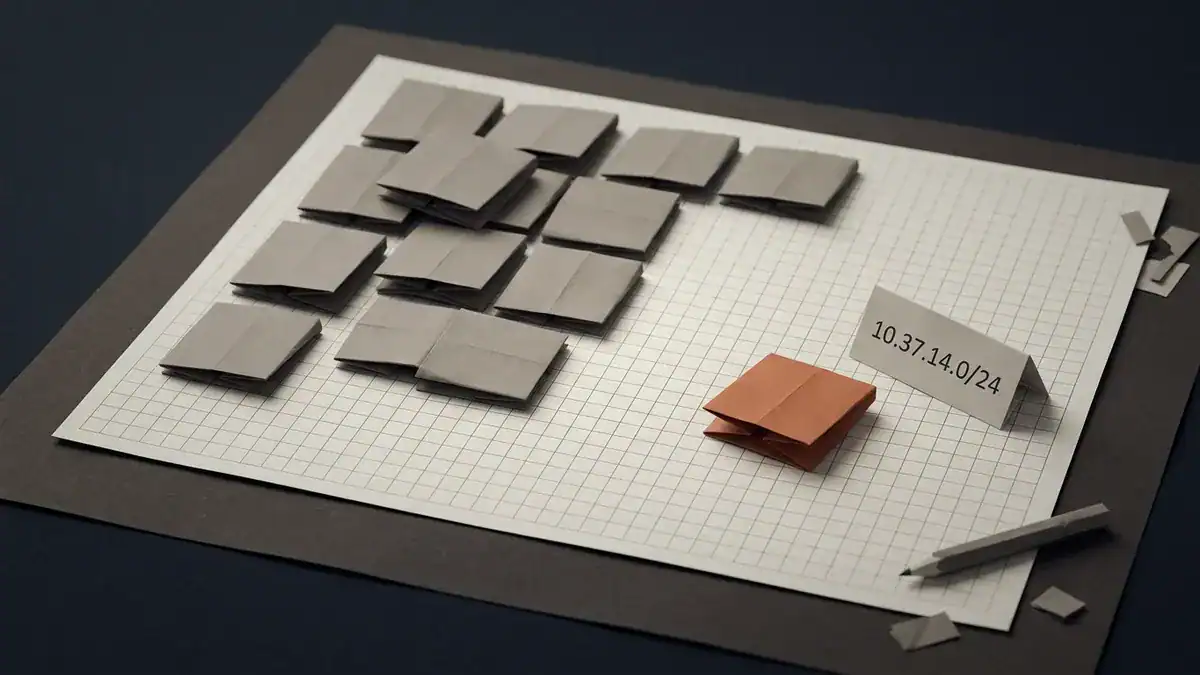
Everyone crowds the same corner. Pick somewhere else and you never have to renumber.
Say you’re merging two offices that both ran on 192.168.1.0/24 for a decade. There’s no configuration that makes those coexist. Somebody spends a weekend renumbering one site, updating every static assignment, every firewall rule, every printer. Ten minutes of planning at the start would have avoided all of it.
Are IP address classes still used?
Short answer: no, and yes.
Classful routing died in 1993. CIDR replaced it, and no router built since then looks at the first octet to work out a subnet mask. A /12 like 172.16.0.0/12 doesn’t fit any class boundary at all, which tells you the class system was already breaking when RFC 1918 was written. Once routing between sites matters, read how BGP MED decides inbound paths.
But the vocabulary survived. Three places you’ll still meet it:
- Exams. CCNA and Network+ both test class ranges. Microsoft’s own networking documentation still explains them.
- Shop talk. “Give them a class C” almost always means “give them a /24.” Nobody’s making a claim about the first octet.
- Legacy defaults. Some tools still suggest a classful mask when you type an address, which is a habit worth noticing before you accept it.
What replaced classes is variable-length masking, and that’s a different skill with its own maths. We cover the block size method and worked examples in the subnetting guide. If you’re comfortable with the tables above but freeze when someone asks for the fourth subnet of 172.16.0.0/20, start there.
One footnote on class E. A long-running IETF proposal wanted to reclassify 240.0.0.0/4 as ordinary unicast space, which would have added roughly 268 million usable addresses. That draft reached version 09 in June 2025, then expired without ever becoming an RFC. Class E is still reserved. Worth knowing the argument happened. Don’t expect it on an exam.
Nothing changes in “What about IPv6 private addresses?” or the 15 practice questions and their answers below, the new TEST-NET blocks aren’t quizzed on, this stays scoped to the reference section.
What about IPv6 private addresses?
IPv6 has no classes and doesn’t need NAT, so the whole framing changes. If IPv6 itself is new to you, start with what IPv6 is and how its addresses work.
The closest equivalent to RFC 1918 is the Unique Local Address block, fc00::/7. In practice everyone uses the lower half, fd00::/8, and generates a random 40-bit global ID so their prefix won’t collide with anyone else’s. That randomness does the job that careful planning does in IPv4.
Separately, fe80::/10 is link-local. Every IPv6 interface gets one automatically, and it’s used for neighbour discovery and routing protocol adjacencies. You’ll see fe80 addresses in OSPFv3 and BGP output constantly.
There’s no IPv6 equivalent of 192.168.1.1, and that’s the point. Address scarcity was the reason private IPv4 space existed. IPv6 doesn’t have that problem.
15 practice questions
Cover the answers and work through these. They’re written in the style the exams actually use.
Private or public?
- 172.32.1.1
- 100.68.4.2
- 169.254.10.5
- 10.255.255.254
- 192.168.255.1
Which class?
- 127.0.0.1
- 191.255.0.1
- 224.0.0.5
- 8.8.8.8
Masks and counts
- What’s the default classful mask for a class B network?
- How many usable hosts does a single class C network hold?
- What’s the last usable address in the 172.16.0.0/12 private block?
Scenarios
- A user VPNs into head office. The corporate LAN is 192.168.1.0/24 and so is their home network. Some traffic works, some doesn’t. What’s wrong?
- A workstation shows 169.254.88.203 in
ipconfig. What happened? - Your router’s WAN interface has 100.79.12.4. Port forwarding to your home server fails. Why?
Answers
- Public. The private block stops at 172.31.255.255.
- Public, technically. It’s Shared Address Space from RFC 6598, not RFC 1918, and not globally routable either. If the question asks about RFC 1918 specifically, the answer is no.
- Neither, it’s link-local. APIPA, RFC 3927. Not RFC 1918.
- Private. Sits inside 10.0.0.0/8.
- Private. Inside 192.168.0.0/16.
- Class A numerically, but reserved for loopback. The usable class A range is 1 to 126.
- Class B. The class B first octet range is 128 to 191, and 191 is the last one.
- Class D. Multicast. This one is AllSPFRouters, the group every OSPF router joins. The separate designated-router group is 224.0.0.6.
- Class A, and public. Google’s DNS resolver.
- 255.255.0.0, or /16.
- 254. 256 addresses minus the network and broadcast addresses.
- 172.31.255.255.
- Overlapping subnets. Each machine sees the destination as local and never hands the packet to the tunnel. One side has to renumber.
- DHCP failed. No server responded, so the OS self-assigned a link-local address. Check the VLAN, the cable and the DHCP scope.
- Carrier-grade NAT. 100.79.12.4 is in 100.64.0.0/10, so your ISP is translating you a second time. Your forwarding rule is correct, it just never gets reached.
Score 13 or better and addressing isn’t going to be what fails you on exam day. Under 10 and it’s worth another pass. Whichever exam you’re aiming at, our breakdown of CCNA vs Network+ covers which one to sit first.
Frequently asked questions
Which three IP addresses are private?
The three private ranges are 10.0.0.0 to 10.255.255.255, 172.16.0.0 to 172.31.255.255, and 192.168.0.0 to 192.168.255.255. RFC 1918 defines all three. Anything outside them is public, including addresses that look similar like 172.32.0.1.
Is 192.168.1.1 public or private?
Private. It sits inside 192.168.0.0/16 and it’s the default gateway address on a large share of home routers. No router on the public internet will forward traffic to it.
Is 172.16 a private IP range?
Yes. 172.16.0.0/12 covers 172.16.0.0 through 172.31.255.255. The block starts at 172.16 and ends at 172.31, so 172.15 and 172.32 are both public.
Is 127 a class A address?
Numerically it falls in class A, but 127.0.0.0/8 is reserved for loopback and never assigned to a host. That’s why the usable class A range is written as 1 to 126.
Is 192 class B or class C?
Class C. The class C first octet range runs 192 to 223. Class B stops at 191.
How many IP addresses are in a class B network?
65,536 total, of which 65,534 are usable for hosts once you take out the network and broadcast addresses. The default mask is 255.255.0.0.
Why would someone use a private IP address?
Because public addresses cost money and there aren’t enough of them. Private ranges are free, reusable, and let hundreds of devices share a single public address through NAT. Blocking unsolicited inbound traffic is a useful side benefit.
Can someone track me using my private IP address?
No. Your private address only means something inside your own network, and it never leaves it. What the outside world sees is your router’s public address, which is assigned by your ISP.
Is APIPA a private IP address?
Not under RFC 1918. The 169.254.0.0/16 range is link-local, defined by RFC 3927, and it’s a fallback your operating system assigns itself when DHCP doesn’t answer. It won’t route anywhere, not even across your own router.
What’s the difference between RFC 1918 and RFC 6598?
RFC 1918 gives you private space for your own network. RFC 6598 reserves 100.64.0.0/10 for ISPs to number the link between their carrier-grade NAT and customer routers. It exists because ISPs using RFC 1918 space kept colliding with customers’ home networks.
Bottom line
Three private ranges. Five classes, two of which you’ll never assign. Seven impostor blocks that catch people out.
That’s the whole reference. The tables are worth memorising for the exam, but the part that pays off later is the planning: don’t default to 192.168.1.0/24, randomise your third octet in 10.x, and check for overlap before you deploy anything.
The fastest way to make it stick is to build it. Assign the ranges to real interfaces, watch NAT do the translation, break it on purpose and fix it. The CCNA Workbook comes with a lab environment that boots on your own machine, so you’re configuring rather than reading.
Either way, get the addressing right early. Everything else in networking sits on top of it.
One more link fix, not shown inline above since it’s in the FAQ area: the “CCNA vs Network+” link near the end of the practice-questions section changes the same way.